



Bug reporting takes time. Here’s how AI helps teams work more efficiently
Are you in the process of deciding whether you should use a Software Development Kit (SDK) or a framework for your project?
Although they can seem similar, they serve very different purposes.
Understanding this distinction is crucial, especially for dev team leads who are uncertain about which tool to choose.
In this article, we will clearly explain both concepts and highlight their key differences, helping you make a more informed and confident decision.
Table of Contents
First, let’s go over what frameworks are.
In software development, a framework is a pre-built, standardized structure that serves as a foundation for building applications.
It provides a skeleton for your software, so you don’t have to write every single line of code from the very beginning.
Instead, you build your application’s specific features on top of this existing foundation.
Frameworks are typically composed of several key components that work together, with the most important ones illustrated below.
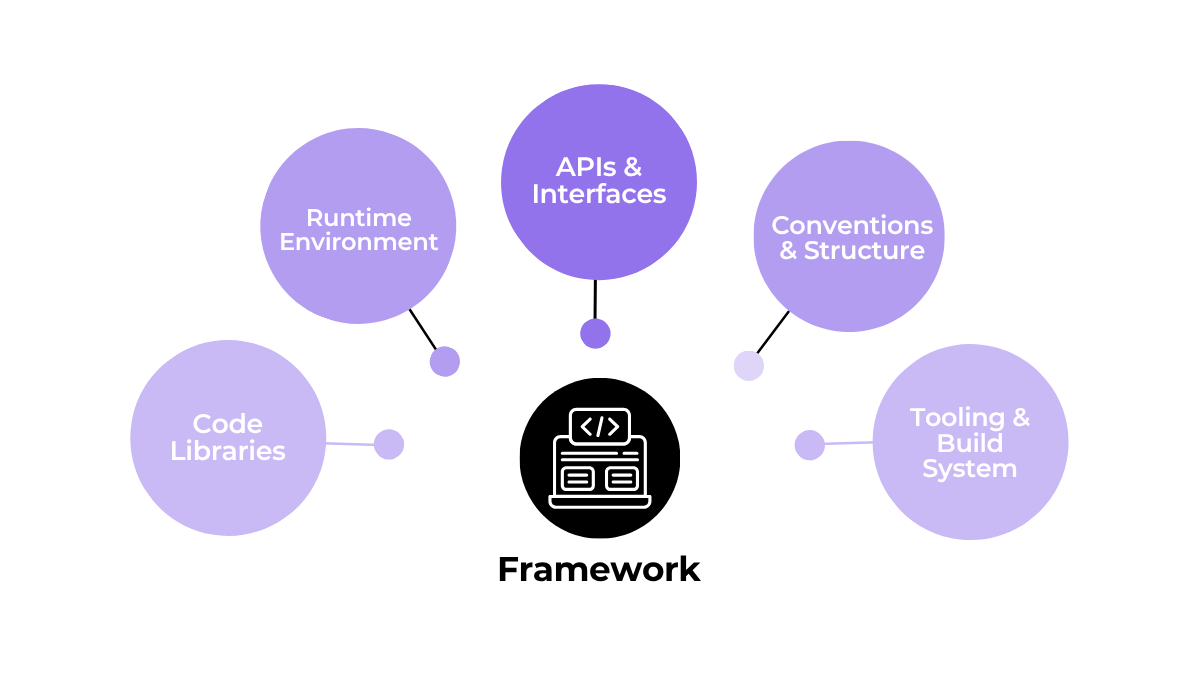
Essentially, a framework’s code libraries contain reusable functions and modules that speed up development and help maintain consistency across your project.
On the other hand, the runtime environment provides the necessary infrastructure for your application to execute as intended, managing tasks such as memory, processes, and dependencies.


Get unreal data to fix real issues in your app & web.
Frameworks also include APIs (Application Programming Interfaces) and other interfaces that define how different software components should interact and communicate with one another.
They also often come with their own tooling and build systems to help automate the development process.
For example, the Angular framework includes a powerful command-line tool called the Angular CLI.
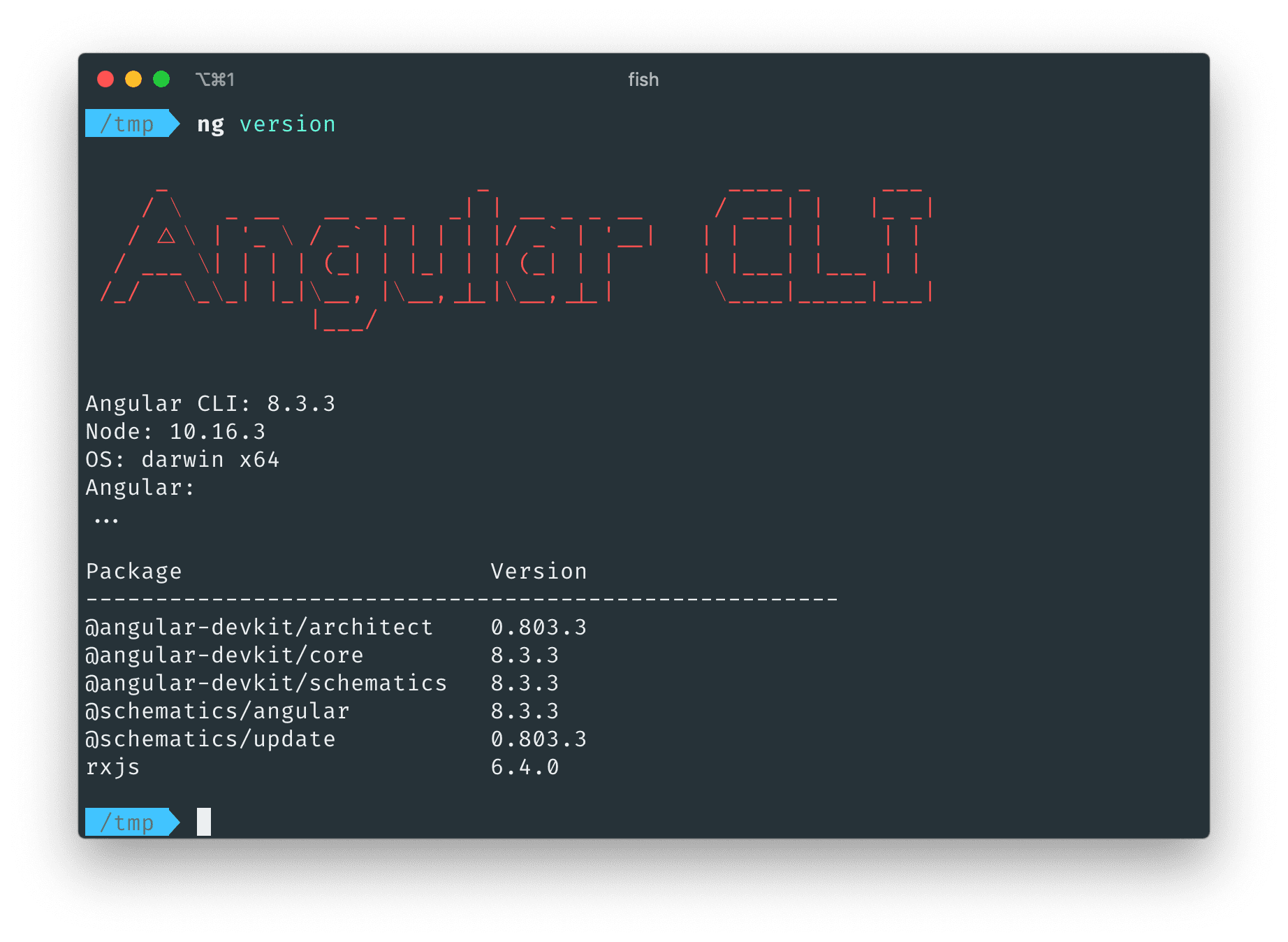
With a tool like this, using simple commands, you can instantly generate new application components from a blueprint, update existing code to the latest version, and run tests.
Now, just these few aspects of a framework we’ve mentioned so far show how they can be powerful toolkits to have.
In fact, Robert Martin, also known as Uncle Bob, a well-known software engineer and one of the authors of the Agile Manifesto, explains that frameworks are indeed essential.
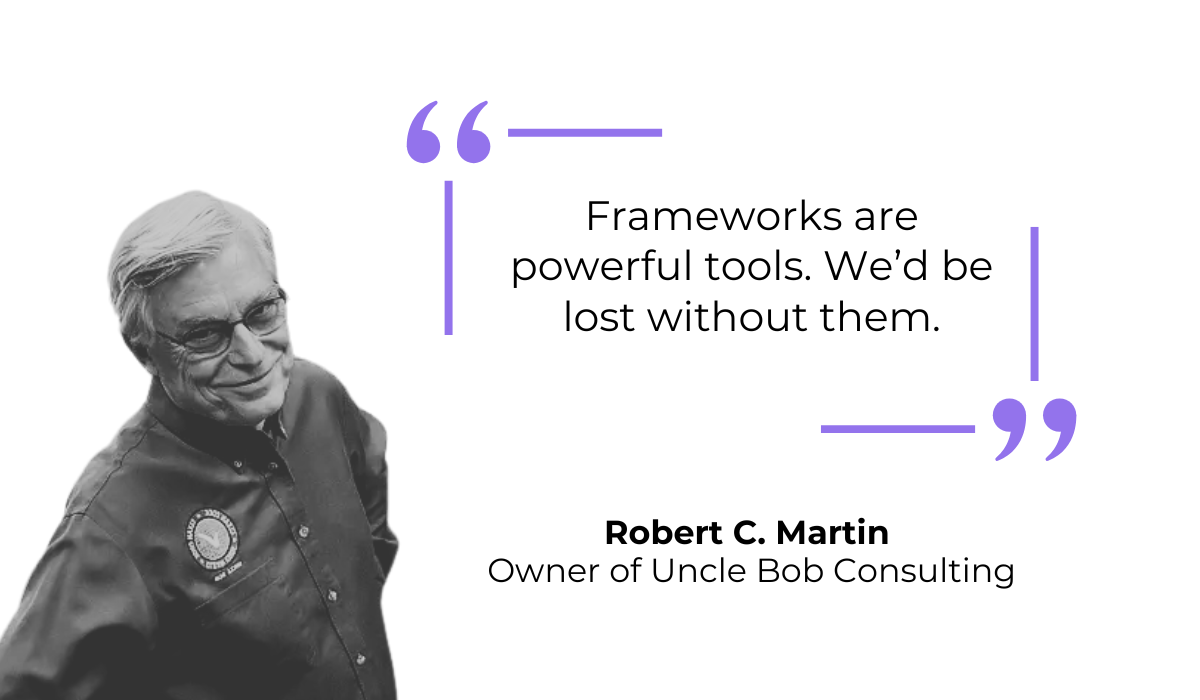
However, in his article on the topic, he also advises that developers should be careful not to tie their application’s core logic too closely to a specific framework.
This is because frameworks often dictate the application’s architecture and control the program’s flow.
These are the conventions and structure aspects we listed as the core components of a framework.
Some frameworks are very strict about this.
For example, Ruby on Rails is known for being an “opinionated” framework, meaning it has a specific set of conventions and a pre-defined structure that developers are expected to follow.
You can see what we mean if we look at their Rails Philosophy section shown below.
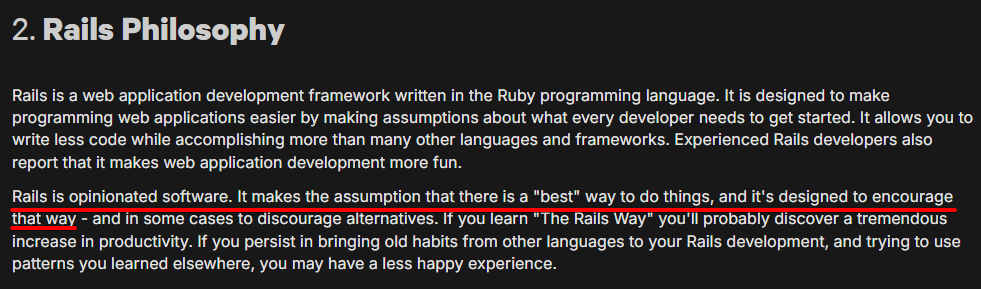
As you can see, this framework makes strong assumptions about the best way to do things, strongly suggesting patterns like “convention over configuration.”
While some might agree that this philosophy makes their development experience much more productive, it can also be limiting.
And, if you need to do something that goes against the framework’s built-in conventions, it can become quite difficult to do so.
To summarize, a framework gives you a comprehensive foundation with many built-in tools and rules.
This structure can greatly speed up development, but it requires you to adapt to its way of doing things.
Now that we have a good understanding of frameworks, let’s move on to SDKs.
An SDK is a collection of software development tools combined in a single, installable package.
They are designed to help developers create applications for a specific platform, system, or programming language.
So, let’s see what these kits are made of. Take a look at the image below for their core components.
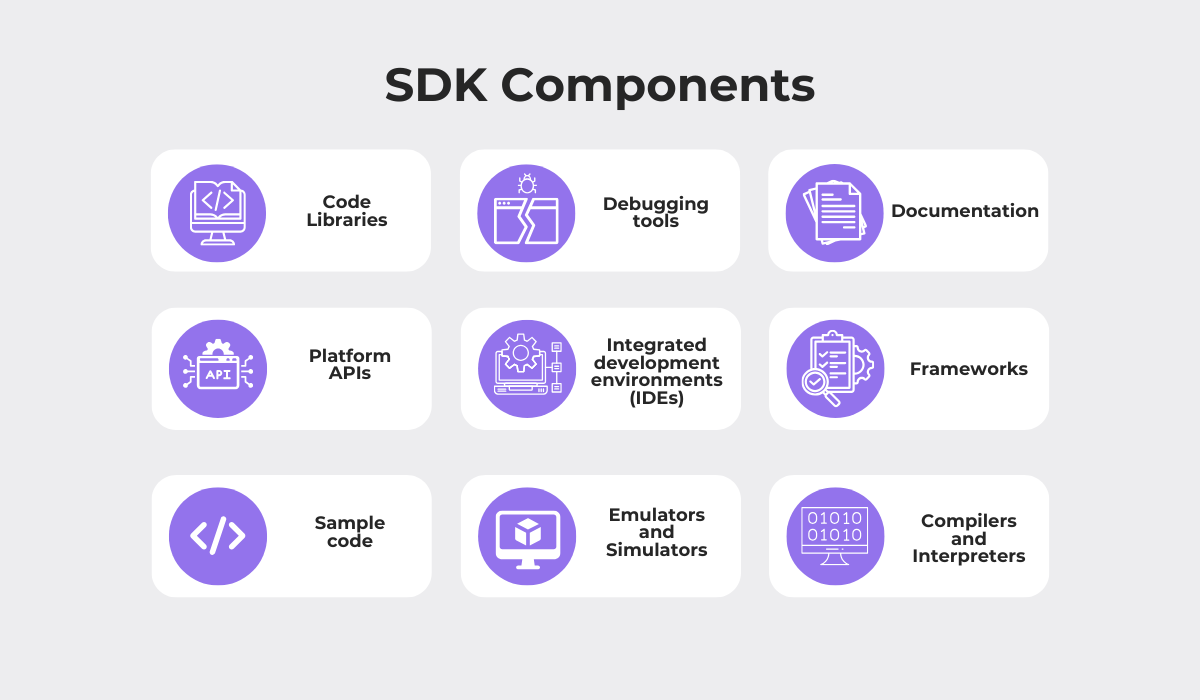
Similar to frameworks, SDKs often contain essential elements like code libraries, APIs, and extensive documentation that explains how to use the tools.
However, they also differ significantly.
SDKs frequently include specialized tools that frameworks typically do not, such as emulators and simulators.
These allow developers to test their application on a virtual device that behaves like a real one.
Plus, SDKs can be as simple or as complex as needed for their specific purpose.
For example, take Stripe’s SDK, which serves the single function of helping you implement Stripe’s payment functionality into an application.
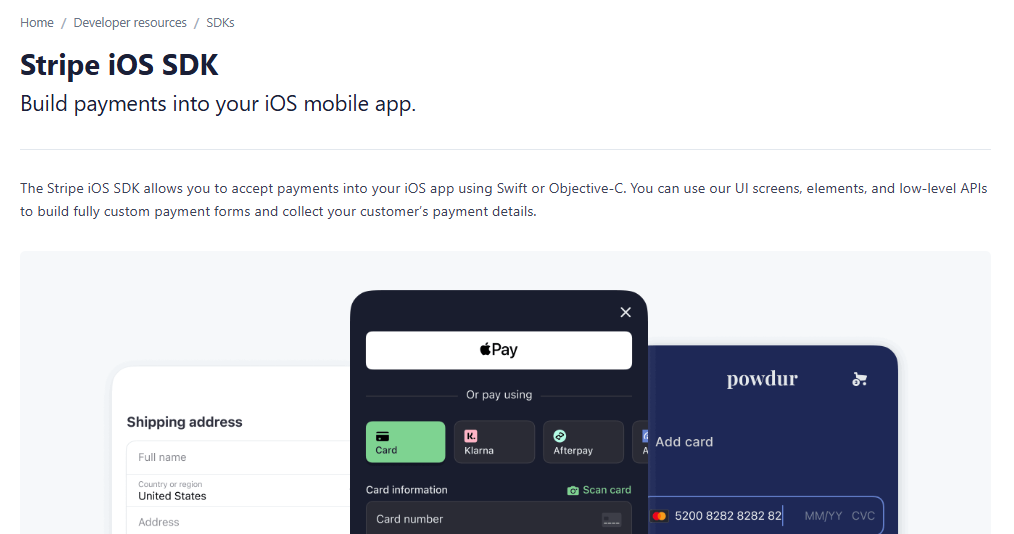
SDKs like these provide all the necessary code and tools to implement a particular feature, without controlling your application’s overall design.
In essence, they’re a specialized toolkit for a specific task.
On the other hand, the Android SDK is a much more robust and comprehensive example.
It’s a complete toolset required to build applications for the Android operating system.
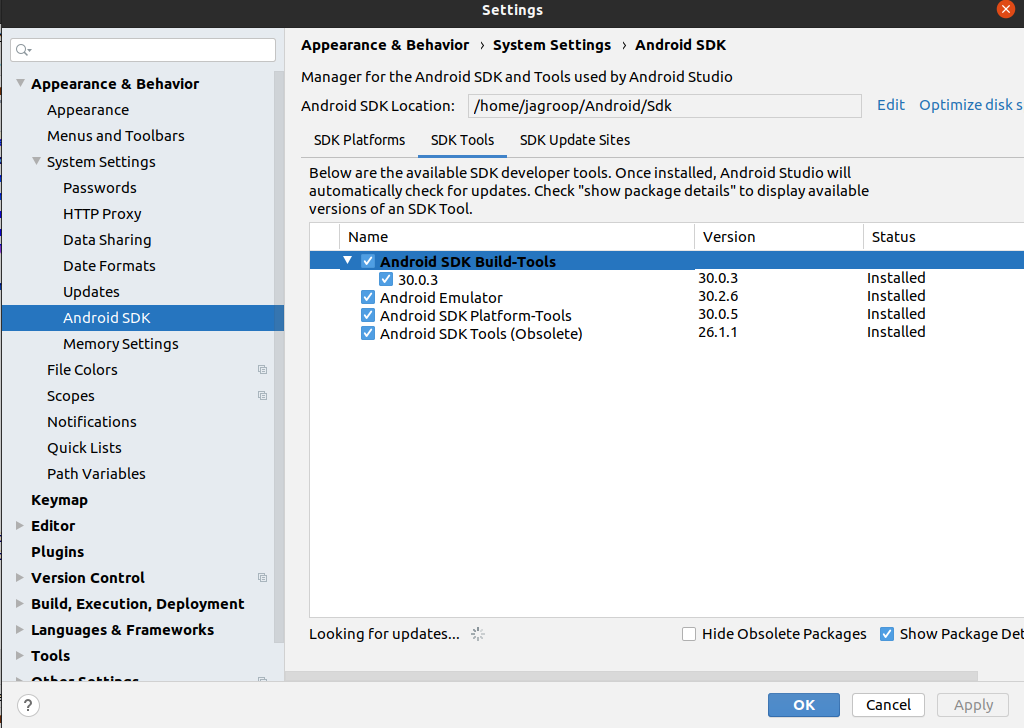
It contains a vast library of components, including a debugger, software libraries, and the emulators we mentioned earlier.
The Android SDK is so large that it even contains its own frameworks, such as the one used for building user interfaces.
Essentially, you use the tools within the Android SDK to work with the frameworks it provides.


Capture, Annotate & Share in Seconds with our Free Chrome Extension!
SDKs can really help developers by giving them everything they need to interact with a specific service or build for a particular platform.
Let’s take Shake’s SDK as another example.
It provides debugging tools and performance metrics that help developers detect and resolve issues early in the development cycle.
It has three core modules shown below.
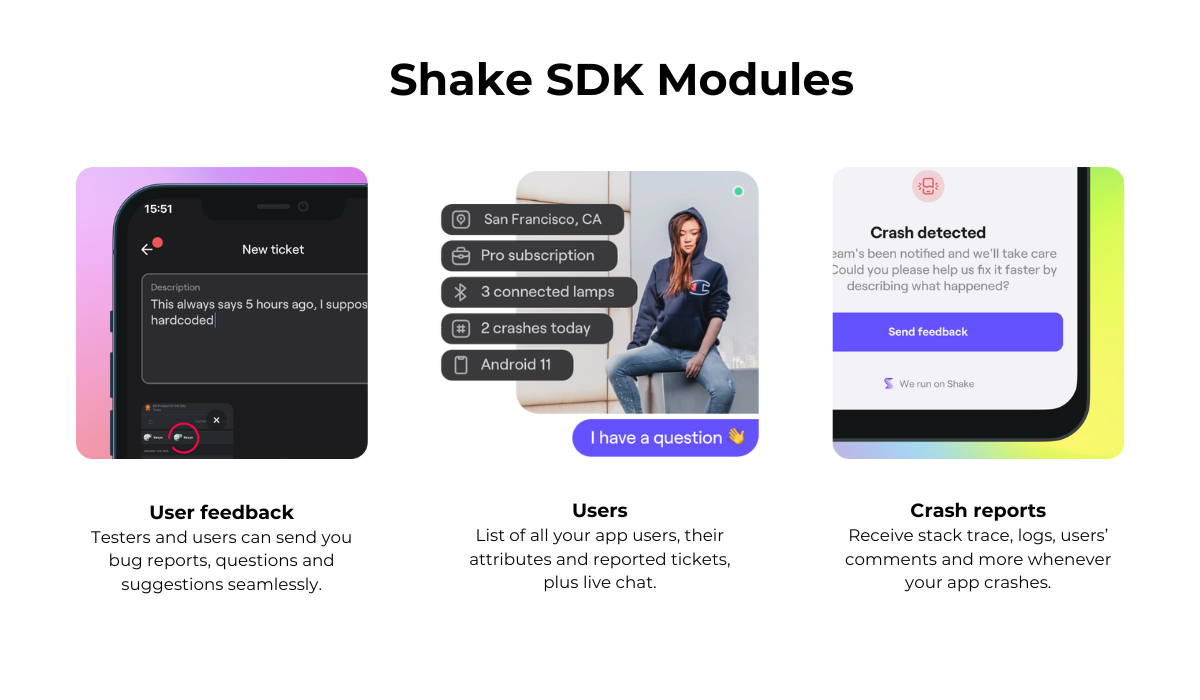
These modules make it extremely easy to implement robust user feedback, bug reporting, and crash reporting functionalities within an app.
Plus, the SDK can be imported with just a few lines of code and adds no significant size to an app, at only 2.5 MB.
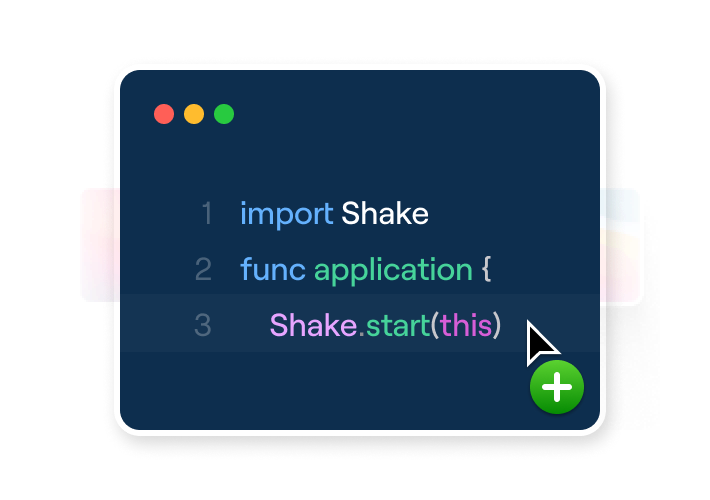
Compared to using a general-purpose framework to build the same functionality from scratch, using a specialized SDK is far more efficient.
For instance, the user feedback module can be quickly set up so that a user or tester can send a detailed bug report simply by shaking their phone or tapping a button.
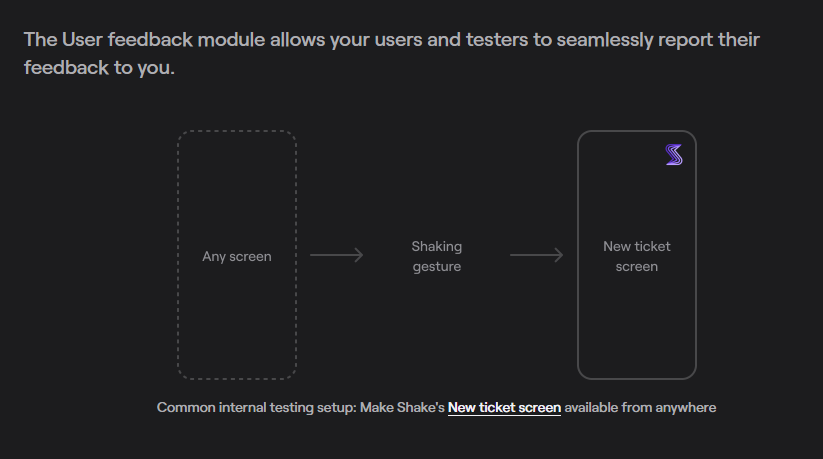
The primary benefit of using an SDK like this is speed and specialization.
You are getting a focused tool that is expertly designed for one job, which allows you to add complex features to your app in minutes instead of months.
In short, an SDK is a set of tools that helps you develop for a specific platform or add a particular feature, a much more specialized option than a framework.
It gives you the necessary building blocks without forcing a specific structure on your entire application.
In the previous two sections, we looked at frameworks and SDKs individually.
While we touched on some of their differences, let’s now explore this comparison in more detail.
In essence, the core difference lies in control and scope.
Take a look at the following comparison table to see their core differences:
| Aspect | Framework | SDK |
| Scope | Broad. Provides a skeleton for an entire application | Specific. Focused on a particular platform, feature, or service |
| Control Flow | Dictates the flow of the application | You control how and when to use its tools |
| Contents | Code libraries, runtime environment, and strict architectural rules | Code libraries, APIs, debuggers, emulators, and documentation |
| Usage Context | Best for starting a new project and building its core structure | Best for adding specific functionality or building for a certain platform |
| Flexibility | Less flexible. It imposes a specific way of designing your application | More flexible. It does not impose a structure on your entire application |
You build your application within a framework, which provides a comprehensive structure and set of rules for you to follow.
In contrast, you use an SDK as a set of tools to add specific functionality or to build for a particular platform, giving you much more control over your application’s architecture.
One of the core differences highlighted in the table above is control flow.
While some very large SDKs, like the Android SDK, can dictate the flow and architecture of an app, most do not.
For example, take the Google Maps SDK.
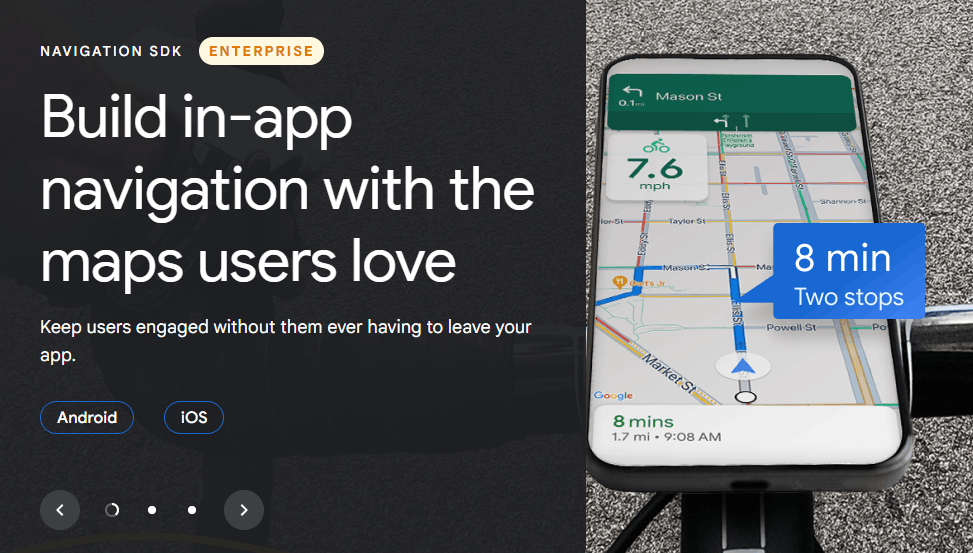
This SDK provides all the tools you need to embed a Google Map into your web or mobile application.
It’s as simple as integrating the kit and then calling its functions to display a map, add markers, or calculate directions.
It provides a feature, but it doesn’t change how your application is fundamentally built.
The same goes for SDKs like Shake’s, which simply implement debugging and feedback features.
This is beneficial because it allows you to add powerful, pre-built functionalities without having to restructure your entire project.
On the other hand, we mentioned that frameworks really do control the flexibility and flow of your app.
Let’s take the Angular framework as an example.
As the image below shows, this framework controls how you build your app, mainly by using Angular components.
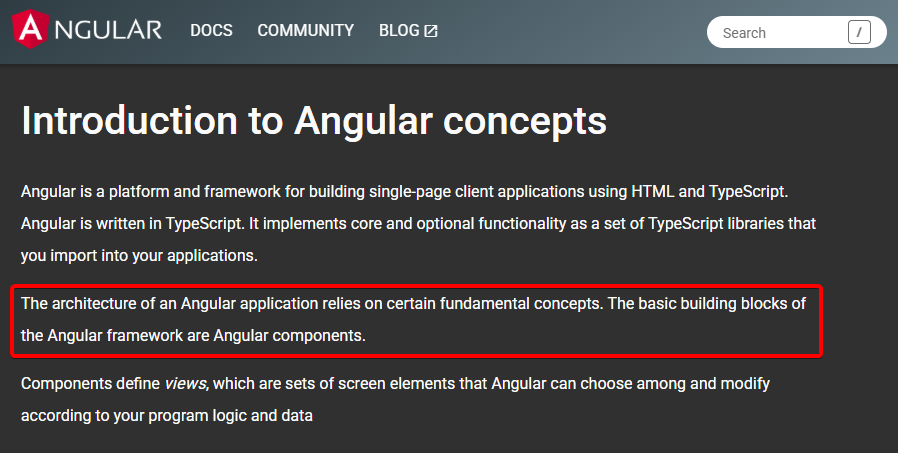
These components are the primary building blocks of an Angular application, each managing a part of the user interface.
While there is some wiggle room in how you design them, your application must be structured as a tree of these components.
So, you get rules and predetermined building blocks that are essential for structuring and standardizing your app’s development.
This is called Inversion of Control: the framework calls your code, not the other way around.
This is a stark contrast to an SDK’s more developer-focused approach, where you call the SDK’s code whenever you need it.
Ultimately, as the following Reddit commenter nicely puts it, the choice between them boils down to what you are trying to accomplish.
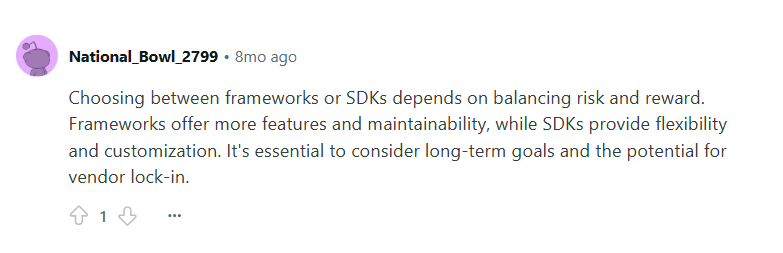
In general, you should choose a framework when you need a solid foundation for a new application from scratch.
Conversely, you should choose an SDK when you need to integrate a specific service or feature into an existing app or build for a particular platform like Android or iOS.
Overall, while frameworks will provide you with a structure that you can follow, SDKs provide a toolbox to use in a more flexible manner.
That brings our comparison to a close.
We have explored the core ideas behind both SDKs and frameworks, focusing on what makes them fundamentally different from one another.
After reading this article, we hope you now have a clearer picture of these essential tools.
Whether your project needs the structure and flow control of frameworks or the flexibility and modularity of SDKs, understanding their strengths will help you make smarter development decisions.
From internal bug reporting to production and customer support, our all-in-one SDK gets you all the right clues to fix issues in your mobile app and website.
We love to think it makes CTOs life easier, QA tester’s reports better and dev’s coding faster. If you agree that user feedback is key – Shake is your door lock.
Read more about us here.

Add to app in minutes

Doesn’t affect app speed

GDPR & CCPA compliant

Unexpected things pop up
Just like bugs in your app or web 🐛 Fix them now with just one reporting tool.
