


What’s the difference between an SDK and a framework?
Key Takeaways:
Sometimes, even with the best planning and care, apps or updates still fail, whether due to unexpected performance bottlenecks, human error, or shifting user expectations.
Fortunately, there’s a safety net: app rollbacks.
When done right, they help reverse major issues, preserving user satisfaction, maintaining operational efficiency, and preventing irreversible data loss.
In this article, we’ll explore six situations where a rollback could be helpful, supported by real-world examples and the latest industry research.
Let’s begin.
Table of Contents
Bugs and crashes are among the most common reasons for app rollbacks.
Whether it’s freezes, unexpected logouts, or full system crashes, these issues directly disrupt the user experience and erode trust if not resolved quickly.
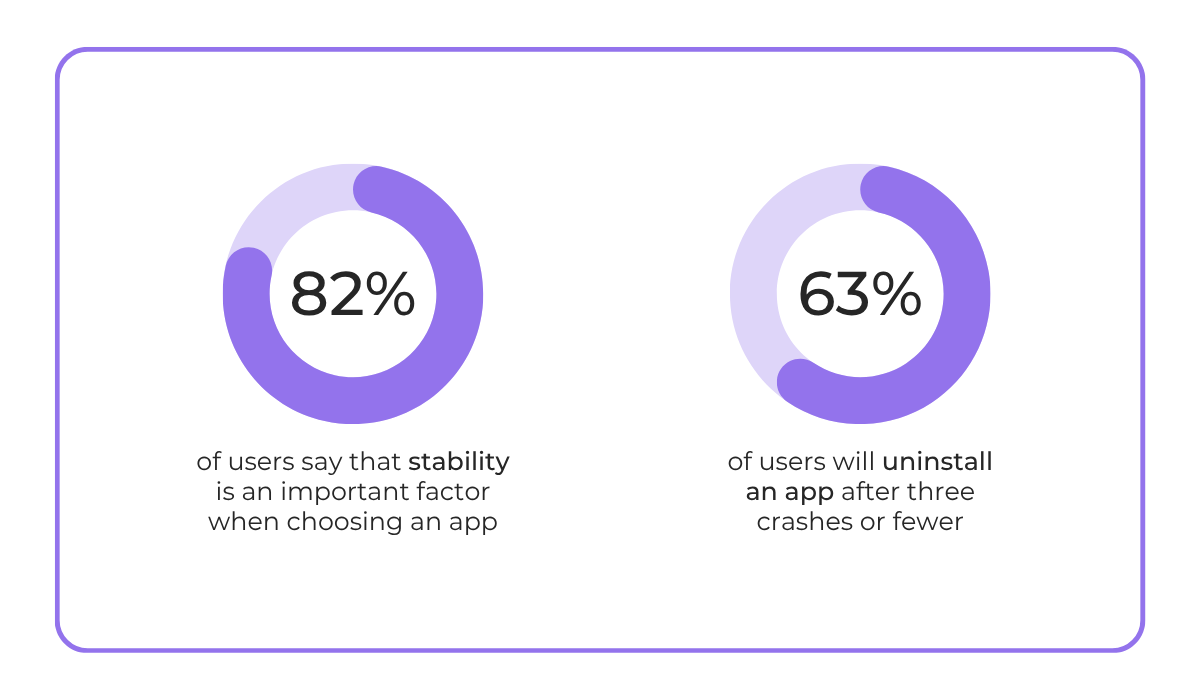
The 2025 Luciq survey proves that app stability is fundamental to a positive user experience.
Most users consider it a key factor when choosing an app, and many say they’re willing to uninstall after just three crashes, or fewer.
Therefore, if your app starts experiencing these types of issues post-deployment, rolling back to a stable version is sometimes the best option.
This allows users to continue using the app without interruption while your team addresses the underlying problems.
Bug and crash reporting tools like Shake come in especially handy in these scenarios.


Get unreal data to fix real issues in your app & web.
They provide clear visibility into what went wrong, where it happened, and why, which helps decide whether to roll back or fix forward.
More specifically, Shake captures real-time crash reports, logs, and user feedback, making it far easier to pinpoint the root cause of a problem.
Each report comes with detailed insights, from device model and OS version to connectivity status, app version, and more.
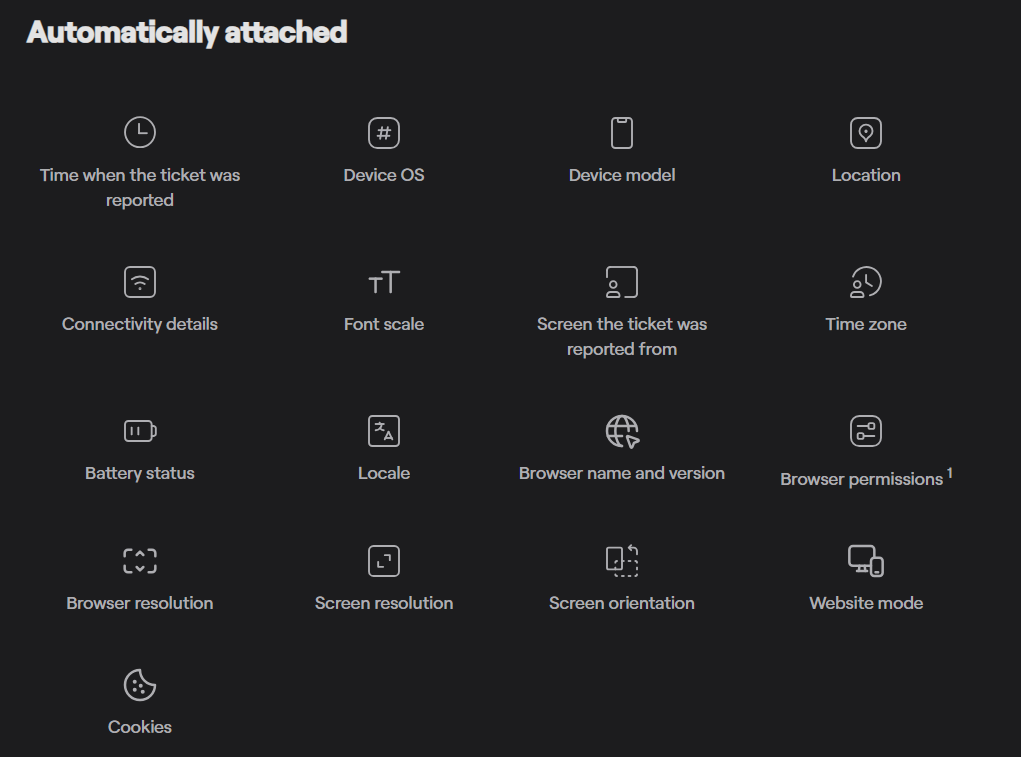
No need to chase down logs or try to reproduce issues manually.
Instead, you get an instant snapshot of the environment with more than 50 data points per ticket.
There’s also user feedback, including annotated screenshots and short screen recordings, that shows exactly what led up to the crash and helps understand how something broke.
All of this leads to faster recovery, smarter release strategies, and, ultimately, fewer emergency rollbacks in the future.
Because when you learn from issues effectively, you get better at preventing them in the future.
Security flaws in mobile app development are no joke.
They can expose user data, enable unauthorized access, or compromise backend systems.
If these issues aren’t addressed immediately, companies risk severe data breaches, regulatory penalties, and lasting damage to user trust.
Unfortunately, despite these risks, security incidents are becoming increasingly common.
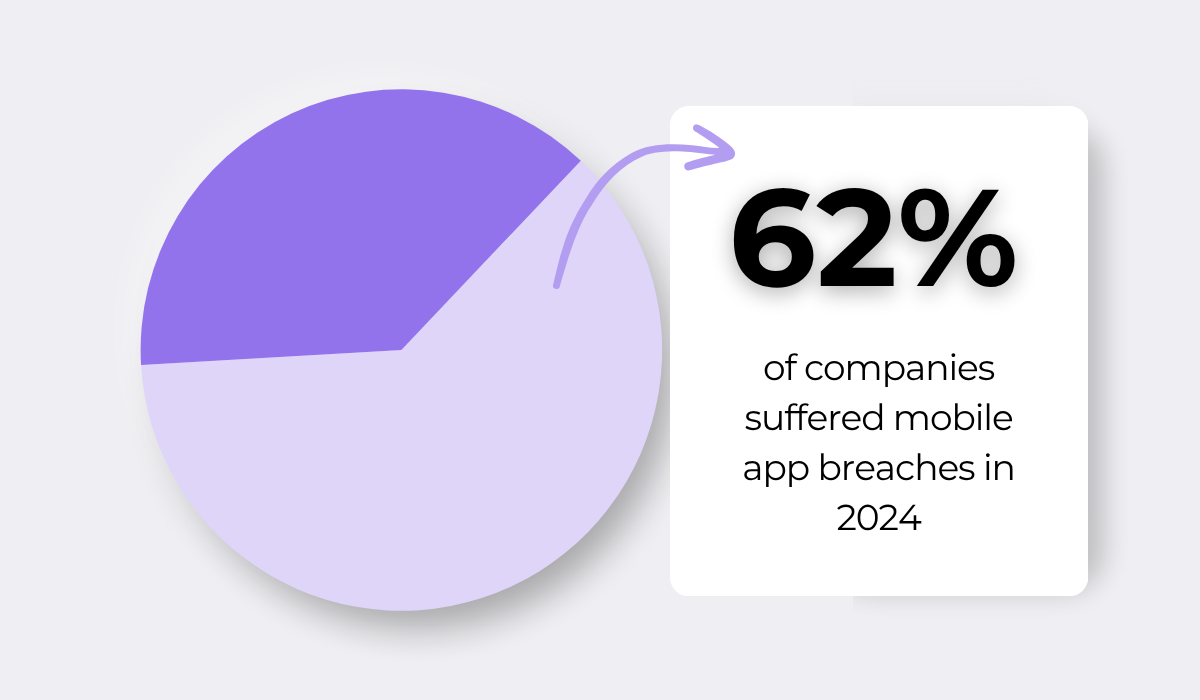
In fact, according to the 2025 Guardsquare and Enterprise Strategy Group study, 62% of companies experienced an app breach in the past year alone.
For organizations facing such situations, one of the most effective immediate steps is to roll back the app to a secure version.
Waiting only exacerbates the problem and can trigger a cascade of serious consequences.
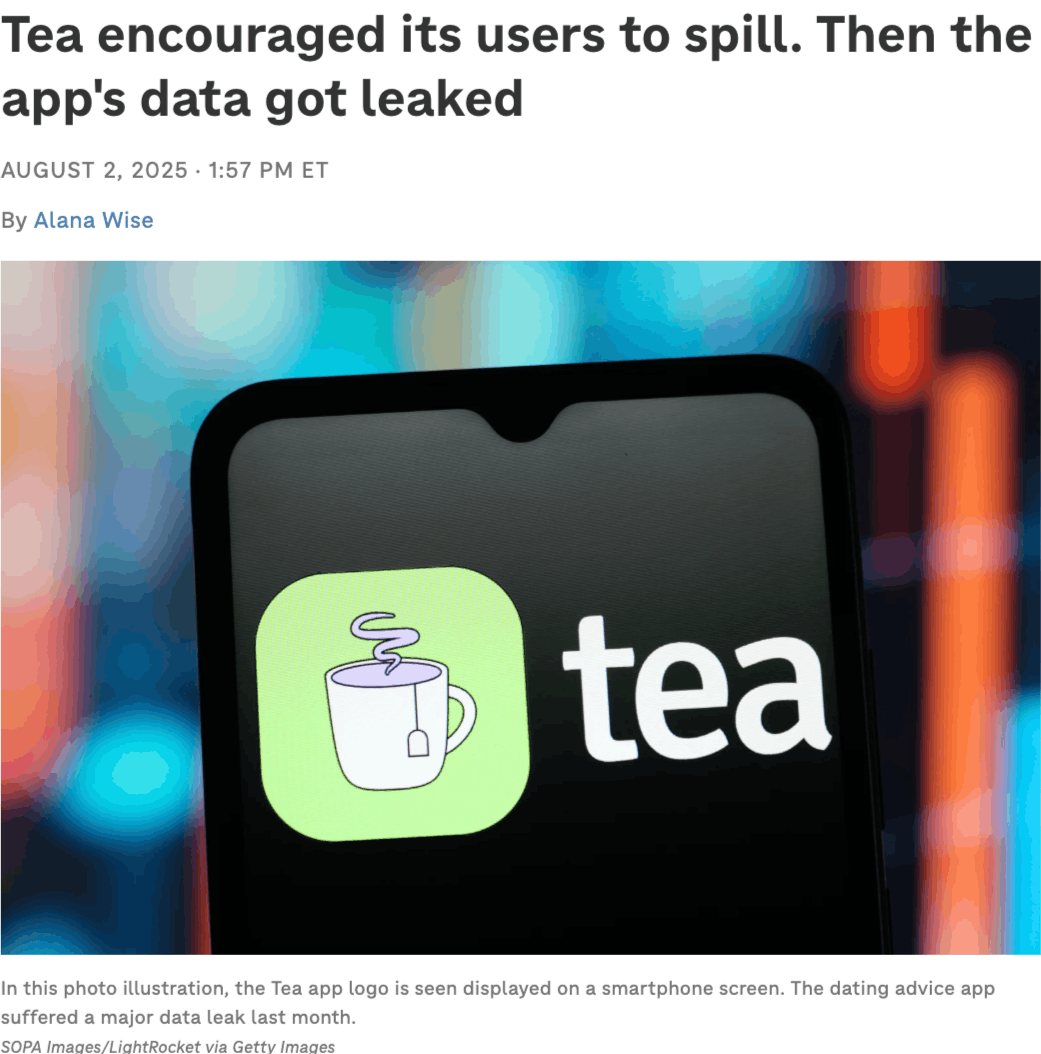
Take it from the Tea app, a U.S.-based mobile platform where women anonymously share information and advice about men they’ve dated or are interested in.
In July, Tea discovered unauthorized access to a legacy database, allowing hackers to obtain around 13,000 verification selfies and ID photos, as well as 59,000 posts, comments, and messages.
As you might expect, the app, whose motto is “women should never have to compromise their safety while dating”, faced intense backlash.
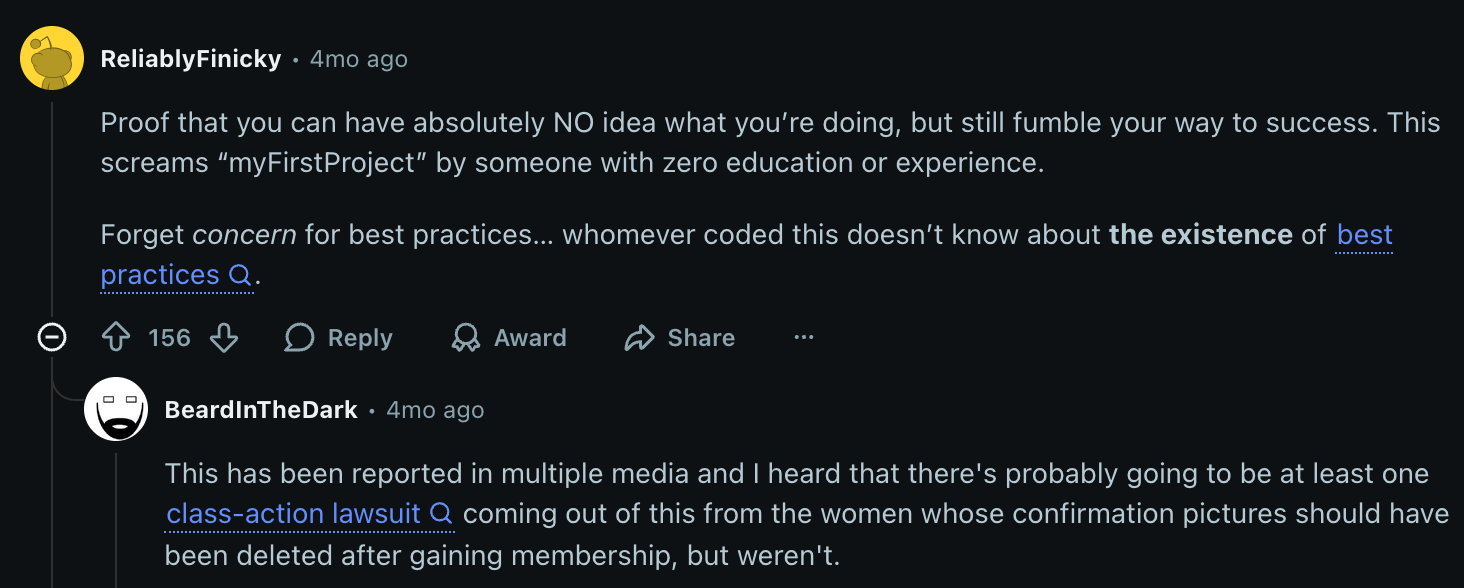
Users and non-users alike took to the Internet to express outrage, noting that the company had violated its privacy policy, which promises to delete verification images after the process is complete.
But online criticism wasn’t the only consequence.
A user filed a class-action lawsuit, alleging that Tea failed to properly secure personally identifiable information and increased the risk to women.
Attorneys are currently investigating whether a broader class action can proceed.
In the end, while incidents like these can never be entirely prevented, you can definitely mitigate their impact.
Having a rollback plan ready and deploying it immediately when something goes wrong is one of the most effective ways to contain damage.
Even if an app performs well in staging, real-world conditions can still expose issues such as slow response times, memory leaks, or unoptimized queries that degrade performance.
These problems are often intensified by high traffic and unpredictable user behavior.
One recent example is TikTok, which experienced a significant, though temporary, outage in May.
Tens of thousands of users, primarily in the US but also in regions like the UK, suddenly found themselves unable to access the app, load videos, or refresh their “For You” pages.
ByteDance, TikTok’s parent company, has not disclosed the root cause.
However, experts suspect a server overload or software-related glitch, possibly triggered by a spike in late-afternoon usage that overwhelmed the platform’s content delivery systems.
The outage drew widespread attention across news outlets and social media, but the overall impact on TikTok was minimal.
Now, as a well-established giant with a loyal user base, TikTok can weather incidents like this without losing its audience.
Smaller or lesser-known apps, however, may not be so fortunate.
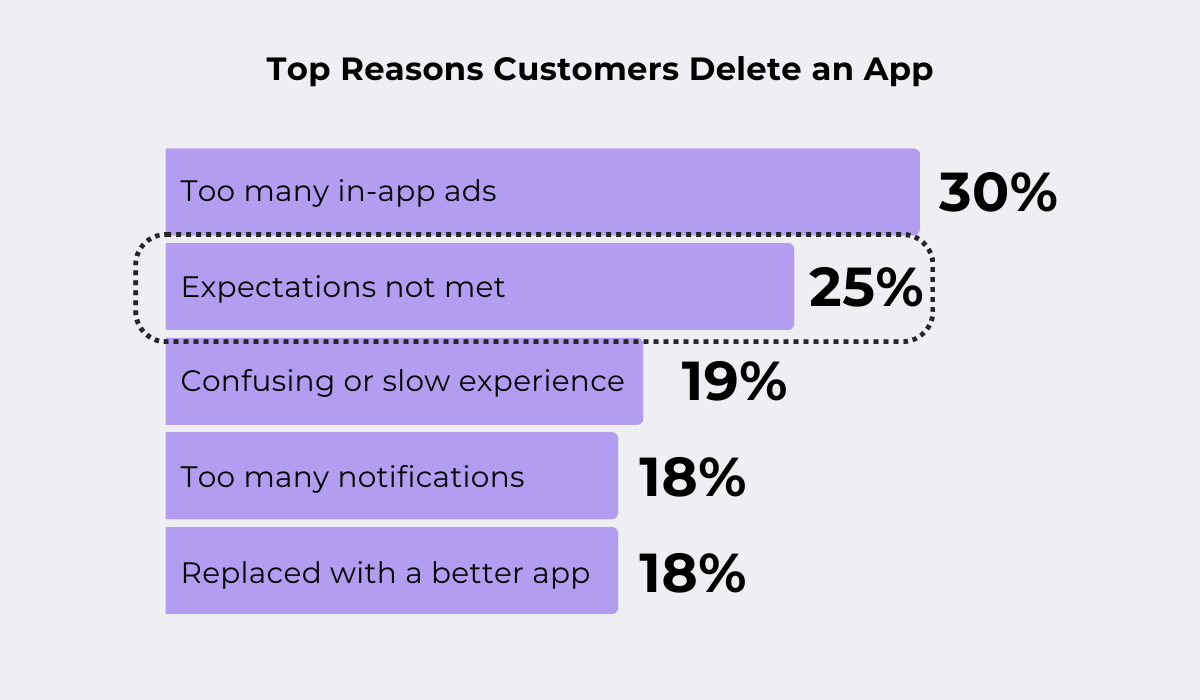
App users are rarely so forgiving, especially if their expectations aren’t met.
An Airship survey confirms this:
So, if your app begins to show performance problems under real-world load, rolling back to a stable, optimized version may be the best approach.
Doing so ensures a smooth experience for users while giving your team the time to work on resolving performance bottlenecks.
Modern apps often rely on third-party services or internal APIs.
So, if a new release introduces changes that break communication between these systems, critical functionality, like payments, notifications, or analytics, can fail.


Capture, Annotate & Share in Seconds with our Free Chrome Extension!
In other words, your app may still run, but parts of its functionality stop working correctly because the integrations no longer behave as expected.
One example is the integration issue Amazon Alexa users have been experiencing with Philips Hue smart home devices.
This integration is supposed to let users control Hue devices through Alexa voice commands: turning lights on or off, adjusting brightness, or changing bulb colors.
But users have been reporting problems with the Philips Hue Alexa Skill for some time.
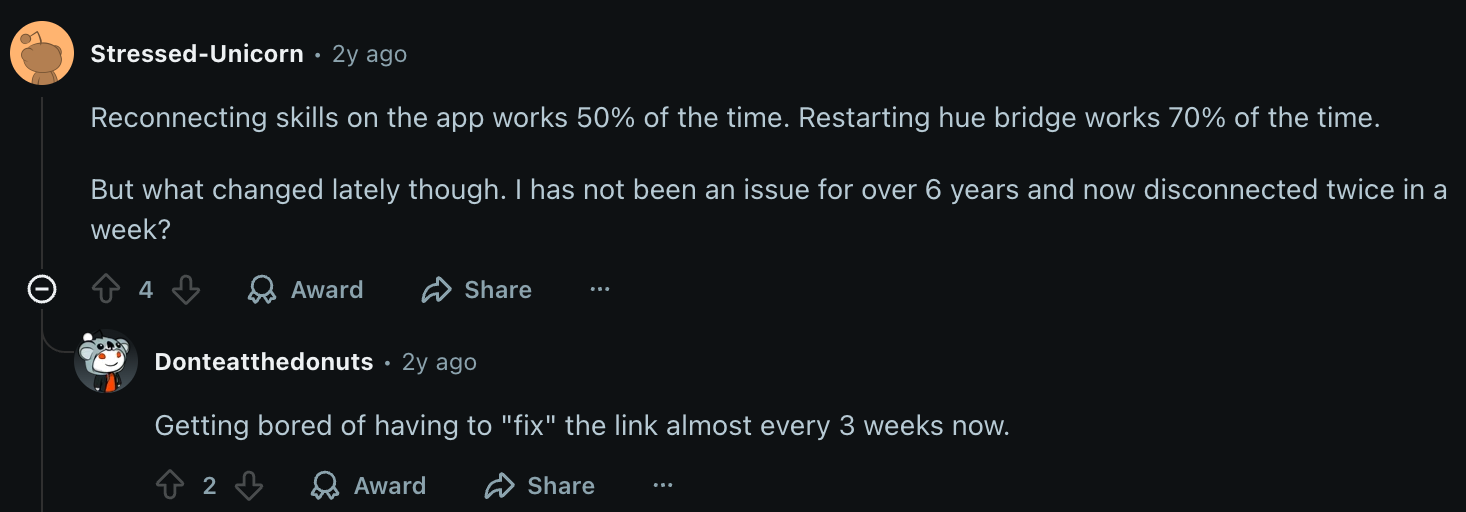
Some Hue products cannot be controlled at all, while others respond only partially or with limited features.
This perfectly illustrates how easily these problems can occur and how frustrating they can be.
And sometimes, the stakes are even higher.
For instance, in 2024, PayPal suffered a global outage caused by a failure in its Braintree GraphQL API, which handles in-app payment processing.
The disruption affected payments, withdrawals, express checkout, cryptocurrency transactions, Venmo, and Xoom for thousands of users worldwide.
The outage didn’t last long, but the damage was done.
Customers lost trust, and many started switching to alternatives like Shop Pay or Cash App Pay.
The key takeaway?
When integration issues cripple core workflows, your app may as well be completely down.
In such cases, rolling back a release can be a smart way to restore connectivity, fix the problem, or buy time to coordinate with the dependent service.
Sometimes, even if an app is technically flawless, updates can still trigger strong negative reactions from users.
This can happen due to, for instance, design changes, removed functionality, or new features that don’t meet expectations.
That’s exactly what happened recently with KakaoTalk, Korea’s largest messaging app.

In September, the company announced an ambitious plan to transform its messaging platform into an Instagram-like social network and maximize ad revenue by increasing user engagement.
However, users were far from thrilled.
Since the update, many have tried to roll back the changes or even find alternative messaging apps.
And, because KakaoTalk is such a critical piece of digital infrastructure in Korea, public discontent quickly grew louder.
The situation worsened further when Kakao’s stock price dropped 4.67% to 63,300 won upon the announcement and fell another 6.17% to 59,300 won as complaints mounted.
Ultimately, the company decided to roll back the new service just five days later.
This example demonstrates the power of consumer opinion.
It, in many ways, defines the perceived quality of a product.
No matter how well-designed or technically sound your offering is, if users dislike it, none of that matters.
Moreover, individual negative opinions can influence others, too.
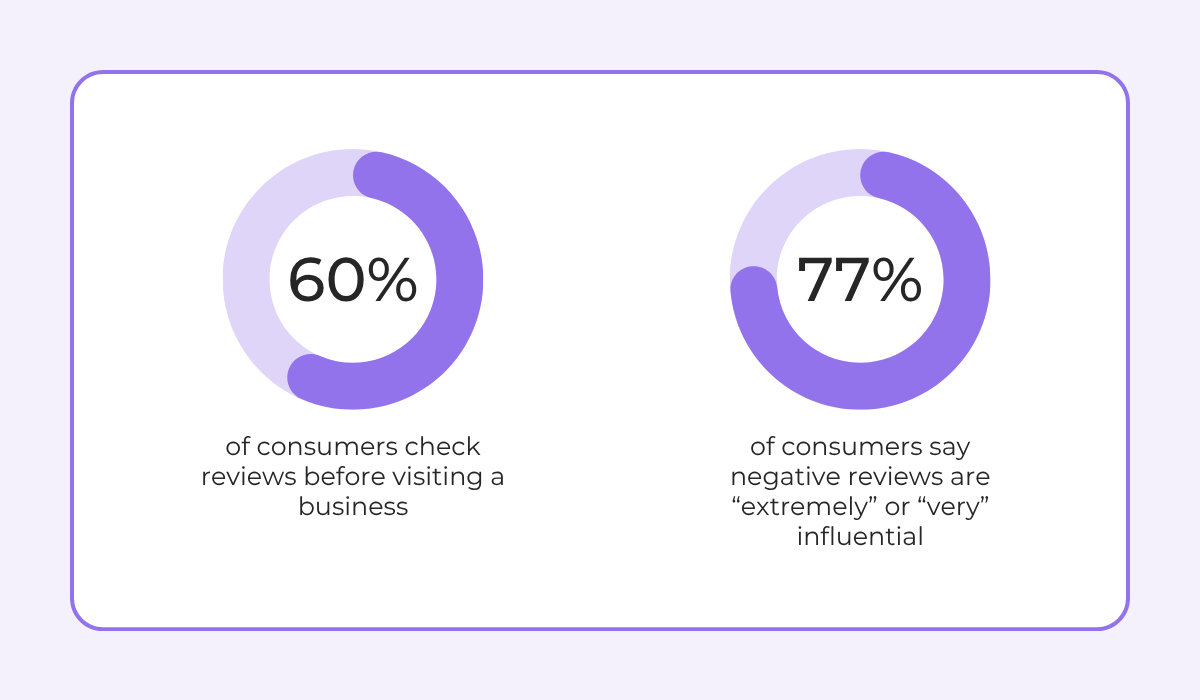
According to the 2025 Upfirst survey, many consumers check reviews before visiting a business, and an even greater number report that negative reviews are “extremely” or “very” influential.
User backlash can spread like wildfire, damaging reputation, engagement, and even, as Kakao experienced, stock value.
Rolling back changes in response shows that a company listens to feedback and is willing to course-correct to restore user trust and satisfaction.
Feature creep happens when you add too many new features, often without carefully considering their impact.
This can lead to features users rarely touch, an overly complex UI or product experience, and increased maintenance costs and development effort.
In short, with feature creep, nobody wins.
Dan Olsen, Product Management Leader, Consultant & Trainer at his consultancy, Olsen Solutions, agrees.
He perfectly illustrates the importance of focusing on core features in his book The Lean Product Playbook:
That’s exactly what happens to your app when you keep adding new, unnecessary capabilities.
Today, many long-standing apps are accused of this problem, Spotify being one of them.
In its early days, Spotify was quite simple.
You could stream music for free or subscribe for an ad-free experience, and see what friends were listening to.
It was all about music.
In contrast, today’s Spotify experience has expanded significantly, with new features being added constantly.
For instance, just recently, they added a messaging feature.
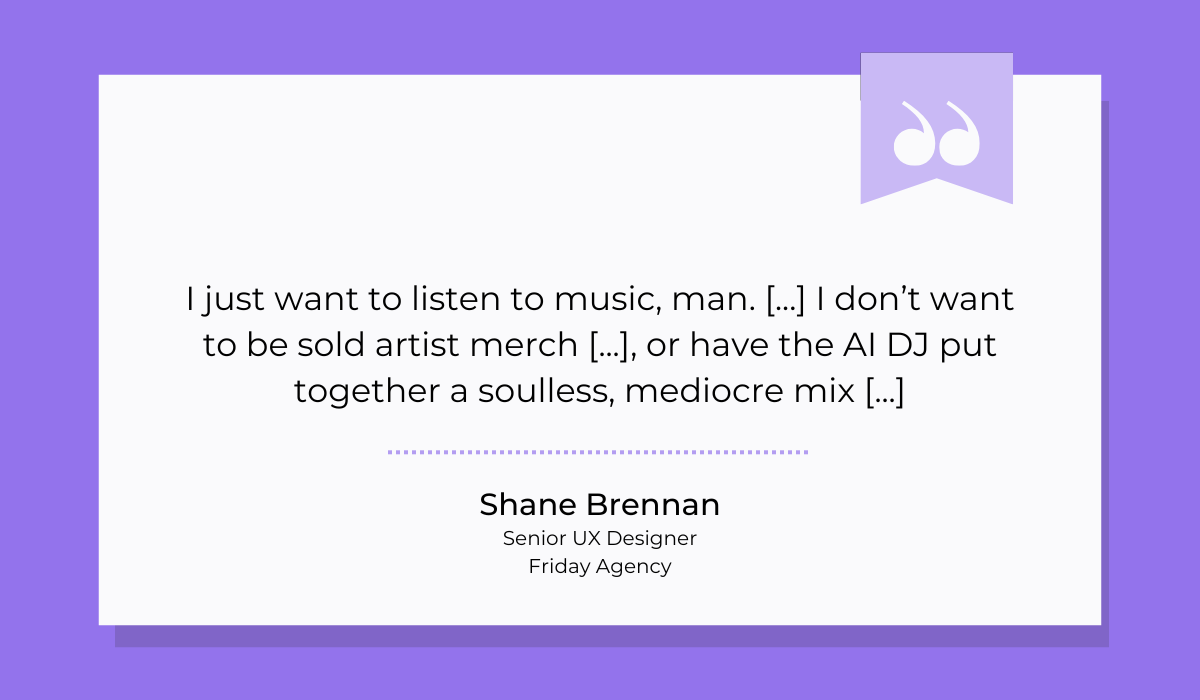
Shane Brennan, Senior UX Designer at Friday Agency, a UX & digital marketing agency, expressed his frustration in an article:
Users will tolerate this problem up to a point, but once they feel the app has lost its soul, or that profit has become more important than their experience, they start leaving.
At this point, rolling back features can be a smart move.
Stripping away what doesn’t serve your users can restore focus, make your product simpler, and bring back the joy of using it.
Less really can be more.
Even though they’re never fun, app rollbacks are more common in development than most people realize.
Eventually, if you haven’t already, you’ll probably need to perform one, too.
The key to success? Being prepared.
Having proper version control and deployment processes in place makes all the difference here.
With a bit of proactive planning, you can recover quickly, keeping the team calm and efficient, and ensuring users barely notice anything happened.
So try to see rollbacks for what they really are: a natural part of the mobile app journey and a surprisingly powerful safety net when things go sideways.
From internal bug reporting to production and customer support, our all-in-one SDK gets you all the right clues to fix issues in your mobile app and website.
We love to think it makes CTOs life easier, QA tester’s reports better and dev’s coding faster. If you agree that user feedback is key – Shake is your door lock.
Read more about us here.

Add to app in minutes

Doesn’t affect app speed

GDPR & CCPA compliant

Unexpected things pop up
Just like bugs in your app or web 🐛 Fix them now with just one reporting tool.