





Bug reporting takes time. Here’s how AI helps teams work more efficiently
Modern software moves fast, but even the best teams ship mistakes.
When outages can cost millions and spread globally within minutes, rollback capability becomes your frontline defense.
This article breaks down the practical tools and systems that enable rapid recovery, from foundational version control to deployment strategies and CI/CD automation.
Let’s take a closer look at how each layer contributes to safer releases and faster app rollbacks.
Table of Contents
First up, we have bug reporting tools: your first line of defense when a new release misbehaves.
By providing rich, actionable context about errors, crashes, and any unwanted behaviors, they help teams decide quickly whether a rollback is necessary and which version to roll back to.
And most importantly, bug reporting tools lower reliance on users whose technical knowledge (and frustration levels) vary drastically, but often contribute to vague language and unhelpful reports.
Consider this seemingly extreme, but very common example.
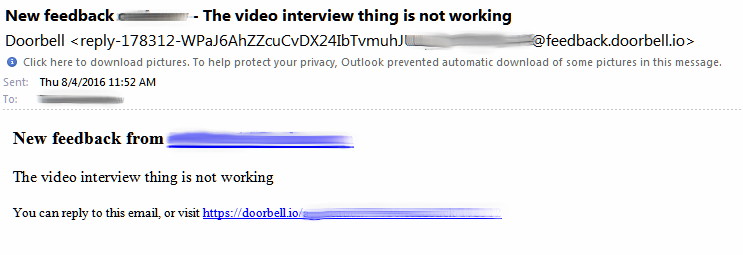
While we tend to connect chaotic bug reporting with users, there’s another side to the story with programmers themselves.
As noted by Jeff Atwood, software developer and entrepreneur behind one of the world’s largest developer communities, Stack Overflow, programmers tend to jump to problem-solving immediately:
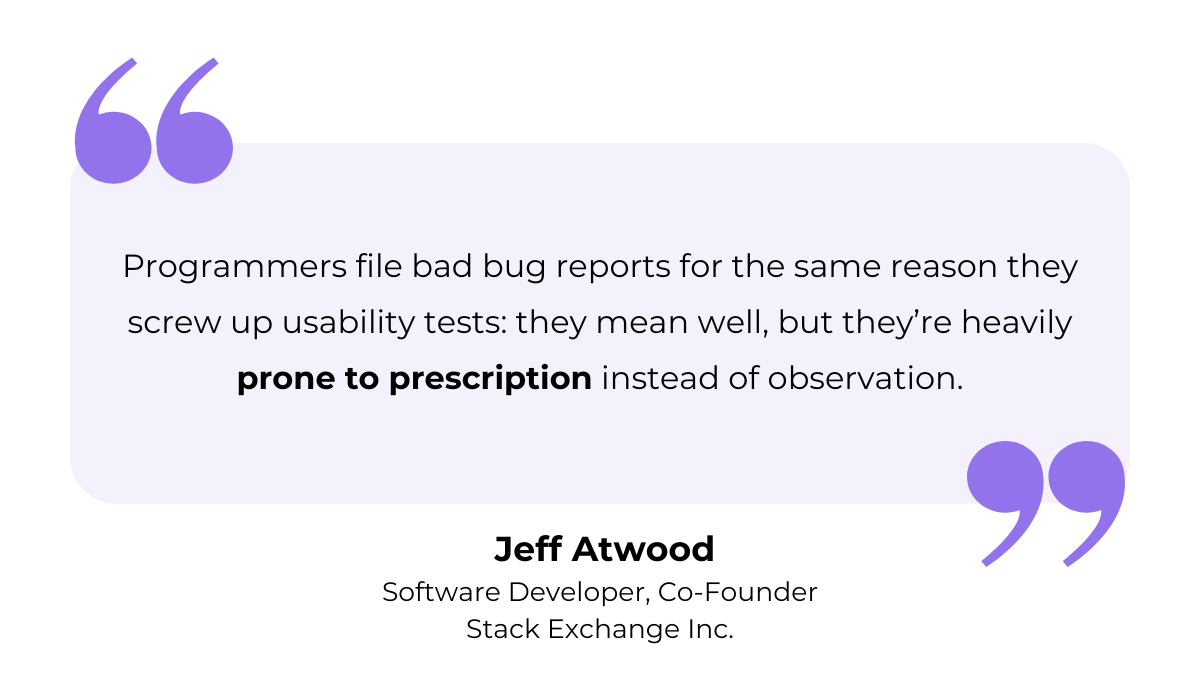
Fortunately, bug reporting tools like Shake override both by collecting key info and giving you a sense of:
Think several data points per bug report: stack traces, device info (model, OS version), app version, network logs, user actions leading up to the bug, and more.
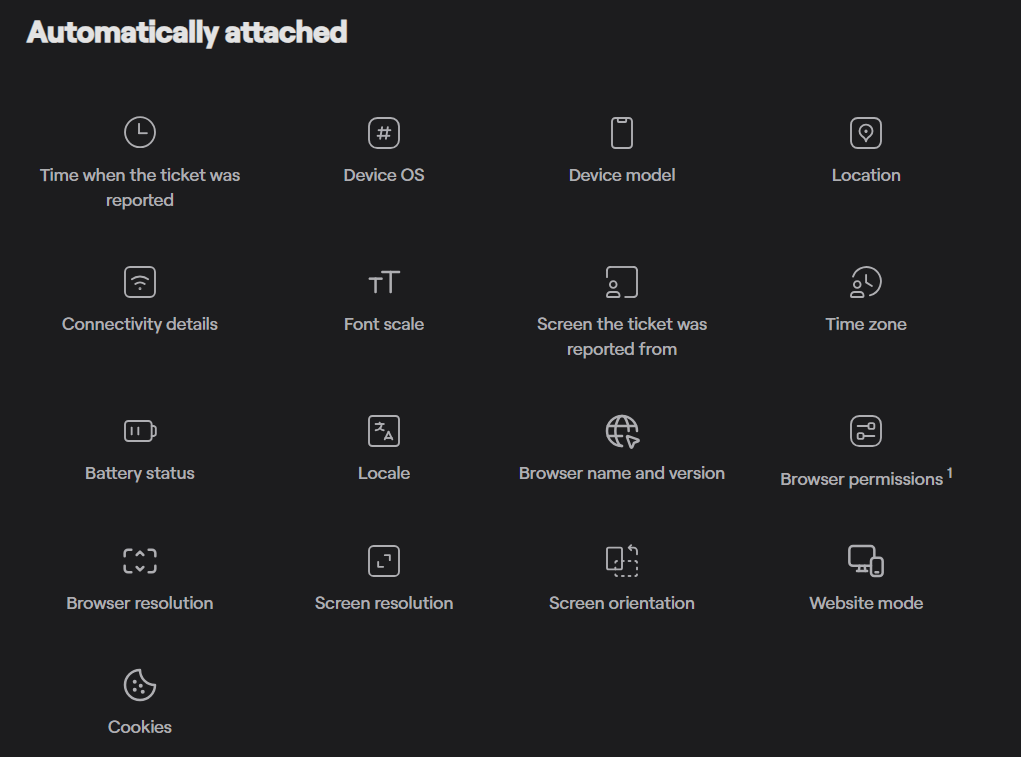
In addition to rich data and robust features, Shake’s “shake to report” SDK integration ensures testers or users can just shake the device (or invoke a manual trigger) and submit a bug report.
Behind the scenes, Shake attaches device context, logs, network activity, console output, and optionally, a screen recording or screenshot of exactly what the user saw.
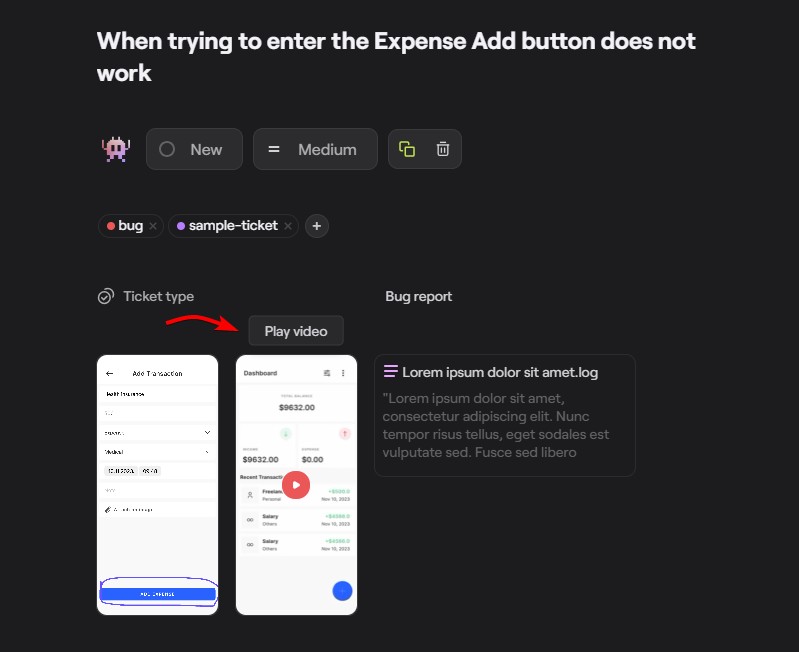
At the same time, you can examine vital black box data and get a sense of the full environment 60 seconds before the bug report was submitted.


Get unreal data to fix real issues in your app & web.
Such detailed environmental profiles and overall ease of use help developers rapidly triage whether an issue signals regression in the new version or if it happens to be a device- or OS-specific problem.
Of course, if it affects only a small subset of users, there is no need to roll back the entire release or patch selectively.
Most bug reporting tools integrate with issue-tracking and project-management systems, so bug reports flow into the same pipeline as your development and release artifacts.
Shake, for instance, offers one-click integrations for the likes of Jira, Slack, Asana, Zapier, Azure DevOps, and more.
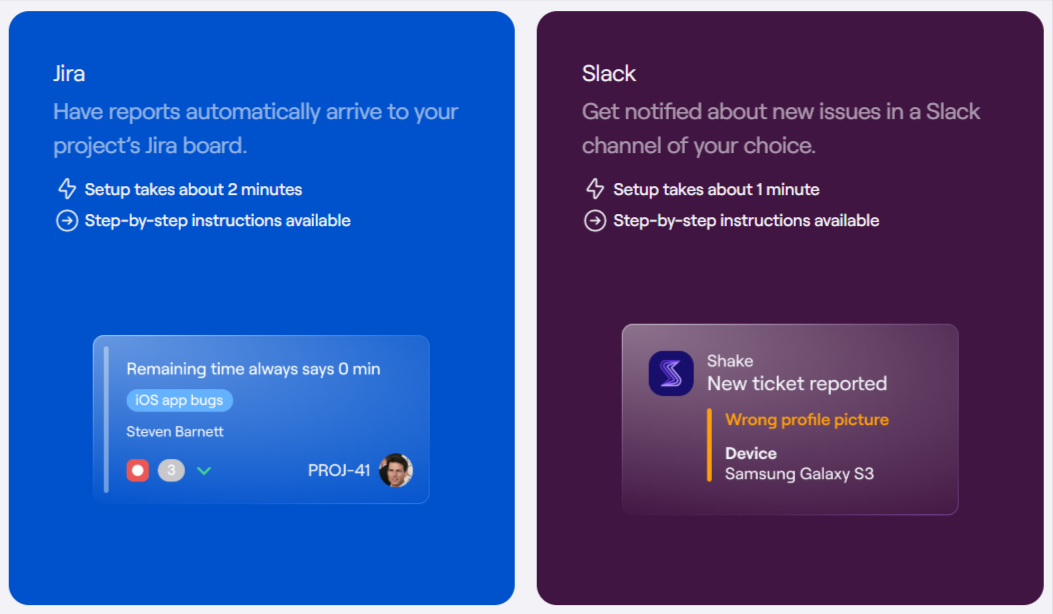
Seamless integrations and consistency ensure that once a critical error is detected, you can coordinate development, triage, and rollback actions fast.
To sum up, bug reporting tools deliver top-notch traceability and all the context and historical data you need to make swift, informed decisions on potential app rollbacks.
Reliable rollback capability requires a robust version control system (VCS).
Version control is a practice that enables dev teams to collaborate and resolve conflicts efficiently, while maintaining a single source of truth for the entire codebase.
Neglecting this practice today is more than a little unusual.
It can even be seen as a major red flag in terms of the company’s engineering maturity, and definitely a source of disbelief across Reddit threads.
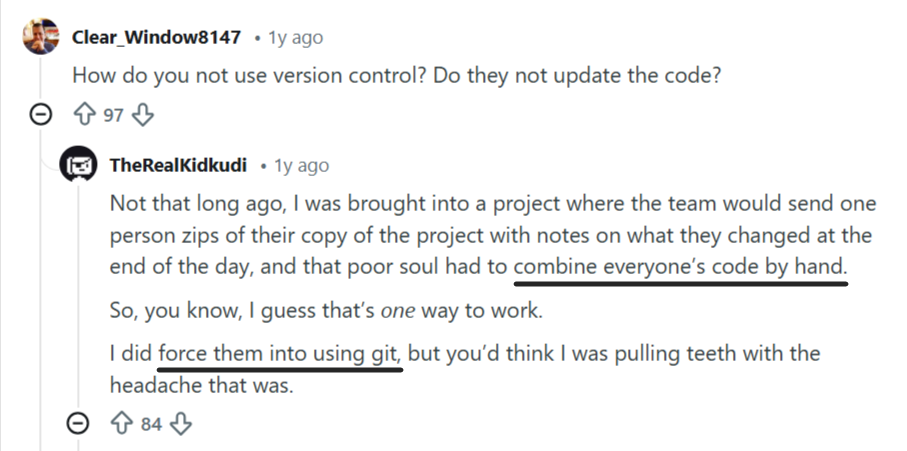
Version control systems (VCS) like Git have become the industry standard for a reason.
Whereas teams that don’t use VCS quickly become overwhelmed by the ever-increasing number of versions, version control grants full visibility and control.
You can easily store versions, compare updates, understand the code’s evolution, and revert to any previous state when needed.
This is crucial for diagnosing regressions or determining whether a rollback is necessary, but modern VCS platforms go beyond tracking changes.
Core benefits of using a VCS include:
These systems can even act as a lightweight backup for the entire project codebase.
There are two primary categories of version control: Centralized Version Control Systems (CVCS) and Distributed Version Control Systems (DVCS).
Each one takes a vastly different approach to data storage and collaboration options.
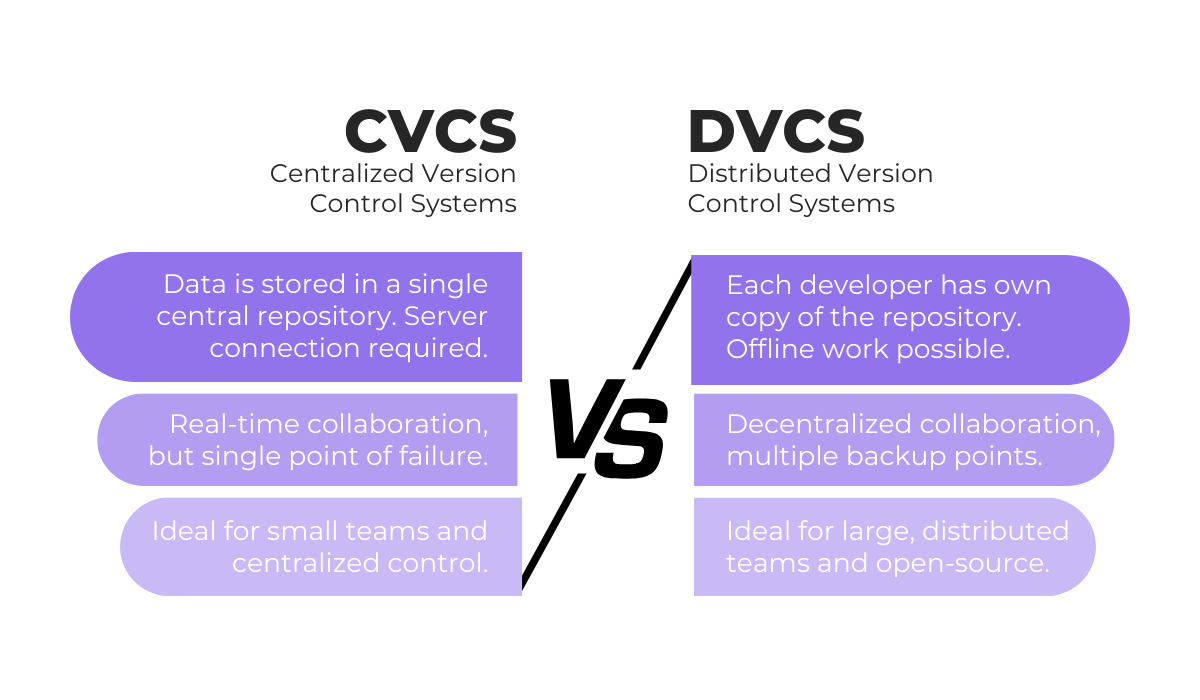
If you need real-time access to the latest codebase or require strict control over access and code management, CVCS is the way to go.
Meanwhile, DVCS relies on a push/pull update mechanism and makes it easy to create branches, work on features in isolation, and merge changes back into the main codebase.
Regardless of whether a team adopts a centralized or distributed model, version control remains the backbone of cohesive, stable, and rollback-ready development practices.
It also integrates seamlessly with CI/CD, issue tracking, and other DevOps tooling, ensuring that the entire release pipeline stays traceable and dependable.
One example is App Wizzy, whose 2025 update introduced built-in Git-based version control and rollback support.
Within App Wizzy, every change is saved as a distinct version entry, complete with identifier, timestamp, description, and a one-click rollback option.
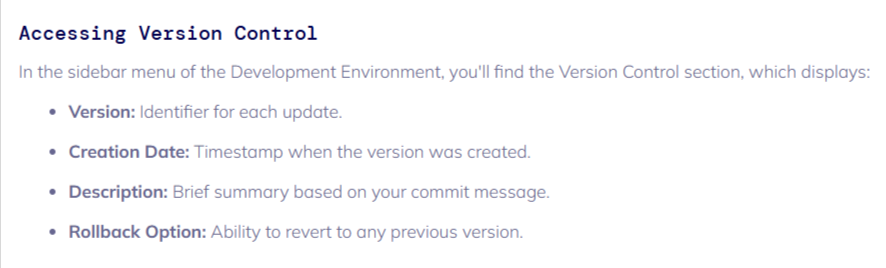
Versions can also be promoted from the Development environment to the Stable environment, ensuring a controlled and confident release flow.
This adds resilience and predictability to any iterative development process.
A disciplined version control workflow supports rollback, ensuring your team can recover from any setback quickly, confidently, and without compromising product stability.
CI/CD automation platforms help make rollbacks fast, consistent, and repeatable.
Continuous integration and continuous delivery (CI/CD) form the backbone of fast, reliable, and scalable deployment workflows.
But no matter how well-designed your pipeline is, failures and unexpected issues are inevitable.
And that is exactly why automated rollbacks matter.
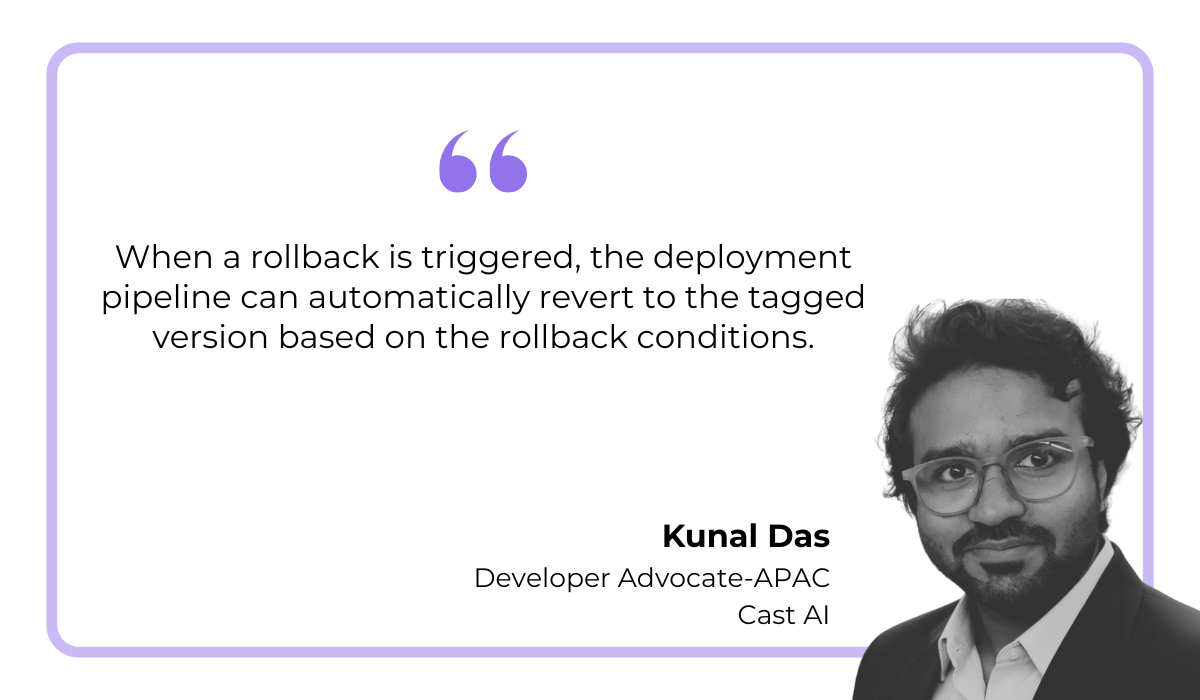
Here’s what happens, as explained by DevOps engineer & advocate, Kunal Das:
When a new release causes a spike in crashes, performance drops, or failed user flows, CI/CD tools can automatically halt the rollout and redeploy the last known good artifact.
This drastically reduces the time to recovery and helps teams avoid prolonged downtime.
CI/CD automation strengthens your safety net by:
For mobile teams shipping updates weekly (or even daily), this repeatability is essential for maintaining agility without sacrificing stability.
Choosing CI/CD tools that support rollback-friendly workflows is crucial.
For instance, tools like Jenkins, GitLab CI, and CircleCI remain popular options, each capable of automatically reverting to the last stable version when a failure threshold is detected.
As one of the oldest CI/CD systems, Jenkins offers extensive features for building pipelines, with detailed logs of exact stages, steps, and artifacts.
By clicking any build surface, teams can drill into logs, failures, and test outputs, making diagnosis faster and more transparent.
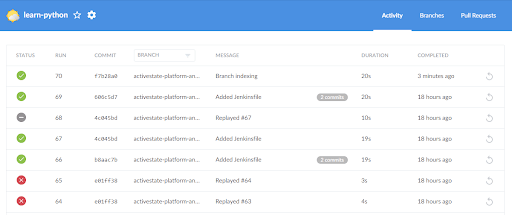
Again, the value of these tools is evident when we take a closer look at examples, such as the CrowdStrike outage.
Last year, a faulty 40 KB Falcon Sensor content update triggered global Windows BSODs, impacting an estimated 8.5 million devices worldwide.
This would have been much more dire if the company hadn’t rolled back the bad release within 78 minutes.

Since many clients still required manual remediation, the case is also a good reminder that rollback automation must be complemented with strong communication, documentation, and manual support.
To sum up, automated rollbacks translate to manageable, predictable workflows, and a robust CI/CD pipeline ensures you can recover faster, too.
Deployment automation tools extend the capabilities of CI/CD systems by managing how builds are released into different environments.
At its core, deployment automation supports and enables devs to build, test, and deploy code efficiently.
When done well, it yields numerous benefits, from faster releases and fewer manual errors to improved scalability and shorter recovery times when issues inevitably occur.


Capture, Annotate & Share in Seconds with our Free Chrome Extension!
Everyone wants a predictable, low-risk release, so it’s no wonder the deployment automation market is projected to hit 14.6 billion by 2032.
However, automation doesn’t eliminate the need for human oversight.
Your team still decides when deployments occur and what criteria determine success, but you can more easily shift your attention to refining processes and strengthening safeguards.
As outlined in the video below, success boils down to choosing the right deployment automation toolkit.
These tools help you coordinate version distribution, maintain environment consistency, and support different deployment strategies that make rollbacks safer and more controlled.
Most mature deployment automation frameworks support a range of rollback-friendly deployment patterns, including:
| Versioned Deployments | Every build artifact is stored, enabling previous versions to be redeployed instantly. |
| Blue-Green Deployment | Two production environments run in parallel, allowing you to switch traffic to the new one and revert instantly if issues appear. |
| Canary Deployment | A release is rolled out to a small group of users first. The canary group is reverted if key metrics drop. |
| Rolling Deployment | Servers or instances update gradually. Teams can halt or reverse the rollout if failures begin to surface. |
| GitOps-Based Rollbacks | Infrastructure and application states are defined in Git. |
All these strategies serve to reduce risk and minimize user impact.
Instead of reinstalling an older version for everyone at once, controlled orchestration enables you to adjust traffic, environment states, or rollout percentages to contain issues.
By reverting configuration files in version control and reapplying them through the deployment system, teams can reliably restore backend services, APIs, or cloud functions.
This is especially important in mobile applications where backend compatibility is critical.
As one developer noted when describing a late-night incident, relying on GitOps ensured a routine rollback that saved the whole team from an all-nighter.
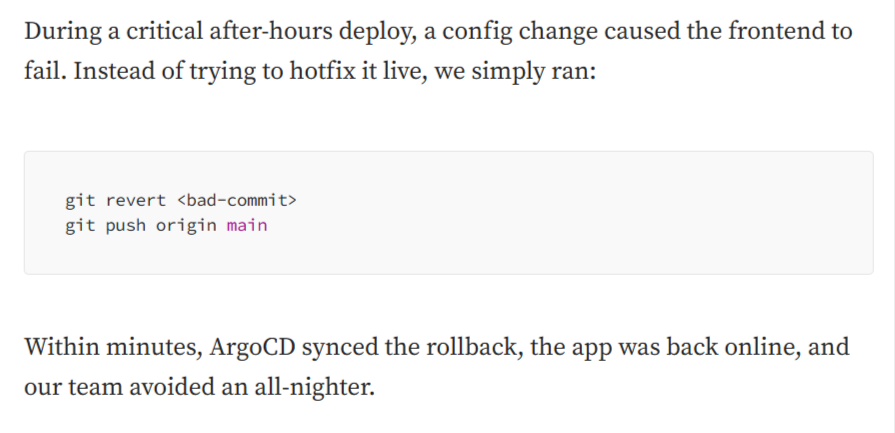
It is this consistency and reliability that make deployment automation an essential layer of a resilient release process.
All in all, deployment automation tools enable controlled orchestration, preventing downtime and inconsistencies to make rollbacks reliable and repeatable.
While deployment automation and GitOps workflows can restore infrastructure or application configuration, they can’t really protect live data.
This is why dedicated backup tools remain essential.
Backup and restore tools ensure continuity, integrity, and availability of data while playing a critical role in safe rollback and recovery.
Any time your mobile app or backend relies on persistent storage, a simple code rollback can become dangerous without proper data state management.
You risk several things, including:
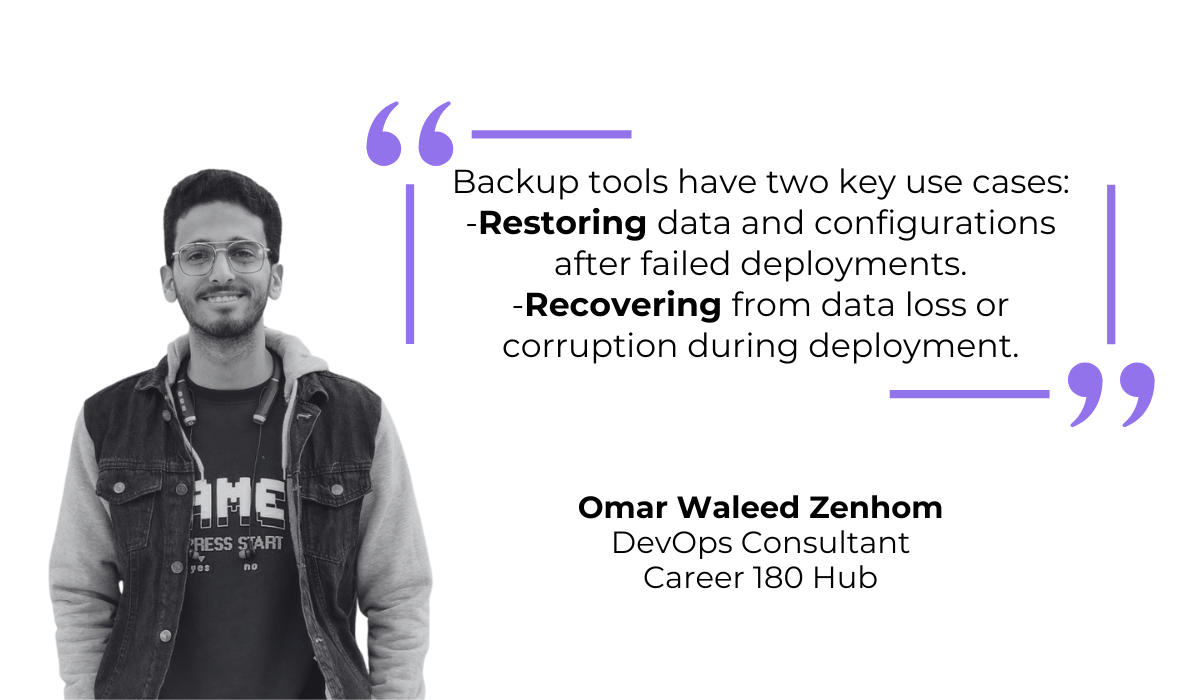
But as explained by DevOps consultant Omar Waleed Zenhom, that’s where backup and data recovery tools come in.
In other words, you safeguard your data from loss or corruption and leave yourself room to recover quickly even when something goes wrong.
Good backup solutions allow you to snapshot the state of databases, caches, and file systems before rolling out new versions.
This becomes especially important when the update includes schema migrations or any shift in data format.
Having a clean snapshot means you can not only rollback the app but also restore the data to a compatible, stable point in time.
General-purpose cloud tools like AWS Backup, Google Cloud Backup and DR, and Azure Backup are reliable starting points.
They support VM-level, disk-level, and database-level backups, making them flexible choices for modern infrastructure.

Most of these services also offer point-in-time recovery and cloud-native disaster recovery workflows that integrate directly with your DevOps toolchain.
For teams that rely heavily on PostgreSQL, more targeted solutions can offer additional convenience.
Tools like Postgresus provide a lightweight, containerized approach with a straightforward web UI that enables you to schedule backups, review history, check status, and initiate restores with a single click.
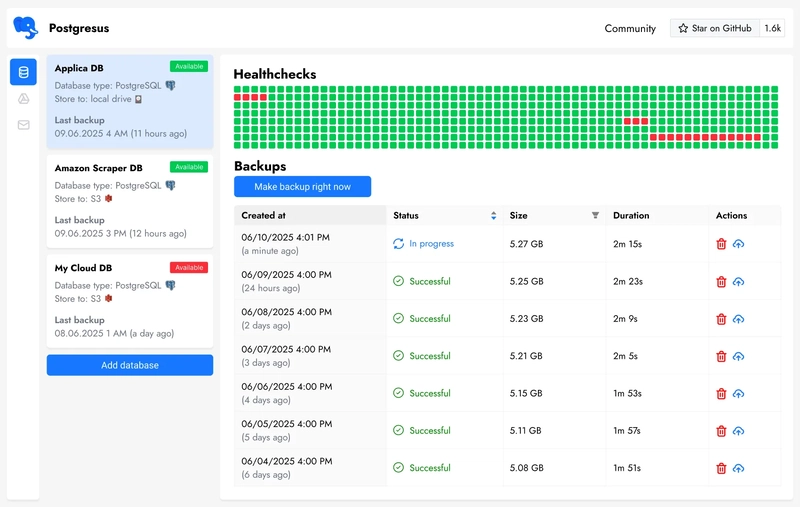
The tradeoff? Some simplified tools may not support point-in-time recovery and instead rely solely on full backups.
Even so, they can still be an excellent fit for smaller teams or less complex data environments.
It’s also worth remembering that your backup strategy as a whole doesn’t need to be overly sophisticated to be effective.
Consistency matters more than complexity, and in many cases, simple daily backups or automated syncs between production and development environments can prevent catastrophic data loss.
But at the end of the day, dedicated backup tools are an integral part of the safety net, giving teams a true peace of mind when rolling out changes.
We’ve explored bug reporting tools, version control systems, CI/CD pipelines, deployment automation, and backup solutions, and yet this guide only scratches the surface of the rollback tooling available today.
Still, it highlights one essential truth: resilience is intentional.
Teams that recover quickly do so because they’ve built guardrails, automation, and clarity into every stage of delivery.
And when you bolster that mindset with the right systems, you’ll be able to prevent failures from escalating and ship with confidence, speed, and control.
From internal bug reporting to production and customer support, our all-in-one SDK gets you all the right clues to fix issues in your mobile app and website.
We love to think it makes CTOs life easier, QA tester’s reports better and dev’s coding faster. If you agree that user feedback is key – Shake is your door lock.
Read more about us here.

Add to app in minutes

Doesn’t affect app speed

GDPR & CCPA compliant

Unexpected things pop up
Just like bugs in your app or web 🐛 Fix them now with just one reporting tool.
