





Bug reporting takes time. Here’s how AI helps teams work more efficiently
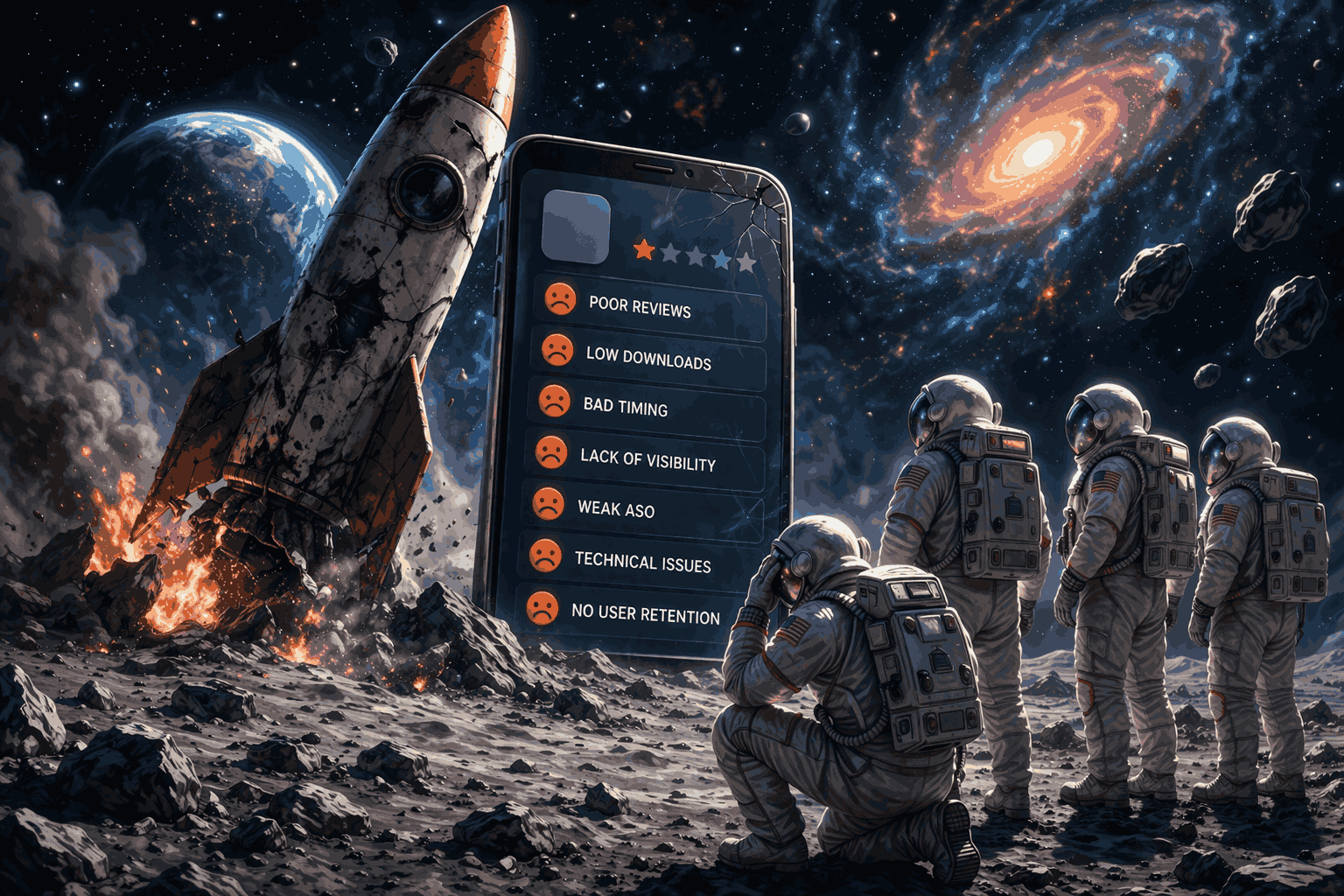
Key takeaways:
Are you currently working on an app or wondering why your recent release isn’t doing so well?
If so, it’s worth knowing that most apps fail because of avoidable mistakes made before, during, and after launch.
Understanding what those mistakes are can save you a lot of time and frustration.
That’s why, in this article, we’ll break down seven of the most common reasons app launches fail and what to do differently.
Table of Contents
Every team wants to get their app out as quickly as possible, whether it’s to beat a competitor or start generating revenue as soon as possible.
The problem is that rushing to launch often means bugs slip through the cracks.
And in a market with millions of apps available, users have no reason to tolerate a product that feels unfinished.
If something crashes or doesn’t work properly, most people will simply uninstall and move on to an alternative.
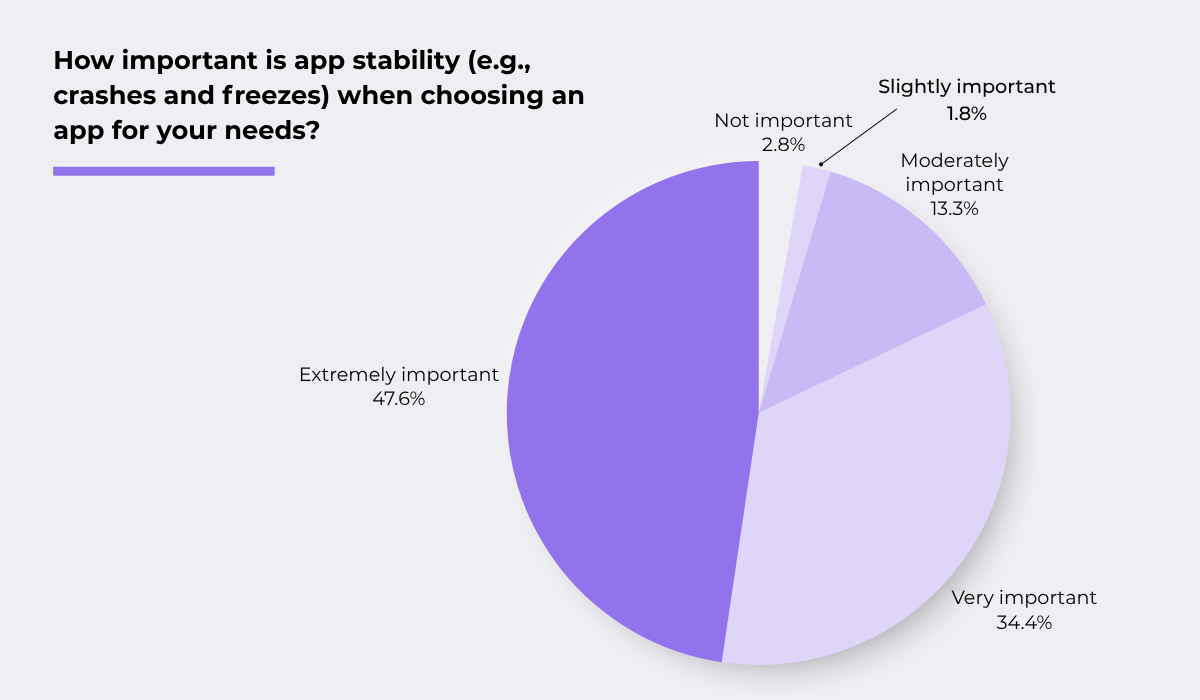
In fact, Luciq has already surveyed 1,000 US mobile app users about how significant app stability is when choosing apps.
The results speak for themselves.
The overwhelming majority of respondents (82%) said that an app being free of issues is very or extremely important to them.
To meet these high standards, apps need adequate testing across several areas before launch, including:


Get unreal data to fix real issues in your app & web.
While going over each of these methods is beyond the scope of this article, what matters most during testing is speed and effectiveness.
For that reason, using a bug and crash reporting tool like Shake can be very helpful.
Instead of QA teams writing manual reports on separate bug tracking platforms, testers can simply shake their device or press a button to submit a bug report directly within the app.
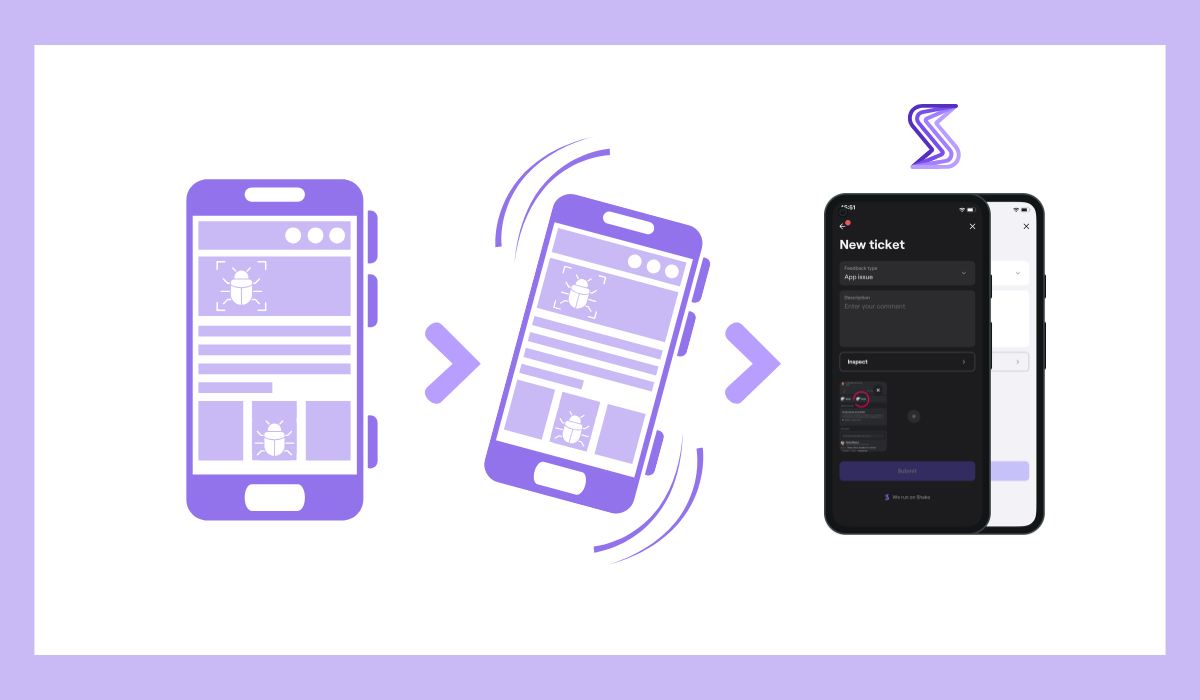
This saves significant time during testing cycles and also reduces miscommunication between testers and developers, since reports are submitted with clear context from the start.
Importantly, each bug report comes with 71 metrics automatically attached, along with automatic screenshots and video recordings.
With that level of detail captured without any manual effort, Shake becomes an essential part of any serious QA process, helping teams catch and fix issues faster before they reach users.
Of course, even a high-quality, stable app will still have very low chances of success if there isn’t any actual demand for it.
This seems straightforward, but you’d be surprised how often teams skip properly assessing whether people actually want or need their product before building it.
In fact, poor market fit is one of the top reasons all startups fail, which includes app startups.
According to data from CB Insights, poor product-market fit is the second most common reason for startup failure, followed by wrong market timing or macro conditions.
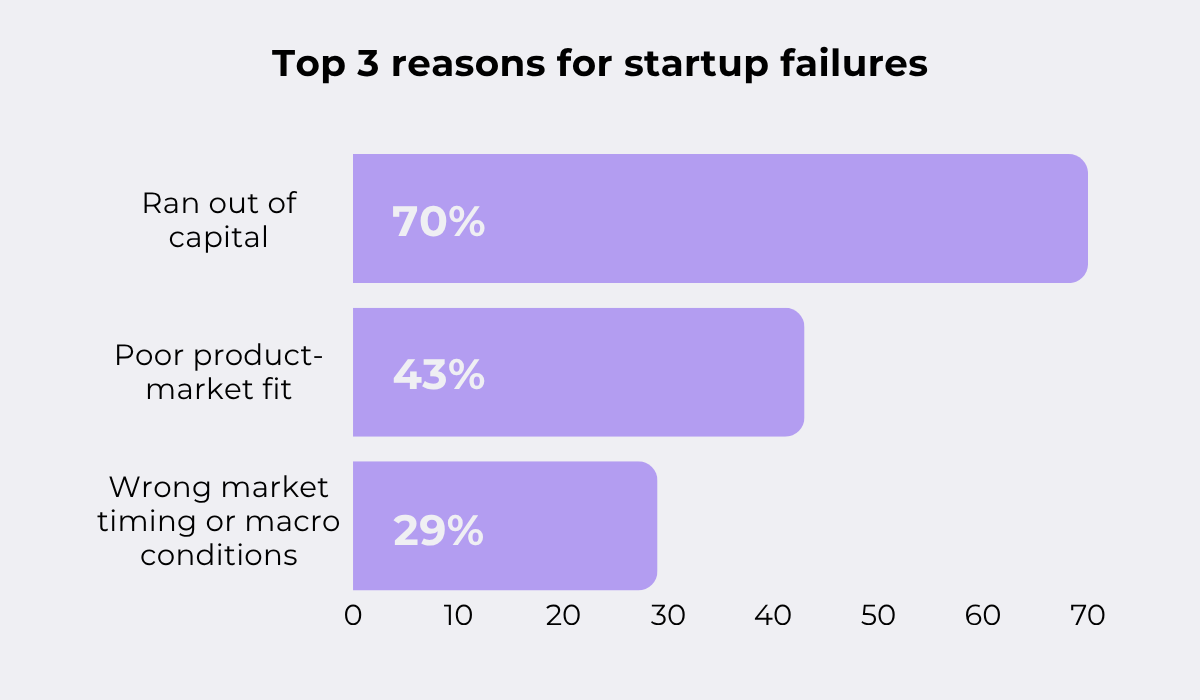
What this tells us is that a large portion of failures could have been avoided with more thorough planning and research.
This is done through demand testing practices, which aim to assess whether enough people are interested in your product idea before you commit to building it.
Demand testing can include checking whether similar products already exist, browsing forums to see if users are asking for specific features or tools, or running surveys with your target audience.
But it can also be done by putting something tangible in front of potential users early on.
What Buffer co-creator Joel Gascoigne did was create a straightforward landing page explaining the product and measuring interest through an email signup form.
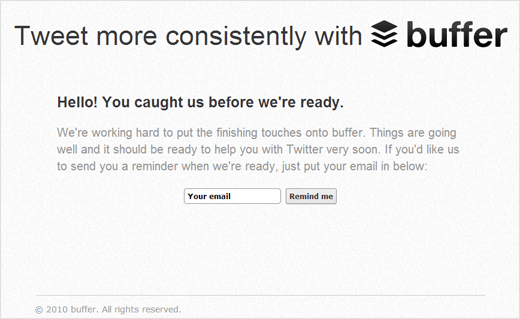
While Gascoigne didn’t have any product ready at the time, the number of signups confirmed that real demand existed, giving him the confidence to move forward with development.
The takeaway is simple: a little validation upfront can prevent a lot of wasted effort down the road.
A closely related issue that can arise during development is when teams create too many unnecessary features.
When there are too many functionalities, it becomes unclear to users what the app actually does well, and the core value gets lost in the noise.
On top of that, users can feel overwhelmed when they open an app and are met with a cluttered interface full of options they didn’t ask for.
This is an issue even in well-established apps.
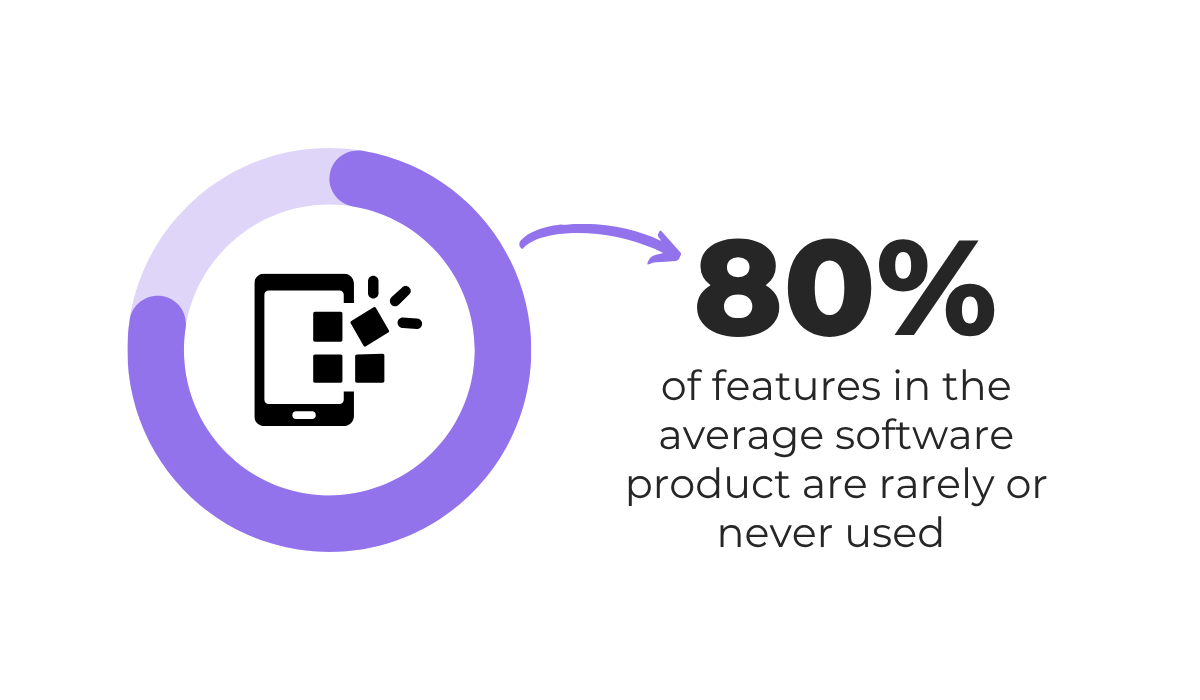
According to typical usage patterns, supported by sources like this data from Pendo, around 80% of features in the average software product are rarely or never used.
During launch, the goal should be to precisely define your unique value and build a few robust functionalities that reflect it.
A simple framework like MoSCoW can help with prioritizing what to develop first.
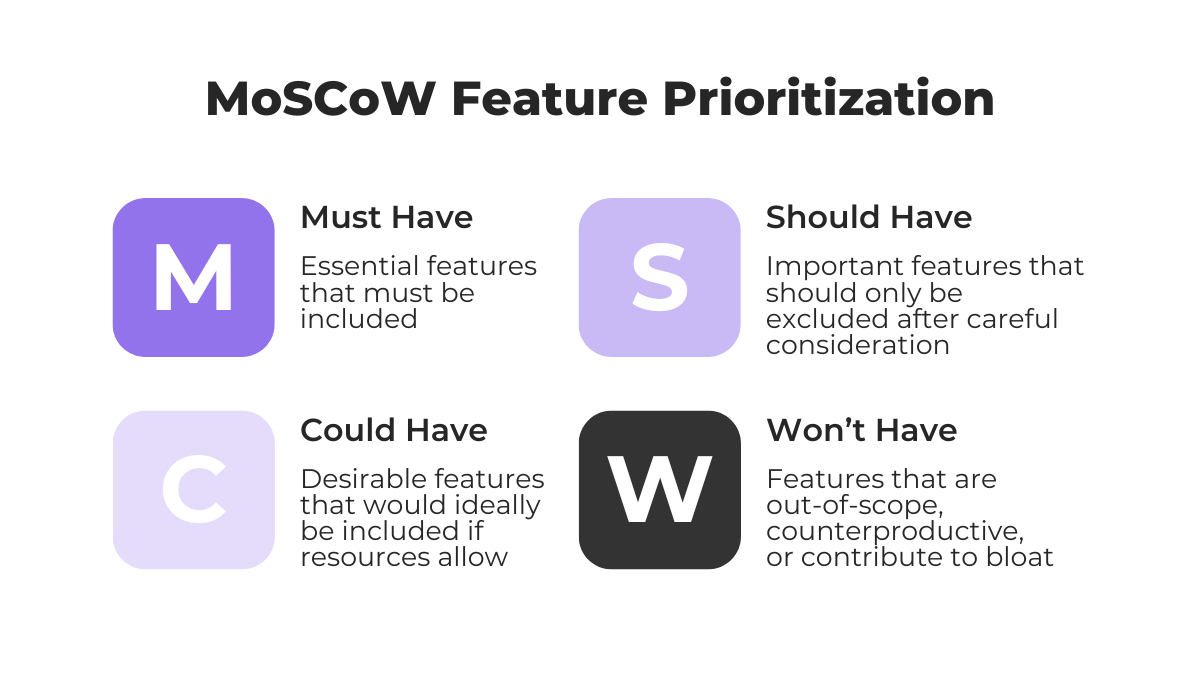
Your core functionalities will naturally fall under the Must Have category, while Should Have and Could Have features can be added further down the line based on real user feedback and usage data.
This keeps the initial release focused and manageable, while avoiding out-of-scope features that would only add complexity without adding value.
Ultimately, a focused app that does a few things well will always outperform one that tries to do everything.
After an app launch, teams will naturally start tracking how their app is performing.
But what’s often monitored are the most obvious things: total downloads, app store ratings, and how much revenue the app is bringing in.
These are commonly referred to as vanity metrics, because while they look impressive on the surface, they don’t give you much insight into what’s actually happening with your users.
All the while, teams often skip actionable metrics that can tell a much more detailed and useful story about app health and user behavior.


Capture, Annotate & Share in Seconds with our Free Chrome Extension!
If you look at the image below, we compare some of these metrics side by side.
| Vanity Metric | Actionable Alternative |
|---|---|
| Total downloads | Day 7/30 retention rate |
| Registered users | Daily & Monthly active users (DAU & MAU) |
| Page views | Session duration + user actions taken |
| Total revenue (raw) | Customer lifetime value (LTV) |
| App store impressions | Impression-to-install conversion rate |
Consider registered users versus daily or monthly active users.
A high number of signups means very little if most of those people never come back.
As another example, an app may have thousands of downloads, but if only 1% of users remain after a month, that would fall well below average retention rates.
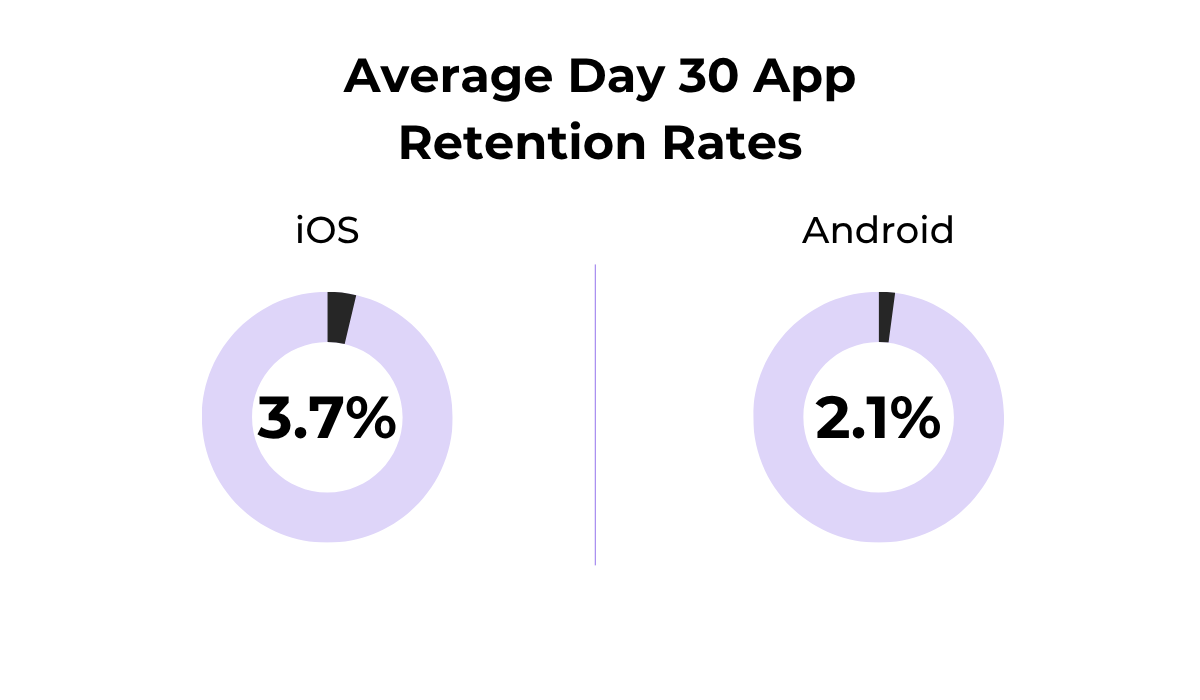
These actionable metrics can reveal where users are dropping off, which features are actually being used, and whether the product is delivering enough value to keep people around.
On top of these indicators, it’s always useful to identify a north star metric, which is a single key metric that best represents the core value your app delivers to users.
Look at the next case study by Amplitude to see an example of a north star metric.
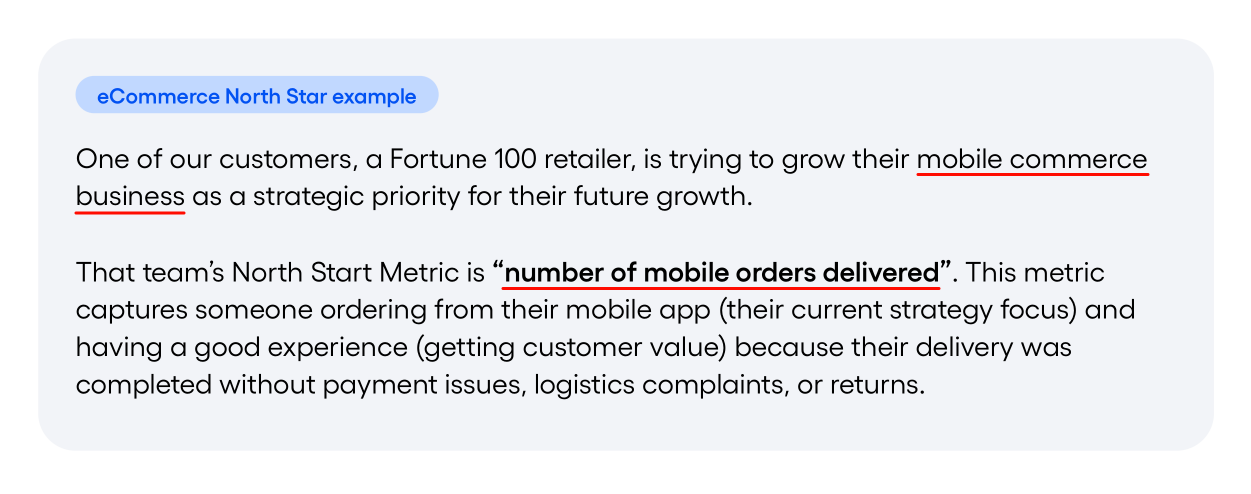
As you can see, for an e-commerce app, this metric might be successful orders per user. For a messaging app, it could be messages sent per day, and so on.
Finding these core metrics helps align your entire team around what truly matters, rather than chasing numbers that only look good in a report.
Once an app is live, one of the most valuable sources of information you have is your users.
Whether you like it or not, users will tell you what’s working, what’s frustrating, and what’s missing.
They’ll do that through reviews and ratings, support tickets, or even bug reports.
Teams that ignore this input and keep building based on internal assumptions risk drifting further and further away from what users actually need.
A good approach here is to establish a user feedback loop, which is a continuous cycle of collecting feedback, analyzing and prioritizing it, taking action, and then following up with users.
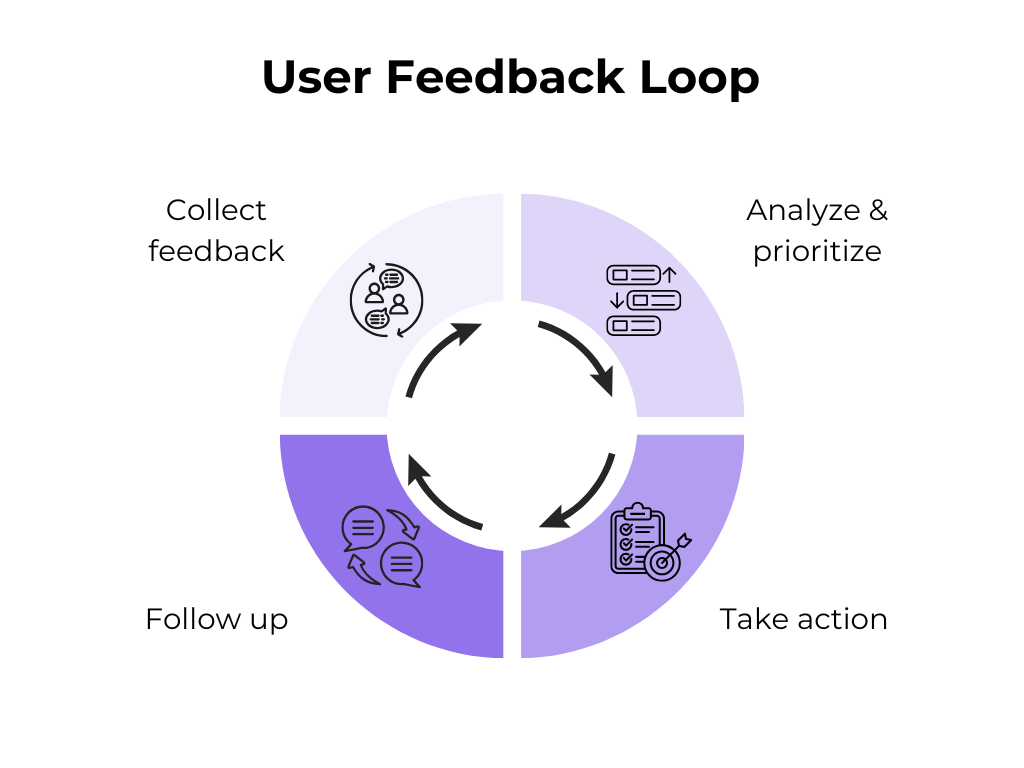
This keeps development aligned with real user needs rather than guesswork.
Slack is a great example of a company that built its entire product around this approach.
As co-founder Stewart Butterfield explains, during its early days, the team actively sought feedback from their users and iterated heavily based on what they heard.
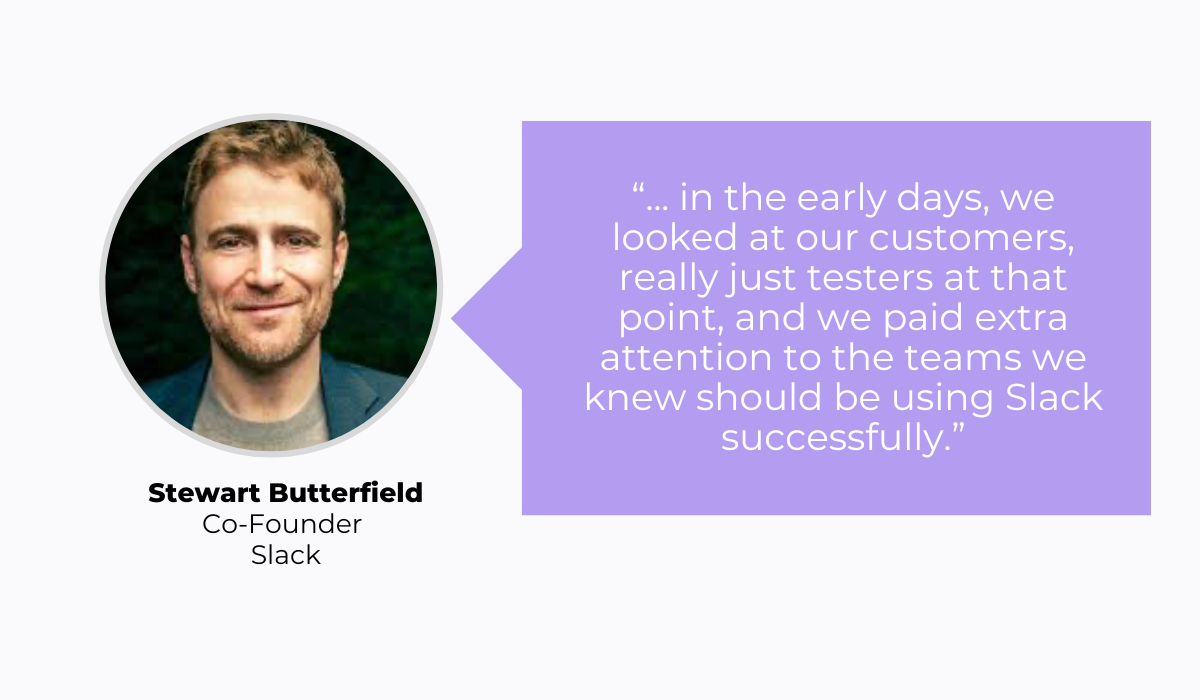
Of course, he explains that feedback can sometimes contradict your original vision, and that’s normal. He elaborates:
“You may be trying to drive in a particular direction that people don’t necessarily understand at first…”
The key is knowing which feedback to act on and which to set aside based on your product goals.
But consistently ignoring what users are telling you, especially when it comes to bugs, missing features, or confusing flows, will eventually show up in your ratings and retention numbers.
A lot of teams put all their energy into building the app and assume that once it’s on the app store, people will find it.
That’s rarely how it works.
With millions of apps available, simply publishing yours and waiting for downloads is unlikely to produce results.
Unfortunately, for some teams, marketing is the last thing on their minds.
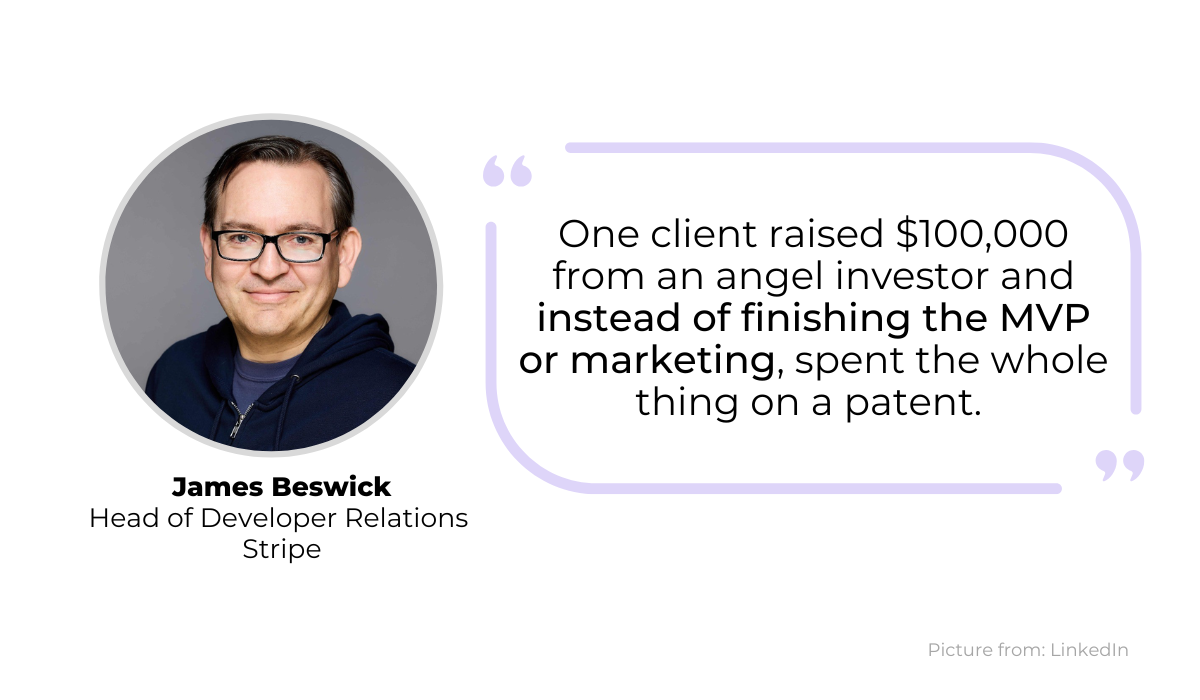
James Beswick, co-founder of Indevelo and head of developer relations at Stripe, recalls a situation where one of his clients went so far as to invest in patenting their app idea before setting aside a marketing budget, or even finishing their MVP.
Without a marketing plan in place, even an app worth patenting can go completely unnoticed.
So, ideally, marketing should start well before launch day.
This is where a go-to-market (GTM) strategy comes in. Simply put, a GTM strategy is a plan that covers how you’ll bring your product to your audience.
To create one, you need to ask yourself questions like the ones shown below.
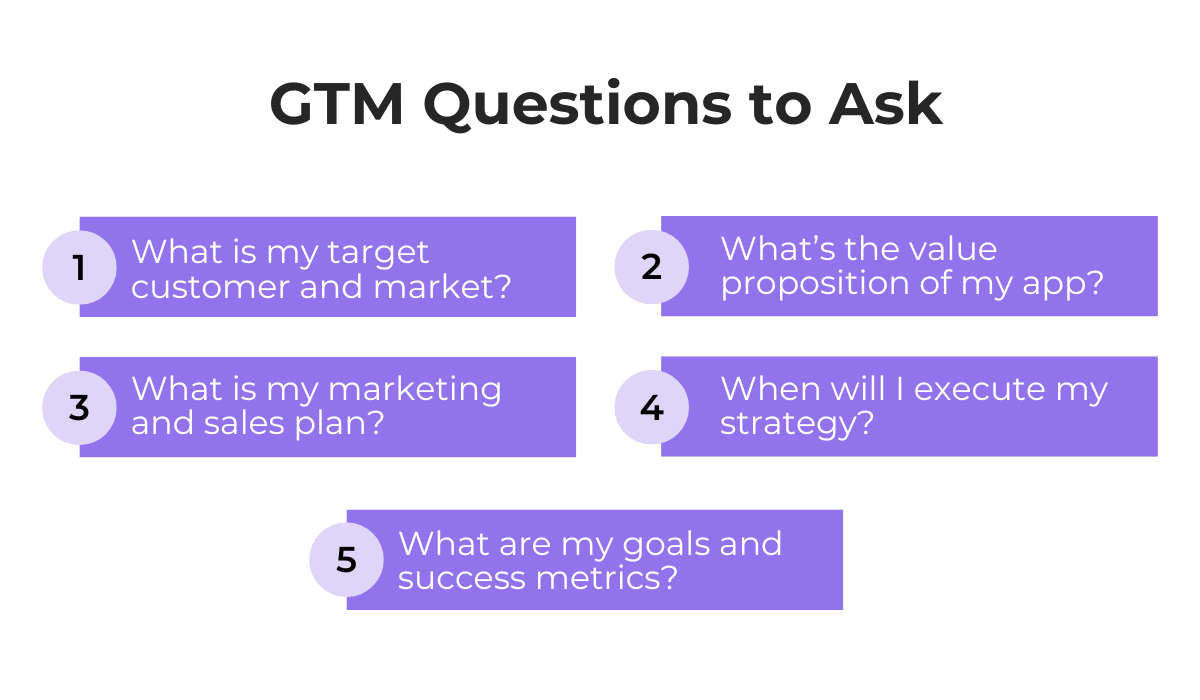
Answering these questions early helps you launch with direction rather than scrambling to figure things out after the app is already live.
Focusing on a solid strategy will help you really define what you offer and your target audience, along with practical aspects like which marketing channels you’ll use, your brand style and messaging.
The earlier you plan, the better your chances of getting your app in front of the right people from day one.
The last reason we’ll cover is app store optimization, or ASO.
This is the process of improving your app’s visibility within the App Store and Google Play so that more people can discover it through search.
After all, users typically search app stores when they are looking for a tool or a solution to a problem.
So if your listing isn’t optimized, you’re missing out on a major source of organic app installs.
ASO involves several aspects, including some of the ones shown below.
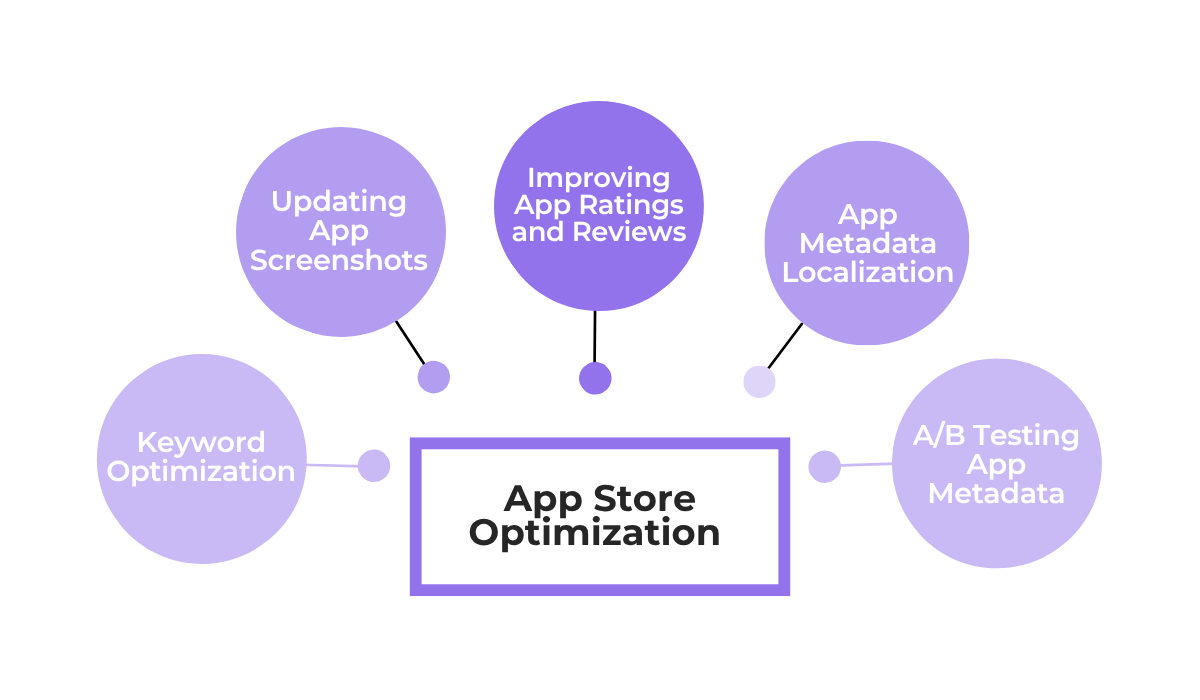
This can be as simple as optimizing keywords and listing text to match what users are actually searching for.
And once you’ve done the basics, you can go on with more in-depth optimizations, like testing different screenshots and titles to see which versions lead to more installs.
One thing worth highlighting is that ASO is an ongoing effort.
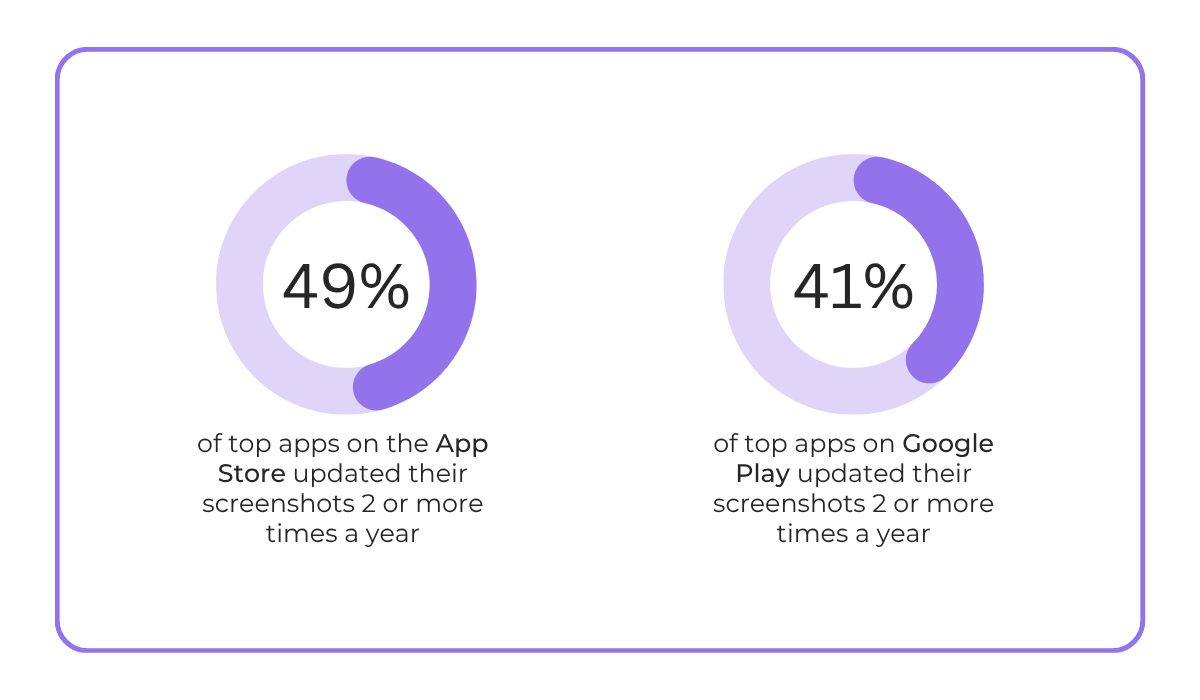
According to data from AppTweak’s 2025 ASO benchmarks report, top apps on the App Store and Google Play regularly update their screenshots multiple times per year, and those that do tend to rank higher.
On top of that, the same report found that apps which improved their rating from 3.6 to 4.2 saw nearly 60% higher conversion rates, and 90% of featured apps had a rating of 4.0 or higher.
This shows that even small improvements to your store presence can have a meaningful impact on downloads.
And with that, we’ve covered seven reasons app launches go wrong.
We went over common mistakes like skipping market validation and testing, neglecting user feedback, lack of marketing after release, and more.
Hopefully, this gives you a clearer sense of where things tend to break down.
Use these insights to review your own launch plan and address the weak spots early.
Do these things right, and you’ll give your app a much stronger start.
From internal bug reporting to production and customer support, our all-in-one SDK gets you all the right clues to fix issues in your mobile app and website.
We love to think it makes CTOs life easier, QA tester’s reports better and dev’s coding faster. If you agree that user feedback is key – Shake is your door lock.
Read more about us here.

Add to app in minutes

Doesn’t affect app speed

GDPR & CCPA compliant

Unexpected things pop up
Just like bugs in your app or web 🐛 Fix them now with just one reporting tool.
