





Bug reporting takes time. Here’s how AI helps teams work more efficiently

Key takeaways:
Have you ever opened your app store page and felt your stomach drop after seeing a wave of negative reviews?
Poor reviews can hurt downloads, lower your rating, and make months of hard work feel wasted.
But they can also be an opportunity for growth.
If you are looking for practical ways to turn these situations around, this article will walk you through five strategies to recover from bad app reviews and improve your reputation.
Table of Contents
Negative reviews are not the most pleasant thing to encounter, and more often than not, app agencies end up simply ignoring them.
After all, it’s easy to respond with a polite “thank you” to positive feedback, but when a user raises concerns about bugs, crashes, or a confusing experience, most teams just don’t know how to respond.
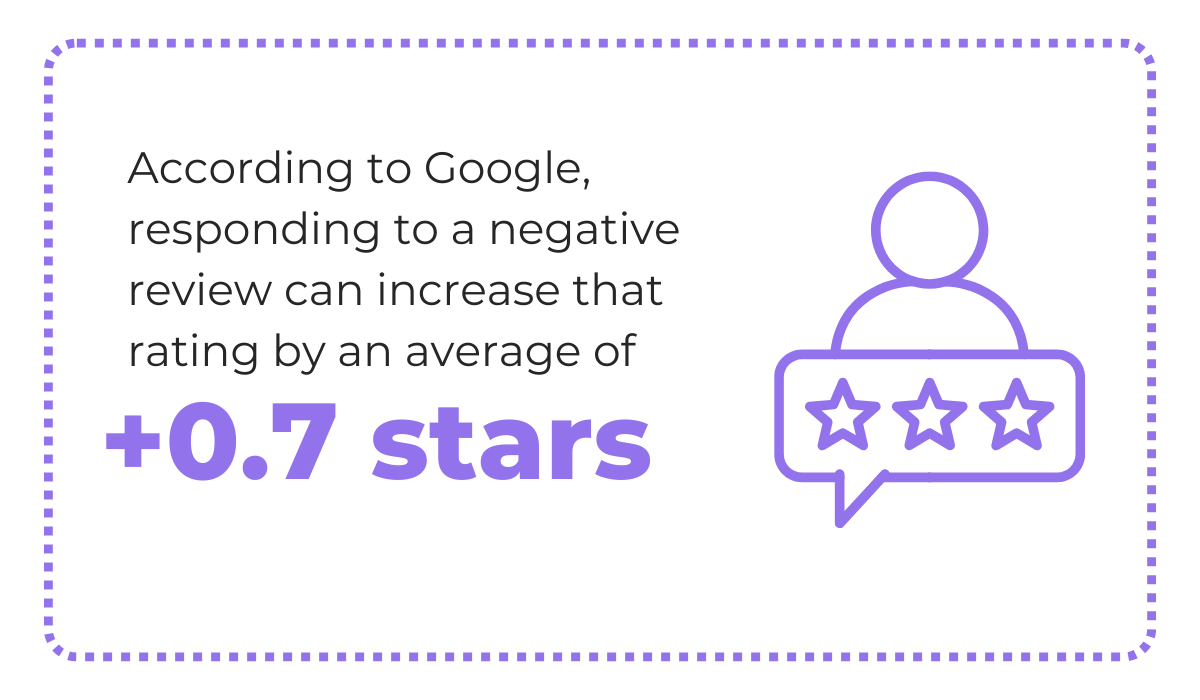
However, responding to negative reviews is one of the best approaches you can take to improve your app’s reputation, as highlighted by Google.
A rating improvement of +0.7 stars may not look like much on paper, but star ratings play a big role in app downloads and how your app is positioned in app stores.
So even a small increase is worth considering.
Now, when you do respond, your approach matters, particularly when it comes to things like tone of voice and how you frame your message.


Get unreal data to fix real issues in your app & web.
Try not to come across as defensive or reactive. Instead, acknowledge the user’s concerns with empathy and a helpful attitude.
If the negative review is about a specific issue or a user experience struggle, offer to help in whatever way you can.
That being said, don’t treat the review section as a place for long debugging conversations or feature discussions.
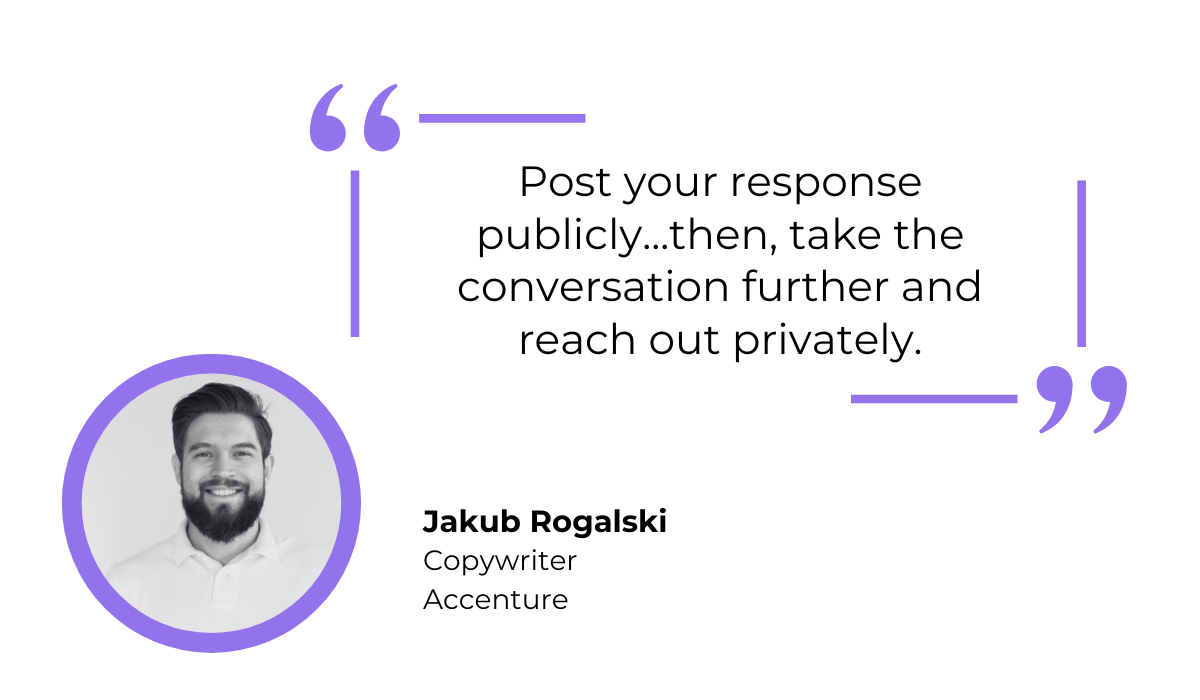
As Jakub Rogalski, Copywriter and a former Community Manager at award-winning app Brand24, puts it, after your initial public response, you should continue the discussion privately.
He elaborates that a public response is important both for the user who left the review and for other people reading it, because it shows that you acknowledge problems and care about fixing them.
But solving actual issues often takes time, so it is better to handle that part over email or other communication channels like Slack.
Do this whole process right, and you might end up with a more satisfied user than your typical one.
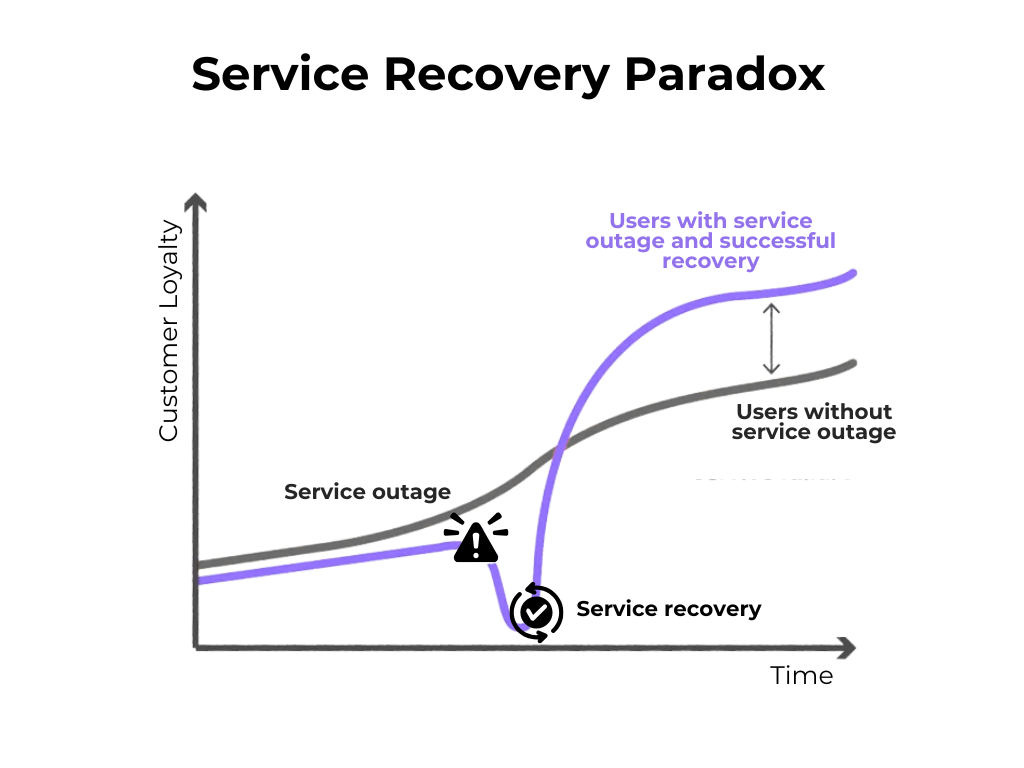
This is often called the service recovery paradox, a concept that describes how a customer who experienced an issue that got resolved can end up more loyal than a customer who never had a problem.
When applied to app reviews, this means that a well-handled negative review can actually create a stronger connection with that user than a five-star review ever would.
So, taking the time to respond to negative reviews thoughtfully is one of the simplest ways to improve your ratings and build trust with your users.
As you start responding to negative reviews, you will likely notice that some concerns keep coming up again and again.
Some users might report the same bug, others might complain about missing functionality, and so on.
It’s essential to analyze these patterns and act on them because they tell you exactly where your app needs the most attention.
While it is perfectly fine to do this analysis manually, especially for smaller apps, some sentiment analysis tools can speed up the process significantly if you are dealing with a large volume of reviews.
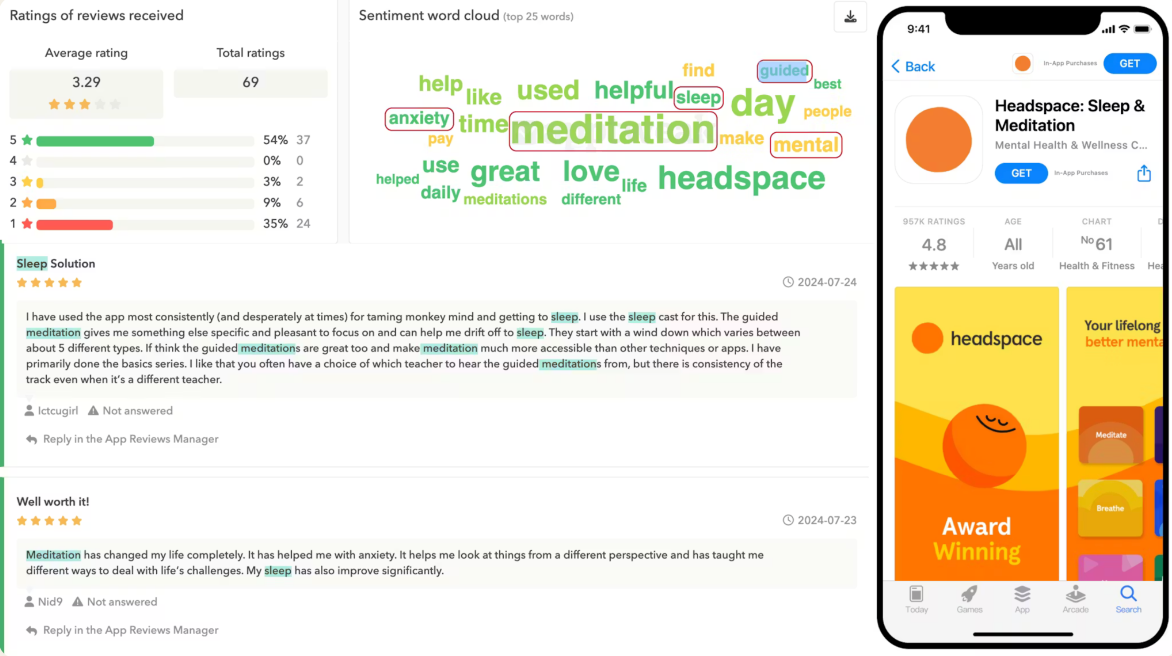
Tools like AppTweak and others can analyze sentiment across your reviews and identify commonly repeated words and phrases.
This is helpful because it allows you to quickly spot recurring themes without reading through hundreds of reviews one by one.
It can help you detect widespread frustrations, frequently requested features, and even shifts in user satisfaction over time.
Now, a large chunk of negative reviews is commonly caused by app bugs or performance issues.
And you can certainly get a general sense of your app’s most common problems based on what users write in their reviews.
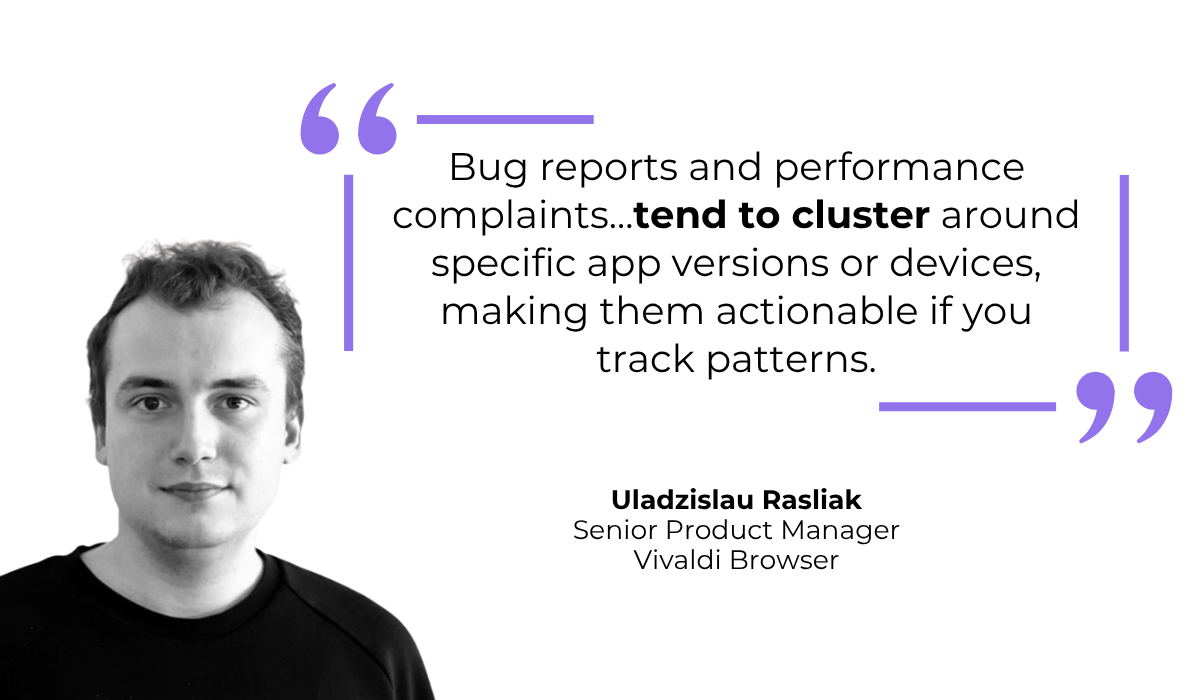
But consider the quote below, showing what senior product manager Uladzislau Rasliak had to say on the topic.
In other words, while you might get dozens of reviews mentioning a specific bug, that bug might not affect your app as a whole.
It might only affect users running a particular Android OS version, or users who are still on an older version of your app.
With just app reviews to work with, finding these clusters is difficult because that important context is missing.
That is why in-app bug and crash reporting tools like Shake can be helpful.
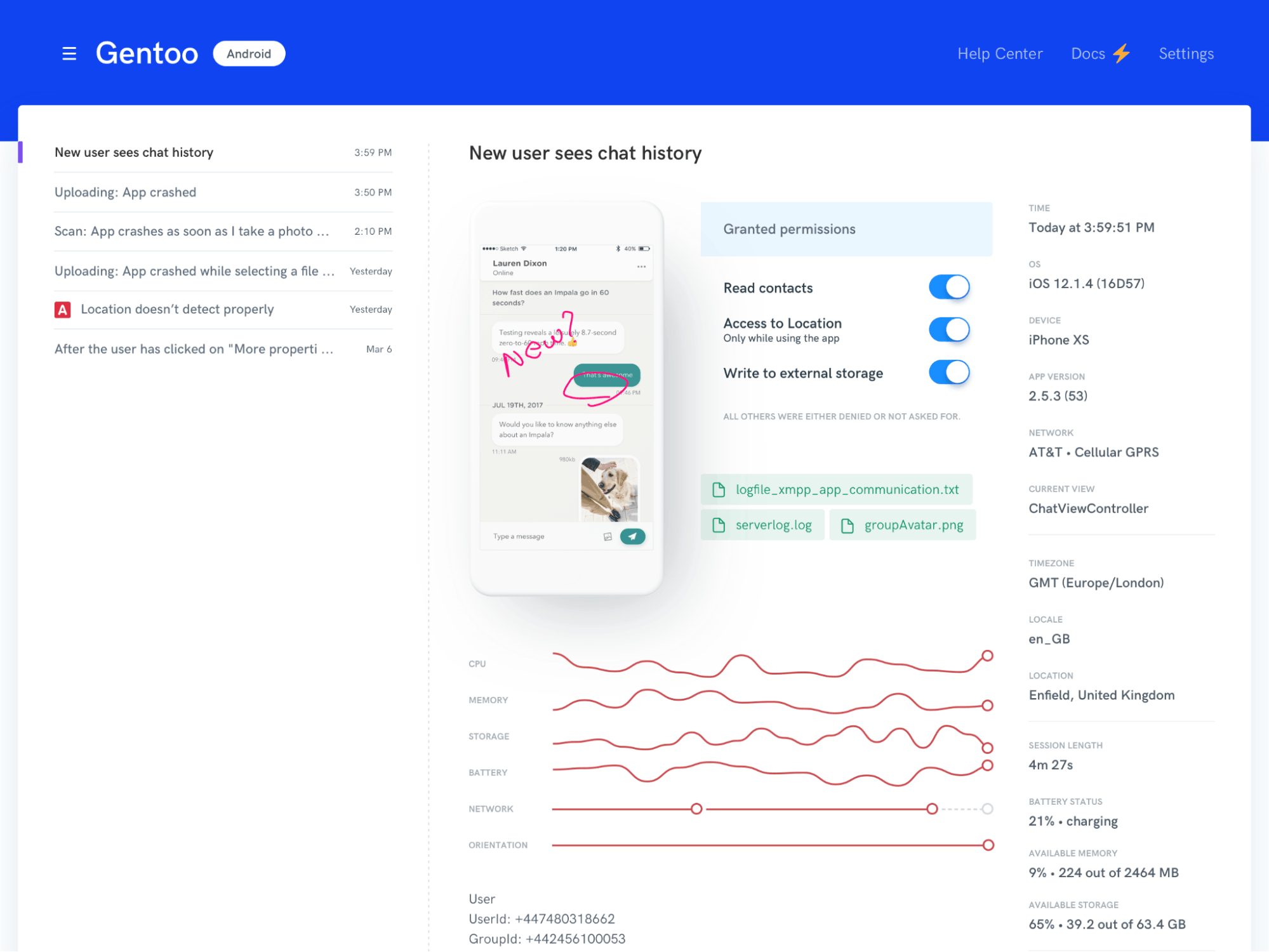
With Shake, when a user encounters a bug, they can simply shake their device or tap a button to submit a bug report or leave feedback without ever leaving the app.
Behind the scenes, Shake automatically collects a wealth of technical information alongside each report, including:
That means when you receive a report, you already have the context needed to identify exactly which users are affected and why, making it much easier to spot the patterns that reviews alone cannot reveal.
The added benefit is that these bug reports and negative feedback end up directly in your team’s workflow and ticketing system, instead of publicly on app stores or review sites.
This keeps problems where they can actually be solved, while also protecting your public rating.
The data you get from analyzing user reviews is not simply there for you to be aware of issues and complaints.
You want to use that information to actually improve and update your app, whether that means fixing bugs, improving performance, or adding features that users have been asking for.
Consider this example.
Say your app has a bug that affects a large portion of your users, and some of them leave negative reviews mentioning the problem.
That might not seem like an immediate crisis, especially if the bug may already be known and worked on by your team.
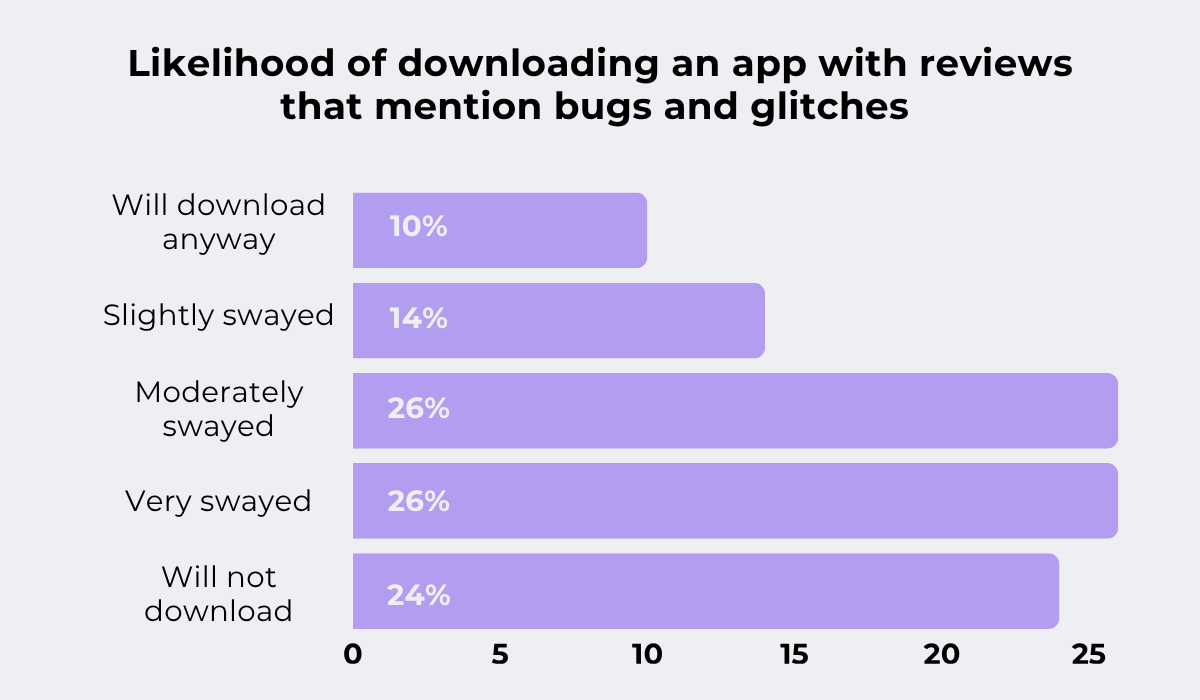
Well, based on Qualitest data, only 10% of users would still download an app after reading a review that mentions this bug or glitch.
The other 90% would be at least somewhat discouraged from downloading it, with 24% of users deciding not to download the app at all.
With so many apps available on the market today, users can simply choose to download an alternative instead of risking a frustrating experience with one that seems unreliable.
That is why you should tackle any issues quickly.
Major bugs or crashes would require immediate hotfixes, as users quickly get frustrated and start voicing their frustration.


Capture, Annotate & Share in Seconds with our Free Chrome Extension!
But don’t ignore negative reviews that talk about a missing feature, a potential improvement, or something that just does not work smoothly.
If this kind of sentiment shows up across many users, acting on it and updating your app accordingly can leave those users noticeably more satisfied and more likely to update their review.
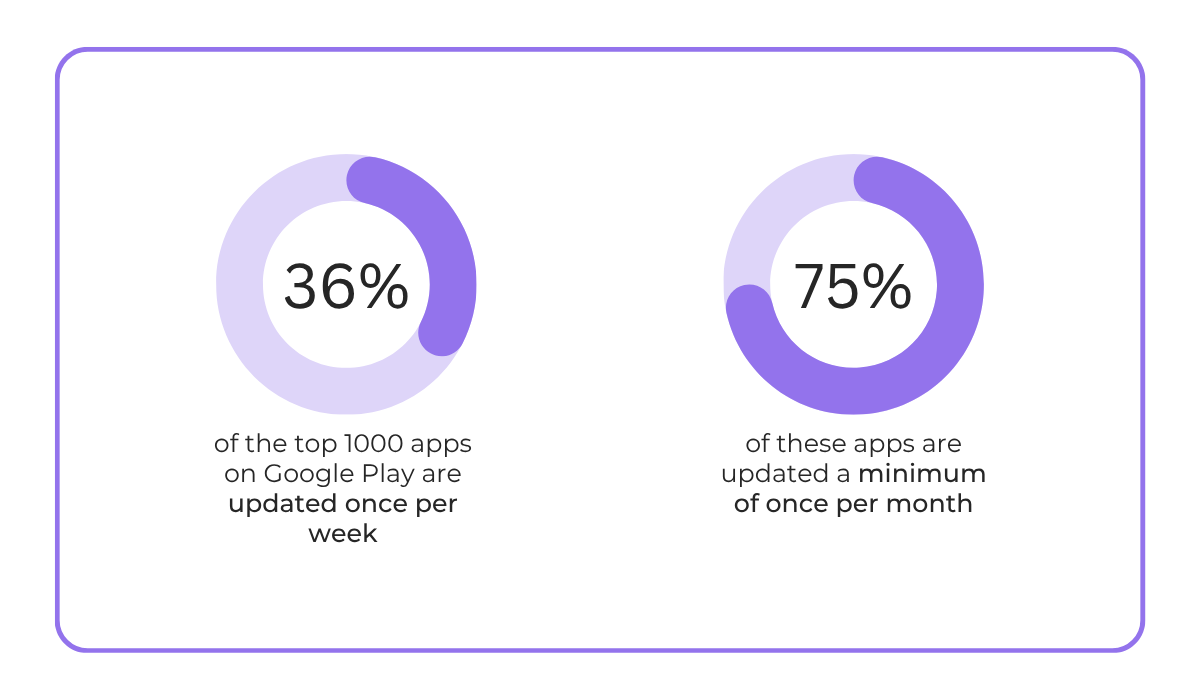
It is no wonder then that 36% of the top 1000 apps on Google Play release updates once a week, with the vast majority of them updating their app at least once a month.
These top-performing apps understand that frequent updates signal to users that their feedback is being listened to, and the app is actively maintained and improving.
Staying on top of updates keeps your existing users happy and makes a much better impression on potential new ones browsing through your app store page.
When an app does what it should, most people just continue using it without thinking about leaving feedback.
So, instead of waiting, special efforts should be made to encourage positive comments from your satisfied users.
As explained by Jake Lee, Android engineer for Seatfrog, while negative reviews can be very beneficial and help guide app improvements, positive feedback is also necessary to give an accurate picture of how your app is performing.
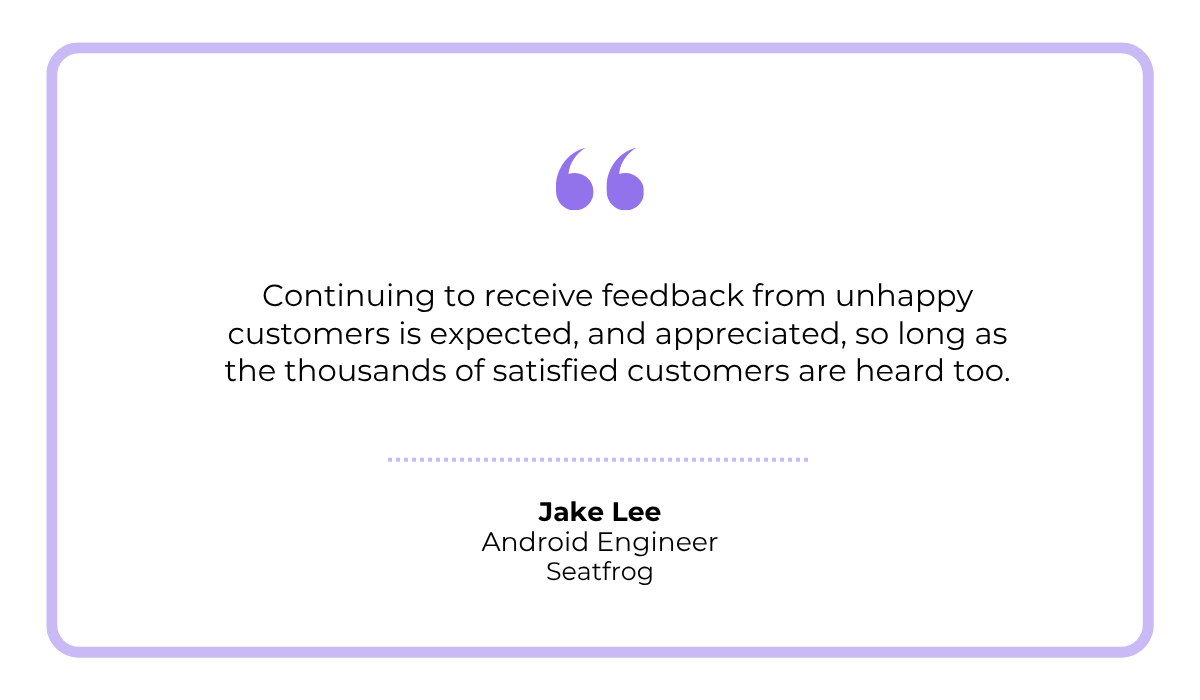
In fact, while working on Seatfrog, Jake faced an issue where low app ratings had stuck from an older, more buggy version of the app.
Even after the app was improved, the overall ratings did not reflect this. This is a common problem, but luckily, there are many ways to encourage positive reviews and ratings.
One straightforward option is collecting in-app ratings with the built-in rating dialog prompts offered by Google Play and Apple.
But as even Apple themselves explain, asking for ratings should be done strategically.
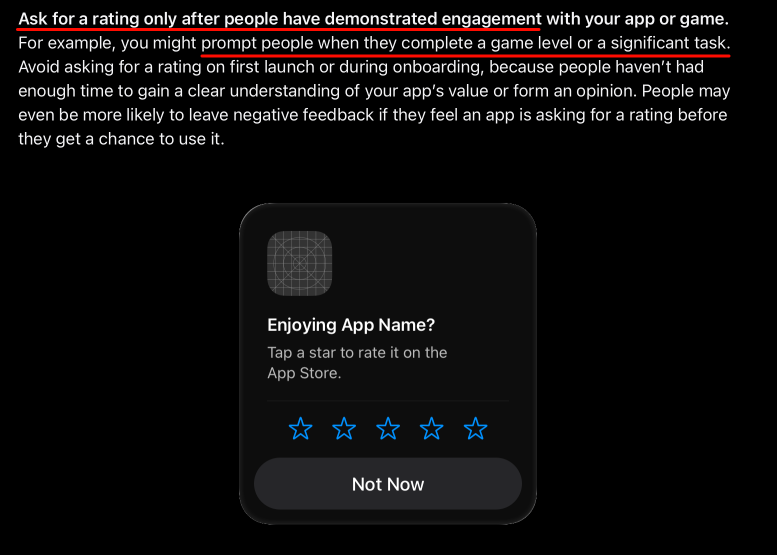
A rating prompt shown right after the user has completed something meaningful in the app, like finishing a task or having a successful experience, is far more likely to result in a positive review than one shown at a random moment.
Some other methods of collecting positive reviews are listed below.
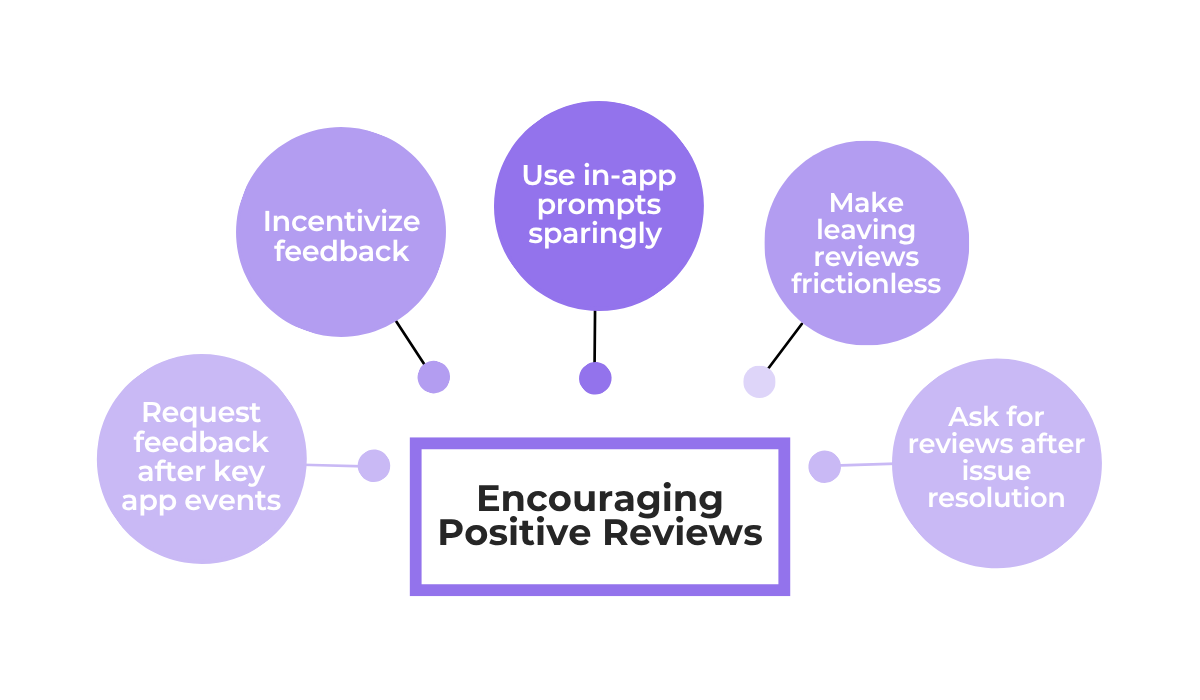
These methods should always be used as a gentle nudge toward a positive rating, never as pressure.
Beyond the rating prompt, this could mean offering a small in-app reward for genuine feedback or suggesting that a user update their negative review after their issue has been resolved.
The key word here is genuine. You are encouraging honest feedback, not buying five-star ratings.
And remember not to go overboard with rating requests, because as the example below shows, being too aggressive can backfire even for an otherwise excellent app.
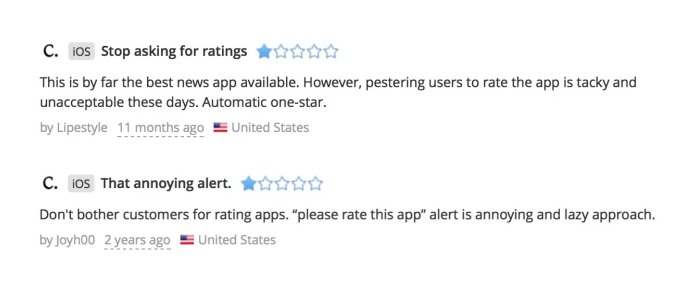
In short, collecting positive reviews takes intentional effort, but it has to be done respectfully.
When you ask at the right time and in the right way, satisfied users are often happy to share their experience.
Finally, we have to address the unfortunate reality of fake and malicious reviews.
Buying reviews has become an entire industry, with various platforms offering fake engagement and ratings for both Android and Apple apps.
And while these services are often used to artificially boost an app’s rating, they can also be used by competitors or bad actors to damage the reputation of other apps.
As one Reddit user writes, this can be a very frustrating experience:
“On a daily average, I do not receive even 10 reviews but there was a sudden spike of 50 1-star [reviews].”
The good news is that both Google Play and Apple have ways to address these issues. On Android, there is Google Play’s review flagging functionality shown below.
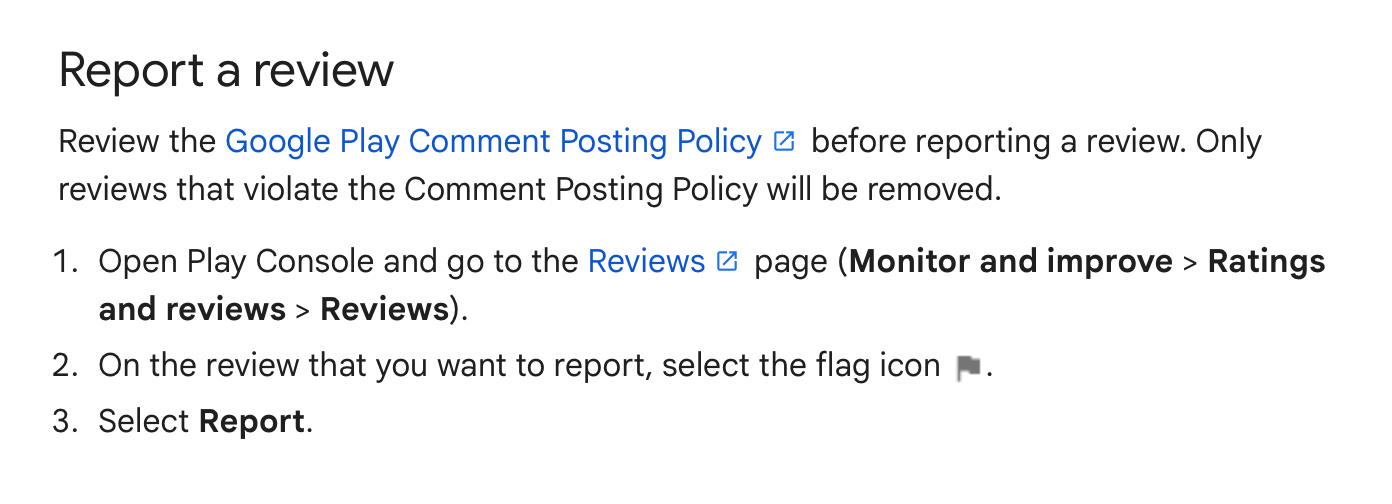
This functionality works best for reviews that clearly violate the comment posting policy, such as reviews containing spam, offensive language, irrelevant content, or promotional material for other apps.
But even with reviews that seem genuine on the surface, Google can take action if there are suspicious patterns like a sudden spike in negative ratings.
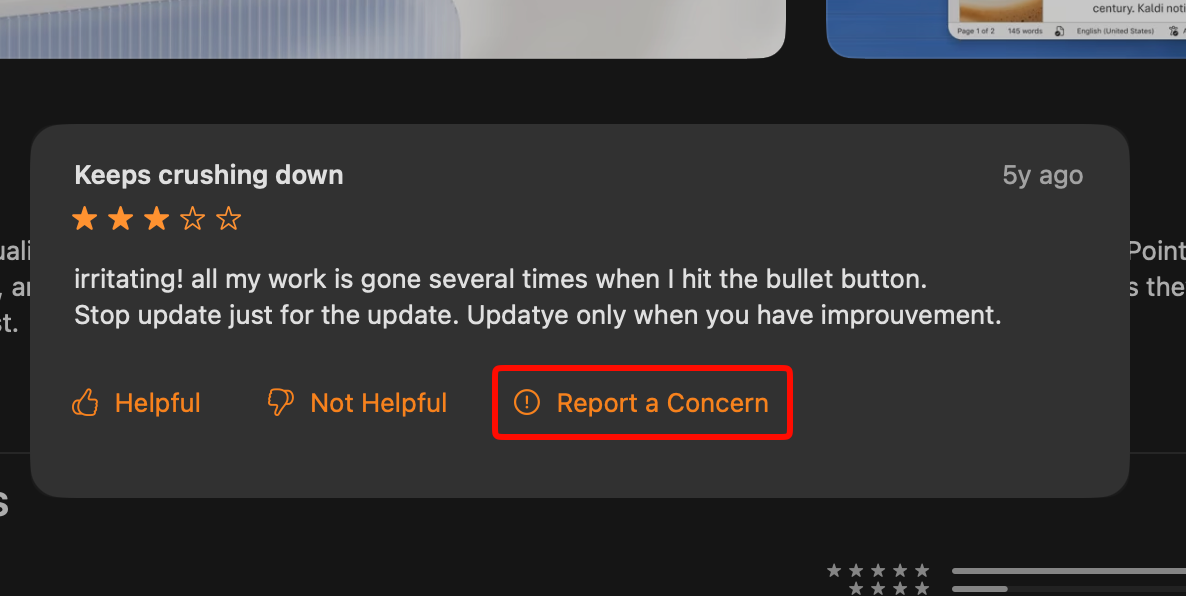
For Apple apps, there is the Report a Concern option that appears directly on reviews.
This allows developers to flag individual reviews that they believe are fraudulent or violate Apple’s guidelines.
With both platforms, choosing when to report a review should be done carefully. After all, not every negative review is a fake one.
But you may want to flag a review when you notice things like:
Even when fake reviews are difficult to spot on your end, the platforms themselves are actively fighting against them.
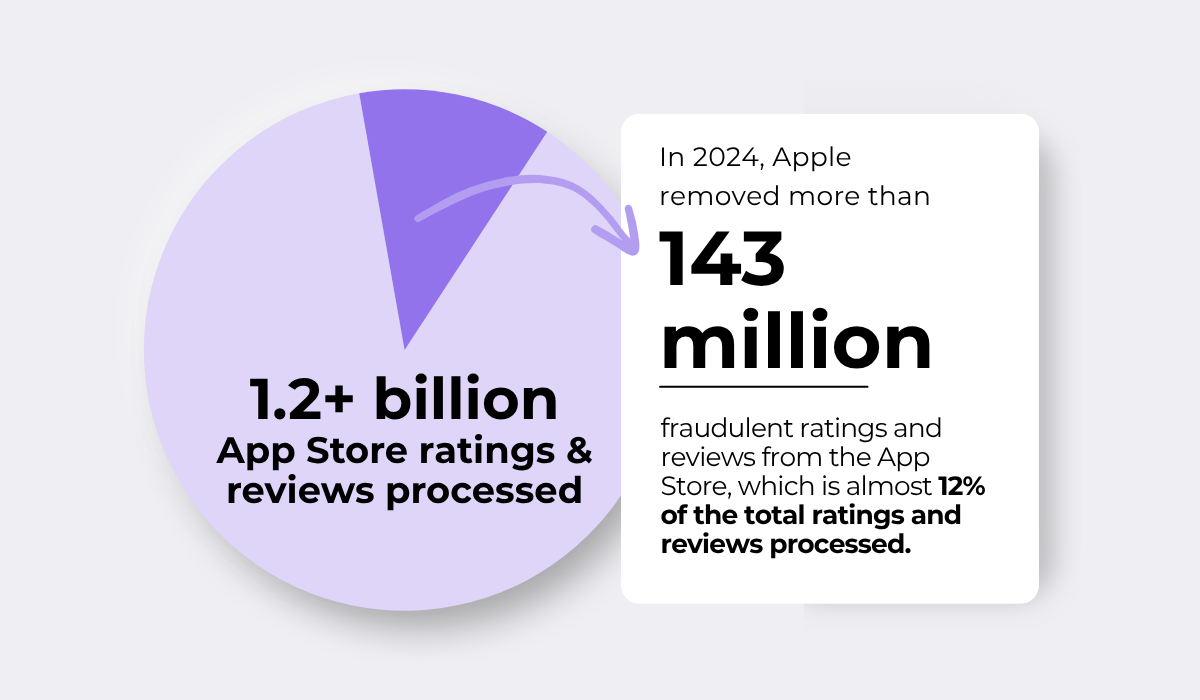
For example, back in 2024, Apple removed more than 143 million fraudulent ratings and reviews out of over 1.2 billion processed ones.
This is reassuring to know because it means that even if some fake reviews slip through your own detection, the platforms are continuously working to identify and remove them at scale.
So, while dealing with fake reviews can be difficult and frustrating, you are not entirely on your own in this fight.
That covers everything you need to get started.
We looked at how to handle negative reviews and turn them into opportunities to improve your app, how to encourage happy users to leave positive reviews, and even how to spot fake feedback.
Take these strategies and apply them one at a time, as even small changes in how you manage reviews can lead to better ratings and more downloads over time.
From internal bug reporting to production and customer support, our all-in-one SDK gets you all the right clues to fix issues in your mobile app and website.
We love to think it makes CTOs life easier, QA tester’s reports better and dev’s coding faster. If you agree that user feedback is key – Shake is your door lock.
Read more about us here.

Add to app in minutes

Doesn’t affect app speed

GDPR & CCPA compliant

Unexpected things pop up
Just like bugs in your app or web 🐛 Fix them now with just one reporting tool.
