
Bug reporting takes time. Here’s how AI helps teams work more efficiently

Key takeaways:
The saying “no reply is the worst reply” is especially applicable to mobile app reviews.
Users, particularly those frustrated with an app’s performance or features, don’t like being ignored.
Such behavior signals a brand’s indifference and even disrespect.
That’s why taking your users’ feedback seriously and replying consistently to it is important for user satisfaction.
Now, it’s true, dealing with negative feedback can be frustrating.
So, to make it less daunting, we’ve compiled a list of best practices for replying to critical reviews.
Table of Contents
Before responding to a review, find out what went wrong.
Otherwise, if your reply is based on a false assumption, such as assuming a review signaled a small UX issue when it was actually a bug that impacted the app’s stability, this may lead to trouble later on.
For instance, a complaint about a slow-loading screen might actually stem from server-side performance issues or compatibility problems with a specific device.
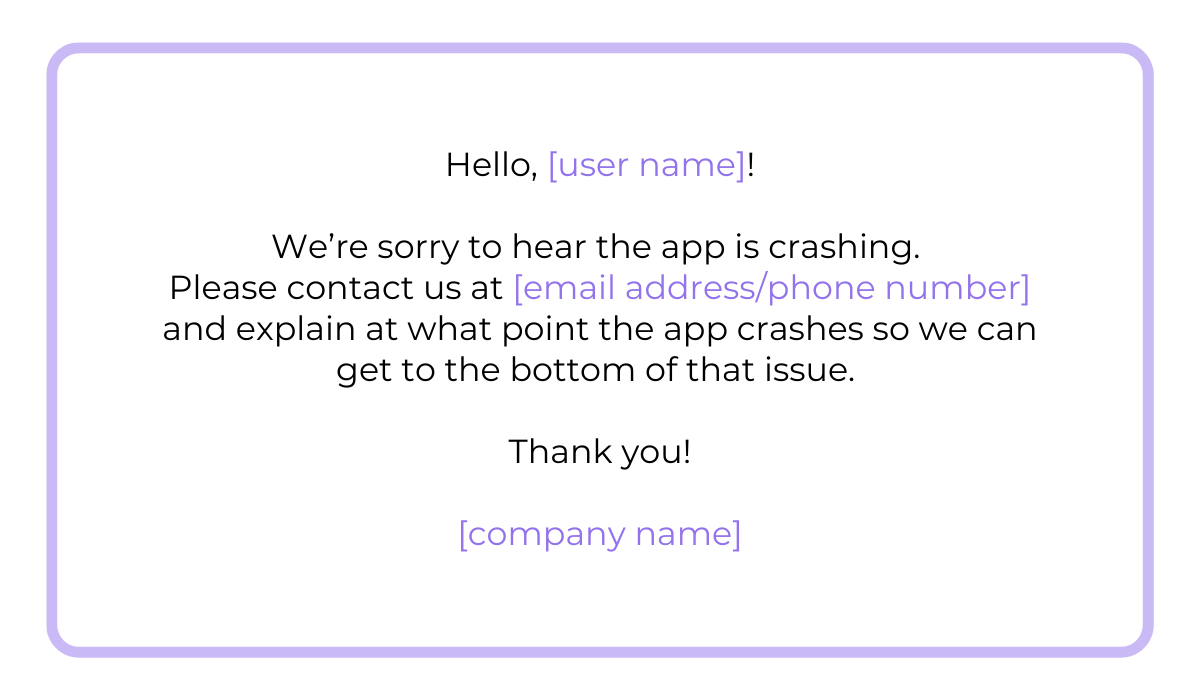
However, sometimes the review isn’t clear on the issue. For example, a user might write something like “The app keeps crashing,” without specifying when or how it happens.
In cases like these, after you validate their concern, ask the user to provide you with more information.
You can also direct them to customer service to avoid overwhelming them with notifications.
At first, core issues may not be immediately apparent, or they may appear to require a simple tweak. But scratch beneath the surface, and you’ll see it’s more than an aesthetic detail.
To get to the source of a problem, search for patterns across reviews and investigate whether the issue affects multiple users, devices, or OS versions.
If it’s a bug, take a deep look into the code, replicate the bug, and test it across different OSs and devices.


Get unreal data to fix real issues in your app & web.
Luckily, you can diagnose issues faster and more accurately with tools like Shake.
With just one shake of their phone, users can report their issues directly to developers.
Shake also automatically attaches detailed bug reports, logs, and device information to ensure no stone is left unturned.
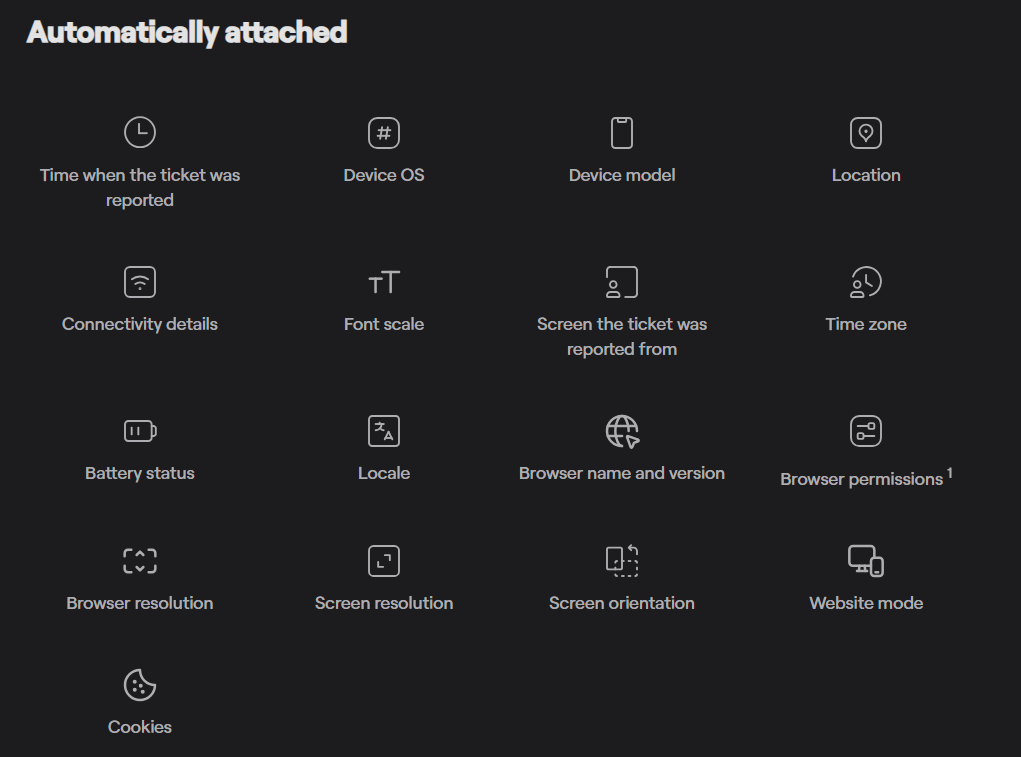
When you’re equipped with these diverse data points, figuring out what caused the problem is easier and faster.
Additionally, it frees up your time to focus on more significant tasks, such as improving user experience and implementing new features that can enhance overall satisfaction.
Now that you’re 100% sure you’ve found the issue that frustrates your users and solved it, make sure to communicate that in your review reply.
Of course, ensure that your language is respectful and professional.
Let’s take a look at an example of a reply that informs the user about the cause of their issue.
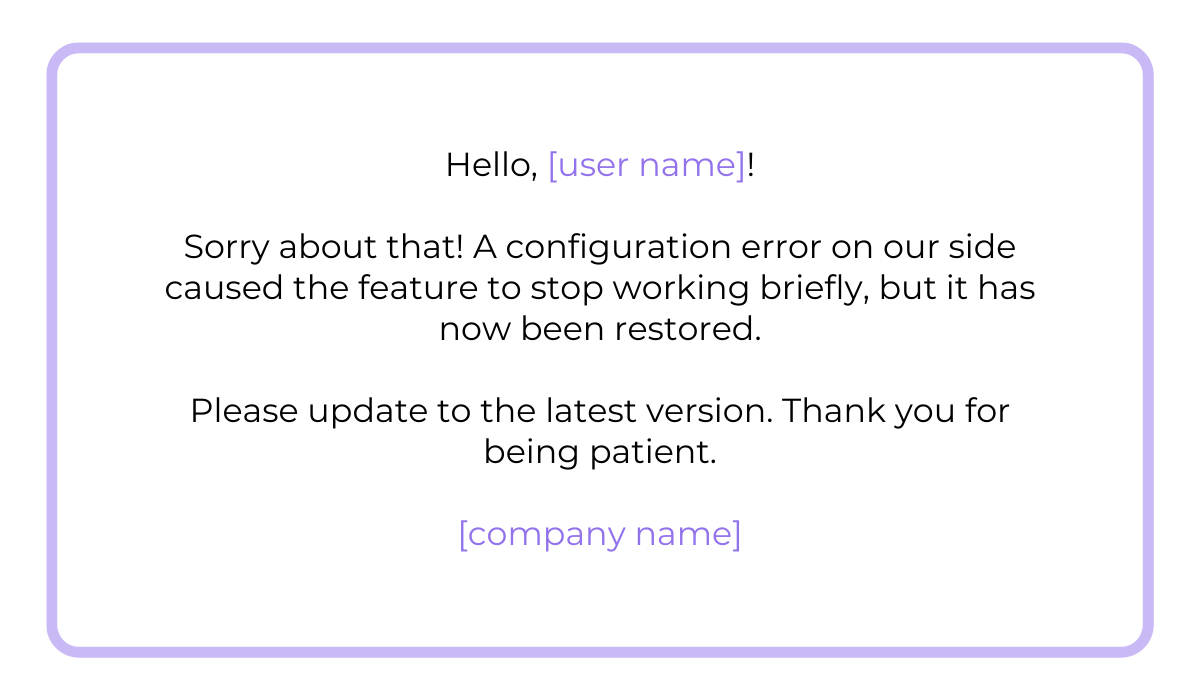
As you can see in the example above, there’s no need to go into too much detail about what went wrong. A specific but brief explanation is more than enough.
Also, if the user needs to update their app to see that the issue is resolved, direct them to do so.
After all, users aren’t interested in technicalities; they’re more focused on getting the issue solved.
Addressing the root cause, not just the symptoms, may take more time, but in the long run, it minimizes or prevents recurring complaints and negative reviews.
Most importantly, it shows that your team values long-term solutions instead of quick fixes.
Review replies are sometimes challenging to write because people struggle to decide whether to write a short or a long reply to a negative review.
A short one is tricky because it may come off as generic and dismissive.
On the other hand, if you overexplain yourself and become defensive, you may come off as insecure and unprofessional.
In extreme cases, it can shift the focus away from solving the issue and toward justifying the company’s actions. When users sense you’re prioritizing yourself over them, they’ll lose their trust in you.
That’s why you need to strike a balance between brevity and being informative.
Here’s a great example that shows just that.
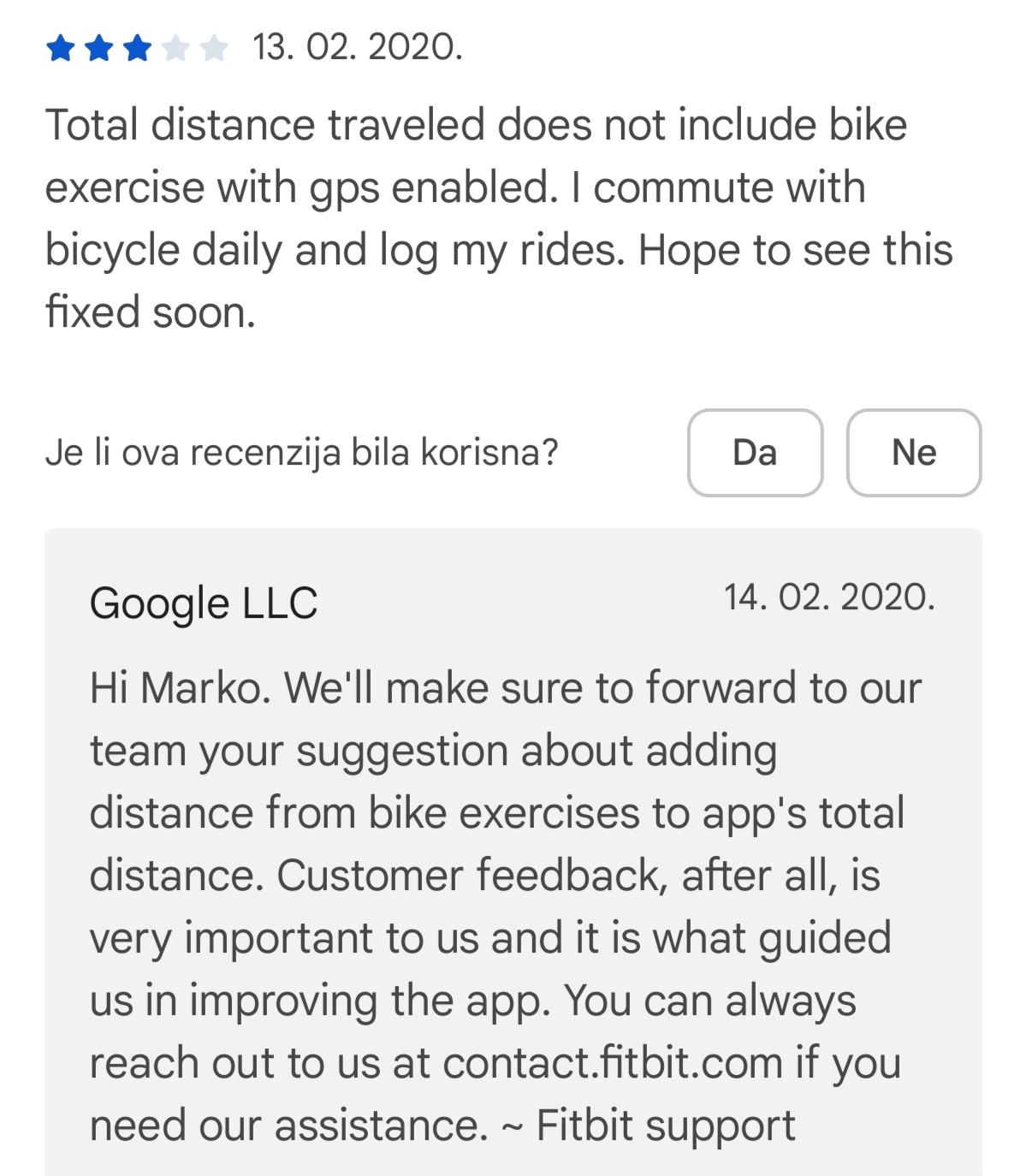
Fitbit support’s reply isn’t generic or too short.
Generic and automated replies tend to direct the user to the official website’s support page, which the user may have already done themselves.
That can ramp up the user’s frustration because they’re the ones who need to do the heavy lifting. Also, they may have done that already, but didn’t receive a reply from customer service.
Fitbit’s reply, on the other hand, goes above and beyond.
They informed the user that they’ve forwarded his suggestion to the developers.
They’ve also elegantly connected the issue with the company’s value of always using user feedback as guidance in improving their product.
As added value, they mentioned the user can reach out to a specific address if needed.
They did all that in just three sentences while coming across as thoughtful and professional.
All of this goes to show you don’t have to write walls of text for an effective reply.
Sticking to short but informative descriptions and specific next steps is always the safest choice.
One of the hardest things is to stay professional, even if the review is overly harsh or unfair.
Make sure you respond calmly and maintain respect for the user.
A thoughtful, composed reply also demonstrates accountability and maturity.
Even if the feedback is exaggerated, too subjective, or too vague, like the one shown below.
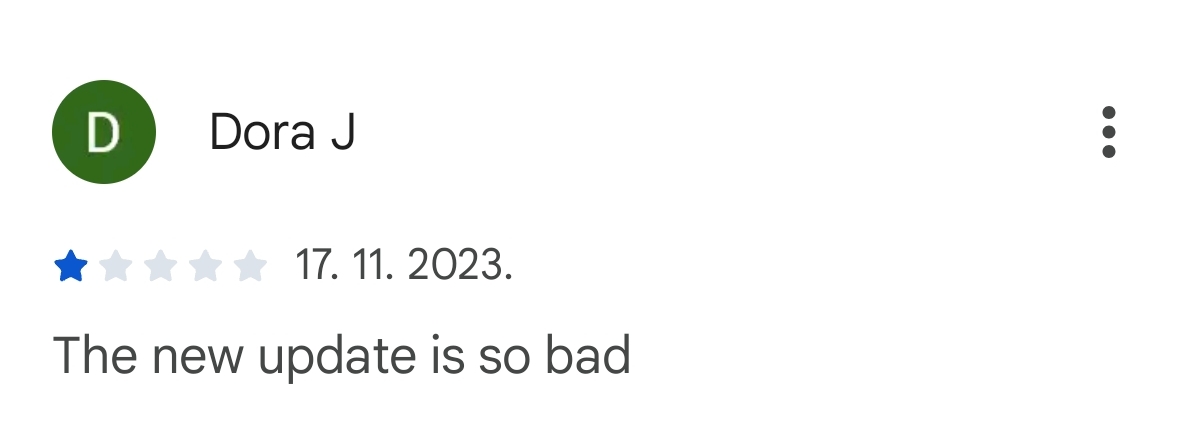
Responding politely shows that your company takes feedback seriously and values its user community.
After all, the response is intended for the reviewer and other users who decide whether to download your app based on reviews and your responses to them.
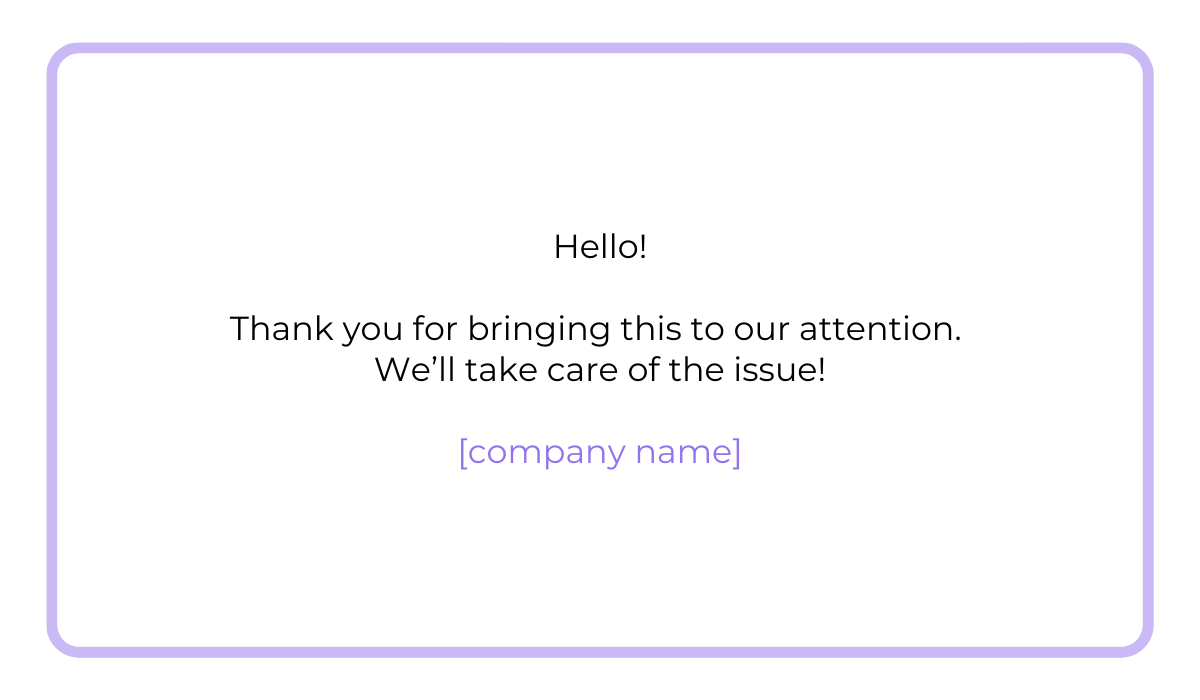
Here’s how to handle vague and negative feedback like the one above.
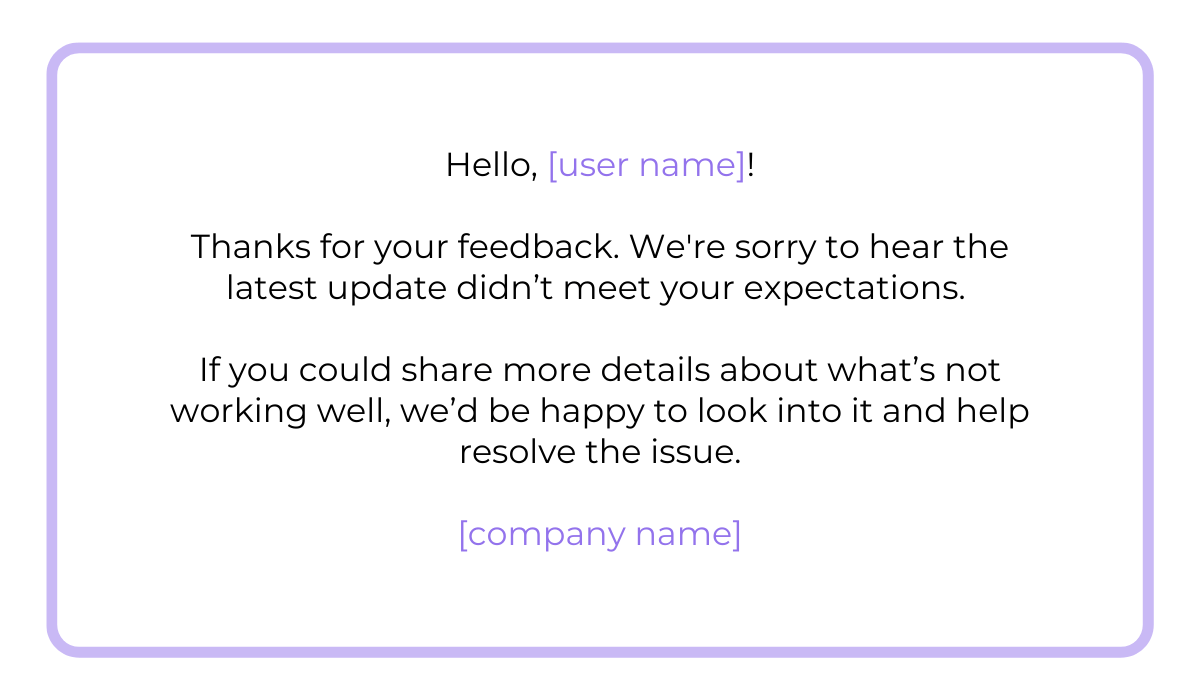
This reply acknowledges the user’s frustration and extends a helping hand by asking the user to be more specific about their complaint. That’s the most one can do with reviews like these.
Your app may have the best features, but potential users first see others’ feedback, and, naturally, they trust it more.
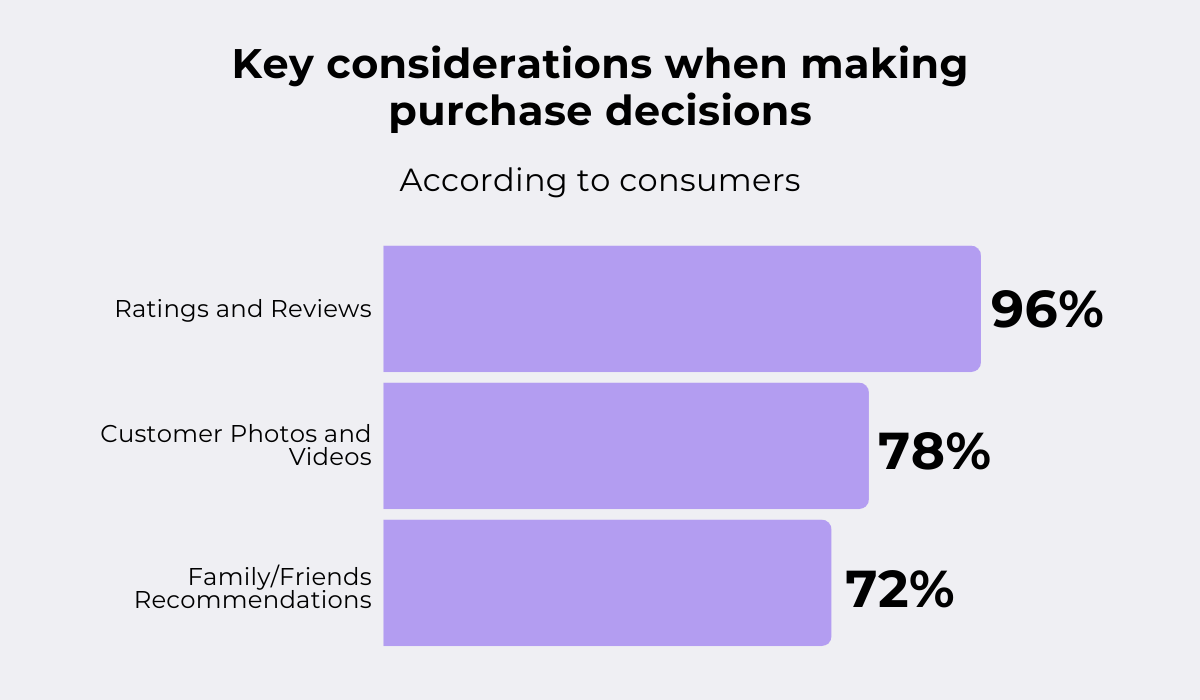
In fact, according to Power Reviews, ratings and reviews are a key element in purchase decisions.
Their survey of more than 11,000 American consumers found that 96% of buyers valued reviews more than customer photos, recommendations from family and friends, or search engine ranking.
However, this doesn’t mean users trust only positive or rave reviews. In fact, they trust the neutral or negative ones more.
According to the same survey, anything that has an average star rating of five out of five is suspicious to more than 46% of shoppers.
Nothing surprising here. After all, when something seems too good to be true, users get suspicious and rather consult negative reviews to decide whether to buy an app or not.

Capture, Annotate & Share in Seconds with our Free Chrome Extension!
In most cases, bad reviews are more realistic, so people trust them more.
Paradoxically, they also signal a company’s transparency, which adds another reason to trust an app more than, let’s say, a 4.2 rating instead of one with a 5.0 rating.
Overall, your replies reflect how you treat your customers, so staying professional even when the reviewer is unfair or wrong is the right choice.
As we highlighted in one of the previous sections, generic replies should be avoided.
To add value to your reply, it’s important to always offer either a solution or the next necessary step—for example, direct them to customer service.
If the difficulty negatively impacts the user, especially their wallet, you can offer them free credits or a refund.
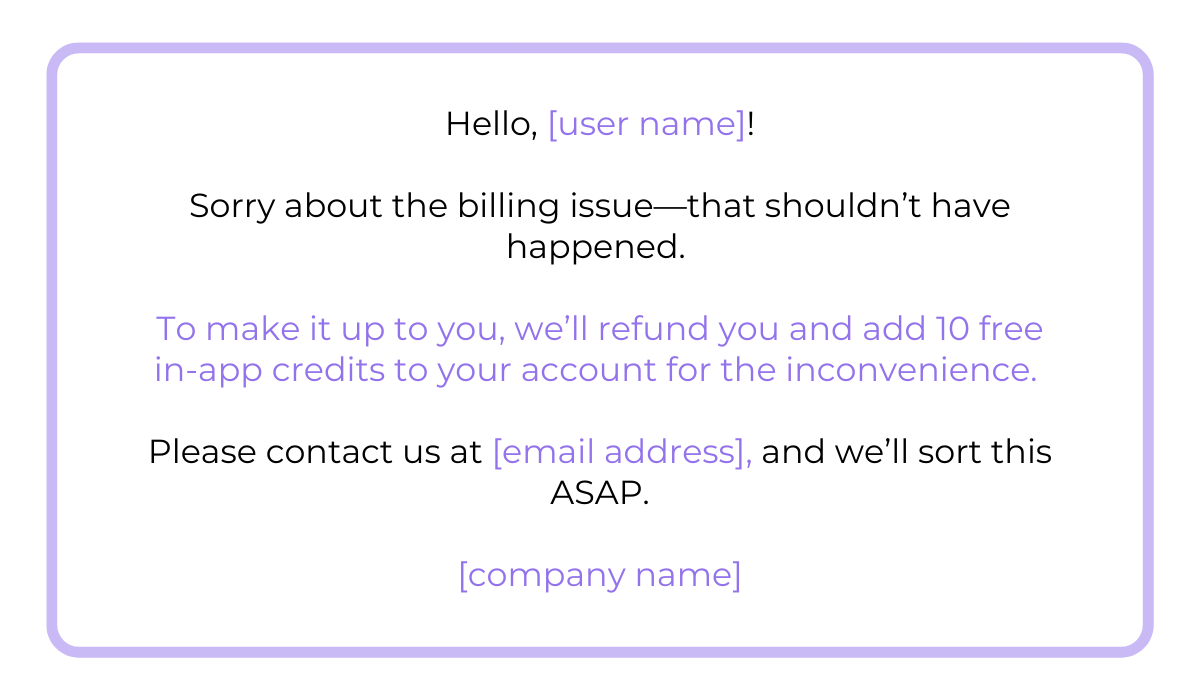
Let’s say a user got billed incorrectly and can’t undo that through the app, so they write a one-star review.
Here’s an example of a reply that offers a refund in the next billing and 10 free credits for in-app purchases.
This shows that a seamless user experience isn’t just a buzzword for your brand but a principle.
When users see that companies are willing to correct mistakes and make things right, it significantly improves trust.
In some cases, a well-handled complaint can make a user improve their rating.
As reported by AppFollow, after a user received a faulty product and complained about it in a review, one company apologized in their response and immediately sent a replacement.
The user then changed the review to a four-star one.
So, not only has this company kept a buyer, but they have also publicly signalled to their community that they truly care for their customers.
A win-win situation.
Remember, taking the extra step in ensuring your users have a seamless app experience will always make you stand out in their eyes.
Once you’ve resolved the issue and informed the reviewer, it may be tempting to move on and forget about the negative review altogether.
However, doing so would mean missing out on valuable insights.
Negative reviews are one of the most valuable insights you can get about your app; yes, they’re sometimes even better than rave reviews.
Positive reviews in most cases confirm your assumptions about user behavior, while bad ones offer constructive critique and sometimes even ideas for improvement.
Here’s how to leverage negative reviews for insight.
First, look for patterns. If users are complaining about similar features or bugs, that’s a sign those issues aren’t isolated or specific to a user.
For example:
Ignore them, and you risk even more negative reviews and user churn.
You can combine this type of feedback with analytics from bug tracking software or even marketing systems to get a holistic view of your app’s performance.
Treating reviews as insight rather than criticism will help your company to continuously refine your products and better align them with user expectations.
We hope this article showed you that responding to negative reviews doesn’t have to be a hassle.
When you take the time to examine the core issue and keep your language clear and respectful, users appreciate that.
Also, by using their feedback as insight for future improvements, you signal that they’re at the heart of your mobile app.
And staying user-centric in this day and age is what keeps brands relevant and profitable.
From internal bug reporting to production and customer support, our all-in-one SDK gets you all the right clues to fix issues in your mobile app and website.
We love to think it makes CTOs life easier, QA tester’s reports better and dev’s coding faster. If you agree that user feedback is key – Shake is your door lock.
Read more about us here.

Add to app in minutes

Doesn’t affect app speed

GDPR & CCPA compliant

Unexpected things pop up
Just like bugs in your app or web 🐛 Fix them now with just one reporting tool.