


Thinking about automating bug reporting with AI? Start here

Key takeaways:
For many teams, far more time gets lost in the bug reporting process than they would expect.
Incomplete reports, manual processes, and duplicate tickets are just a few of the many problems that can make it hard for developers to start working on a fix.
With AI, a lot of that work can be automated.
In this article, we’ll look at five of the main benefits AI brings to bug reporting and how each one helps your team work more efficiently.
Table of Contents
Most of the time spent on a bug report goes into writing the report itself.
When done manually, the reporter needs to describe what happened in detail, note the device and app information, attach logs, and retrace any steps that caused the problem.
Put simply, the traditional QA process is quite slow, but AI is already speeding it up.
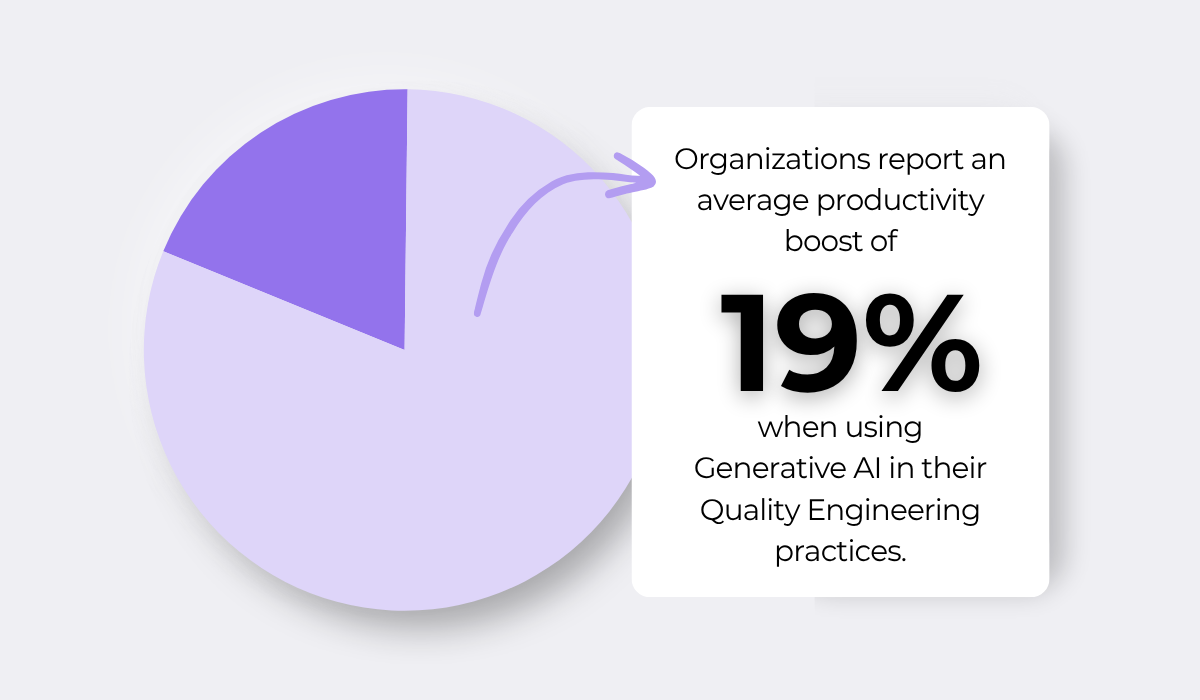
In fact, according to the 2025 World Quality Report, organizations report large productivity boosts from simply using generative AI in their Quality Engineering practices.
Much of that gain can come from the documentation step, the slowest part of the process, and the easiest for AI to take over.
For instance, specialized tools can generate full reports in minutes from whatever data is available, with no manual write-up at all.
FusionSuite is one example, using agentic AI to read a bug’s data and any attachments and turn those details into clear titles and descriptions.
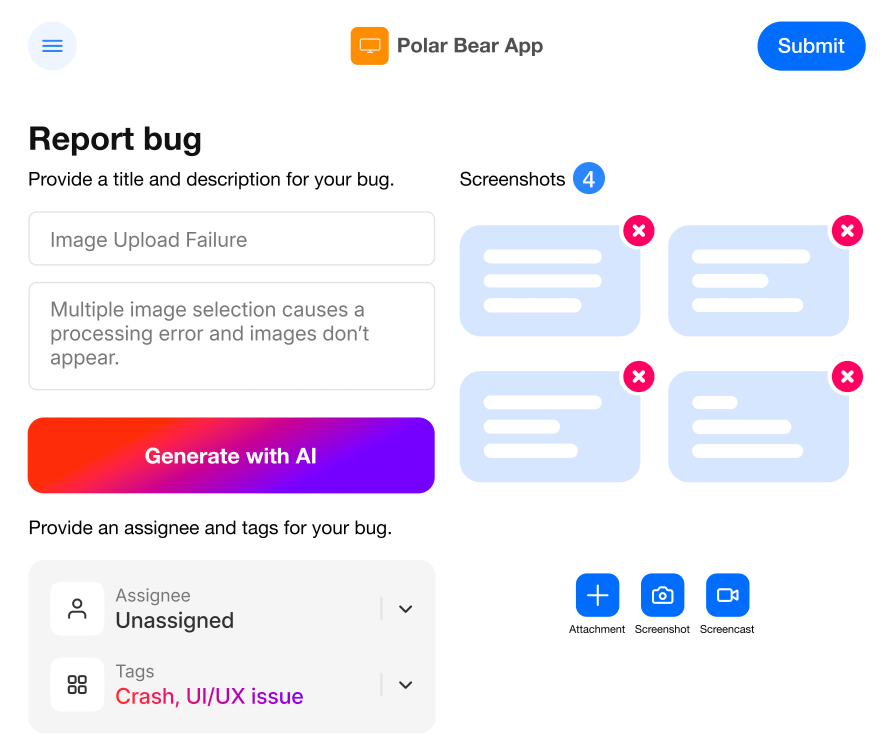
Instead of writing out a full report, a reporter can just flag an issue and move on while the tool writes the report in the background.


Get unreal data to fix real issues in your app & web.
Some teams are taking this further than report formatting alone.
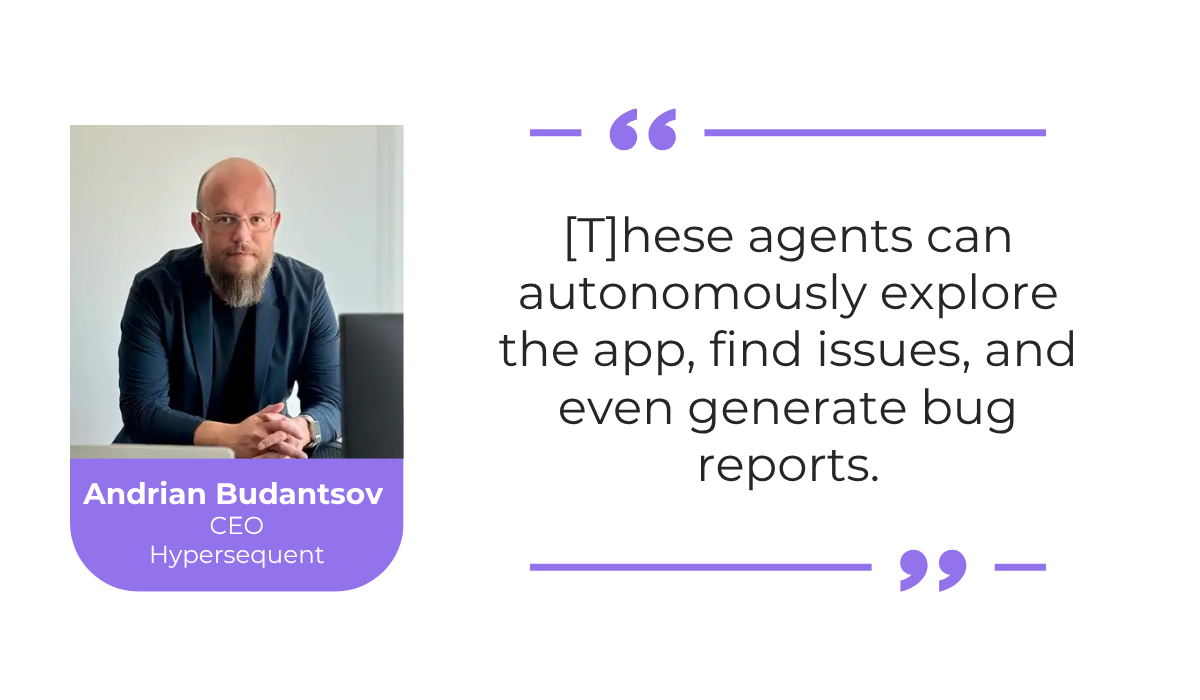
Andrian Budantsov, CEO of Hypersequent, writes for CIO about how capable these tools have already become.
Newer agents can work through an app on their own and file a report from what they find, with no one writing a word of it.
He does flag the risks too, noting that this much freedom means mistakes can slip through unnoticed, with human oversight being an important aspect.
Still, for the tedious work of manual documentation, AI can greatly free up testers and developers to focus on what actually needs their direct input.
One of the more frustrating parts of a developer’s day is opening a report that does not give them enough to work with.
A report that only says a feature “does not work” gives developers nothing to act on. Unfortunately, reports like these show up more often than you’d like.
But AI helps by making sure key details and information are captured in the first place, which improves the overall quality of reports.
As an example, AI can enrich a report even at the description stage, adding in reproduction steps and a clearer description.
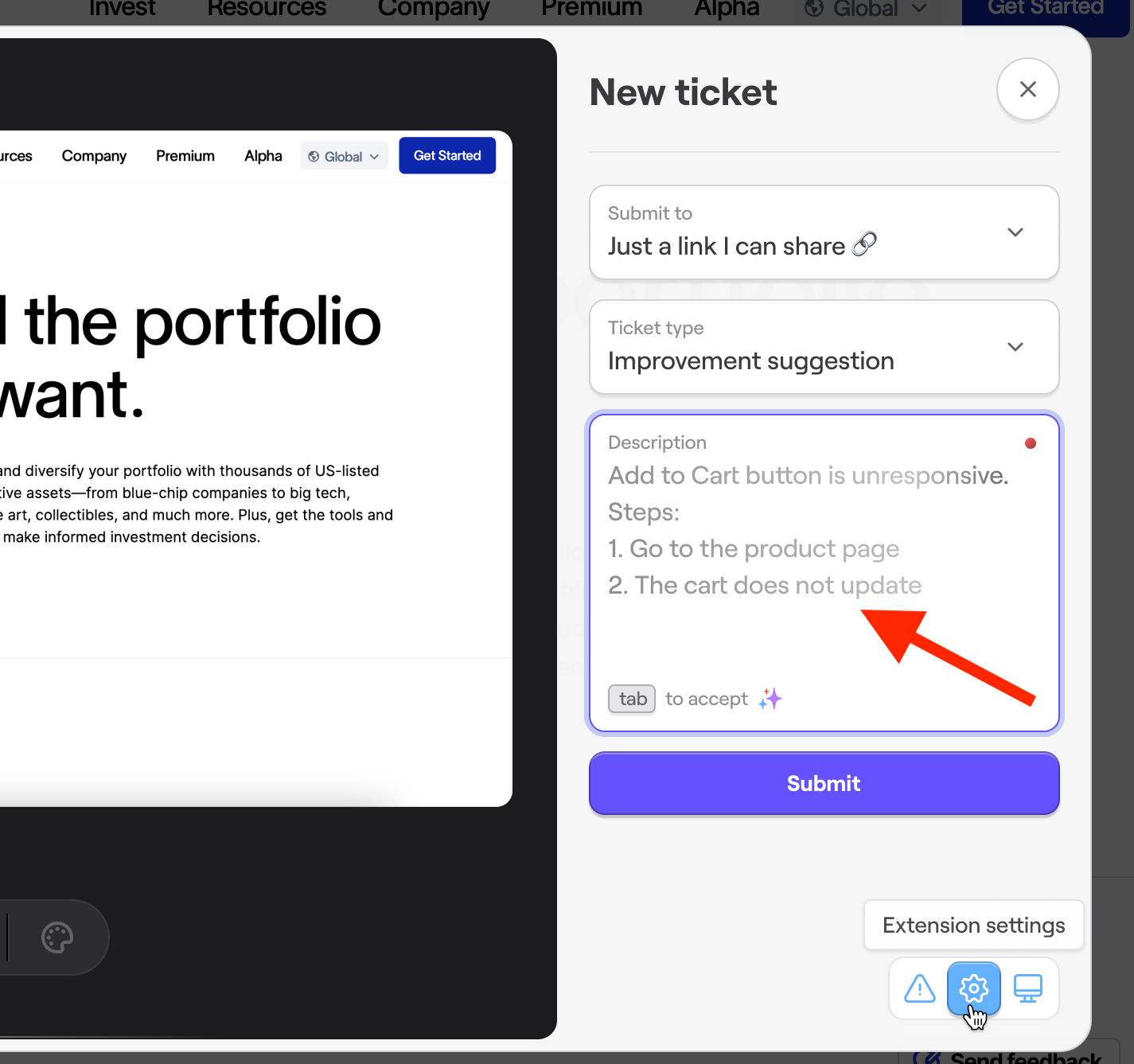
As we mentioned in the last section, AI can take existing data or a vague user description and make sure all the needed details get written out.
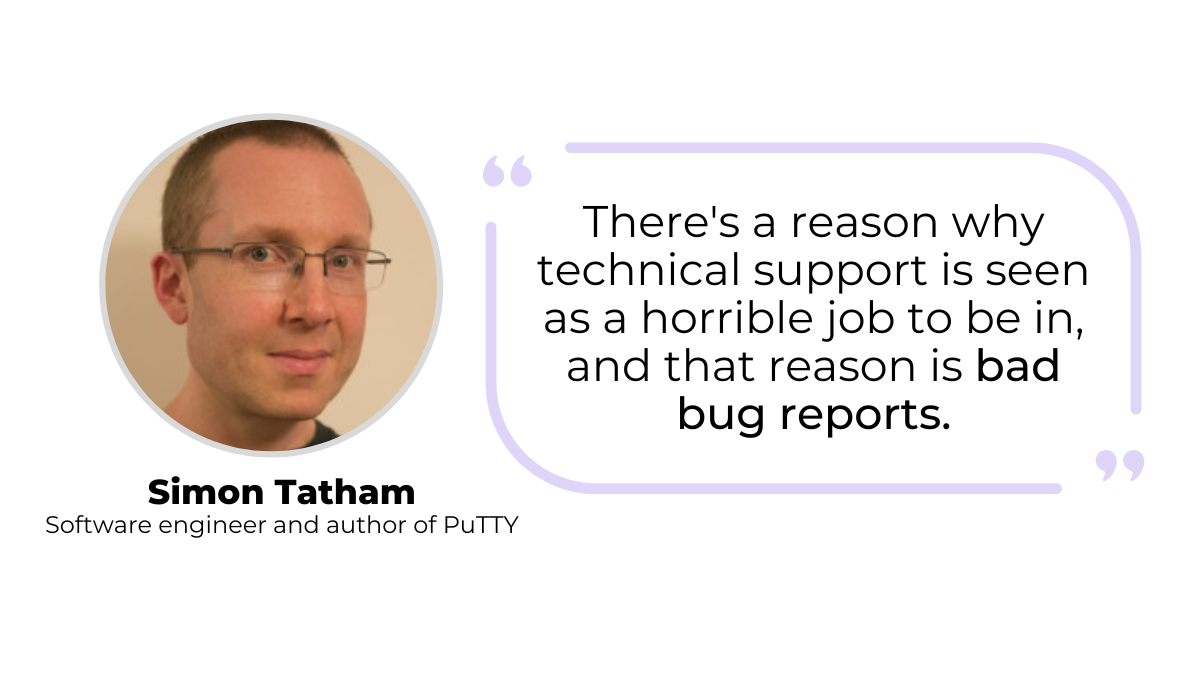
Tatham points out that these detailed and specific reports are what separate a quick fix from a long guessing game.
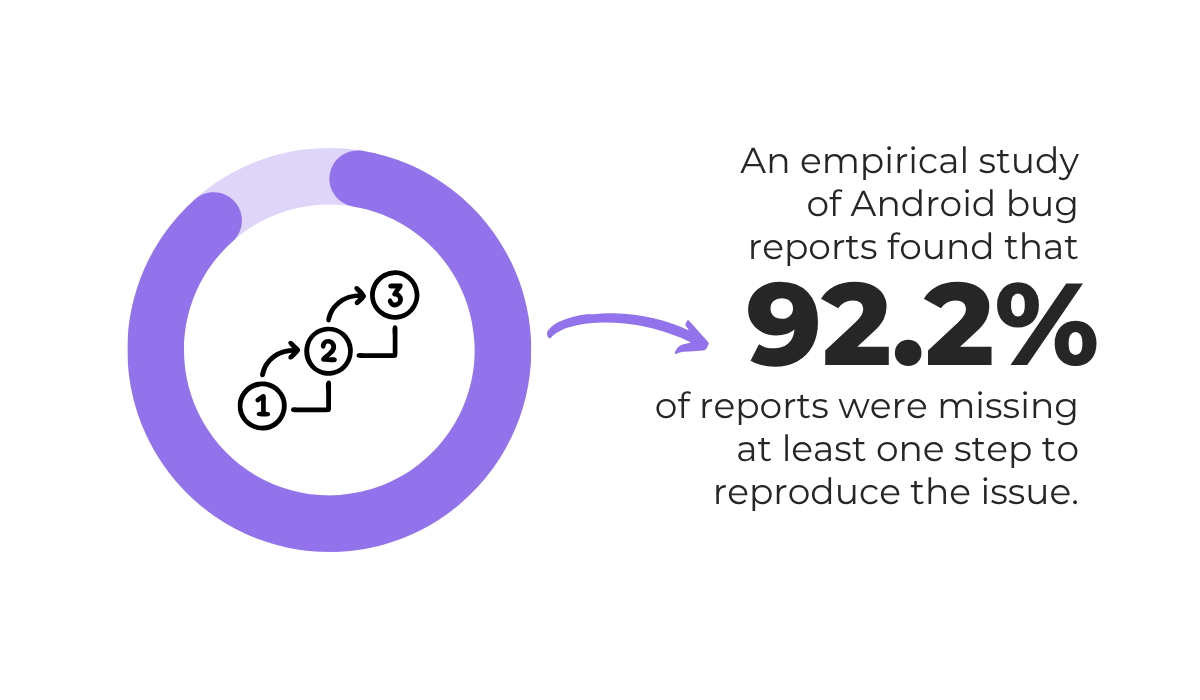
This matters most for the bug reproduction steps, which, according to a study of Android bug reports, is a very common issue.
When nearly every report is missing at least one reproduction step, developers are left trying to recreate issues with half the picture.
Filling that gap automatically is another useful thing AI can do for a report.
For example, some AI tools can record steps as they run a test case, or track a screen recording and list out the steps that led up to a defect.
TestSprite is one example. It can build a test from a plain-language description and log each action it takes along the way, as shown below.
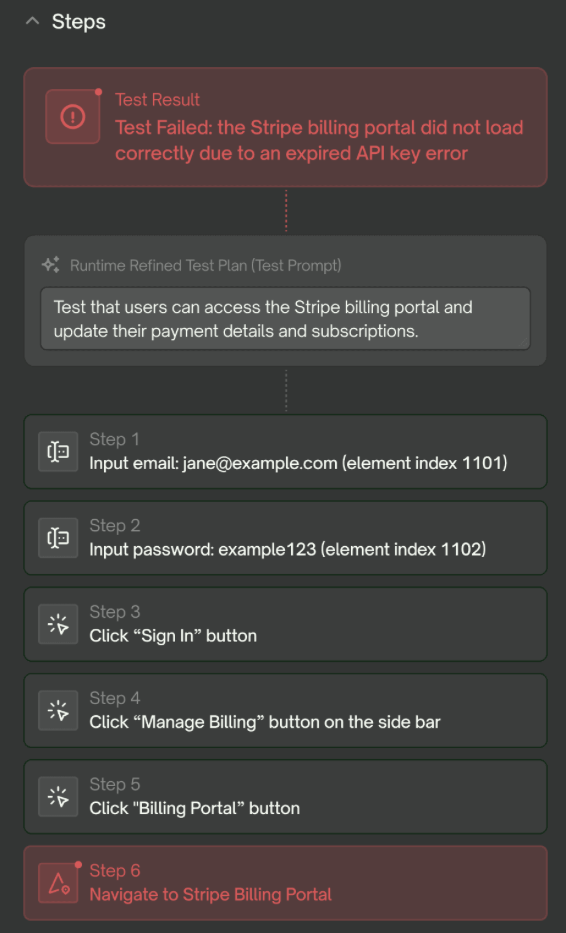
This shows that even an AI testing platform can directly impact the bug reporting process, producing a clear, step-by-step record without anyone writing it down by hand.
These examples are just scratching the surface.
Some powerful bug reporting tools automatically attach data by default, including screenshots, recordings, and logs, which, combined with AI systems, provide everything you need for creating more complete bug reports.
The result is fewer reports bouncing back for clarification and more that a developer can pick up and start debugging.
Another way AI saves time is by spotting duplicate reports before they reach a developer.
When a new report comes in, AI can compare it against everything already in the tracker and flag anything that looks like the same issue.
Consider the following simplified bug reports, illustrated below.
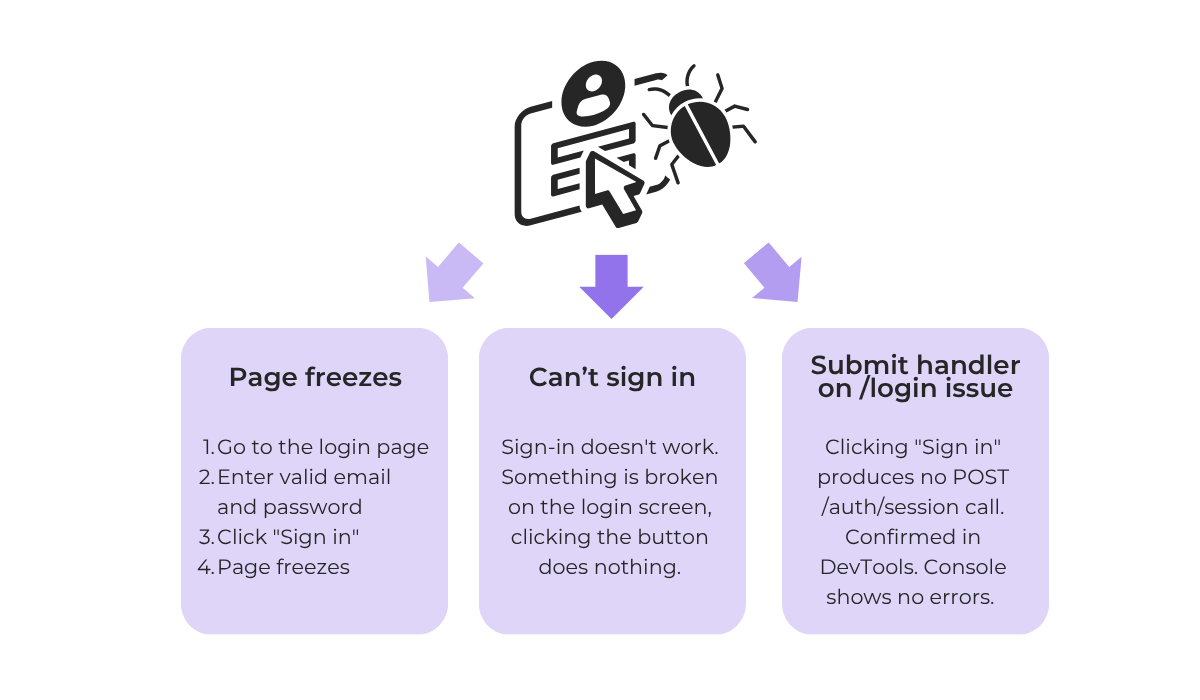
Each of these points to the same underlying problem, a broken login, yet they read as three separate issues.
This is where AI does well, using contextual analysis to read past the wording.
Just like a person reading all three reports would eventually work out that they describe one bug, an AI reaches the same conclusion by comparing meaning rather than matching exact words.
Reading by meaning is also what lets AI stay accurate while taking the manual sorting off people’s hands.
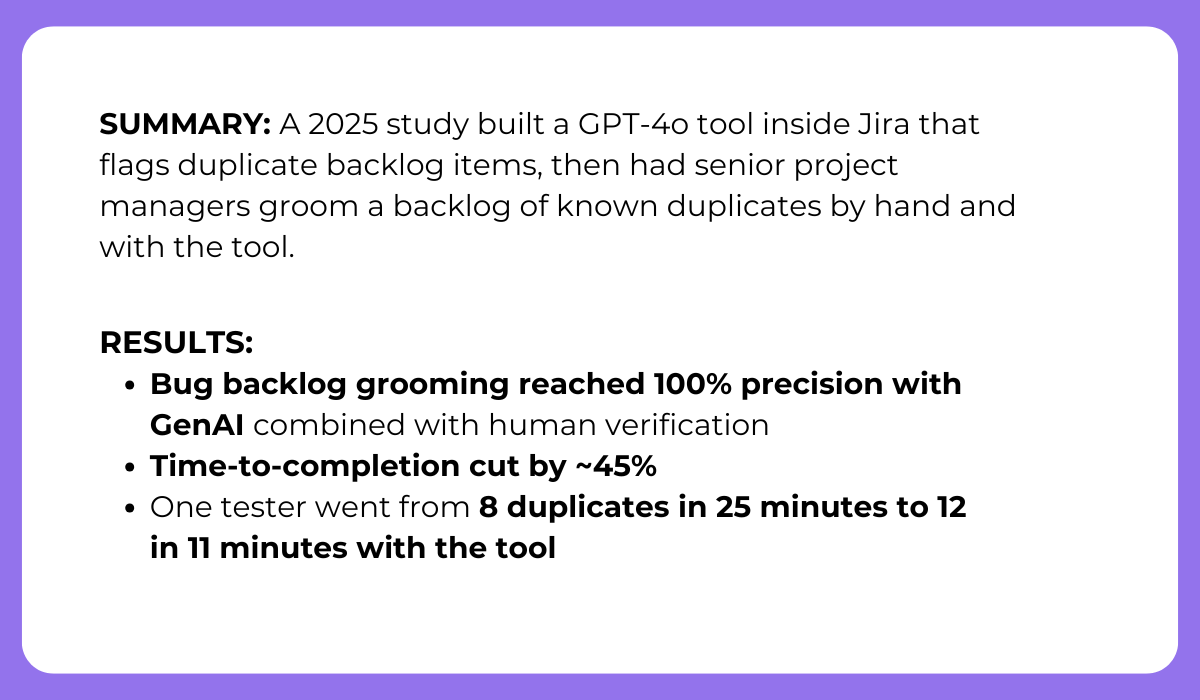
A 2025 study tested exactly this, and the summary below captures what it found.
On their own, the testers in the study caught only 7 to 12 of the 41 known duplicate pairs, and the process was slow and inconsistent.
Once they brought the AI tool in, both their accuracy and their speed improved sharply.
A person still verified the suggestions, and that human check is part of why the backlog grooming reached 100% precision, but the efficiency gains were still massive.


Capture, Annotate & Share in Seconds with our Free Chrome Extension!
The encouraging part is that you do not need a custom-built tool to get similar results.
Sentry, for instance, groups errors using fingerprints, a kind of signature it generates for each issue, so that identical errors collapse into one.
In cases where these fingerprints differ, its AI can still catch reports that are semantically similar, so near-duplicates that might otherwise be missed would still get linked.
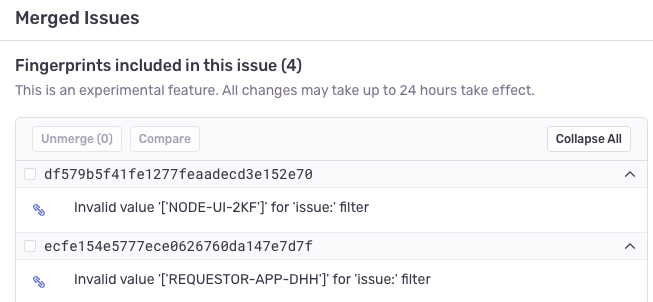
One benefit that often gets overlooked is what this does for the data itself.
When duplicates like these are merged instead of scattered, all the reports and details about a single bug end up in one place, which gives developers a fuller view of the problem.
So, beyond saving time, AI deduplication keeps your tracker organized and your bug data more complete.
Finding the cause of a bug is often slower than fixing it once you know what is wrong.
By working through logs, recent code changes, and past defects, AI can point to the likely cause of an issue and shorten the time a developer spends diagnosing it.
This is especially valuable for security issues, where a single overlooked flaw can sit in the code for years.
AI is well-suited to the job, since it can read through code and logs at a scale no person could match and surface problems buried deep in the codebase.
A recent case shows how far this can go.
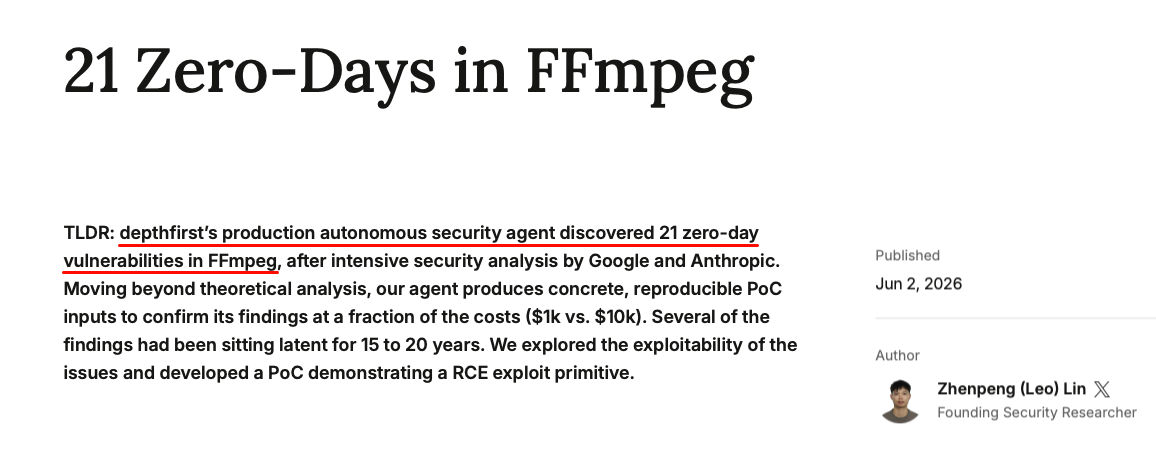
Depthfirst’s autonomous security agent worked through FFmpeg, a widely used media library, and turned up a long list of previously unknown vulnerabilities, several of which had gone unnoticed for well over a decade.
What makes the approach useful is that the agent did not just claim a bug exists, but gave a reproducible proof of concept (PoC), which is a concrete input that reliably triggers the vulnerability.
You do not need to be hunting for security flaws to benefit from this, though.
AI-enhanced bug reporting tools bring the same idea to everyday issues.
Picture a user or tester sending in a report with dense logs, a long description, and a few screenshots and recordings.
With a tool like Shake’s Sheldon AI assistant, a developer can get a quick, high-level read on the issue before they start to work on it.
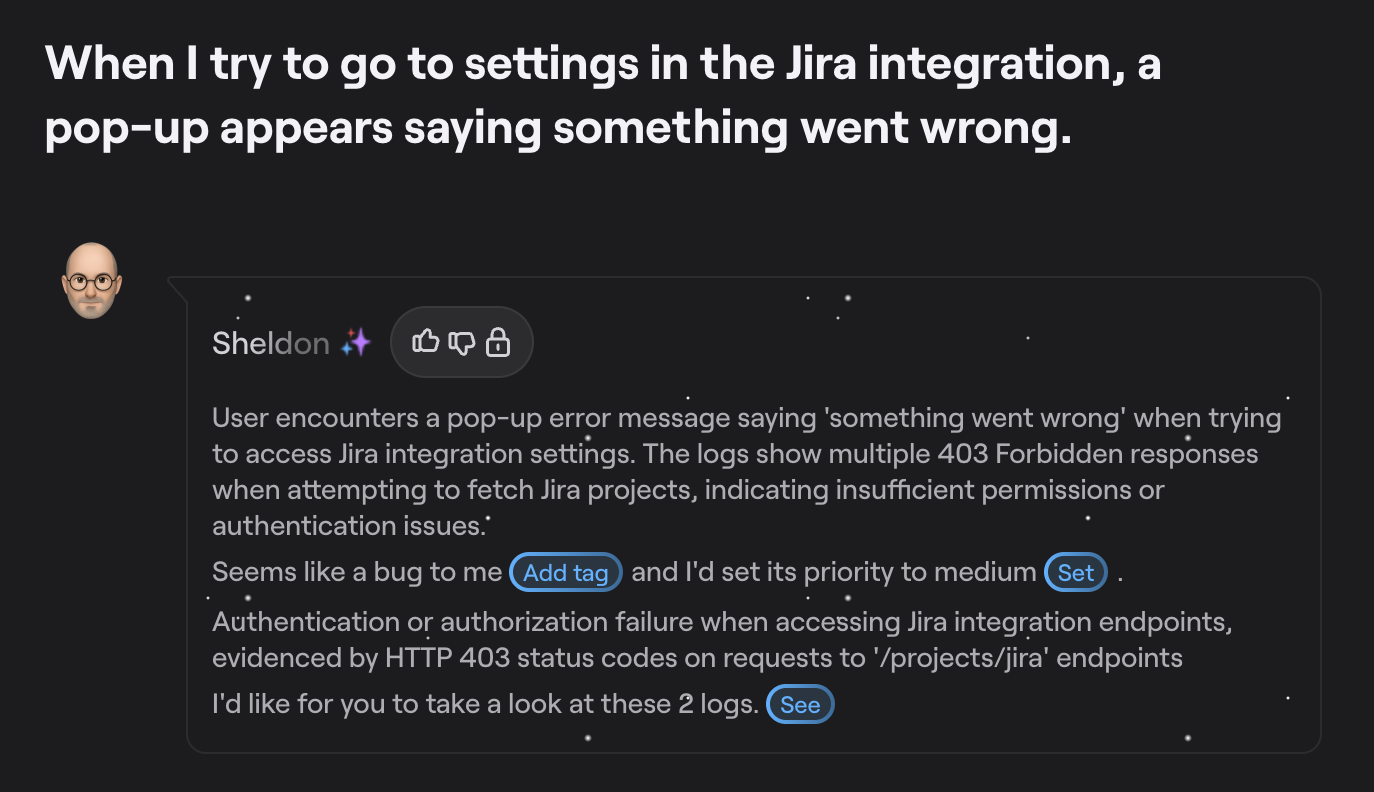
Rather than starting by combing through all that report data, the developer gets the key points summarized up front.
Alongside that, Shake’s AI can provide a suggestion of what the cause of the issue might be, flagging the specific logs most likely to hold the answer.
For issues that need a deeper look, Shake’s MCP server takes things a step further.
It hands all the context tied to a ticket, the device data, logs, and everything attached, to an external AI tool of your choice.
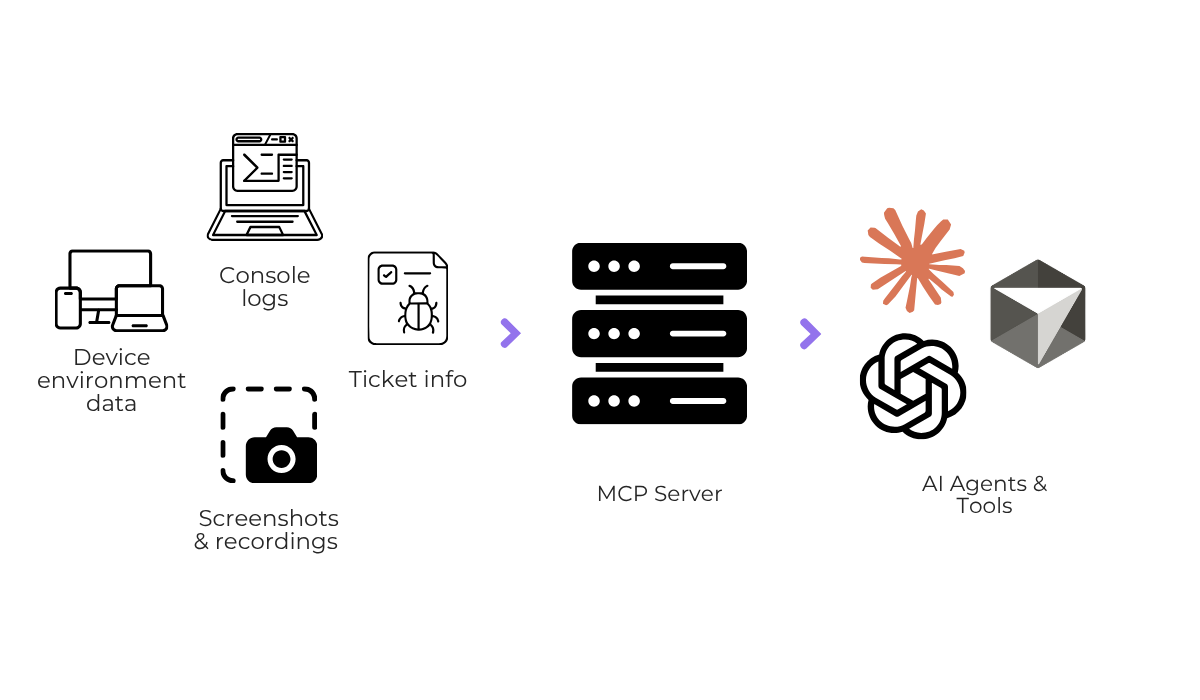
That means a tool like Claude Code or ChatGPT can work with the full bug ticket instead of a copied snippet.
With this capability, a developer could simply ask the AI model to review the ticket logs and the description and suggest where the errors are coming from, and the AI would answer based on the real ticket data provided by Shake.
The takeaway is that AI can get a developer to a root cause faster, whether it’s by scanning code directly or by making sense of a messy report on their behalf.
Your bug reporting process has a direct effect on how smoothly issues move between teams and how fast they get fixed.
Bugs often get passed from one person to another before the right developer takes them on.
In fact, a study of all the fixed bugs in Mozilla and Eclipse found that the large majority of them were handed to a different developer at least once.
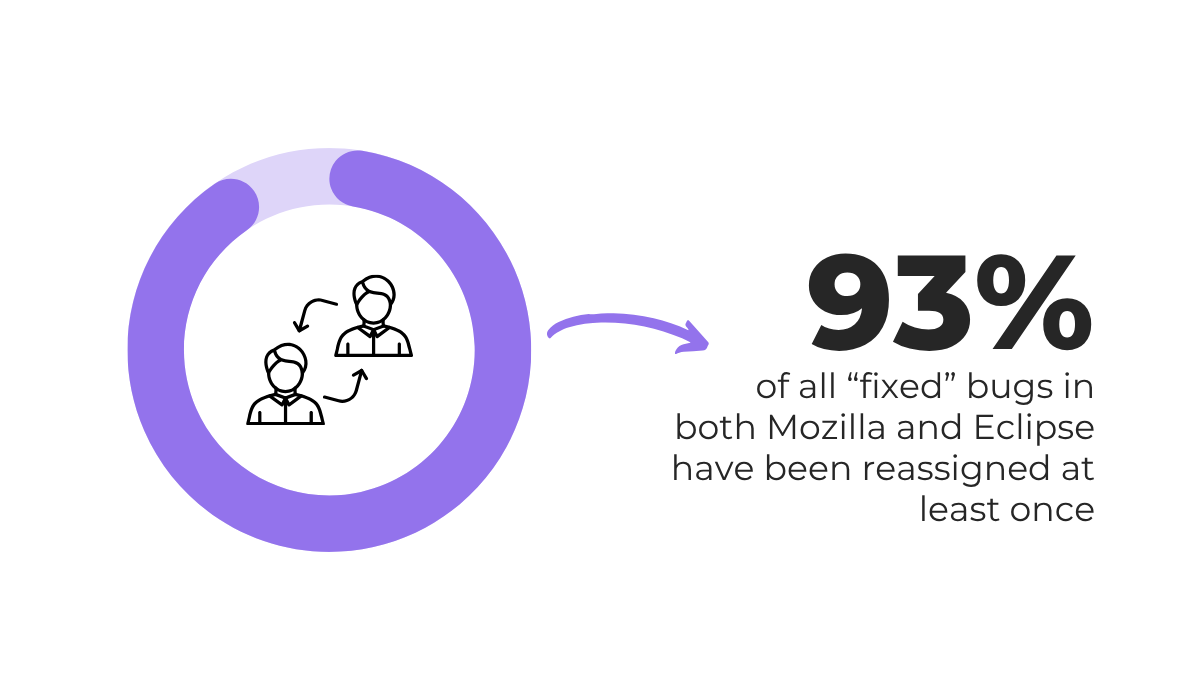
In Eclipse, the same research found a bug took around 40 days to reach its first developer, and over 100 more to reach a second when the first could not fix it.
Clearly, these hand-offs or reassignments add delay.
AI systems help by making sure a report has enough detail before it ever reaches a developer.
What we want to avoid are reports that get passed back and forth while people figure out what they mean.
For example, AI tools can closely follow a fixed bug report structure, so every report arrives with the same sections in the same order, and readers always know where to look.
Even some simple systems can help here.
One Reddit user made an AI tool that asks the reporter for more bug information whenever a report is too vague to act on.
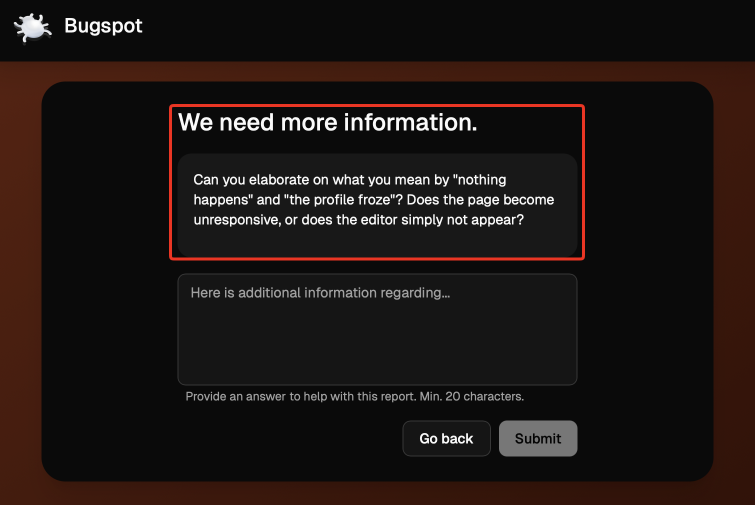
The tool will not let the report be submitted until that missing detail is added, and it even automatically removes spam, general feedback, and user environment tickets, so only real bugs reach developers.
AI systems like these are great at catching a gap before a report is ever submitted.
Instead of a tester and developer going back and forth days later, or a support ticket ending up in the wrong place, everyone gets clarity at the start and avoids miscommunication.
That makes it easier for the whole team to understand a bug the same way and act on it without confusion.
That covers the main ways AI takes time out of bug reporting.
The takeaway is straightforward. AI handles the slow, repetitive parts of bug reporting, which frees up your team to spend its time actually fixing issues.
So, if your process still feels weighed down by incomplete reports and manual sorting, it is worth looking at where AI could fit.
Pick one part of your workflow to start with, and build from there.
From internal bug reporting to production and customer support, our all-in-one SDK gets you all the right clues to fix issues in your mobile app and website.
We love to think it makes CTOs life easier, QA tester’s reports better and dev’s coding faster. If you agree that user feedback is key – Shake is your door lock.
Read more about us here.

Add to app in minutes

Doesn’t affect app speed

GDPR & CCPA compliant

Unexpected things pop up
Just like bugs in your app or web 🐛 Fix them now with just one reporting tool.