


Bug reporting takes time. Here’s how AI helps teams work more efficiently

Key takeaways:
Bugs and crashes are part of every app, but the way teams report and handle them often slows everything down.
Reports come in incomplete, triage drags on, and developers waste time chasing missing details.
Artificial intelligence has changed all of that.
This article explains what AI-powered automation is, what it can do for your team and your bug reporting workflow, and how to put it into practice.
Table of Contents
Simply put, AI-powered bug reporting uses artificial intelligence to handle the parts of the bug reporting process that users do manually.
That covers everything from helping a user write up a bug report to analyzing reports and suggesting fixes once they reach a bug tracker.
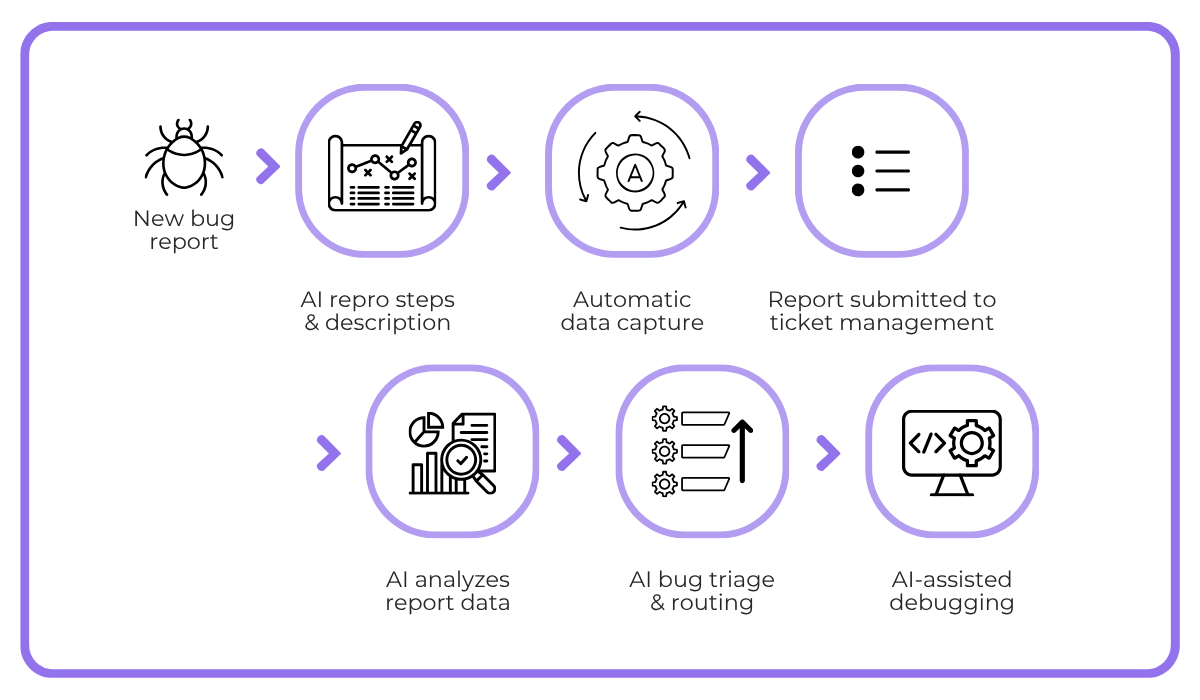
The image below highlights what a fully AI-powered reporting process can look like from start to finish.
To see where AI helps, it is worth looking at how bug reporting usually works.
Someone notices a problem and tries to describe it in their own words. Reports often arrive missing key details, such as the device and app version, or the exact steps that triggered the issue.
AI changes this process by helping the user describe the issue more thoroughly, automatically generating a richer description and repro steps.
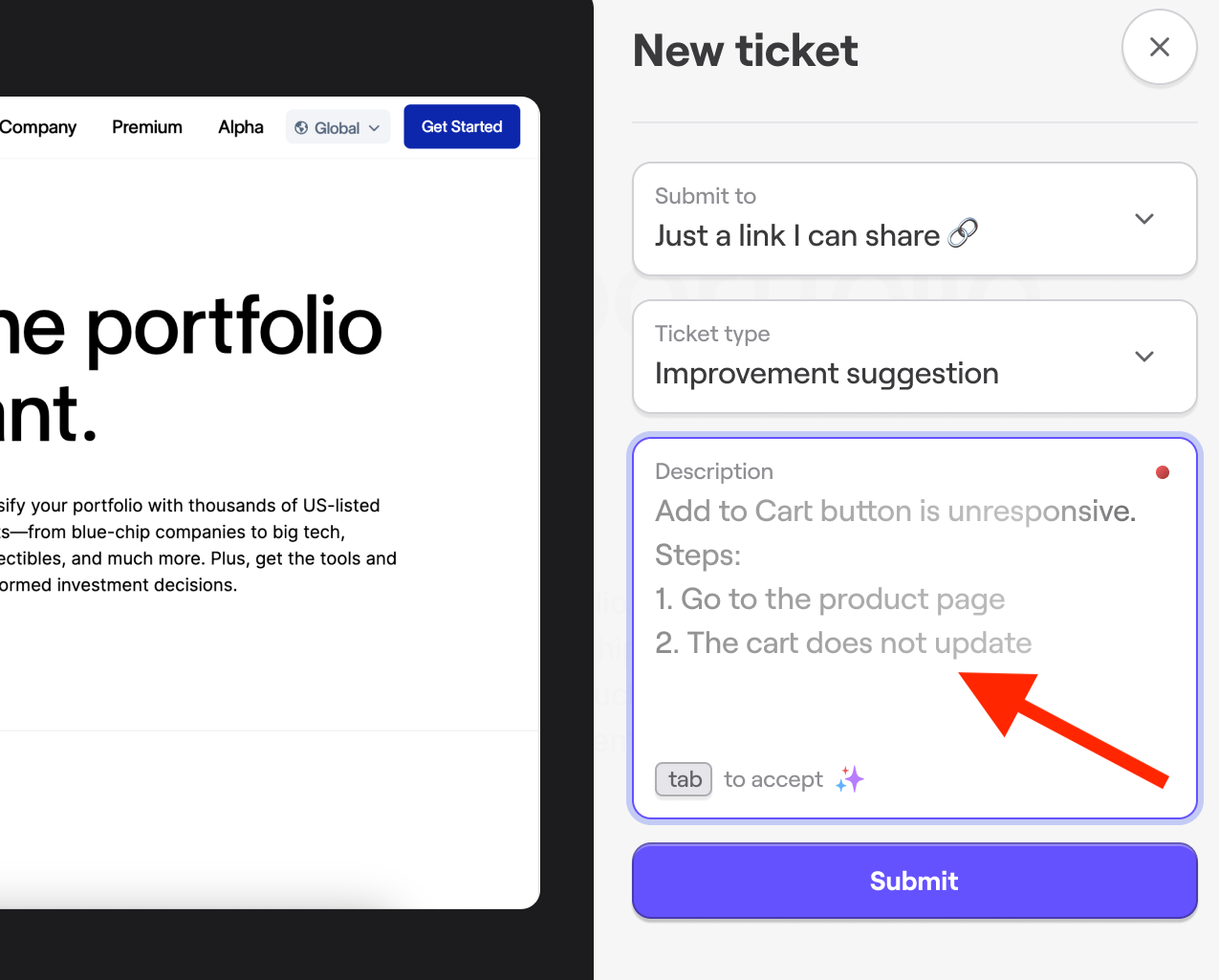
Pair that with tools that can automatically attach device logs and environment data to each report, and devs can get all the context they need to start working on a fix.
The help doesn’t stop once the report is submitted.
At that point, AI can take all of this data and suggest the next steps for handling the issue.
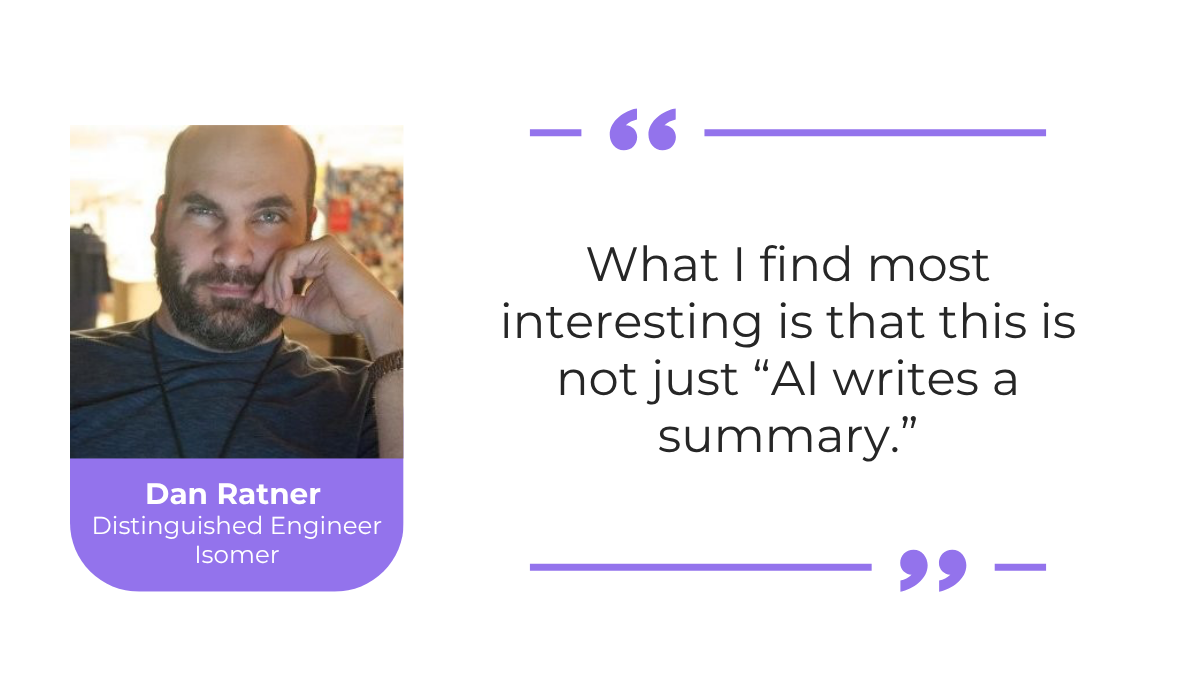
Dan Ratner, software engineer at Isomer, explains that these suggestions go beyond simple, generated summaries.
He writes what his full AI-enhanced bug triage process looks like in practice, with AI checking whether an issue is a duplicate and then categorizing and labeling the ticket in GitHub on its own.
Some tools go further still, routing each issue to the right developer or even fixing simpler code errors without any manual input.


Get unreal data to fix real issues in your app & web.
What makes these actions reliable is that they draw on your own bug backlog and historical data.
The models learn from how your team has handled past tickets, so their suggestions reflect the way you actually triage and fix issues rather than make generic guesses.
In short, AI can support the whole process, from the first report all the way to a suggested fix.
Used well, it removes a lot of repetitive manual work and helps developers focus on the problems that matter.
Bringing AI into bug reporting comes with a range of practical benefits, and they show up at almost every stage of the process.
To highlight three improvements you can expect from AI automation, take a look at the image below.
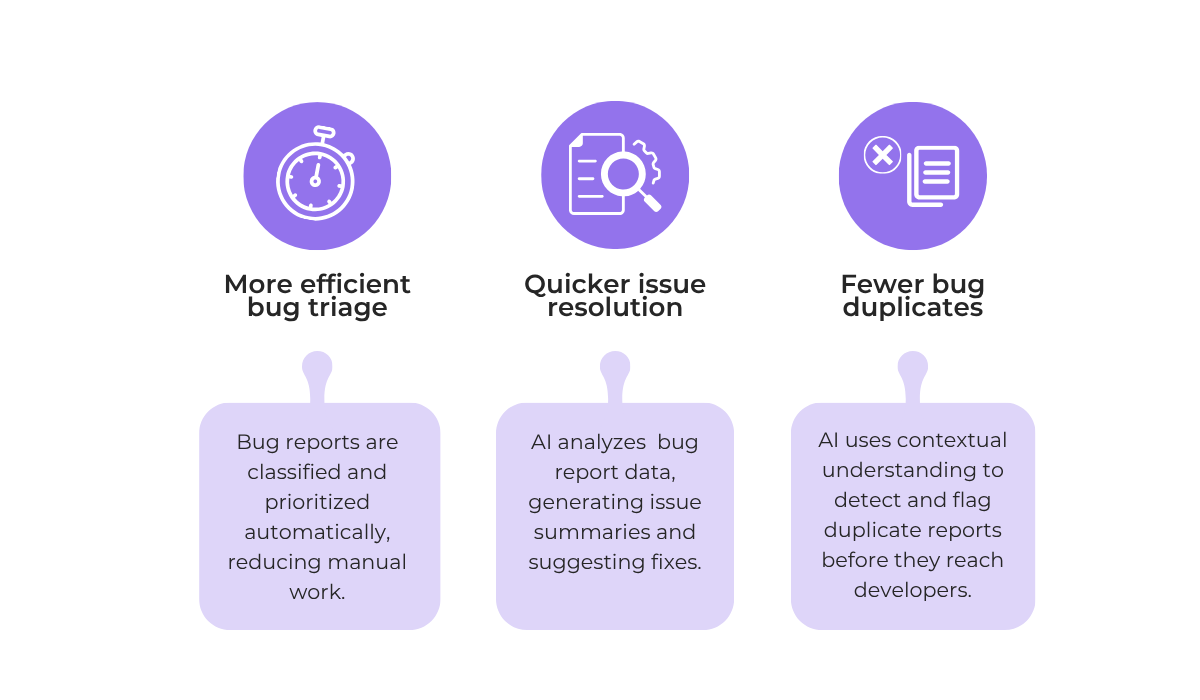
Each of these areas removes a specific source of friction that teams deal with every day.
For instance, even something as seemingly straightforward as catching bug duplicates means the team wastes less effort on issues that should never reach a developer in the first place.
Plus, with an initial AI bug report summary and analysis, developers get initial info to work with, which keeps the fix moving.
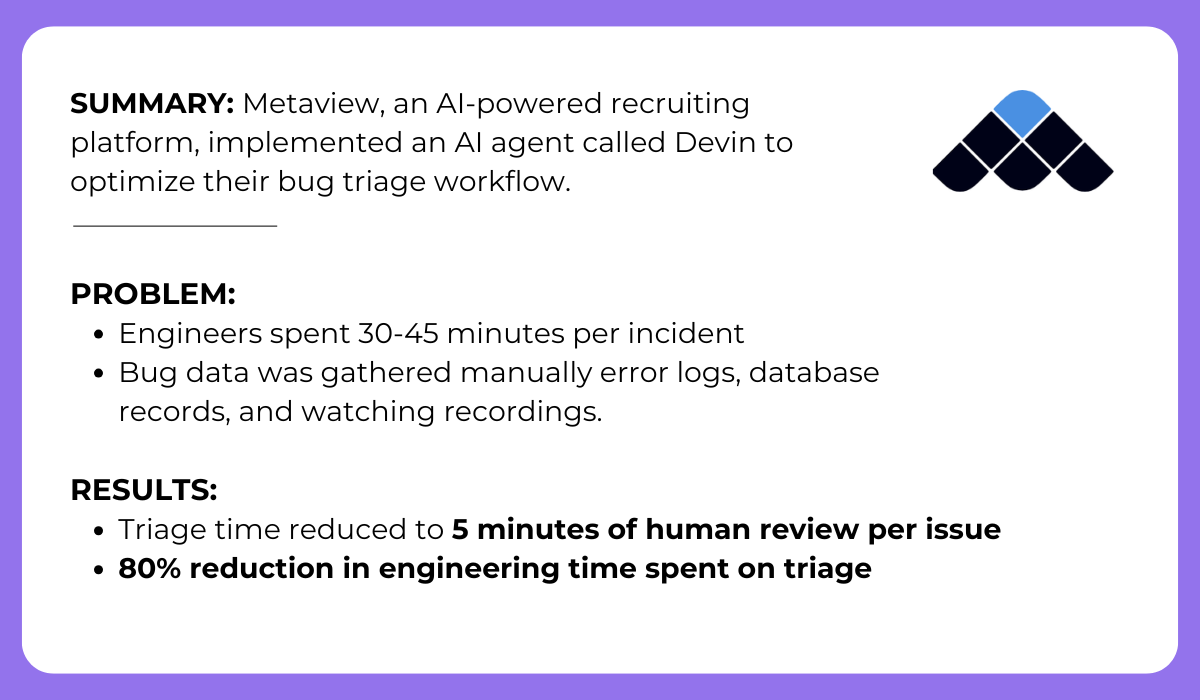
In terms of bug triage, take the case of Metaview, an AI-powered recruiting platform that rebuilt its workflow around an AI agent.
The important part here is how much manual investigation work disappeared for the Metaview team once the AI gathered the relevant context on its own.
That shift is especially valuable for senior engineers, whose time is better spent on complex problems rather than on gathering data that an AI tool can collect in seconds.
Taken together, all of these benefits let developers spend less time sorting and clarifying reports and more time actually fixing problems.
Larger studies point in the same direction.
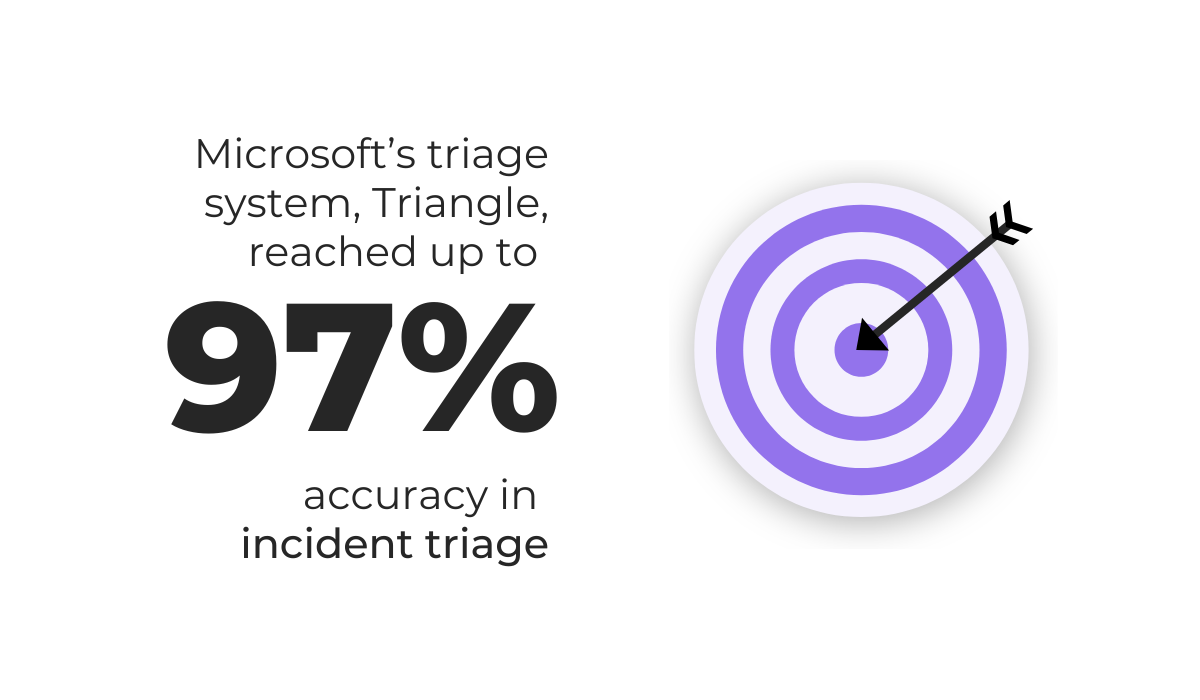
For instance, Microsoft built and tested an AI system for triaging incidents inside its own cloud operations, with the results shown below.
Numbers like these show that AI can stay accurate throughout the entire bug reporting process, while handling far more reports than a person could ever review by hand.
It also takes care of a lot of repetitive sorting, so the people involved can focus on the reports that truly need human judgment.
That mix of speed and consistency is the main reason more teams are starting to bring AI into their bug reporting workflows.
Knowing what AI-powered bug reporting is and why it helps is one thing, but getting real value from it depends on how you put it into practice.
A few habits make a big difference here, and the sections below cover three practices that we believe matter most.
The market for AI bug reporting tools has grown quickly, and not every tool does the same job.
Choosing the right setup starts with understanding what each type of tool is built for.
The table below shows a breakdown of the main categories.
| Tool type | What it does |
| In-app bug reporters | Captures bugs from within the app with automatic data collection and AI-generated descriptions |
| Browser extension reporters | One-click capture in the browser with AI-generated reports |
| AI triage systems | Classifies, prioritizes, and routes existing bug reports |
| Observability platforms | Monitors live sessions and detects issues before users report them |
| Agentic debugging tools | Connects bug data to external AI agents for deeper analysis |
You do not need all of these systems at once.
In most cases, the best results come from using one or a few capable tools, run by a team that knows how to get the most out of them.
A good example of this point comes from the cURL project, an open source tool used to transfer data over the internet.
Security researcher Joshua Rogers ran a set of AI-assisted analysis tools and reported a long list of potential bugs, which the project’s founder, Daniel Stenberg, praised publicly:
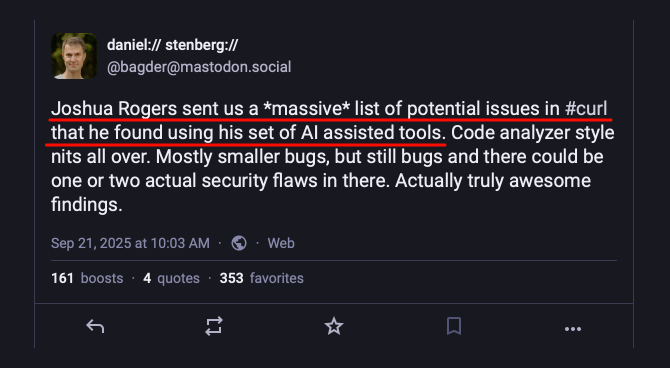
What makes this notable is that many of those issues surfaced even after three separate code analyzers had already checked the same code and found nothing.
It’s a good reminder that AI tools can deliver real value when they are guided by someone who understands the work.
In many cases, even well-utilized bug reporters can do wonders for your workflow.
Take our own AI-powered bug and crash reporting tool, Shake.
Shake uses AI generation to help users and testers write more complete bug descriptions, all while capturing technical data in the background.
Then, each report is sent straight into its bug tracking dashboard, where the AI assistant, Sheldon, takes over.
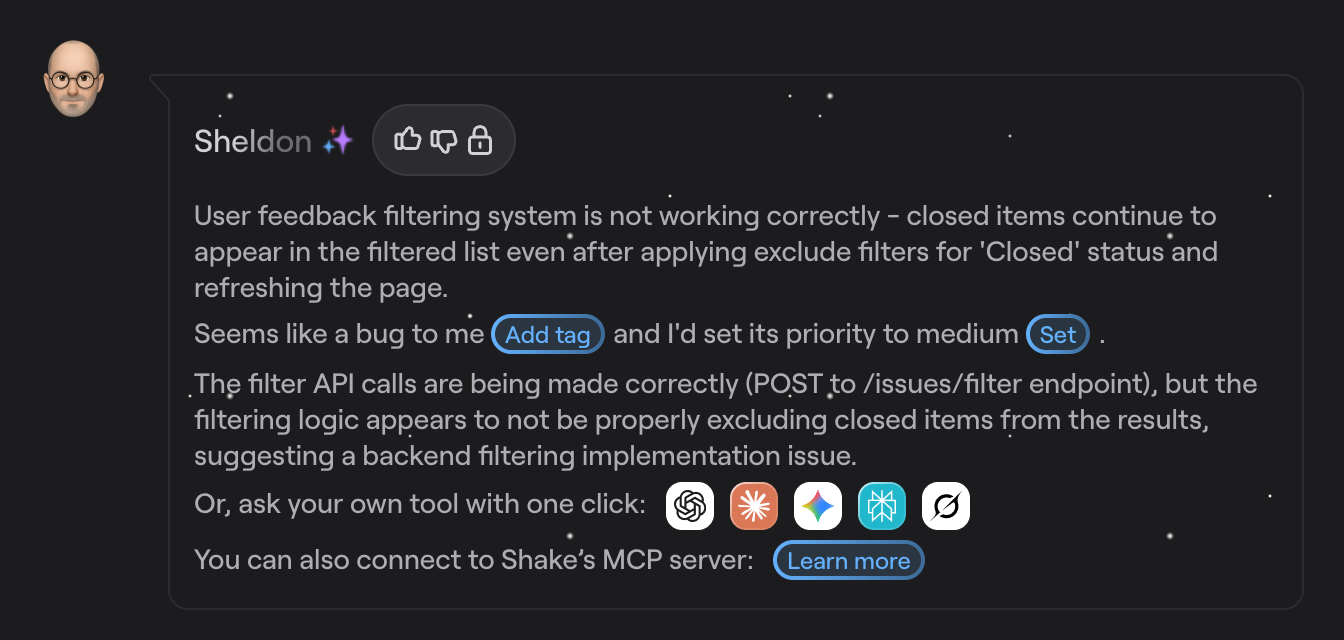
From there, Sheldon ingests all bug report data and proposes a category and a priority level for the ticket, along with a high-level bug summary and potential fixes.
For trickier or high-priority cases, you can connect to Shake’s MCP server to bring your own AI tools into the debugging process, with all the ticket data linked directly.
Ultimately, the tool you pick should fit your workflow and needs.
So explore some of the options out there and focus on implementing the system effectively before adding more AI tools to the mix.
Even the best tools only help if your team knows how to work with them.
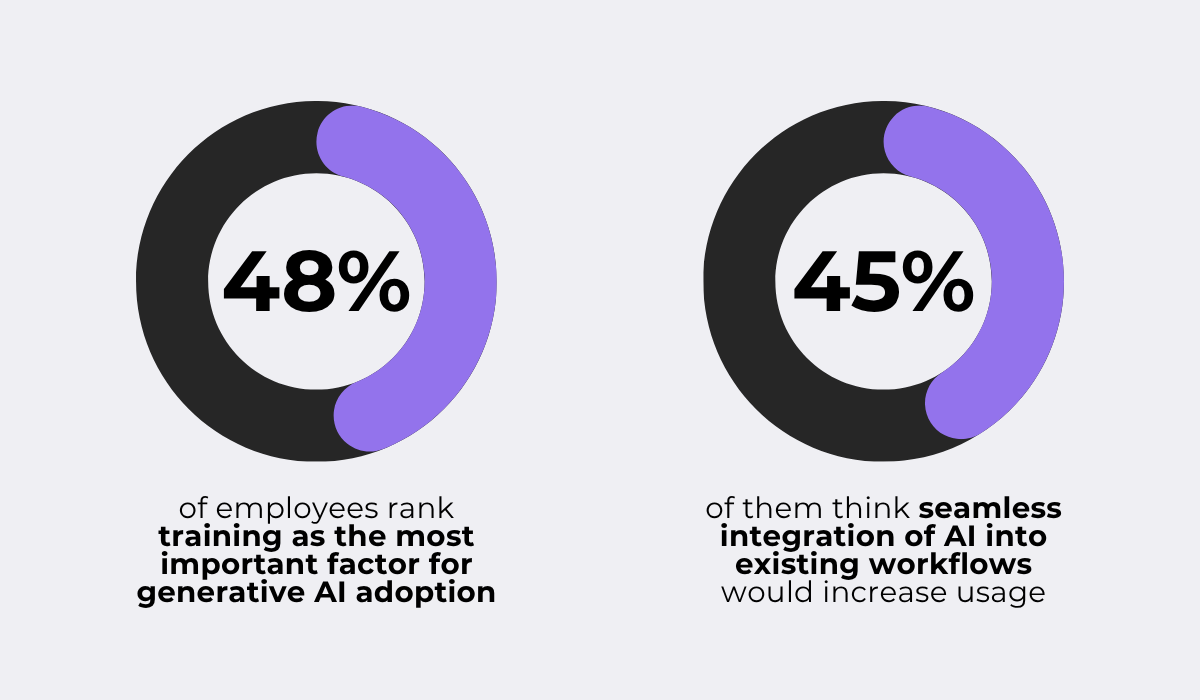
In fact, McKinsey research on how employees adopt AI at work shows how much getting this right depends on training and on how well AI fits into a team’s existing workflow.
AI training is mainly about helping your team understand what AI can and cannot do, and when and how far to trust its output.
Without that, teams tend to make one of two mistakes: either ignoring useful AI suggestions or trusting incorrect ones too easily.


Capture, Annotate & Share in Seconds with our Free Chrome Extension!
Even so, many organizations still fall short on this kind of training, which limits the value their teams get from AI.
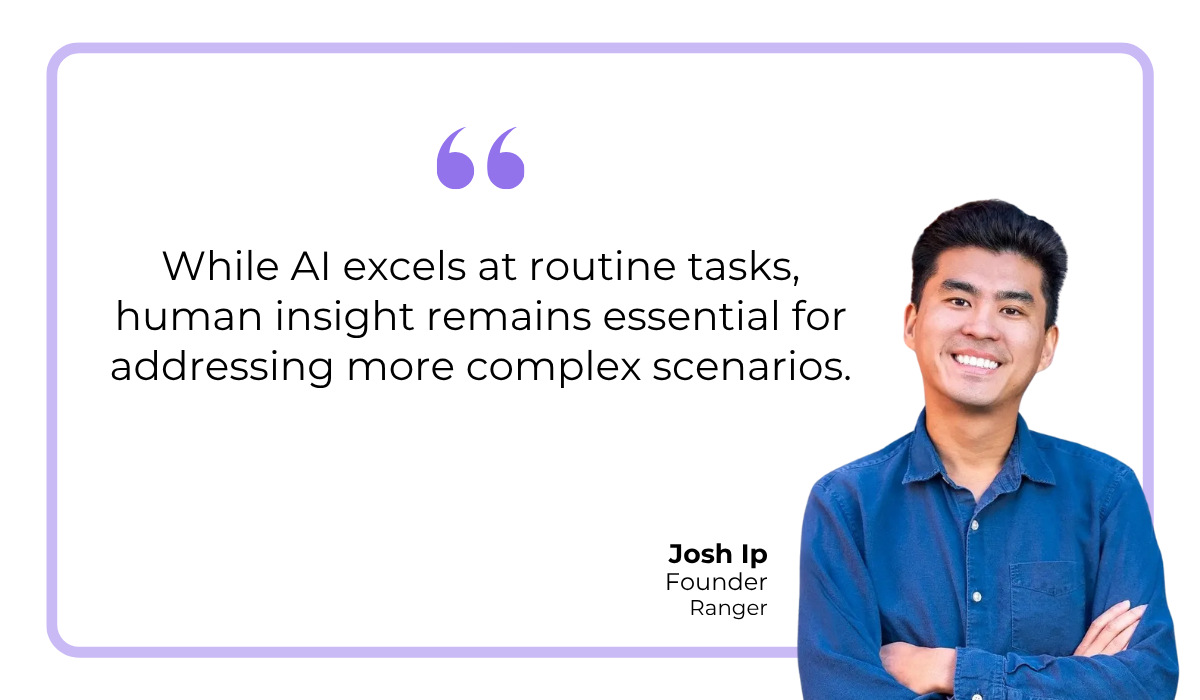
Josh Ip, founder of Ranger, a platform that uses AI to help teams review and test their code, has spoken about where that line sits for him and his team.
He has pointed out that while automated systems are quite accurate, plenty of bug reports still call for the kind of contextual understanding that only a person can bring.
This is exactly what your team should be trained for, so they spend less time on routine triage and more on issues tied to your app’s purpose or how people actually use it.
That balance is the idea behind a human-in-the-loop approach, where automation and human oversight work together.
One way this approach can be implemented is shown below.
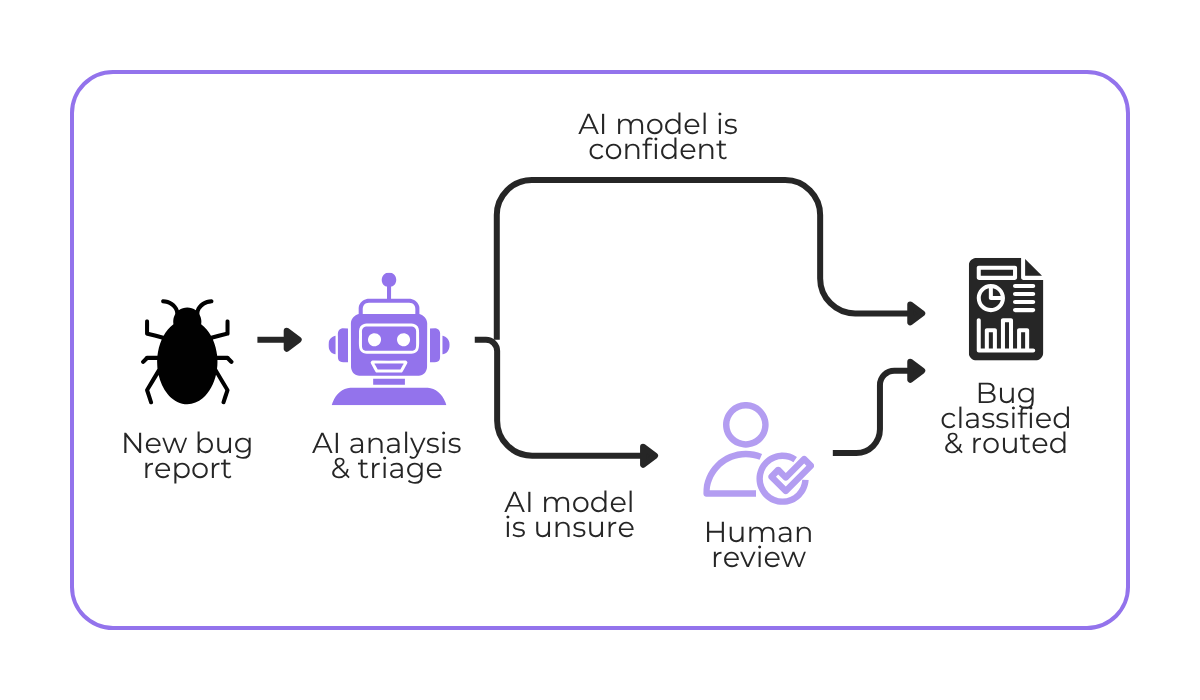
Here, the AI fully handles the cases it is confident about, and bug reports it is unsure of get routed to a person, along with the AI’s analysis, for a final check.
Walking your team through a workflow like this is what builds their trust in it.
Once they can see exactly where the AI acts on its own and where a human steps in, they learn when its output can be relied on, instead of checking every result by hand and doing duplicate work.
That trust is what lets them stop second-guessing the AI on a large share of incoming bug reports and focus on the trickier cases.
The result is a workflow that stays fast for simple cases while keeping people in control throughout the process.
Setting up an AI system is not a one-time job.
To keep getting value from it, you need to watch both your bug reporting process and the AI system behind it.
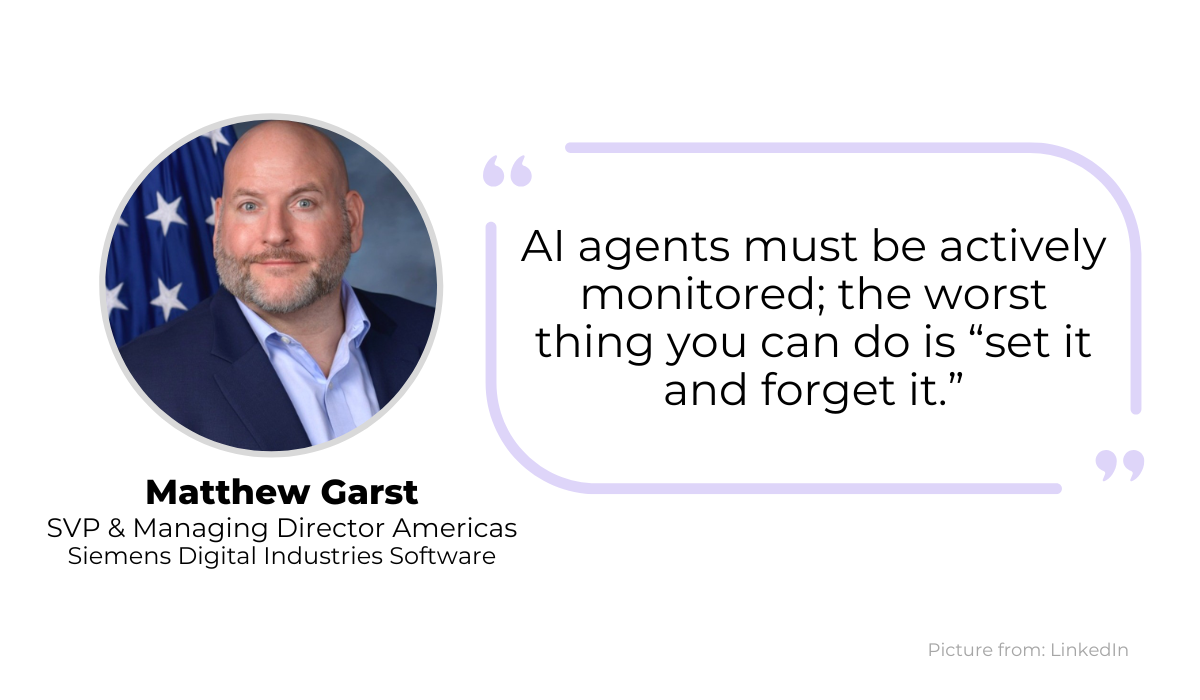
Matthew Garst, SVP at Siemens and an experienced professional in scaling AI-driven platforms, made this point in a comment reported by Cyware.
The point Garst is making is that some teams assume that once a model is trained on enough bug data, it will keep performing well on its own.
However, there is solid research against this idea.
One study looked at how machine learning models hold up as more time passes since their last training cycle, with the results shown below.
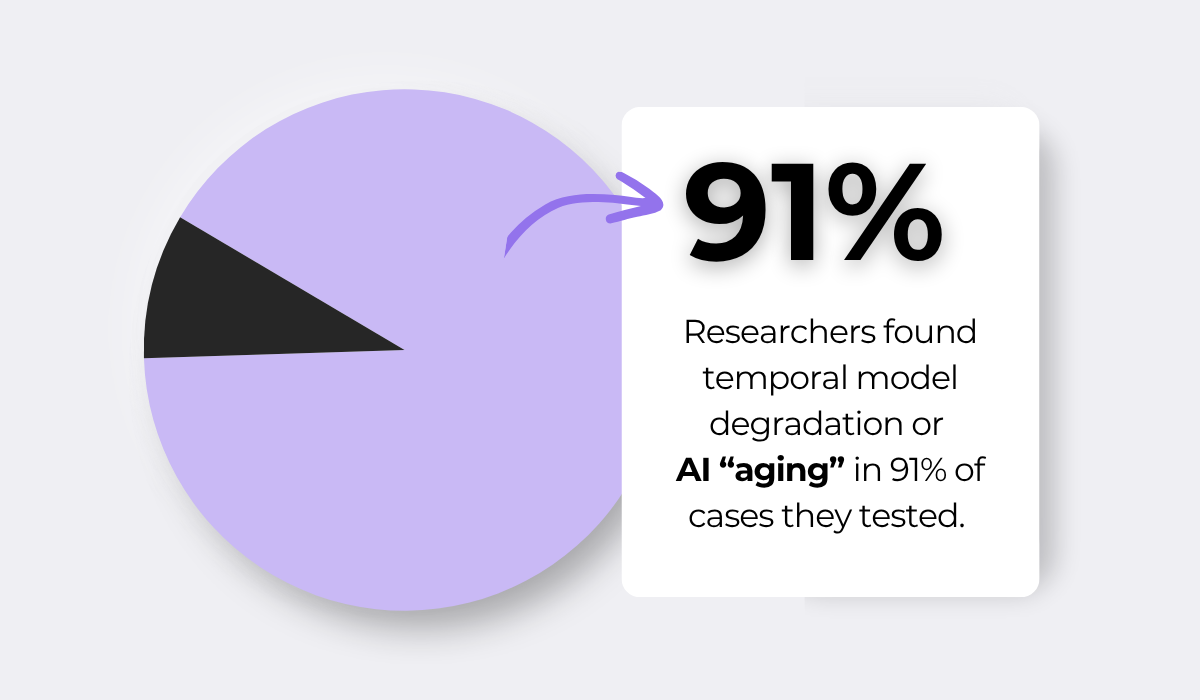
This degradation makes sense. As new data keeps arriving that the original model never accounted for, it can slowly produce worse results.
IBM describes the problem well, pointing out that models built on historical data can quickly go stale as “new data points are always coming in—new variations, new patterns, new trends—that the old historical data cannot capture.”
This matters a lot for bug tracking, where the app code, user behavior, and even the number of developers keep changing.
A model trained on last year’s data may slowly start mislabeling today’s issues.
It might route a serious crash to the wrong team, or mark a brand-new type of bug as low priority, simply because it has not seen that pattern before.
The way to catch this early is to track a few clear metrics over time, some of them shown below.
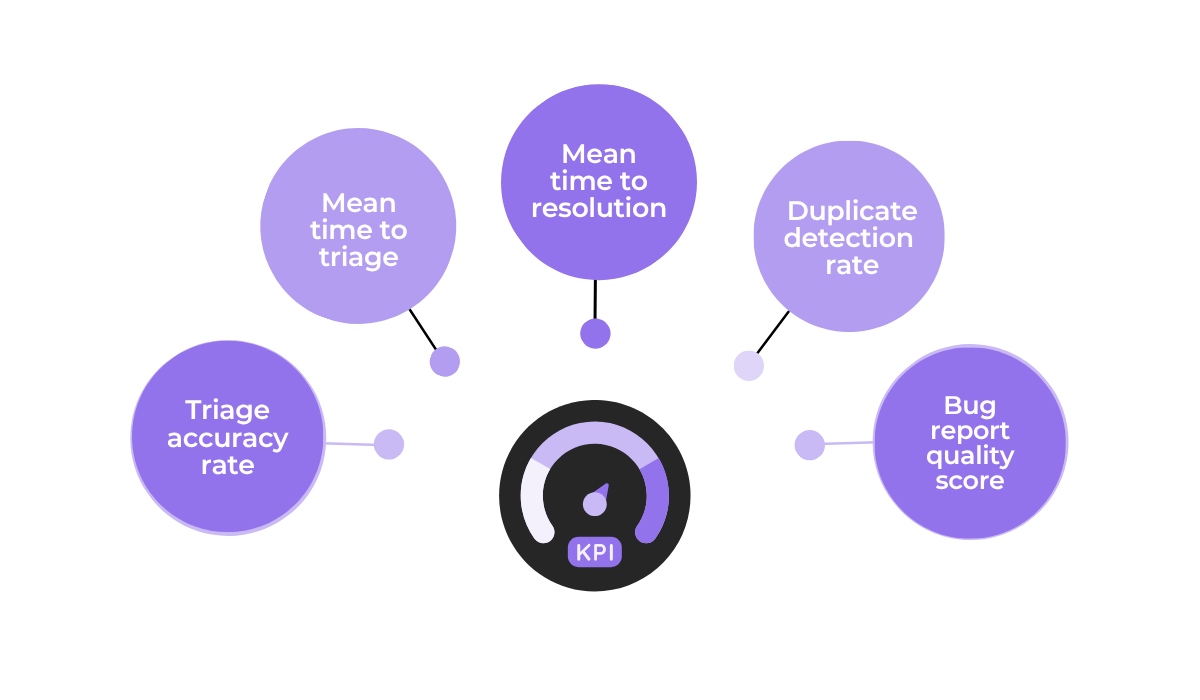
Most of these are numbers you probably already follow as part of your bug reporting process.
In the case of AI implementation, it helps to record these KPIs early, while the AI is freshly trained and closely monitored, so you have a reliable baseline to compare against.
If the metrics start to slip later on, that is your signal to review the tool you are using or retrain the model.
Keeping a close watch like this is what makes sure your AI stays accurate and continues to earn its place in your workflow.
That covers the main ideas behind AI-powered bug reporting.
As we’ve seen, AI tools can be an effective way to automate the repetitive parts of bug handling while keeping humans in control of the decisions that matter.
If you are thinking about adding AI to your process, start slow.
Pick the right tools and make sure your team is ready for the change. The results will follow.
From internal bug reporting to production and customer support, our all-in-one SDK gets you all the right clues to fix issues in your mobile app and website.
We love to think it makes CTOs life easier, QA tester’s reports better and dev’s coding faster. If you agree that user feedback is key – Shake is your door lock.
Read more about us here.

Add to app in minutes

Doesn’t affect app speed

GDPR & CCPA compliant

Unexpected things pop up
Just like bugs in your app or web 🐛 Fix them now with just one reporting tool.