





Bug reporting takes time. Here’s how AI helps teams work more efficiently
Key takeaways:
Bug triage takes up more time than most teams realize.
As you might know firsthand, sorting, deduplicating, and assigning incoming reports can quietly consume hours that could go toward actually fixing things.
If your team is looking for ways to speed up this process without losing accuracy, AI-powered triage is worth understanding.
This article covers what AI bug triage is, how it compares to traditional methods, and the key challenges to watch out for.
Table of Contents
Let’s start by looking at what bug triage is, and see how AI bug triage differs.
Here’s a straightforward definition, as written by the team at Atlassian.
In essence, the goal of AI bug triage is the same as traditional triage: identify, track, prioritize, and address software bugs.
The difference is that you’re using tools powered by large language models (LLMs) to enhance some or all of these steps in the process.
A simple example would be AI using natural language processing to detect duplicate bug reports, even when the reports have completely different titles or descriptions.
Some simple tools handle this deduplication process while a ticket is created, and merge any new bug info into existing tickets.
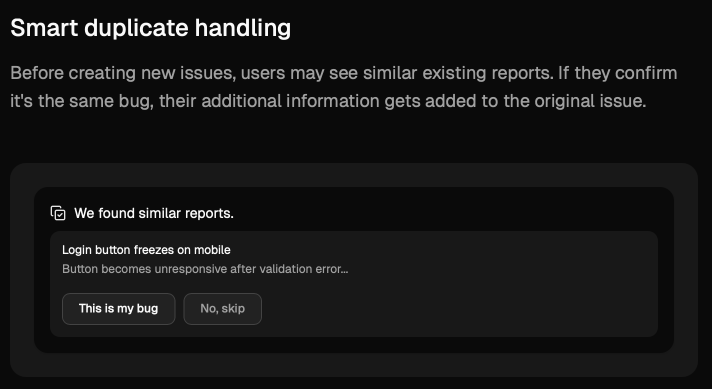
Even such a seemingly straightforward capability can save a lot of time, since teams no longer need to manually compare and sort out duplicate tickets during triage meetings.
But ideally, AI can be used for end-to-end triage, throughout the entire process from receiving a bug report all the way to assigning an issue to a developer.
The whole process looks something like shown in the image below.
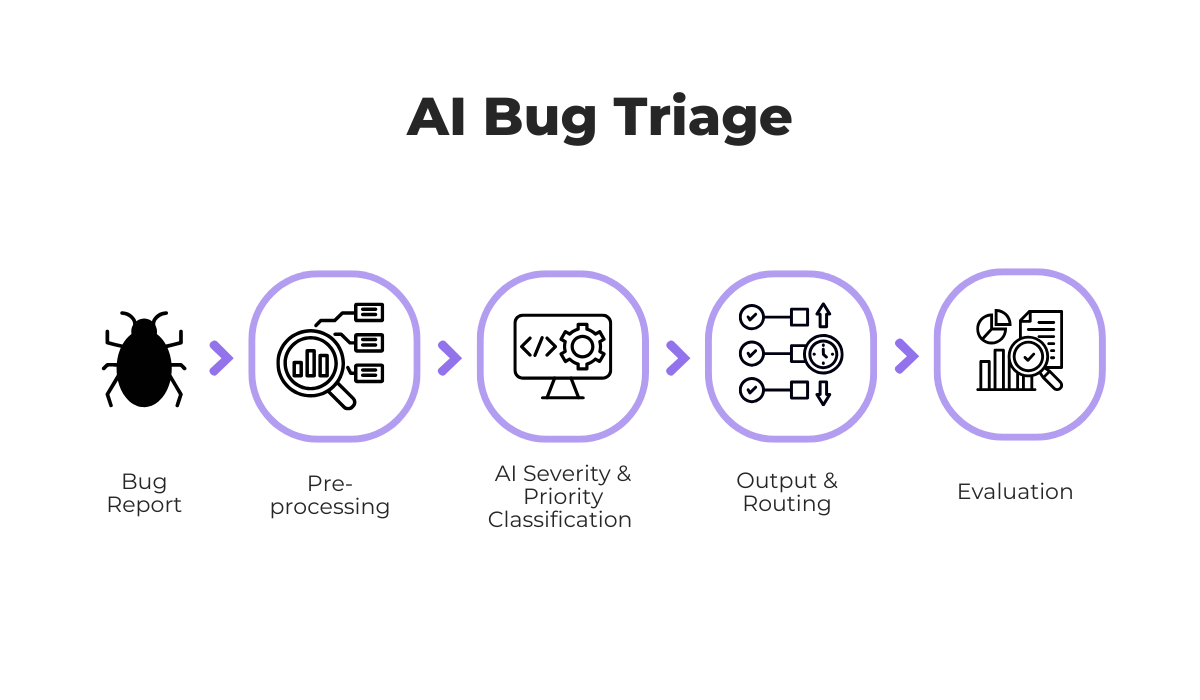
One key difference from traditional triage is the pre-processing step.
Before AI can classify a bug, the raw report needs to be cleaned and structured.
This means extracting relevant text, normalizing terminology, and converting unstructured input into a format the model can work with.


Get unreal data to fix real issues in your app & web.
Once pre-processing is complete, AI systems can classify bugs by type and severity, predict priority levels, and even route tickets to the most appropriate developer based on past assignment patterns.
Of course, these systems are not perfect, which is why a final evaluation step is necessary.
Human reviewers typically check the AI’s output and confirm that priority levels make sense in the current context.
Any feedback or corrections are then fed back into the system, which over time improves the model’s accuracy.
That’s AI bug triage in a nutshell. The same triage process your team might already follow, enhanced with machine learning at each step.
The main goal of using AI for bug triage is efficiency.
While human triage can be thorough, doing it at scale is slow and introduces inconsistencies.
Different team members may categorize the same bugs differently, and when the backlog grows, communication suffers, and issues inevitably slip through the cracks.
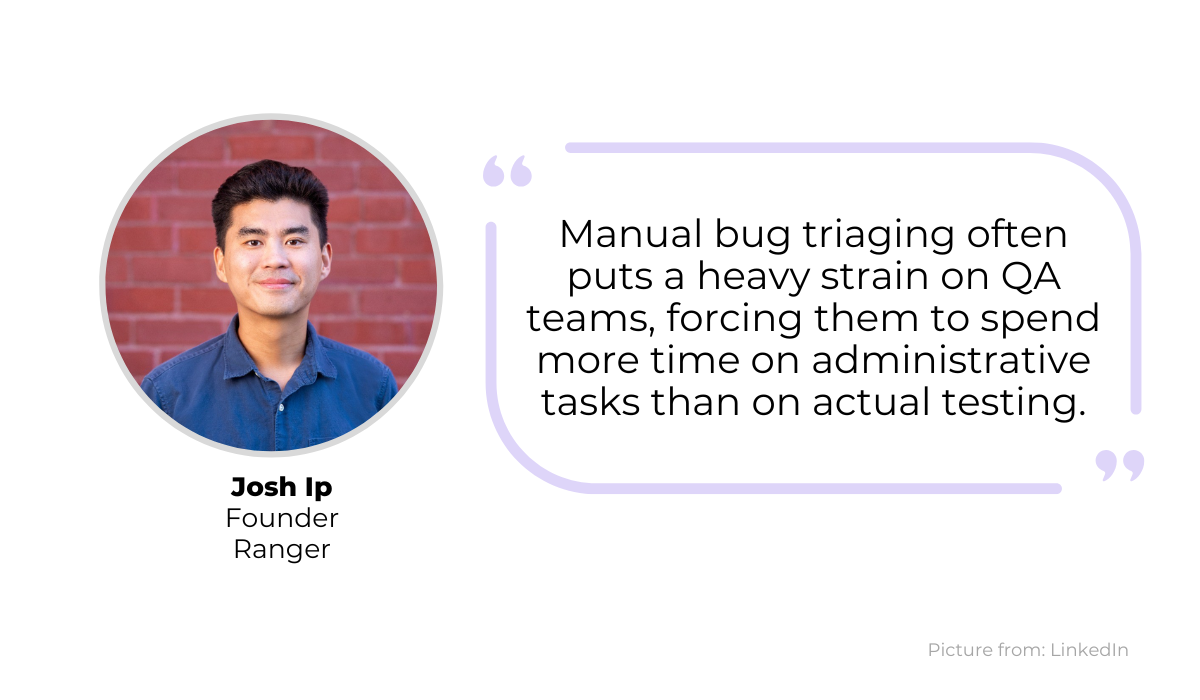
He elaborates that the main gain is in how quickly a bug can be evaluated, with AI potentially reducing triage time from hours down to minutes per ticket.
And it’s not hard to see how, as efficiency gains from AI can come even before the triage stage itself.
For example, some AI-powered bug reporting tools can assist users while they’re writing a bug report, suggesting clearer descriptions and adding context automatically.
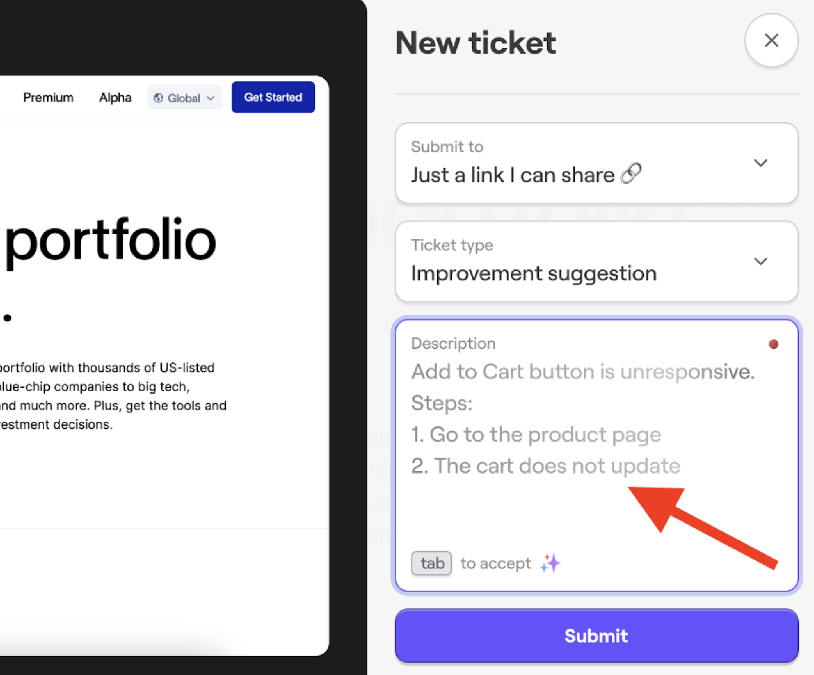
This means the reports that developers receive are richer and more structured from the start, which makes any downstream triage process, whether manual or AI-powered, significantly faster and more accurate.
Of course, with traditional methods, even these detailed bug descriptions would still need to be reviewed and sorted manually during triage.
However, when artificial intelligence is coupled with smart automation, the entire flow from report to assignment can happen with minimal human intervention.
A good example is the Auto Triage AI Agent from Microsoft, which can receive bug reports from user emails, extract the relevant details, create tickets in Azure DevOps, and even handle follow-up emails with status updates.
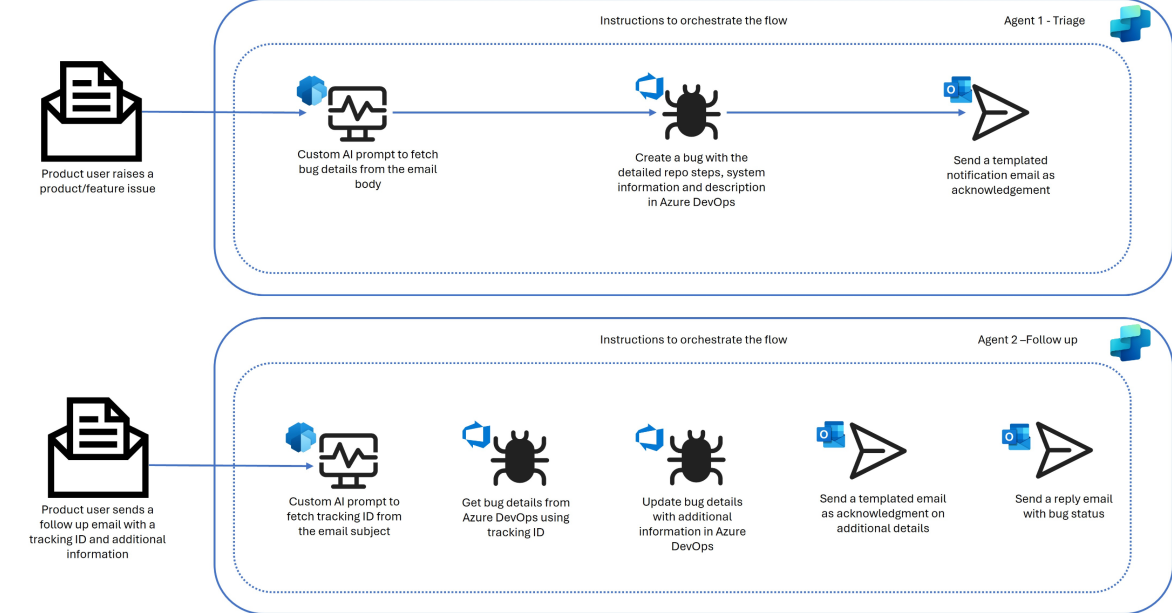
For a company like Microsoft that potentially receives a large volume of user bug reports through email, this kind of automation is essential for operating at scale.
And these efficiency gains are measurable.
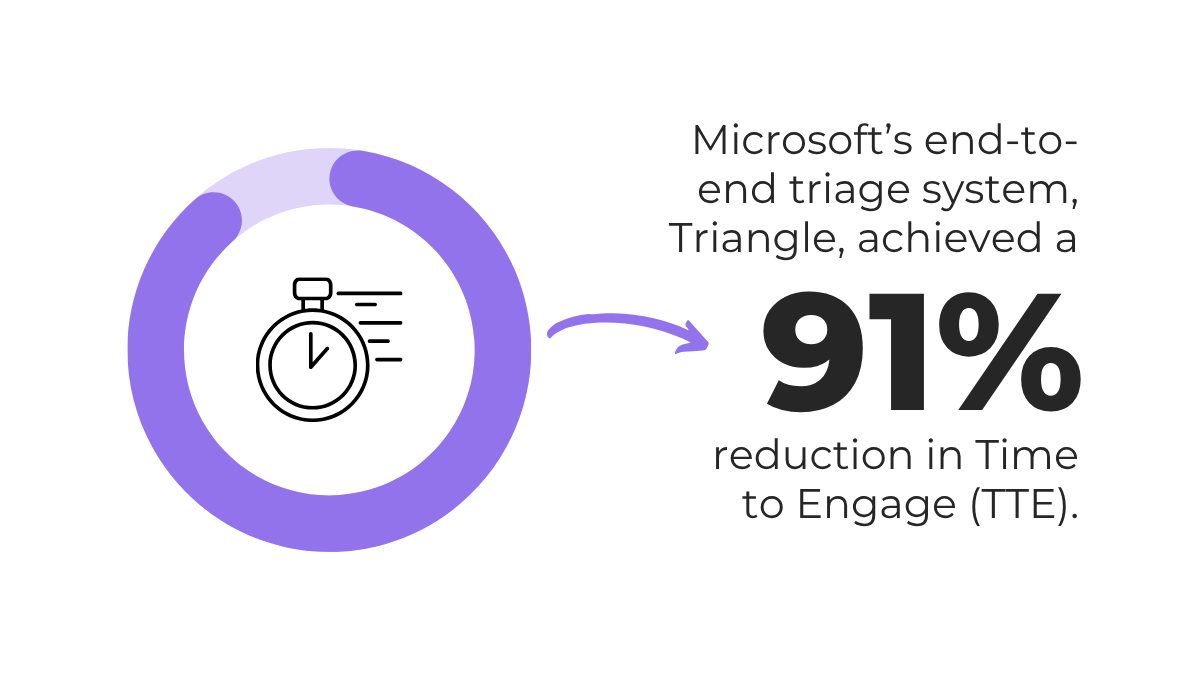
In a real-world evaluation of another Microsoft AI triage tool called Triangle, the team achieved significant results, shown below.
That’s a massive reduction in Time to Engage (TTE), which measures how quickly the team starts working on a reported issue.
On top of that, Microsoft reported that triage accuracy with Triangle improved by up to 97% compared to the previous manual process.
So, when it comes to bug triage, AI’s biggest advantage is that it lets teams process more issues, faster, without sacrificing consistency or accuracy.
While AI brings clear efficiency gains to bug triage, it’s not without its challenges.
So, before adopting any AI triage tool, it’s worth understanding where these systems can fall short and what you can do about it.
The way AI triage works is that it needs to learn from historical patterns and reports surrounding your bug triage processes, in order to make informed decisions about new incoming bugs.
If we look at the image below, you can see just what kind of sources it pulls from for context and training.
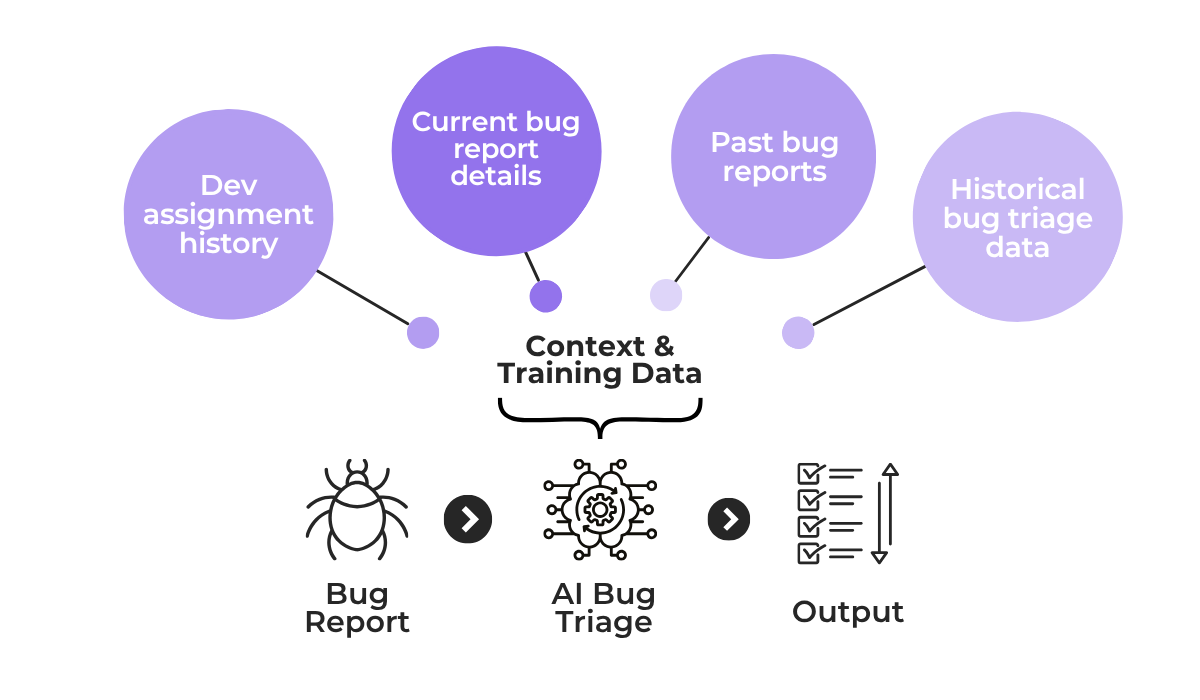
And if any of these input sources contain mislabeled data, incomplete logs, or skewed assignment history, the output will reflect those same issues.
For instance, if most past bugs were assigned to two or three developers regardless of the affected app component, the AI will learn to route new bugs the same way, even when it doesn’t make sense.
To mitigate this, you first need to make sure the AI tool doesn’t have any gaps in context, and provide it with as much accurate information as you can.
To illustrate this point, we can look at how Sibi, a commerce platform, built an internal AI debugging assistant called Bug Ricardo to help their triage process.
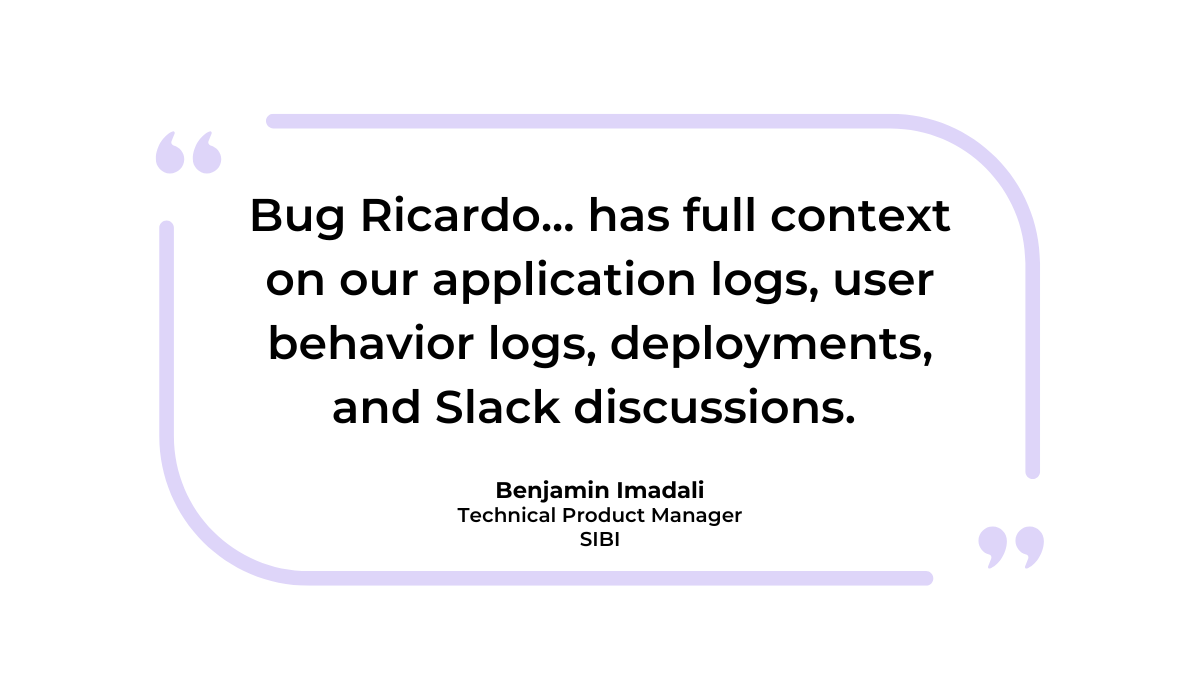
As Benjamin Imadali, Technical Product Manager at Sibi, explains, their tool has full access to their historical and user data and can provide concise summaries of issues as they occur.
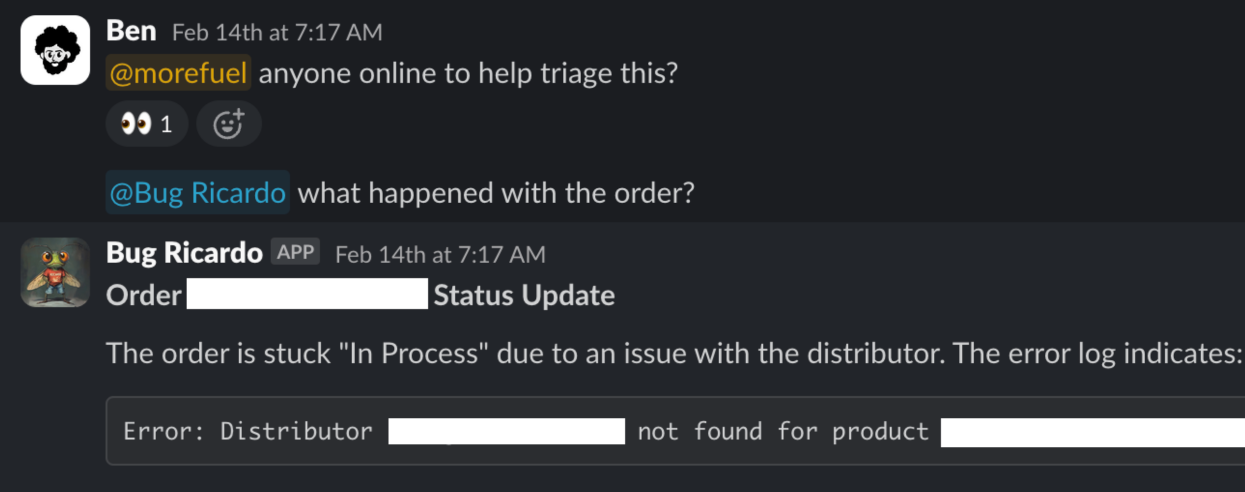
Now, while the team uses Bug Ricardo as an assistant and sets issue priority through a separate triage process, the same principle of deep context gathering applies to any dedicated AI triage tool.
These systems pull data and use it both as initial training and as an ongoing reference for their triage suggestions.


Capture, Annotate & Share in Seconds with our Free Chrome Extension!
If, for example, your past tickets were labeled inconsistently or entire categories of bugs went unreported, the model will develop blind spots in those areas.
So the key is to have all of this information kept accurate and structured, with regularly cleaned and audited historical data that the AI can reference for better evaluations.
That same principle extends to the bug reports themselves.
Poorly written reports that lack technical detail can mislead the AI triage system into wrong classifications.
Great bug reporting tools can help here by automatically attaching detailed technical context to each report.
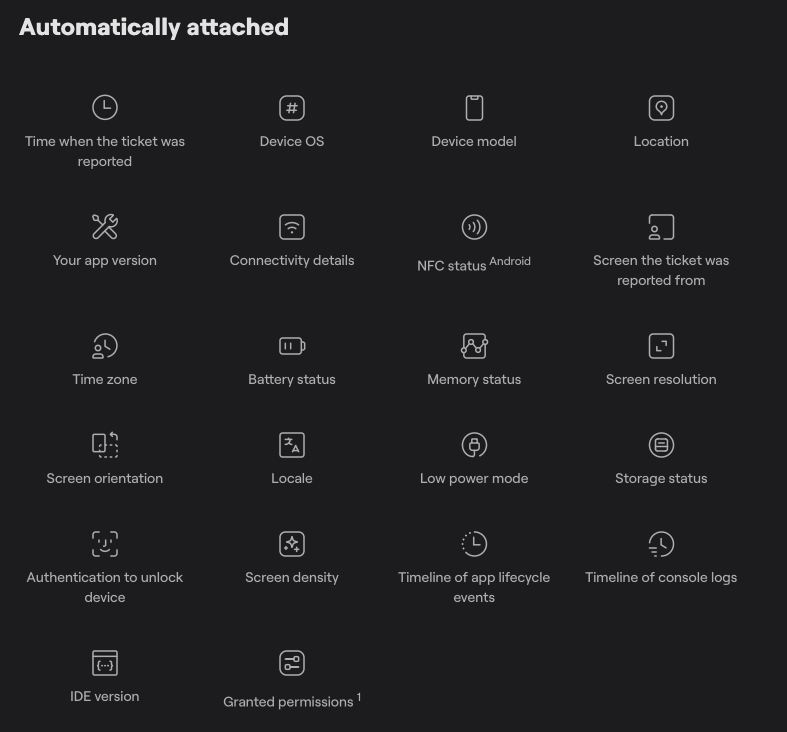
Ultimately, AI triage works best when it has access to rich, structured bug data from the application itself, not just whatever a user typed into a report.
Combined with clean historical context, this gives the system a reliable foundation to work from.
AI ingests any data you feed into it, and doing so without proper controls can open up real risks.
In fact, serious security issues can arise even in the initial step of the AI receiving a new bug report.
For example, if a bug is present on an app’s checkout screen and the user submits a screenshot, it’s crucial that some form of redaction feature is present, like the one shown below.
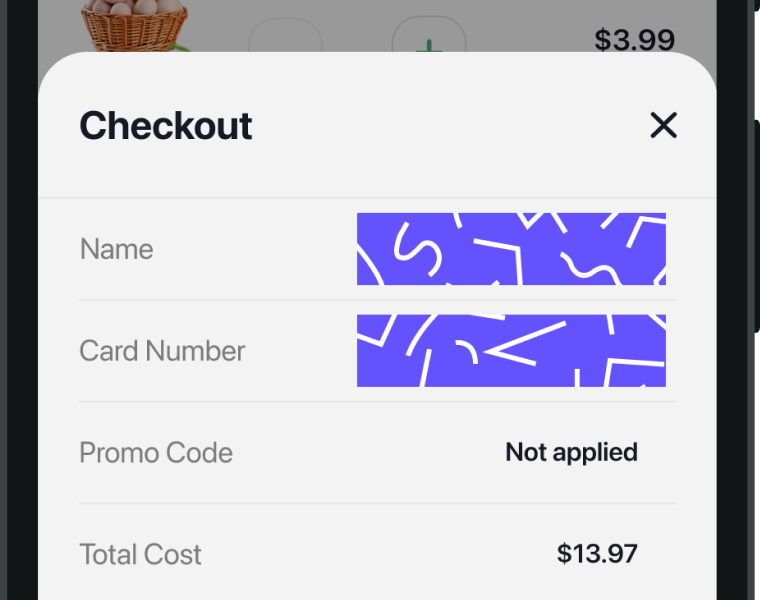
If not, what can end up happening is the AI receives sensitive info like:
With many AI tools using the data they process as additional training for their models, this can become a serious issue and a potential violation of privacy regulations like GDPR.
That’s why, beyond redaction, you should have strict policies on who can access bug reports or feed data into AI systems, and even which parts of your own application the AI should have access to.
Choosing the right tool matters here.
Shake, a bug and crash reporting tool, has a dedicated AI bug assistant called Sheldon, powered by a large language model and hosted on Amazon Bedrock.
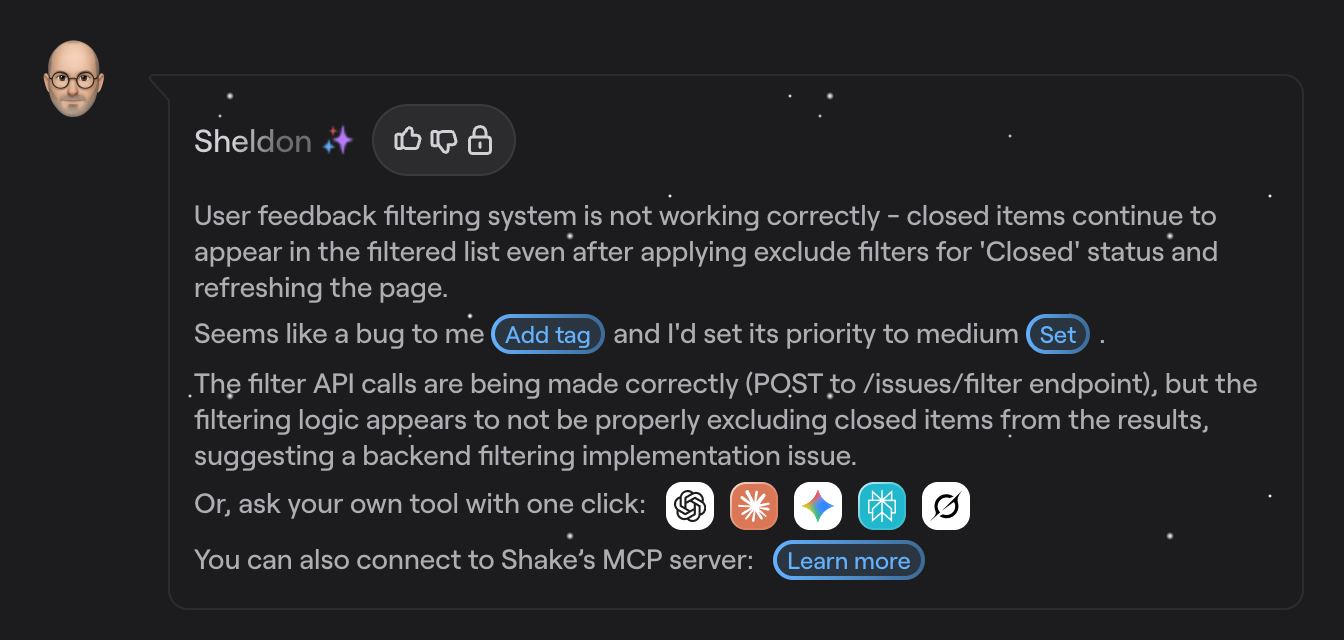
For each bug report received, Sheldon uses the available data to generate triage and classification suggestions, with direct buttons that can instantly set the bug tag, priority, and update the ticket within Shake.
It’s a big plus that Shake also includes built-in redaction features for bug reports, meaning sensitive information can be automatically obscured before it ever reaches the AI layer.
Behind the scenes, Sheldon has several safeguards in place as well.
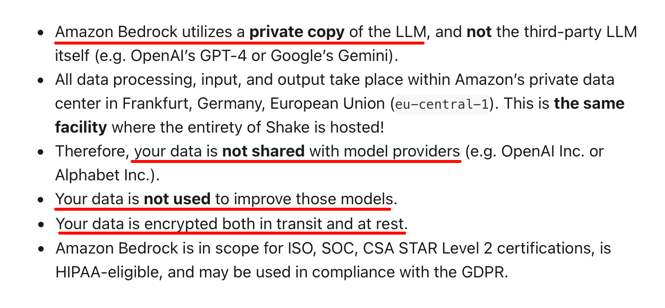
From the choice of data host to fully encrypted data that’s not shared with third-party LLM providers, these measures protect both user data and sensitive information about your own app.
We must stress that the right security approach should be comprehensive and not just limited to how your team uses AI.
But choosing tools that have proper safeguards built in from the start makes compliance much easier to maintain.
The final challenge we’ll mention with AI bug triage is that these systems can sometimes struggle to differentiate between the technical severity of a bug and its business priority.
A bug might be technically minor but have a high business impact, or the other way around.
For example, consider the following scenarios for a hypothetical e-commerce app.
| Priority | Severity | Issue Description |
| High | Low | Users needs to scroll down to find the “Apply Coupon” field on checkout. |
| High | Medium | Search returns no results for misspelled queries with no fuzzy matching or suggestions. |
| High | High | Cart checkout button is unresponsive on an older app version |
While an AI system might easily flag a broken checkout button as an urgent issue, it might miss a poorly designed user interface section that obscures a coupon field.
But even though this issue is not severe or complex, it nevertheless costs a business, with users potentially abandoning their cart when they can’t apply their discount code.
The good news is that AI is fairly reliable in this regard, at least comparable to and sometimes better than manual triage.
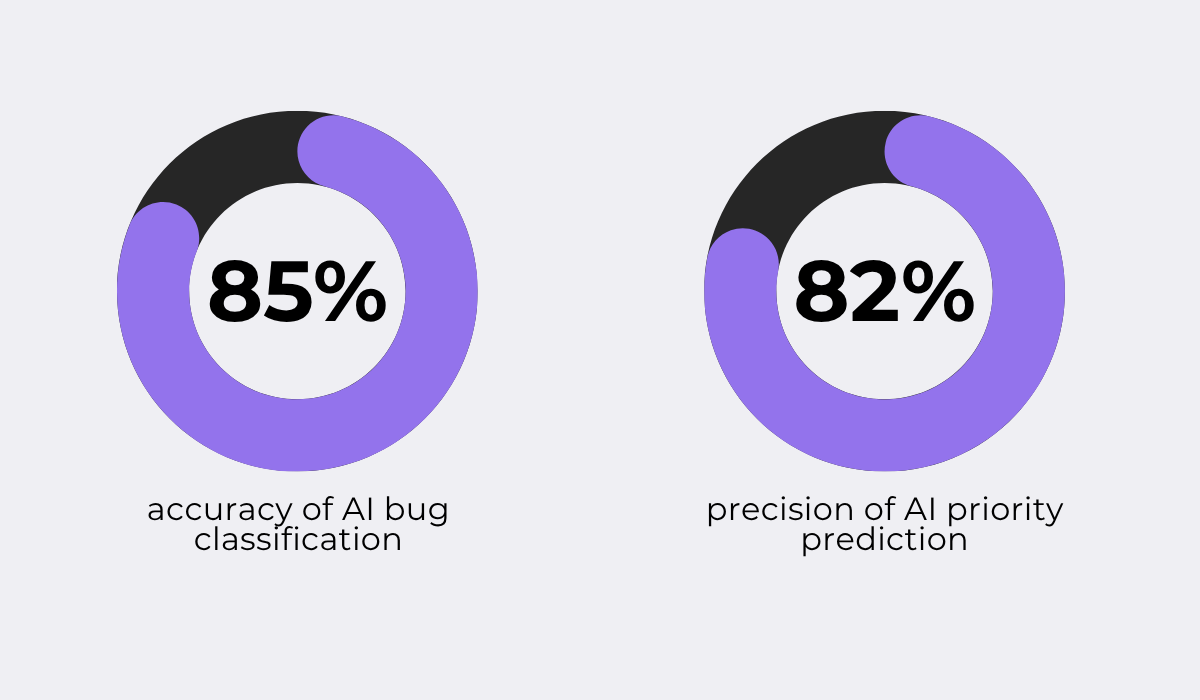
For instance, a 2025 study published in the International Journal Of Engineering Research & Technology looked at the accuracy of automated AI-powered bug categorization and task assignment.
The researchers built a framework on top of the OpenAI API with custom configuration management and intelligent prompt engineering, then tested it against real-world bug data.
Their results are shown below.
While the accuracy of their model was high, it’s far from perfect, which can be an issue when edge cases or ambiguous bugs are concerned.
In those situations, a misclassified severity level could lead to bugs with high business impact being deprioritized, while low-impact issues get escalated unnecessarily.
One way to mitigate this is to keep human involvement in evaluating and iterating on any AI triage system.
This approach is used by some of the biggest teams in the industry, including Amazon Web Services (AWS).
In fact, Arundeep Nagaraj and Dan Kiuna from AWS shared for All Things Open how the team transformed their issue triage workflow using LLMs, cutting response times by 90%.
Their process, shown in the image below, uses AI for bug analysis, but any AI output is treated as a suggestion or recommendation, not a final triage decision.
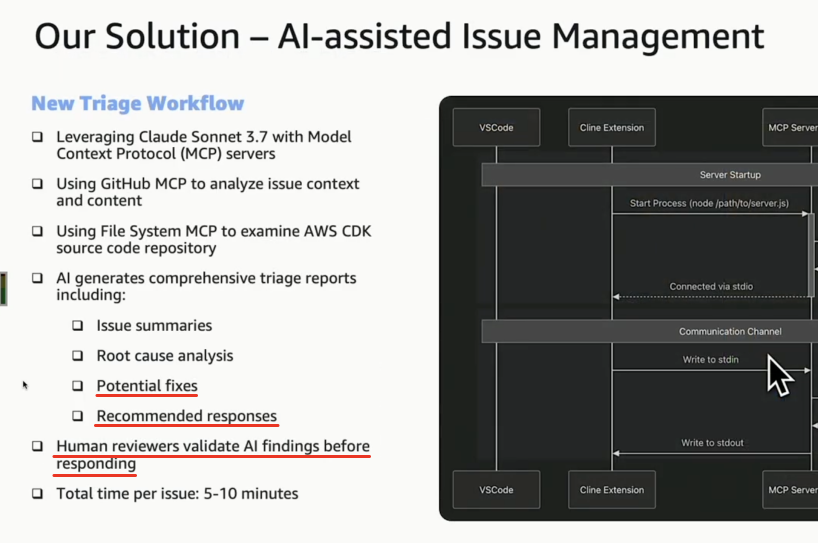
What’s more, human review is built directly into their workflow, with reviewers validating the AI’s output before any action is taken on a ticket.
Overall, while AI triage accuracy is improving rapidly, it’s still unpredictable in certain situations and needs to be monitored, especially when it comes to distinguishing between severity and business priority.
That covers the essentials of AI bug triage.
We went over how it works, the efficiency gains it brings compared to manual methods, and some of the main challenges that need to be kept in mind.
Hopefully, this gives you a clearer picture of where AI can help and where human oversight is still needed.
From here, you can use what we talked about to evaluate whether AI bug triage is the right fit for your team.
From internal bug reporting to production and customer support, our all-in-one SDK gets you all the right clues to fix issues in your mobile app and website.
We love to think it makes CTOs life easier, QA tester’s reports better and dev’s coding faster. If you agree that user feedback is key – Shake is your door lock.
Read more about us here.

Add to app in minutes

Doesn’t affect app speed

GDPR & CCPA compliant

Unexpected things pop up
Just like bugs in your app or web 🐛 Fix them now with just one reporting tool.
