


How to use app session replay for faster debugging
Key takeaways:
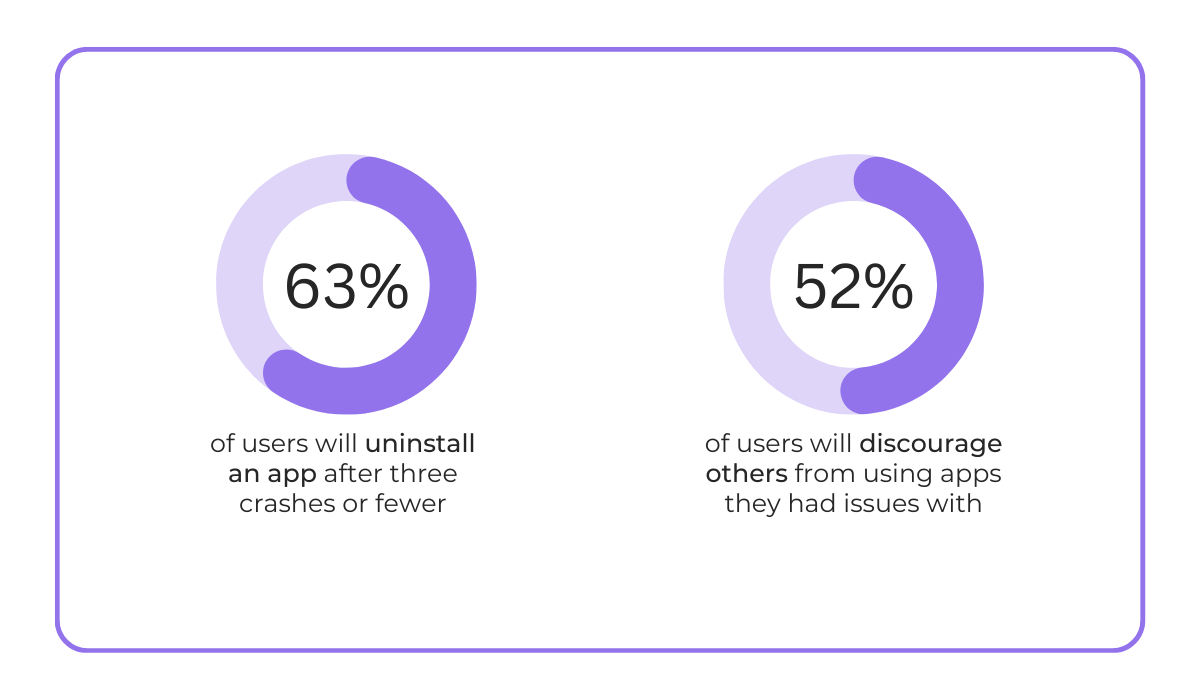
Did you know that 63% of users say they would uninstall an app after just three crashes?
Now imagine never having to worry about performance issues like that again.
With AI-powered bug reporting, you’re one step closer to making that kind of near-perfect app performance and stability a reality.
How exactly?
Keep reading to find out.
In this article, we’ll break down exactly how AI transforms the bug reporting process, making life easier for developers while keeping users happier than ever.
Table of Contents
First, let’s see how AI changes the game for app users themselves.
Finally, bug reporting becomes simple and accessible for everyone.
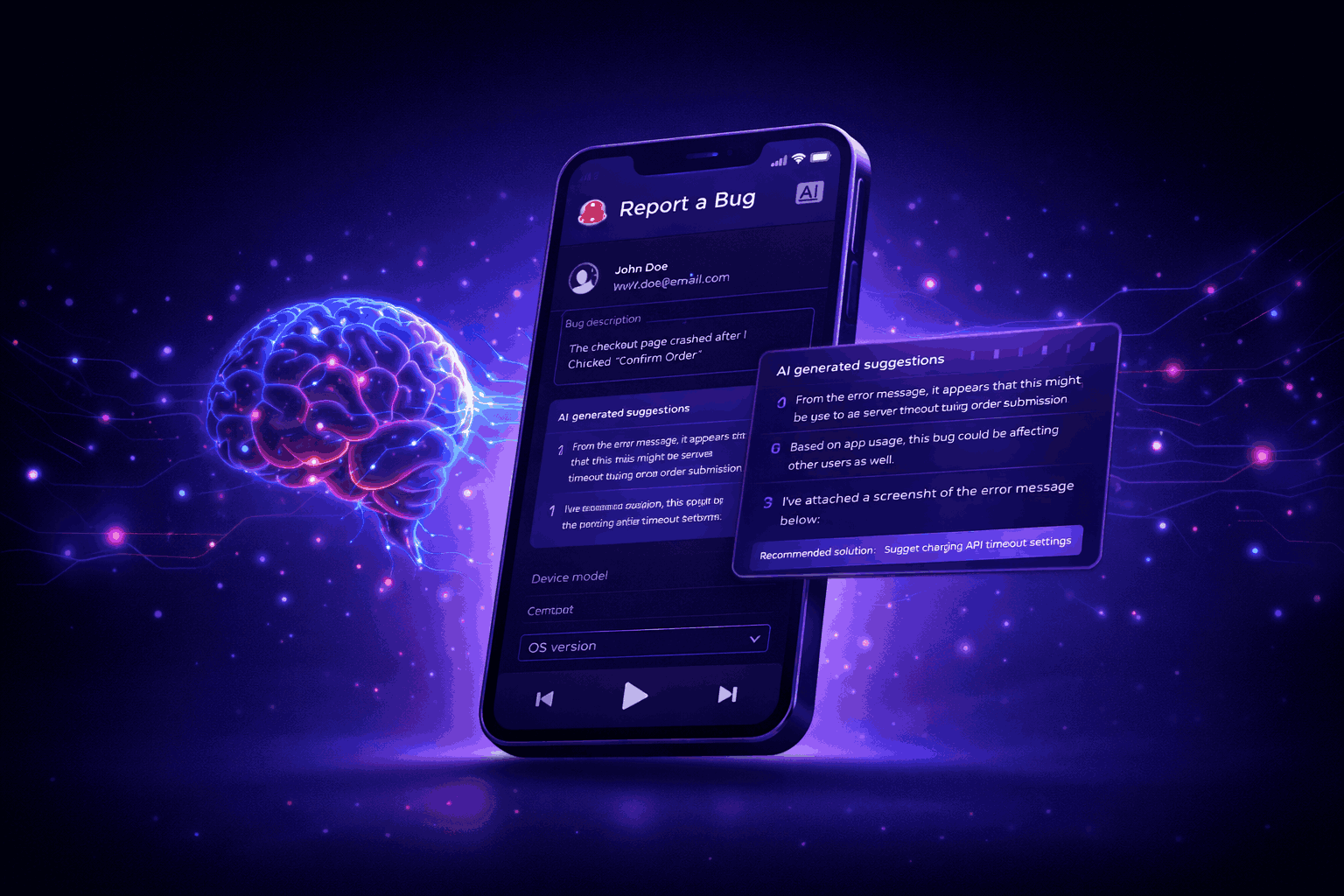
AI can automatically capture relevant system logs, screenshots, reproduction steps, and error details whenever a user encounters a bug.
Even better, thanks to natural language processing (NLP), it can understand and interpret human language, enabling non-technical users to simply describe defects in their own words.
The AI system then analyzes those descriptions, extracts key details, and translates them into technical terms that developers can act on.
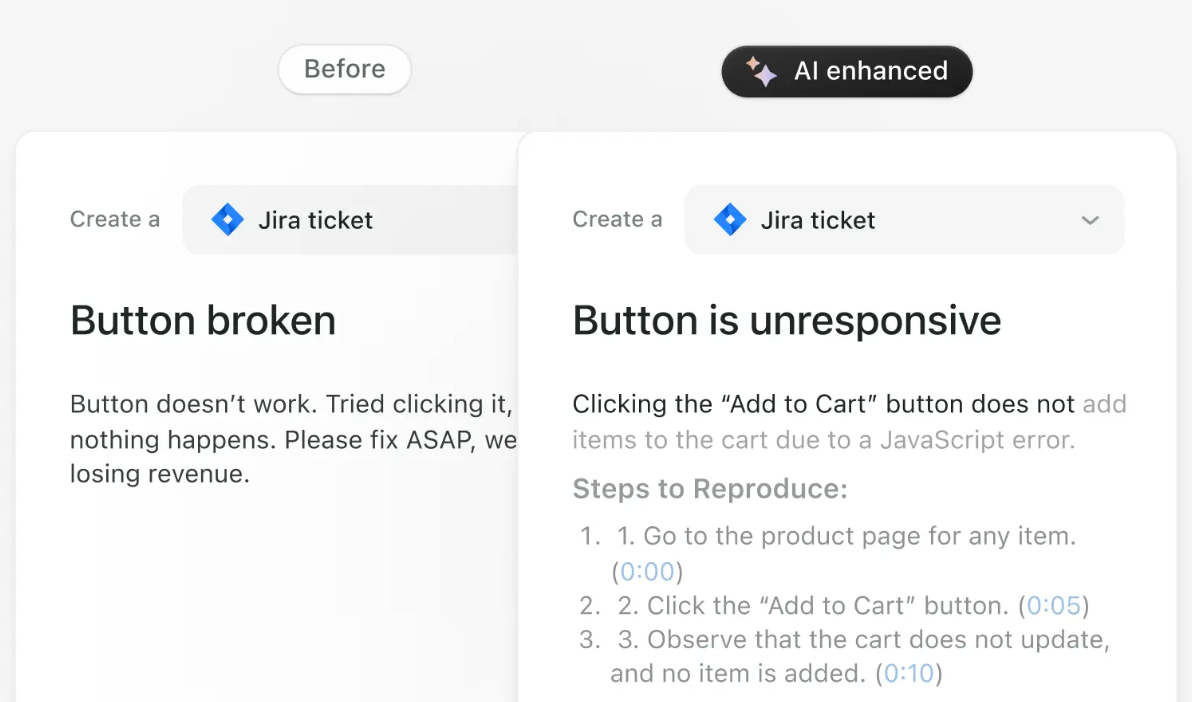
If needed, an AI-powered system can also ask users to provide additional context, ensuring all necessary details are captured from the start.
For users, especially those without technical expertise, this is a huge win.
They no longer have to fill out lengthy forms or guess what information developers need.
Instead, they just explain what went wrong, and AI does the heavy lifting.
The result?
Bug reporting becomes faster and easier, leading to more users actually submitting issues instead of abandoning them.
Take this Reddit post as proof:
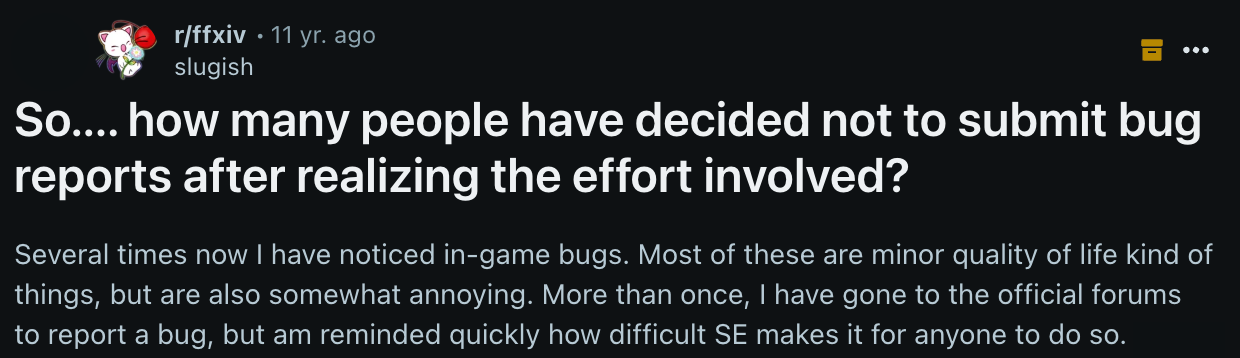
While the post specifically discusses in-game bug reporting, the same principle applies anywhere.
Fixing bugs will always require plenty of data. That won’t change.
But now, thanks to AI, even non-technical users can provide the information developers need with far less effort.
AI doesn’t just compile data, but also guides users through bug reporting, making the process much less annoying and tedious.
AI chatbots and assistants support users at every step, answering questions, reassuring them that the issue is being tracked, and suggesting quick workarounds when possible.
The assistant might begin with a simple question like, “Can you describe what you were doing when the issue occurred?” and then customize follow-ups based on the user’s responses.
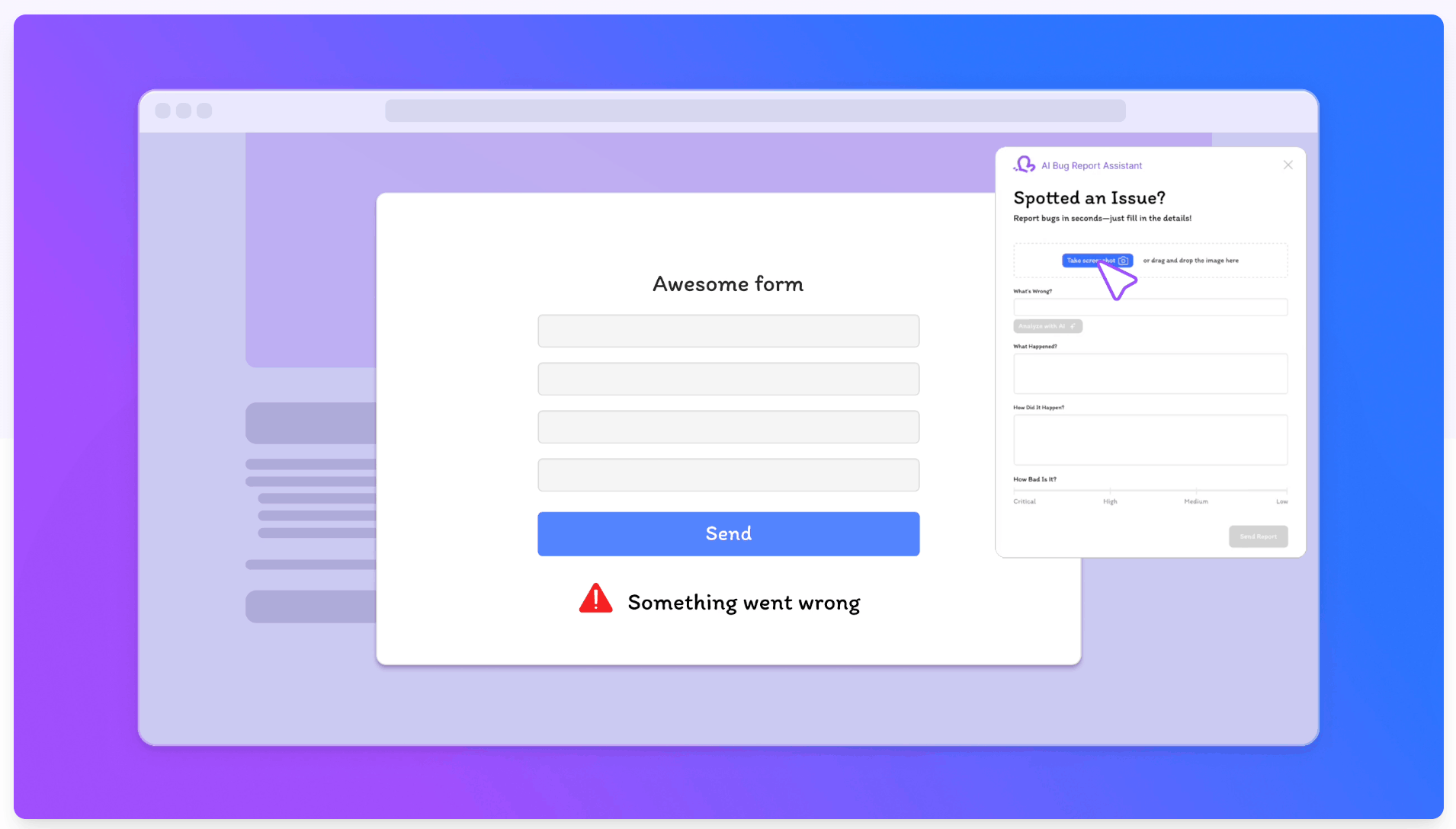
So, instead of filling out a dull form, users engage in a dynamic dialogue, getting personalized guidance and accurately reproducing the bug.
Our own bug-reporting tool, Shake, includes an AI assistant called Sheldon.
Powered by a large language model (LLM) and hosted on Amazon Bedrock, Sheldon delivers human-like responses that make bug reporting simple, fast, and frustration-free.
And this is just the start.
More AI-powered features are on the way, so stay tuned.


Get unreal data to fix real issues in your app & web.
But what does all this matter anyway?
Because such quick support reduces friction in the reporting process, prevents users from feeling ignored, and ultimately lowers frustration.
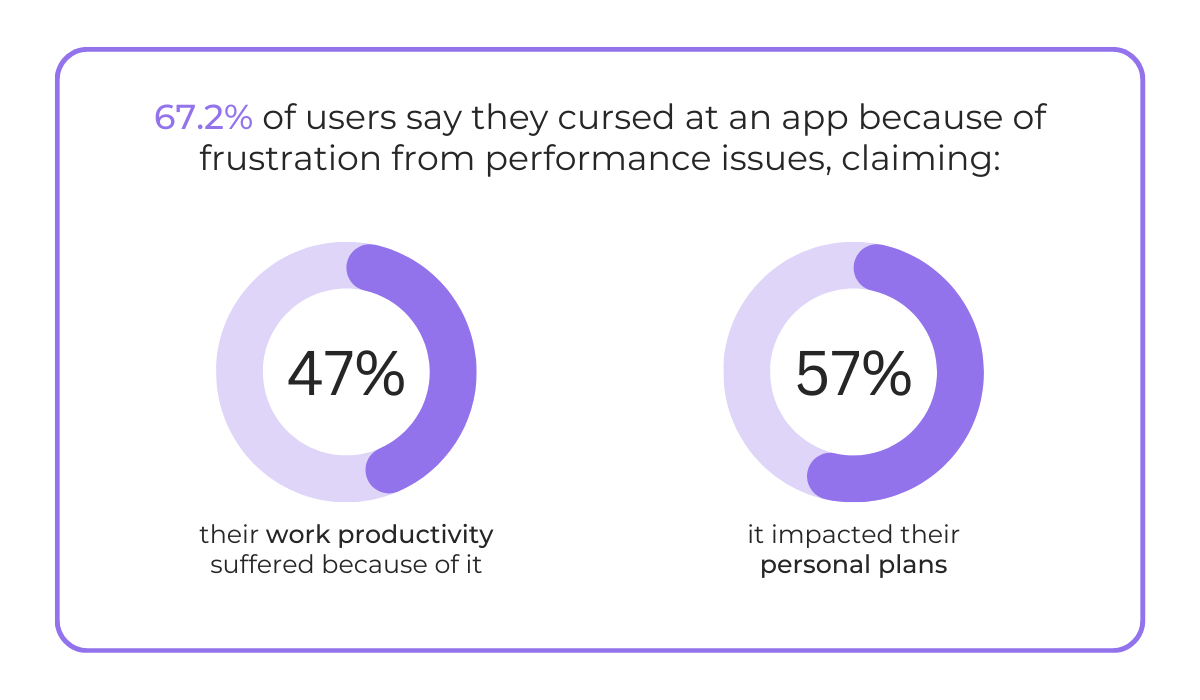
Did you know that, according to an Instabug survey, over 67% of app users say they’ve cursed at an app due to frustration?
And why wouldn’t they?
Poor app performance directly impacts their professional and personal lives, the survey shows.
An inefficient bug reporting process contributes to this problem, leaving your users annoyed, stressed, and fed up.
And when people get fed up, they uninstall your mobile app.
This is where AI saves the day.
Instead of leaving users to figure things out alone, it leads them through a stress-free reporting process that helps them feel heard.
Ultimately, all of this creates one high-quality feedback loop.
Users easily report issues, you get all the insights you need to resolve them promptly, and you communicate these improvements back to the community.
When users see their input driving real changes, they’re more likely to keep reporting problems as they arise.
In effect, they become collaborators, actively helping you shape and improve the product.
Take it from this forum user.
They used to report bugs because they saw action being taken:

Today, however, they note that nothing seems to be done about reported issues, not even a simple acknowledgment or reassurance that the problem is being reviewed.
That’s a huge missed opportunity.
Instead of building a community of engaged, loyal users, the silence discourages people from using the app.
Research backs this up, too.
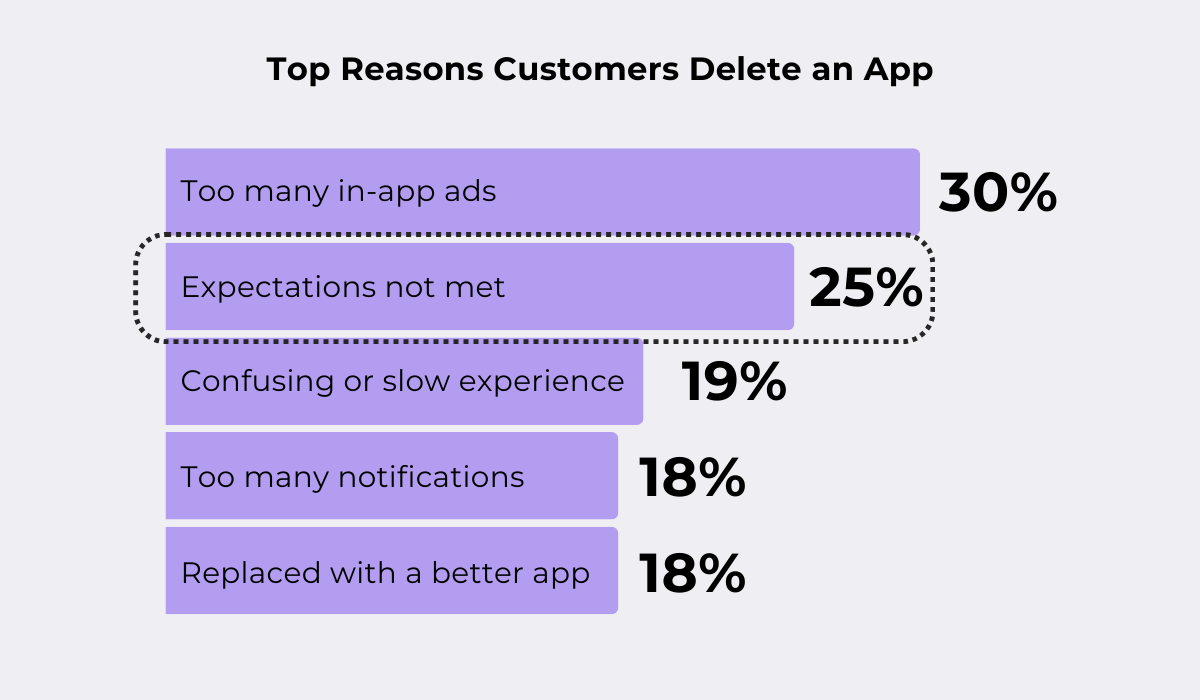
For instance, an Airship survey found that one of the top reasons customers delete an app is unmet expectations.
And what customers expect is to be heard and to have their issues resolved.
Of course, this isn’t always easy when you’re working alone and handling everything manually.
But with AI, you don’t need to carry that weight by yourself.
AI can thank the user, provide personalized feedback or acknowledgment, and even send progress updates, all with minimal effort on your end.
For you, that means less workload.
For your users, it creates trust and appreciation, turning them into loyal advocates who keep coming back to your product.
It’s not just the users who benefit from AI-enhanced bug reporting. Developers stand to gain a lot from it, too.
Let’s see how.
AI can automatically scan code for common defects and potential vulnerabilities in real time.
It flags deviations from best practices, identifies logic errors, and detects inconsistencies that could lead to costly defects if left unchecked.
On top of that, AI-powered systems also generate automatic bug descriptions, eliminating the need for you to manually detail the steps to reproduce an issue.
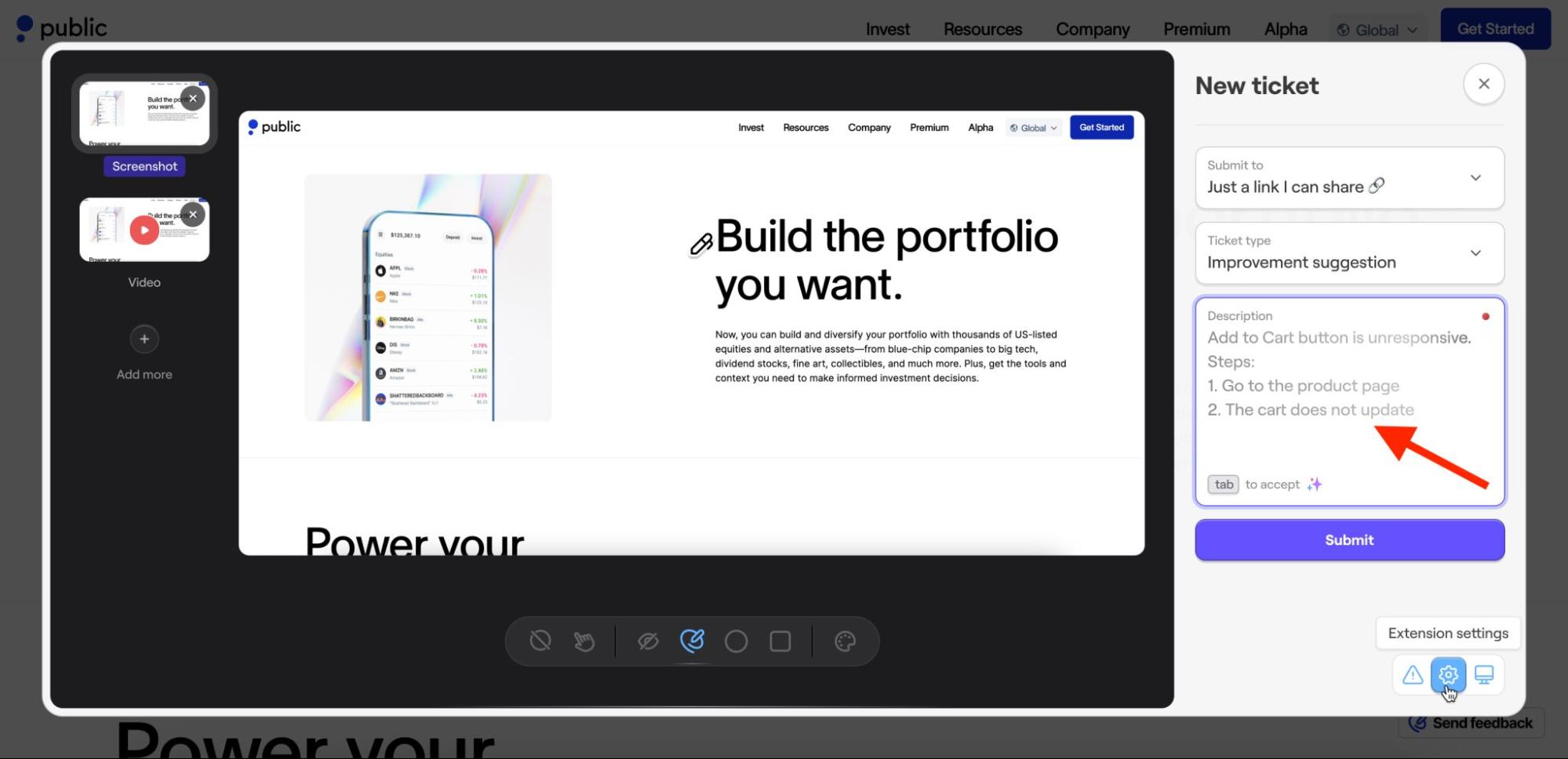
The system does it all for you.
It’s no surprise, then, that the use of AI in app development is growing.
According to the 2025 PractiTest study, AI-enabled automated testing is slowly replacing manual testing, with developers reporting that it reduces manual work and speeds up execution.
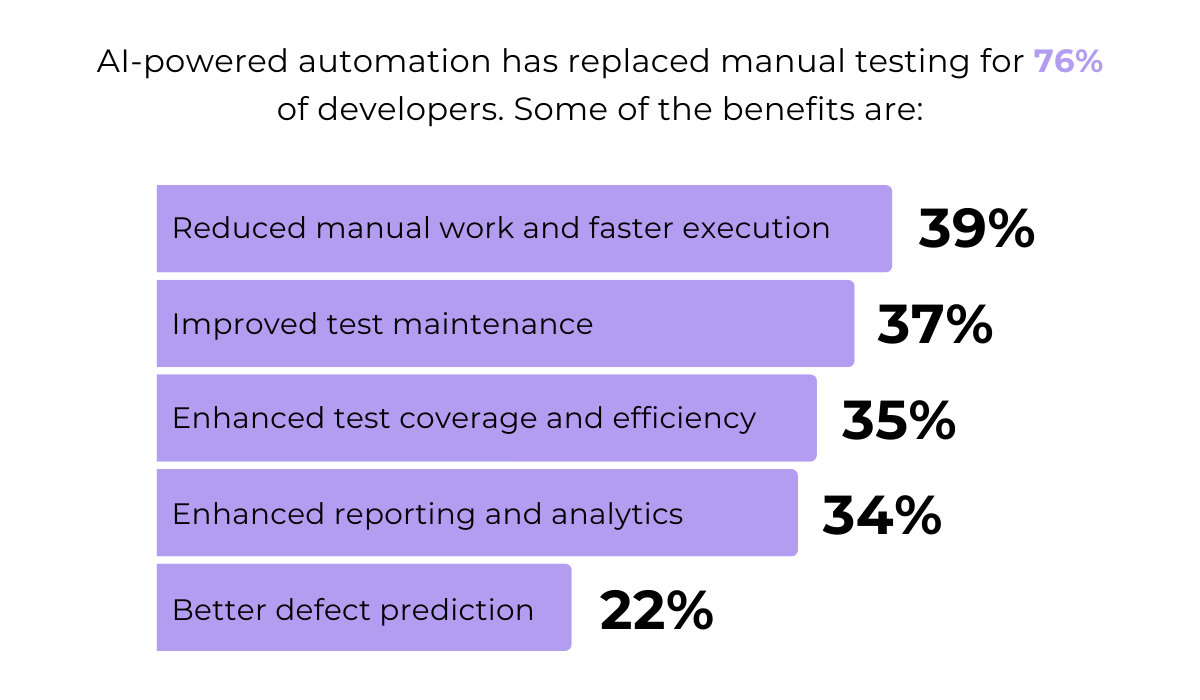
Indeed, with AI, reliance on manual code reviews decreases, accelerating defect detection and, consequently, resolution.
This enables you to finally move from reactive, fire-fighting mode to more proactive problem-solving.
That’s time and resources saved, and stress reduced.
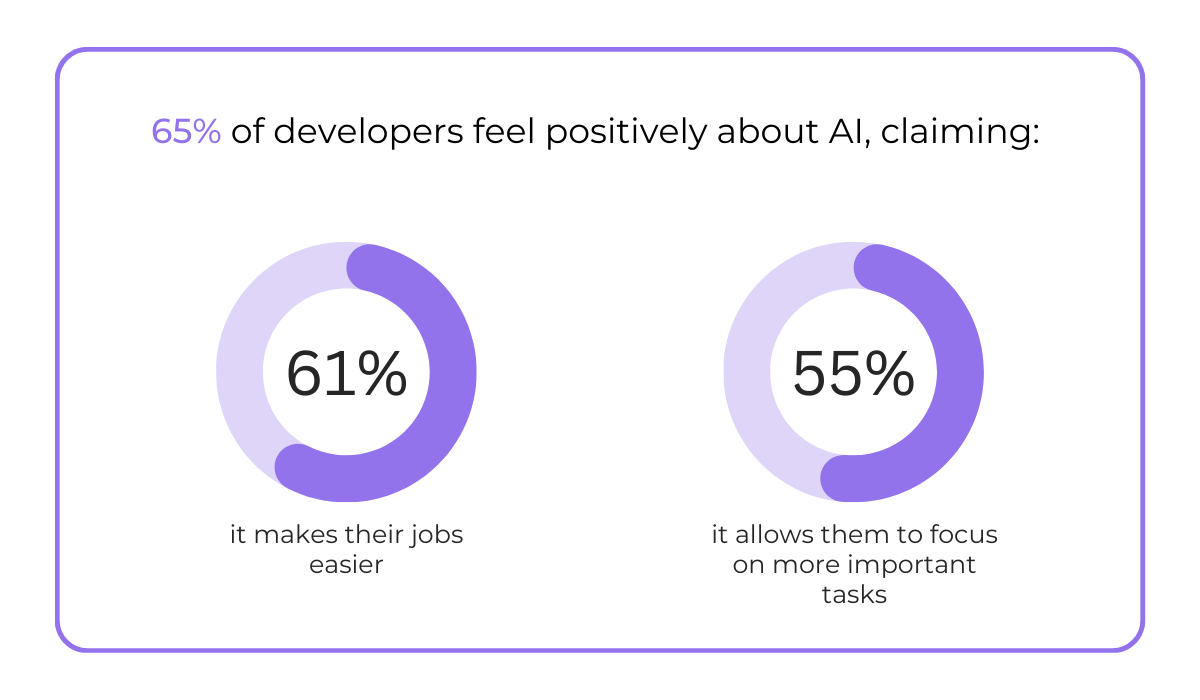
This is also in line with the findings from the 2024 Docker survey.
As it turns out, the majority of app developers already agree that AI is a game-changer, noting that it simplifies their work and enables them to focus on higher-value tasks.
In short, AI helps achieve better results with far less effort.
It’s a clear win for all developers out there.
In addition to detecting bugs, AI can prioritize them based on their nature, severity, and impact.
After all, not all bugs are created equal.
Some are critical and need immediate attention, while others can wait.
AI categorizes them into levels such as:
| Critical (P1) | Bugs causing system inoperability or data loss, like crashes, data corruption, and security risks |
| High (P2) | Bugs affecting major functionality without crashing the system, such as key feature malfunctions, widespread performance issues |
| Medium (P3) | Bugs with moderate impact, including minor feature issues, UI/UX problems |
| Low (P4) | Minor bugs with limited user impact, like cosmetic flaws, typos |


Capture, Annotate & Share in Seconds with our Free Chrome Extension!
It evaluates each bug’s consequences, criticality, and relevant keywords, automatically flagging the most urgent issues for immediate attention while deprioritizing minor cosmetic problems.
Once classified, AI can also assign the bug to the appropriate team, module owner, or developer based on expertise and workload.
This significantly streamlines resolution.
The most important problems are addressed first, faster, and by the right people.
Most importantly, they get resolved before they affect large numbers of users or cause major disruptions.
Not only does this improve user experience, but it also saves significant costs over time.
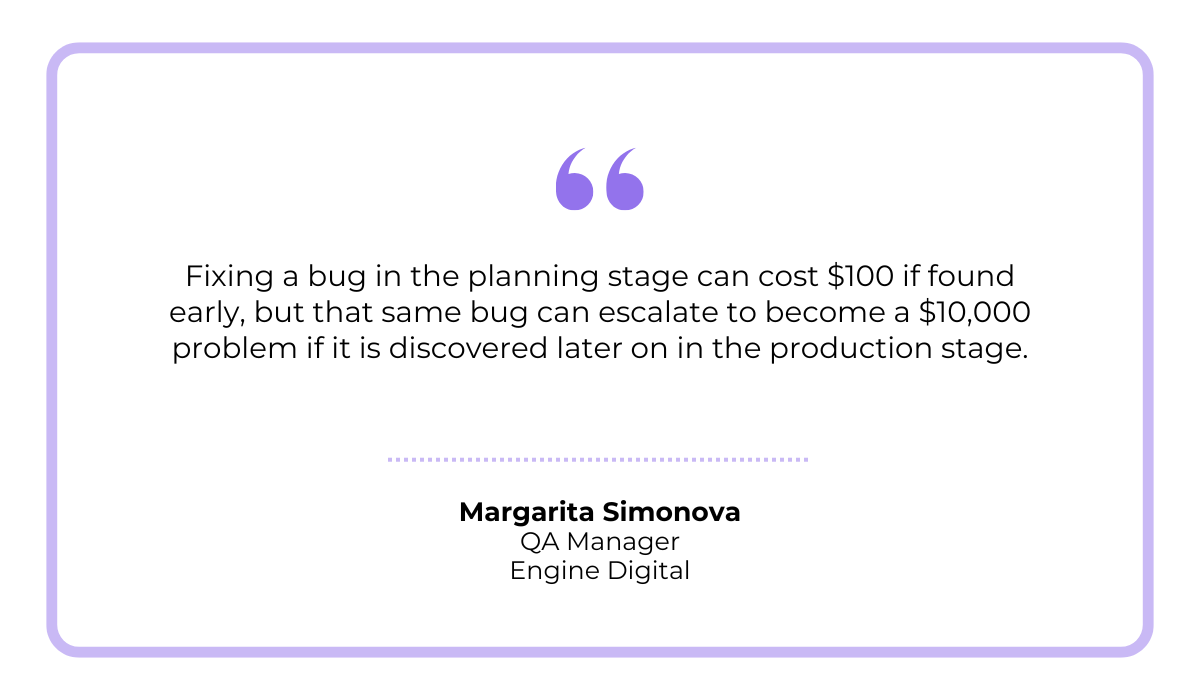
Margarita Simonova, QA Manager at Engine Digital, a design and engineering studio, writes in her Forbes Article:
This is because a bug can have a domino effect that leads to additional costs and delays, Simonova explains.
In the end, apps will never be completely bug-free, and you won’t be able to fix all of them at once.
But with AI, you know exactly where to start, unlocking unparalleled efficiency and the kind of savings Simonova highlights.
Instead of just showing what’s happening right now, AI can actually predict where new bugs are most likely to appear.
It does this by analyzing historical data from past bug reports, test results, user feedback, and even the frequency of issues in different parts of the app.
In short, the more data AI has, the more accurate its predictions become.
Once the system gathers this data, it identifies patterns and trends, highlighting areas of the app that are at higher risk of future problems.
You can see the entire process illustrated in the diagram below:
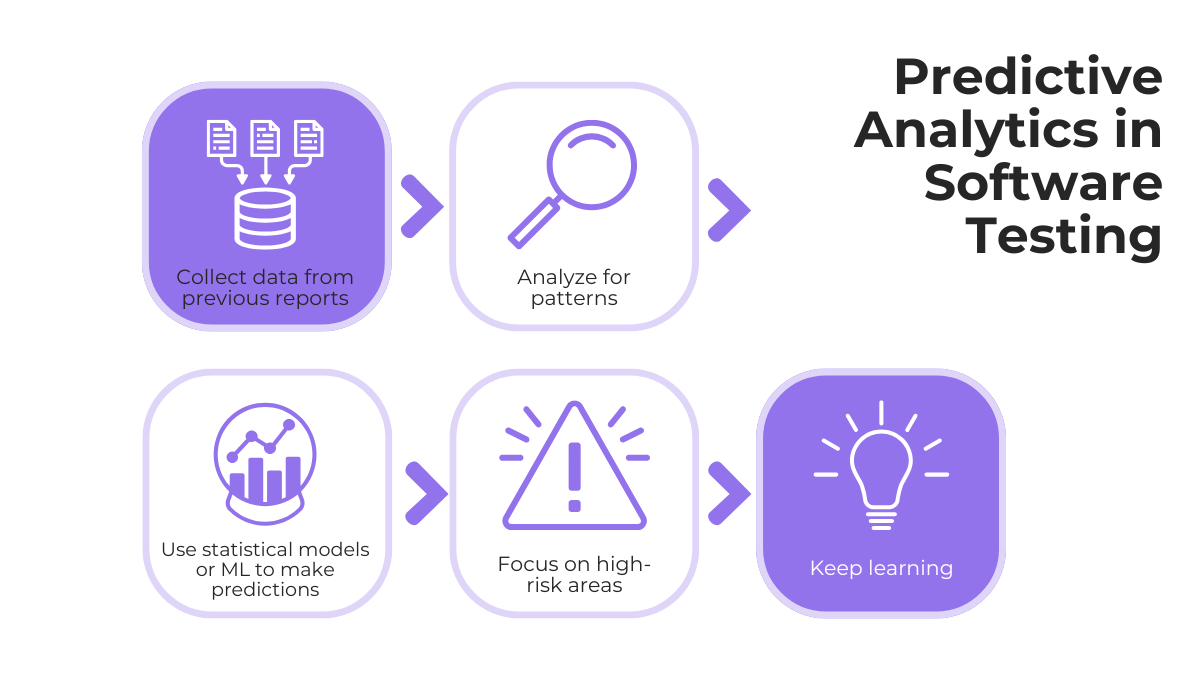
Much like bug classification, predictive analytics helps you focus your testing and quality assurance efforts where they’ll have the greatest impact, catching potential issues early.
But it goes a step further: instead of waiting for problems to appear, it warns you before they happen.
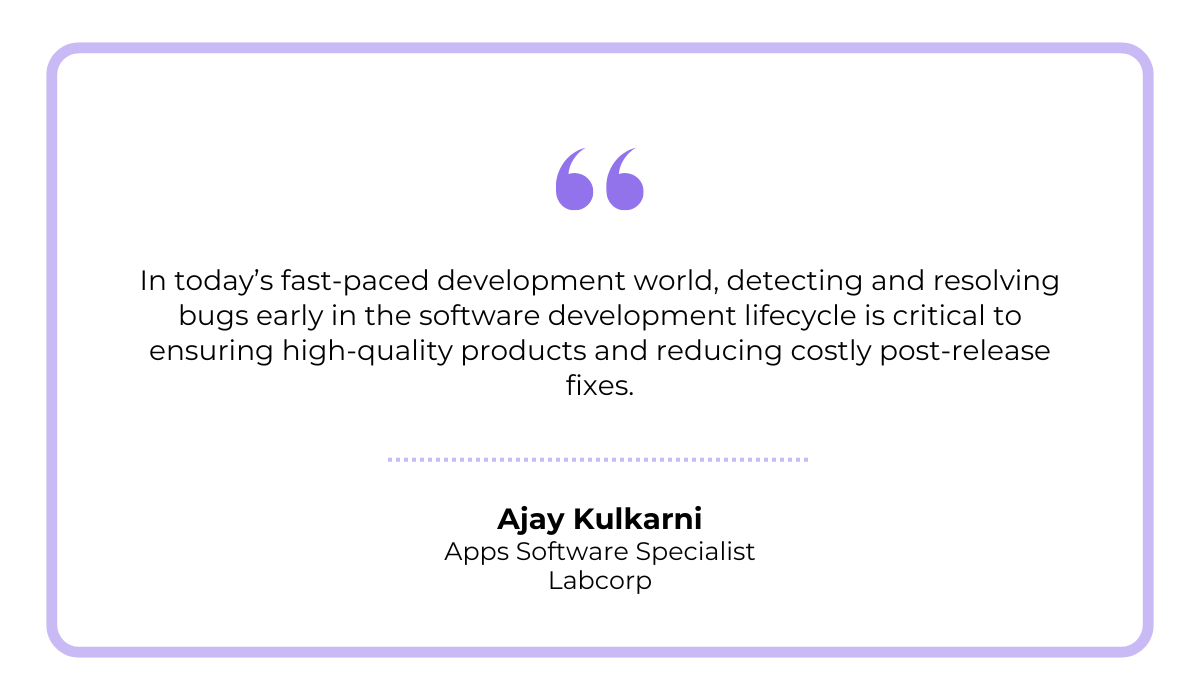
Ajay Kulkarni, Apps Software Specialist at Labcorp, a global life sciences and healthcare company, explains why this is so important:
Kulkarni adds that, as applications grow more complex, traditional bug detection methods simply can’t keep up.
That’s why AI and its predictive capabilities will soon become a must-have in app development.
Because being proactive about bug resolution is good, but being predictive truly sets you apart.
And the users notice that difference.
Ultimately, with automated bug detection, intelligent classification, and predictive insights, AI helps resolve issues faster and more systematically.
And the best part? It only gets better with time.
AI systems learn from past bug resolutions, suggesting effective solutions for similar problems in the future.
This results in a more stable, reliable product that keeps improving, and people actually enjoy using.
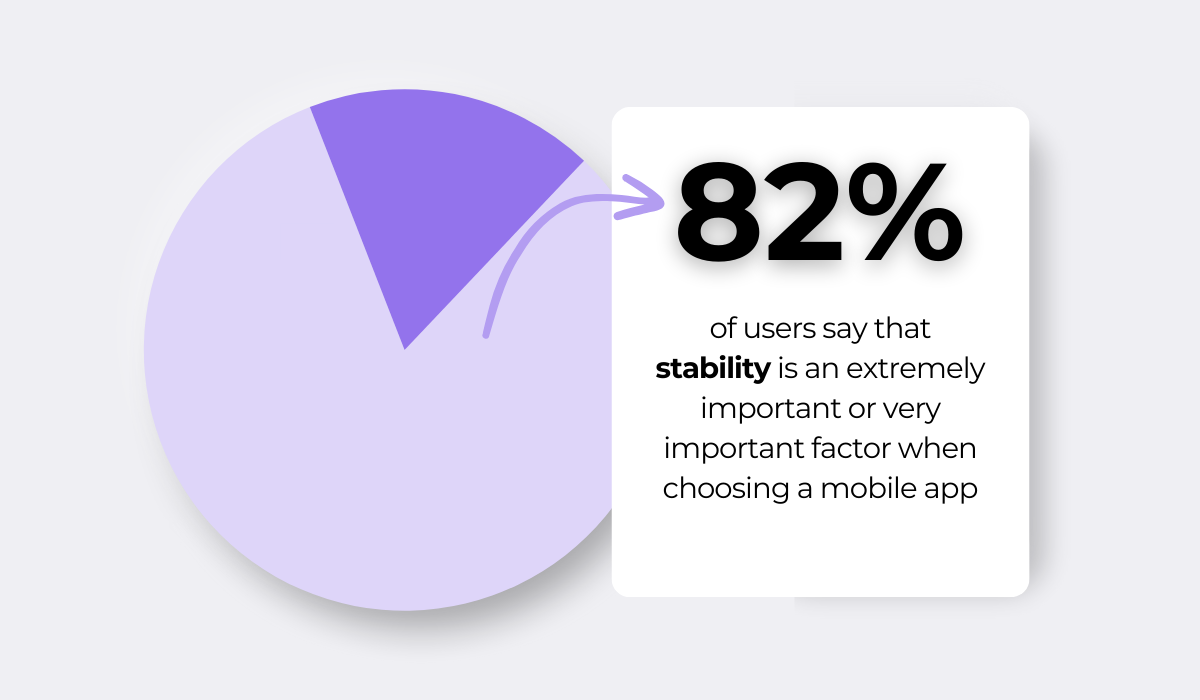
The Instabug survey we mentioned earlier has already proven that app stability is the foundation of a positive user experience and a key factor in app selection.
AI makes maintaining that stability easier and more effective, keeping users happy and loyal.
Let’s face it, modern users have very little tolerance for app issues.
In fact, Instabug reports that 63% of users would uninstall an app after just three crashes or fewer.
In other words, most mobile app users won’t simply overlook performance problems, and they will take actions that harm your app’s reputation and success.
This includes not just uninstalling the app, but actively discouraging others from trying it out.
The takeaway is clear: a lack of stability is a deal breaker for mobile users, particularly with so many similar apps readily available.
If they don’t like your product, they can easily move on to the next one.
That’s why relying on AI to optimize your bug reporting and resolution process makes all the difference.
It ensures your product performs flawlessly and that the users never even consider looking at the competition.
Yes, AI might be a trendy topic right now, maybe even to the point of being overhyped, but that doesn’t take away from its real impact.
With this technology, bug reporting becomes faster and easier, providing more actionable details than ever before.
It helps you move beyond reactive firefighting and gives you what you need to address app issues early, before they spread and cause greater harm.
The result is a more stable product, happier users, and far less stress for you.
That makes it well worth exploring, don’t you think?
From internal bug reporting to production and customer support, our all-in-one SDK gets you all the right clues to fix issues in your mobile app and website.
We love to think it makes CTOs life easier, QA tester’s reports better and dev’s coding faster. If you agree that user feedback is key – Shake is your door lock.
Read more about us here.

Add to app in minutes

Doesn’t affect app speed

GDPR & CCPA compliant

Unexpected things pop up
Just like bugs in your app or web 🐛 Fix them now with just one reporting tool.