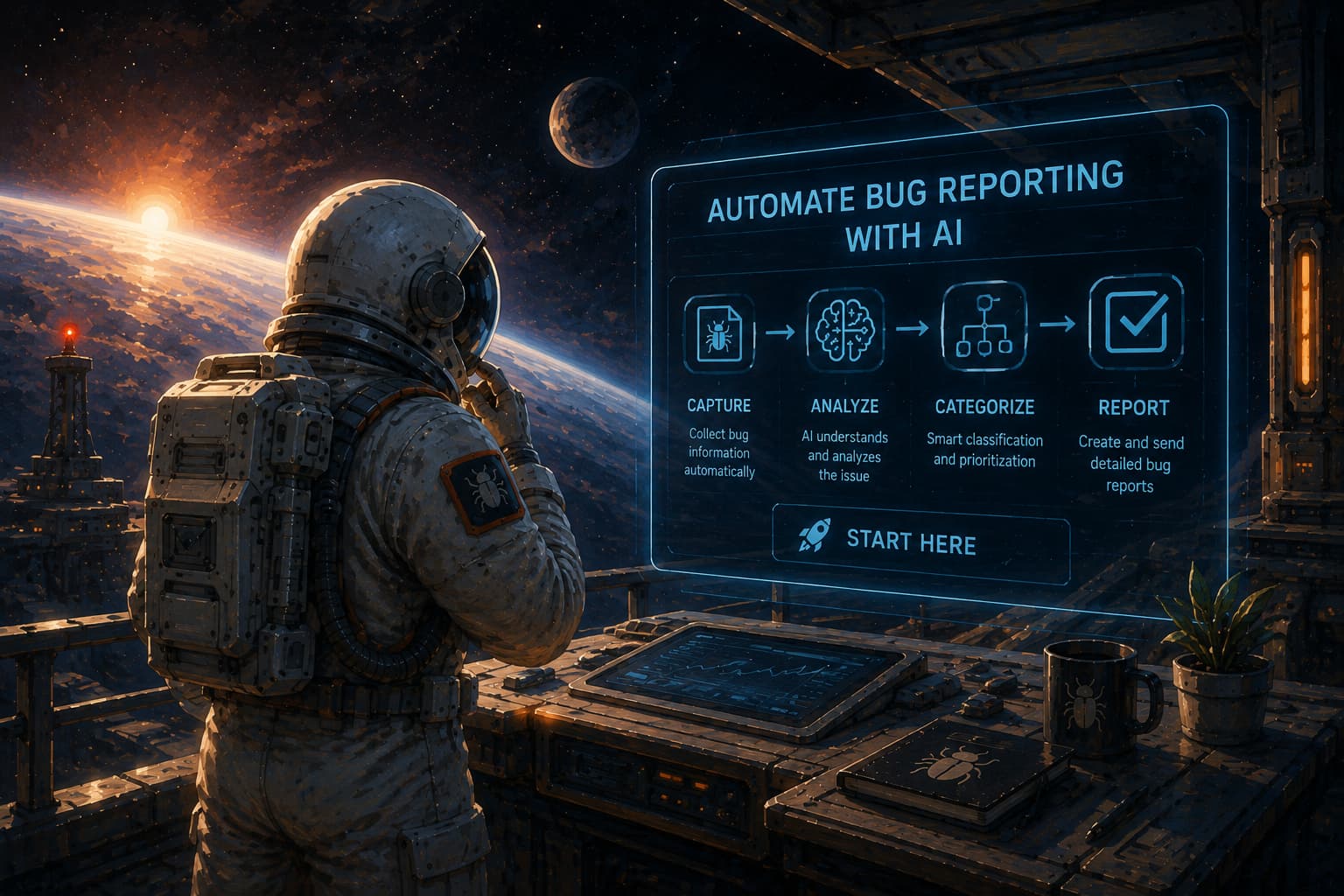
Bug reporting takes time. Here’s how AI helps teams work more efficiently
Bad reviews are the bane of almost every app developer’s existence.
At best, they elicit an intense emotional reaction.
At worst, they can impact user retention, a brand’s reputation, and even profit—especially if not dealt with properly.
However, you can leverage them in a way that builds user trust and keeps your brand’s reputation and ratings intact.
So, read on and find out how to make the most of them with our 6 tips.
Table of Contents
Users demand instant gratification, especially when they’re angry or frustrated.
A swift reply to a negative review can cool down emotions. It also shows you care about your users and that you anticipate their feedback.
Try to respond within 24 hours, and in case of a more critical issue, within a few hours.
Being quick is especially important in time-sensitive industries like health and fintech.
To stay on top of incoming reviews, set up alerts. If you put off answering reviews, you may even forget about them.


Get unreal data to fix real issues in your app & web.
And if there’s something that makes users even angrier, it’s being ignored.
Sadly, ignoring reviews is a practice noted across many industries.
For example, App Follow’s 2025 App Reputation Benchmarks report showed that the average reply rate across all analyzed industries is a measly 14%.
If we compare that with a finding from Uberall’s study on online customers, we can see that 65% of them think companies should respond to their reviews.
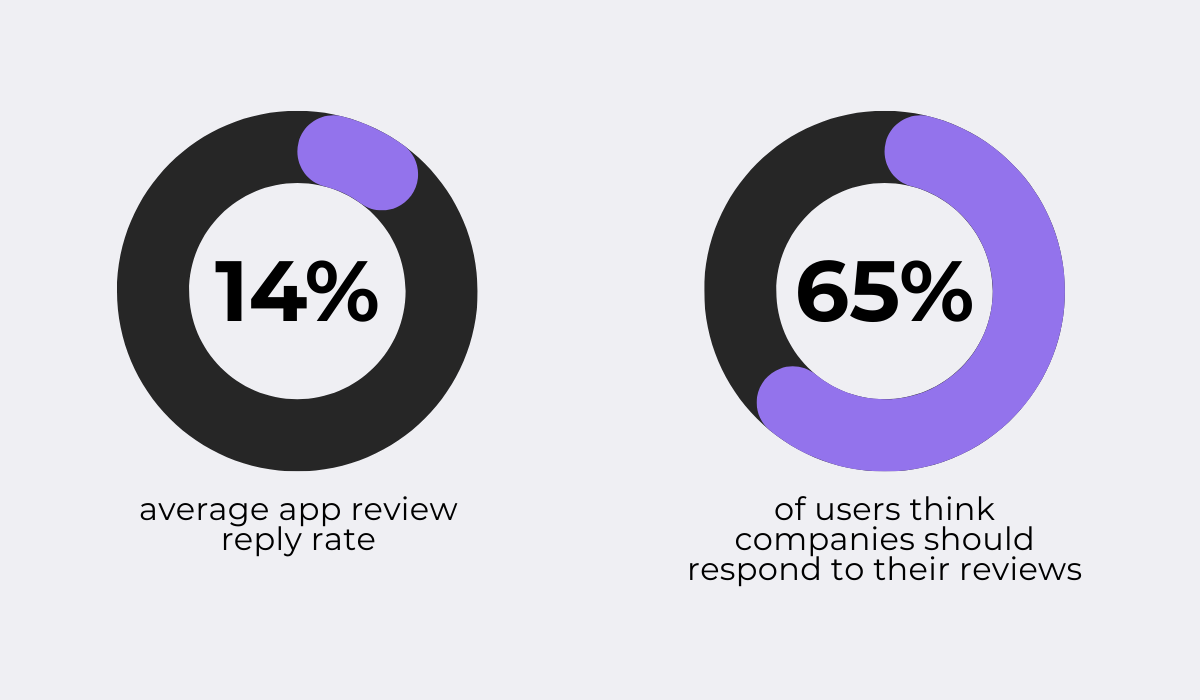
The mismatch between users’ expectations and companies’ actions is staggering.
But it’s also a great opportunity for focusing strategically on being accessible to your users as much as possible.
Just replying will boost your brand’s reputation and up your app’s overall rating.
Not to mention how being swift and personalized in your replies will truly set you apart from most industry players.
Quick responses, though, are often made in anger and defensiveness.
Getting bad feedback often feels unfair and makes people want to defend themselves.
This is completely natural, but it is not the right way to deal with one- or two-star reviews.
Why?
Because it may backfire.
Think about it: emotional reactions escalate the issue even more and prompt the user to delete the app, or worse, screenshot your reply and post it on a subreddit for other users to see.
So, before you dash off a reply to an angry review, stop and think.
Put yourself in the reviewer’s shoes and understand where they’re coming from.
In your reply, acknowledge the issue and inform the user of your next steps.
Or, in case they need to do something first, ask them, like this:
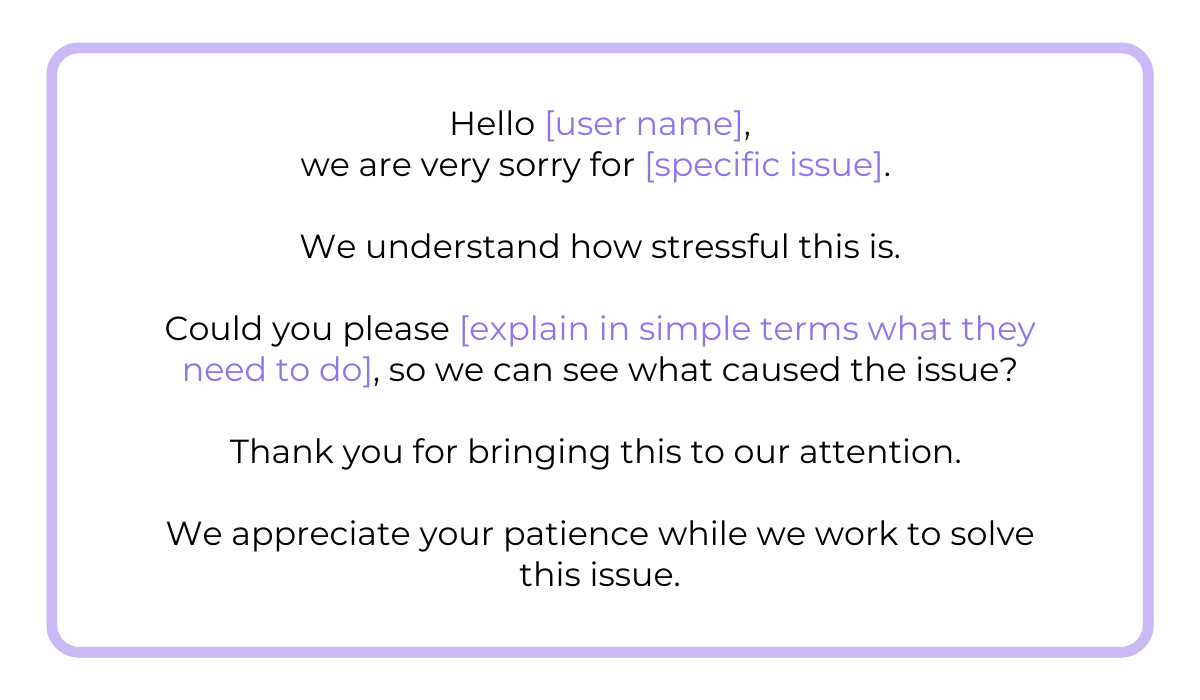
But don’t promise anything, especially if you don’t know what caused the problem.
Also, avoid generic phrases. After all, a reply that says nothing is as bad as not replying.
So, make sure your reply is specific and addresses the issue presented in the user’s review.
But what if you still find it hard to ignore your negative emotions?
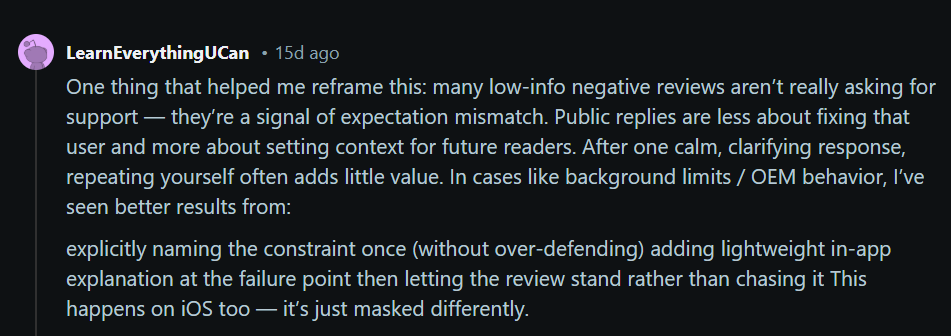
In that case, consider reframing negative reviews as more of a reflection of users’ unrealistic expectations than your skillset.
This is explained in simple terms by a perceptive Reddit user in a thread about how to handle bad reviews when you don’t get additional feedback from users:
Overall, a calm and personalized response to a negative review isn’t a sign of weakness.
It’s actually a signal to all users that you take feedback seriously and professionally.
At first, the cause of the issue mentioned in a negative review may appear obvious. So, you find and fix the bug.
Yet, a couple of days later, a new review pops up with a similar or even bigger issue.
To avoid this, look at the bigger picture.
First, notice patterns across reviews. If different users point to the same issues, that may be a sign of an objective error, not just an opinion.
Then, make sure to go even deeper.
Ask yourself: is the issue impacting specific devices or operating systems? Is it triggered under certain network conditions?
It’s also a good idea to segment feedback by version, platform, and environment so you can isolate root causes more effectively and prevent recurring regressions.
The good news? You don’t have to dig by yourself.
Tools like our very own Shake can help you get to the bottom of an issue faster.
Shake provides you with detailed bug reports, logs, and device information that make reproducing and diagnosing issues faster and more accurate.
With just one shake of their phone, users activate Shake.
They then get access to a ticket screen where they can describe the bug and provide additional information.
This is great because you immediately get specific info on a user’s issue.
Along with the user’s feedback, Shake automatically attaches a range of data points, including browser info, location, device model, and battery status.
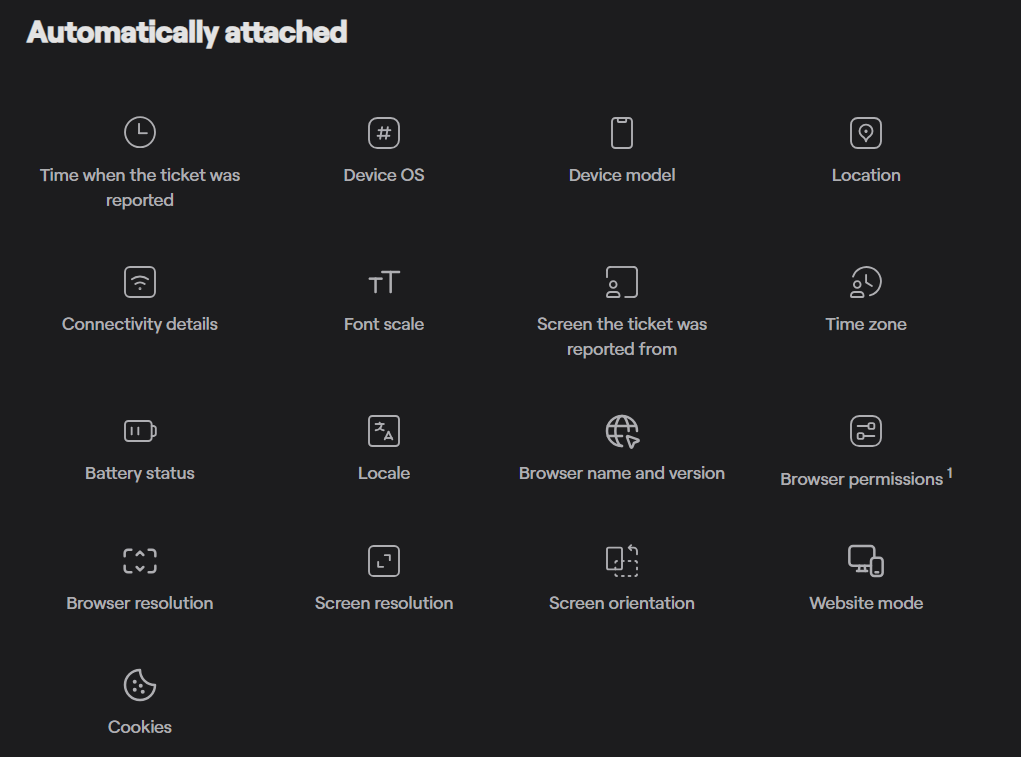
This context makes it easier to pinpoint the underlying cause.
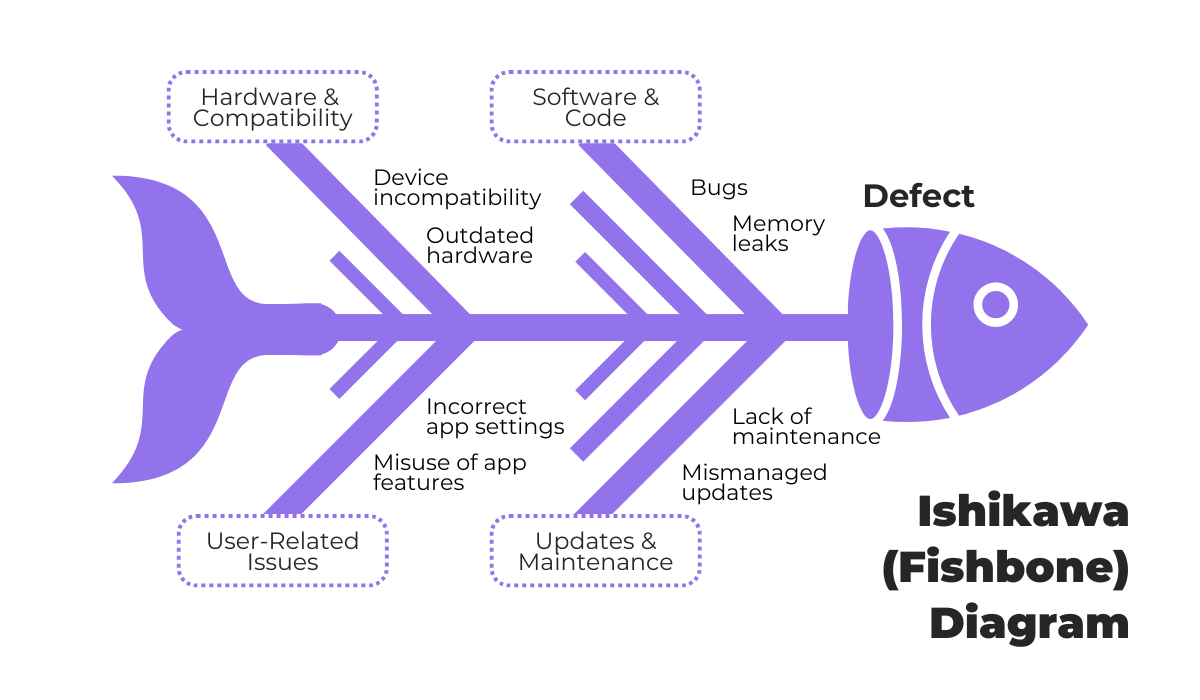
And if the issue’s more complicated, combine Shake with tools like fishbone or scatter diagrams.
For example, the fishbone diagram can help you identify the many possible causes for a problem by sorting ideas into categories.
After you’ve pinpointed the cause of an issue, don’t forget to assess its severity so you know whether it should be dealt with immediately or after a more pressing issue.
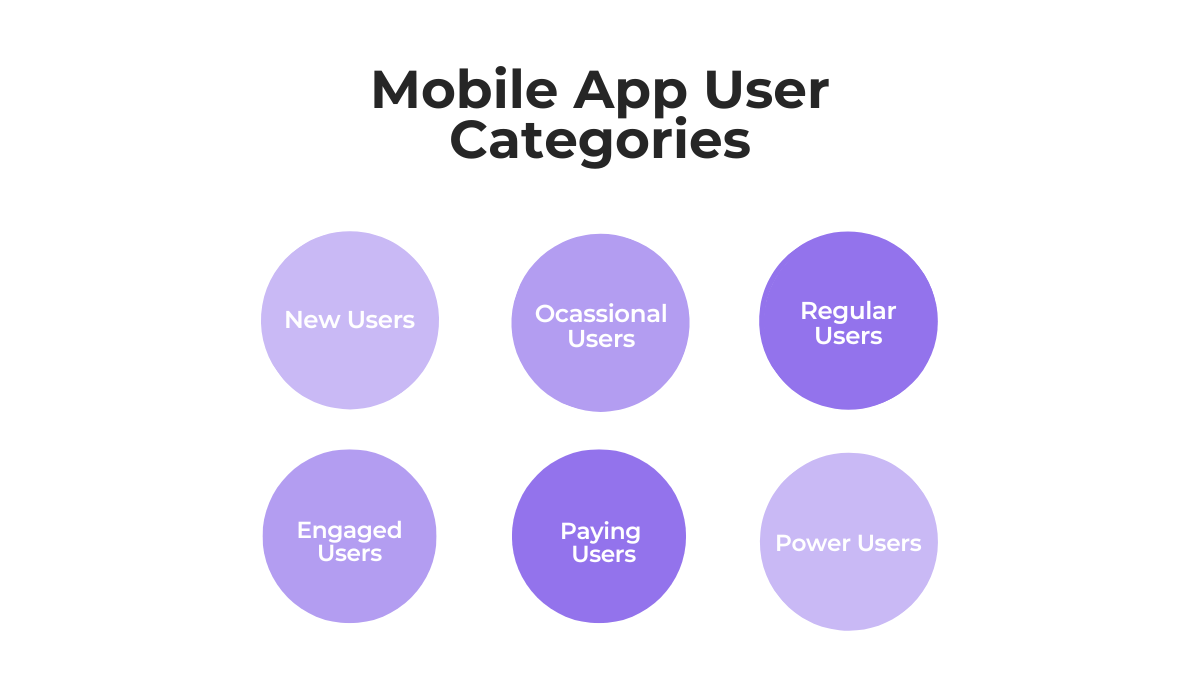
Another angle that may help you prioritize is to take note of which user categories the issue happens to.
For example, if it happened to a key group like paying users, that’s also a signal that warrants your immediate attention.
You can find the cause from different angles and by using different tools, just make sure they’re appropriate for the issue.
The bottom line is, always take the time to find and solve the root cause so you can prevent recurring complaints and negative reviews.
A user left a review that signaled your app has a bug or another issue.
You solved it and left it at that? Sadly, just solving the issue doesn’t cut it.
If the user isn’t notified about the fix, they’ll probably move on to another app or double down on their criticism.
That’s why you always need to communicate any update to the affected users, especially on issues that take longer to resolve.
In other words, if a fix requires a longer release cycle, communicate realistic timelines and interim workarounds when possible.
The bare minimum is the first message that acknowledges you’ve taken notice of the review and you’re working on it.

Capture, Annotate & Share in Seconds with our Free Chrome Extension!
Then, depending on the severity or time you need to solve the issue, notify the user of anything that may be important for them.
After deploying the fix, update your public response to the review to indicate the issue has been resolved and invite the user to verify the fix.
Also, indicate in which app version the issue was resolved and encourage the users to update to the latest build to receive the fix.
It’s also a good idea to give them a chance to provide feedback on the deployed changes.
Being proactive will definitely help you in the long run.
It may even entice users to up their rating. Research shows that even a tiny increase can positively impact conversion rates.
For example, a study by Apptentive, conducted on 1,000 iOS and Android apps with 5,000+ active users, showed that moving a three-star app to four stars can lead to an 89% increase in conversion.
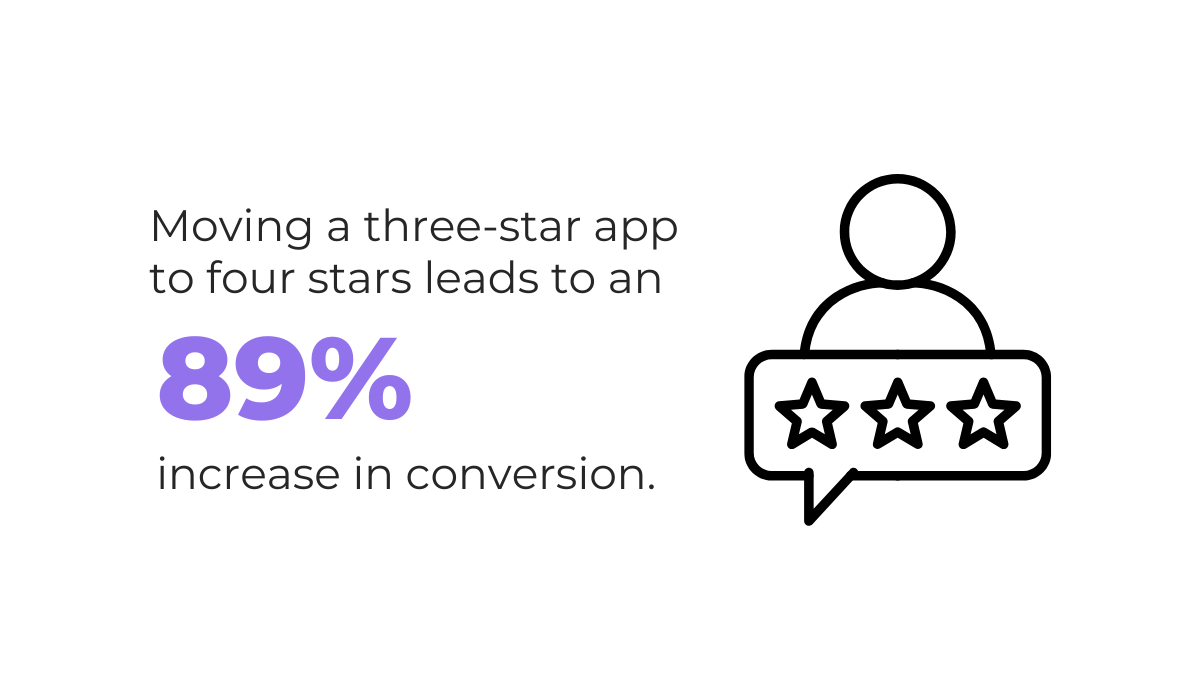
This increase impacts other factors as well, such as user retention and overall visibility in the store.
Both Apple and Google consider factors like average rating, number of reviews, and how recent those reviews are when ranking apps in search results and categories.
So, keeping users updated not only helps rebuild trust with the original reviewer but also reassures potential users reading the review.
After all, reviews are a powerful social proof that can attract or repel new users.
A great preventative measure that also gives users a way to share feedback directly and anonymously is in-app feedback channels.
You can collect user feedback in different ways: from NPS (net promoter score) or GCR surveys and suggestion boxes.

But how do you attract users to set aside a few seconds or minutes to give you that much-needed feedback without interrupting their experience?
Triggering a short survey after a completed transaction or reaching a milestone increases response rates while minimizing friction.
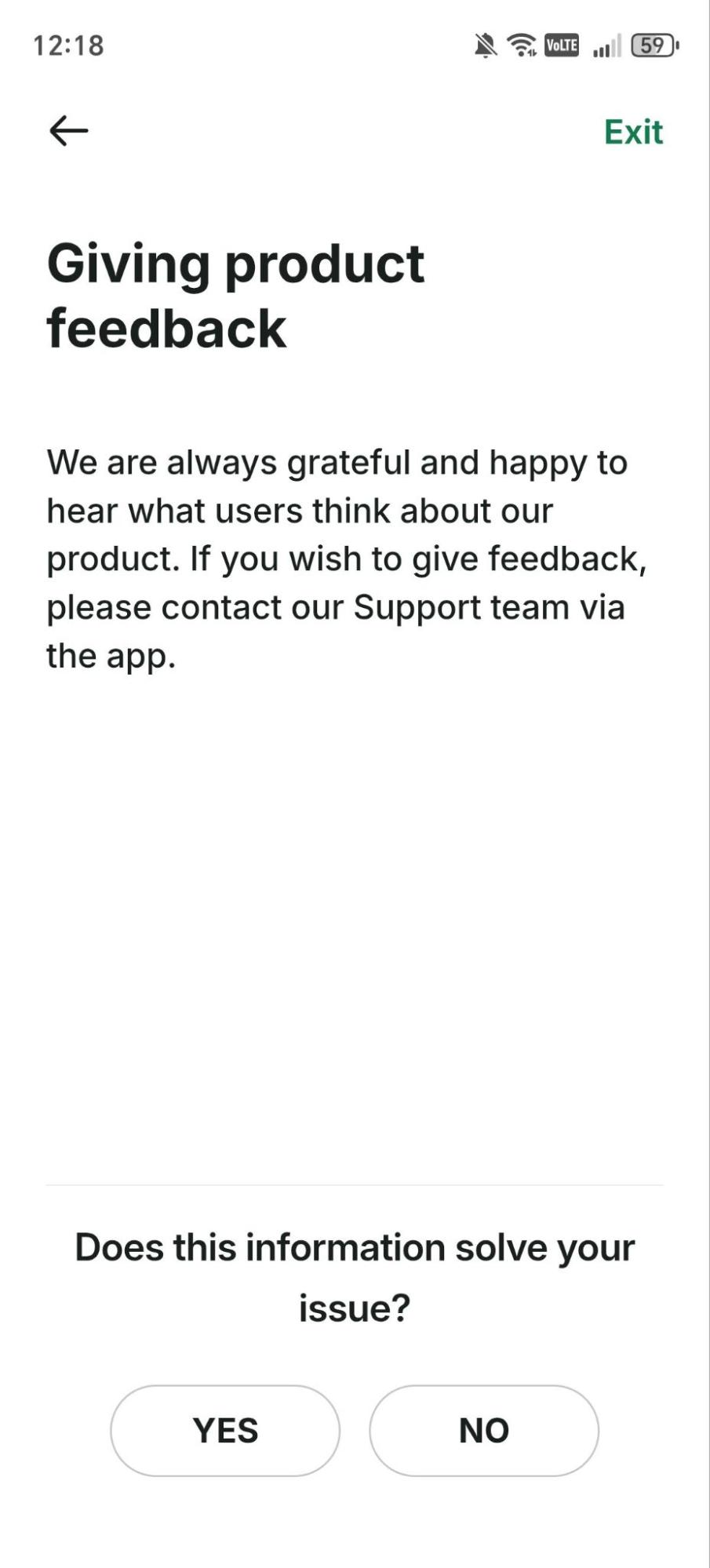
The above example from the ride-hailing app Bolt shows how a non-intrusive, short question can be used as a way to get feedback without overwhelming or annoying users.
Also, notice how the simple wording and minimal effort requirement make it easier for a user to engage.
App stores also provide their own solutions for in-app feedback.
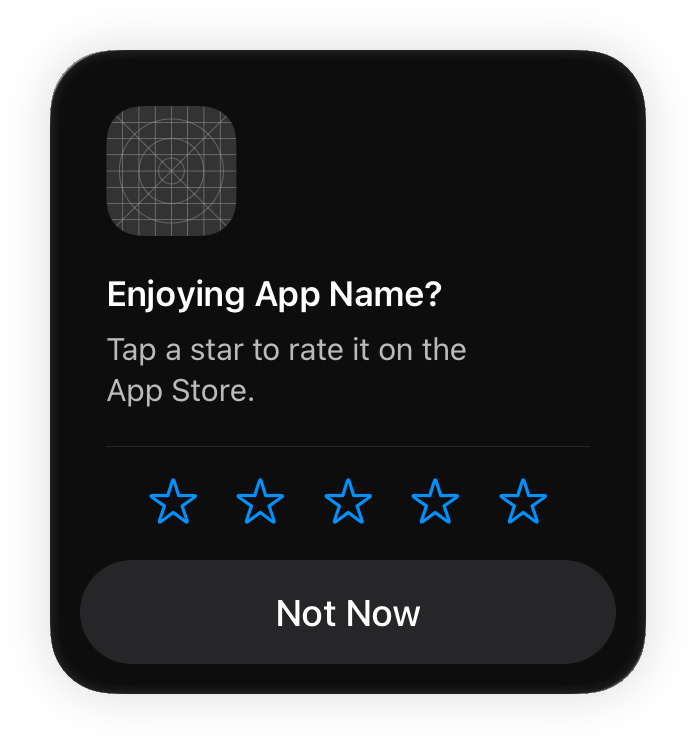
So, if your app is made specifically for iOS, you can also rely on the App Store’s system-provided prompt.
The system works by checking for previous feedback and then displays an in-app prompt that asks for a rating and a review.
When you get direct insight into user behavior on your app, you can use that information to make adjustments in the app.
But be careful because it’s easy to go overboard.
Research shows that as many as 18% of users leave an app because of too many notifications or in-app messages.
That’s why you should configure your feedback systems carefully and always test them to ensure they enhance the user experience.
Getting relevant feedback is no small feat. But it pays off in the end.
Users get a private, safe space to air their frustrations, while you can work on improvements and keep your reputation intact.
No matter how much you try to prevent bad reviews, they’ll still happen.
Sometimes it will be because of a technical issue, and other times, it will be caused by a user frustrated by something like a price increase.
Either way, you should accept them.
Now, that doesn’t mean you should wallow in them. What we mean is, negative reviews can serve as pointers on where to improve your app.
After all, it’s only by letting your app out into the world that you can pinpoint its strengths and weaknesses
And who gives better insight than the app’s users? Emulators and simulators only go so far.
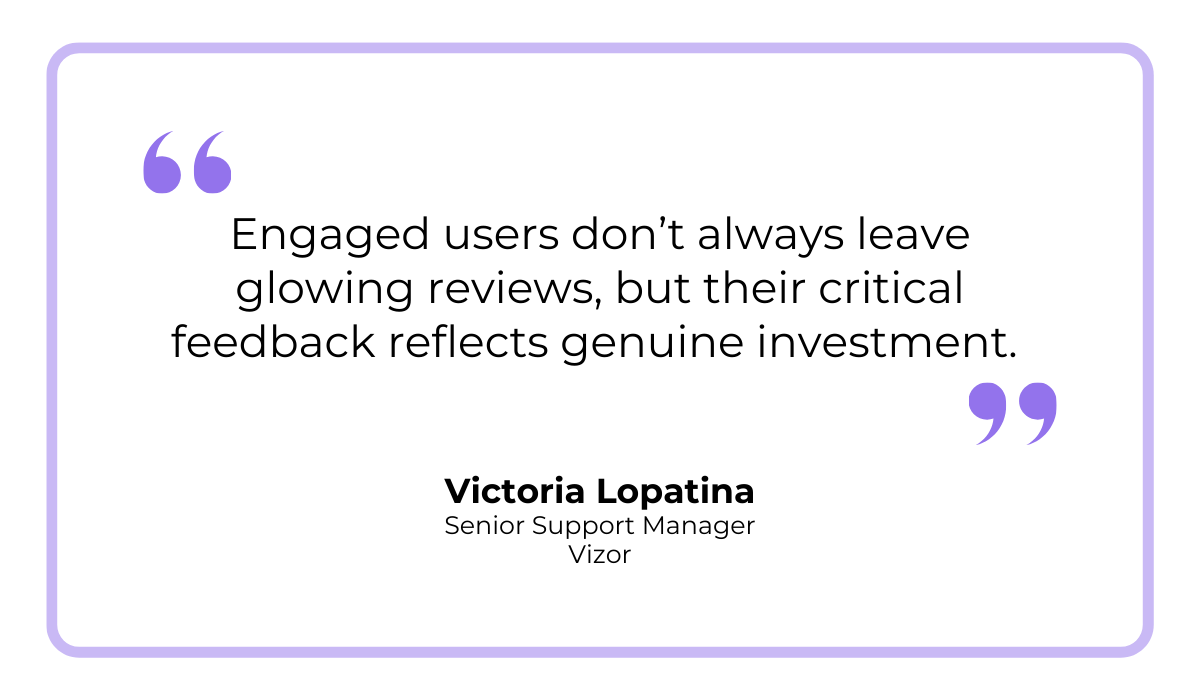
In fact, critical reviews are often made by the most invested users, as highlighted by Victoria Lopatina from the gaming company Vizor:
On the other hand, a 5-star review sometimes reinforces what you already know and track.
Sure, they improve your brand perception and attract new users, but they don’t tell you where to improve.
So, instead of seeing bad reviews as setbacks, treat them as opportunities to refine your app and improve the user experience.
As you integrate handling user feedback into your daily workflow, it will be easier to get stronger features, better usability, and higher ratings.
We hope this article showed you that bad reviews aren’t the end of the world, especially if you know how to use them to your advantage.
Every review, unless it’s written by an obvious troll, can be a lesson and a pointer.
That’s why you should never ignore those two or one-star ratings but embrace them.
Make review management a strategic part of your app improvement process.
Users will love you more for it, and revenue will follow suit.
From internal bug reporting to production and customer support, our all-in-one SDK gets you all the right clues to fix issues in your mobile app and website.
We love to think it makes CTOs life easier, QA tester’s reports better and dev’s coding faster. If you agree that user feedback is key – Shake is your door lock.
Read more about us here.

Add to app in minutes

Doesn’t affect app speed

GDPR & CCPA compliant

Unexpected things pop up
Just like bugs in your app or web 🐛 Fix them now with just one reporting tool.