






Bug reporting takes time. Here’s how AI helps teams work more efficiently
Key takeaways
Releasing a hotfix is never the goal, but sometimes it is the only option.
And, in the situations where a critical bug affects your product, you need to react quickly without breaking anything else.
This guide covers seven essential steps to test a hotfix and get it ready for quick deployment.
Read on to learn how to handle these high-pressure situations calmly and effectively.
Table of Contents
Before any testing can begin, developers must ensure they fully understand what they are working with.
This means knowing the exact problem the hotfix is meant to resolve.
A common issue is that developers might start working based on a vague description, leading to a “fix” that solves the wrong problem or misses the core issue entirely.
To avoid any confusion, developers need to study the initial bug report carefully and attempt to reproduce the bug to find the root cause.
And anything that supports this identification process is valuable.
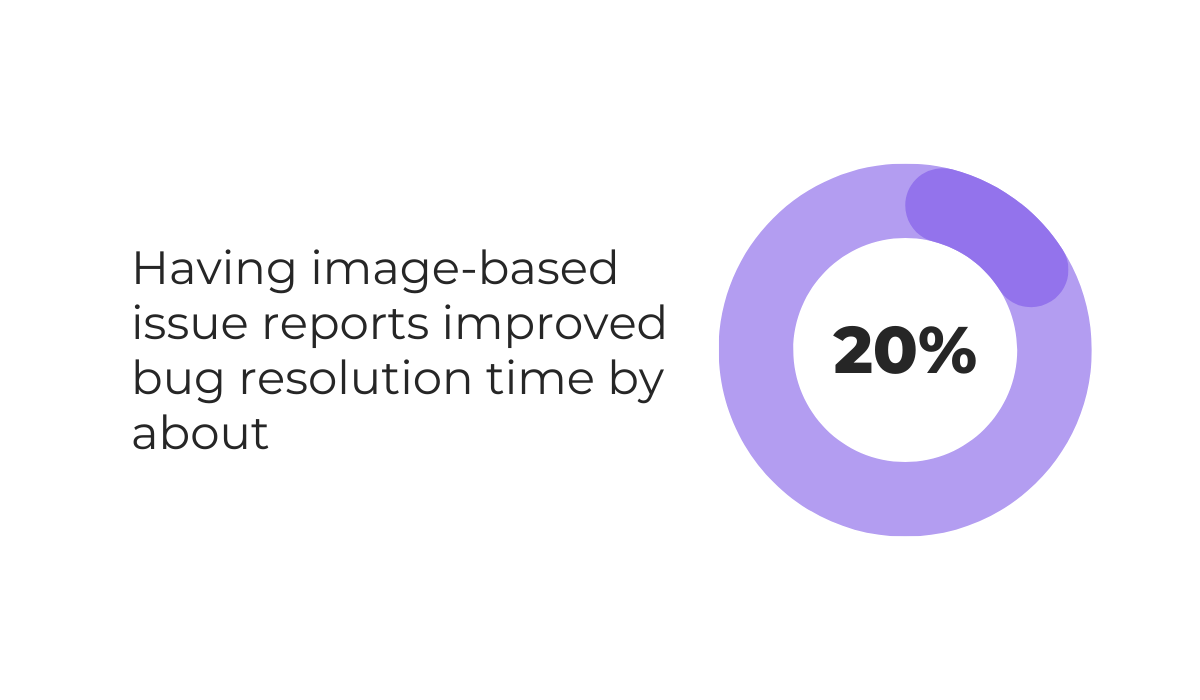
To illustrate, a preliminary report by the ICPC made in 2022 found that standard bug reports were resolved in about 6 days, while reports that included images were resolved in 4.78 days on average.
We can presume that this increase in speed of around 20% occurs because images clarify the context immediately, removing the need for back-and-forth questions.
Combine that with video recordings that show the exact situation where a bug occurred, and developers get enough data to work with for faster issue identification and analysis.


Get unreal data to fix real issues in your app & web.
Using the right bug reporting tools, like Shake, can significantly support this process.
Shake enables bug reports to be made by QA and test teams right from inside the app, simply by shaking the device or tapping a button.

These reports come with automatic visual support, including screenshots that can be marked up and automatic video recordings of the steps that triggered the bug.
Beyond visuals, Shake automatically attaches over 71 data points with every issue ticket.
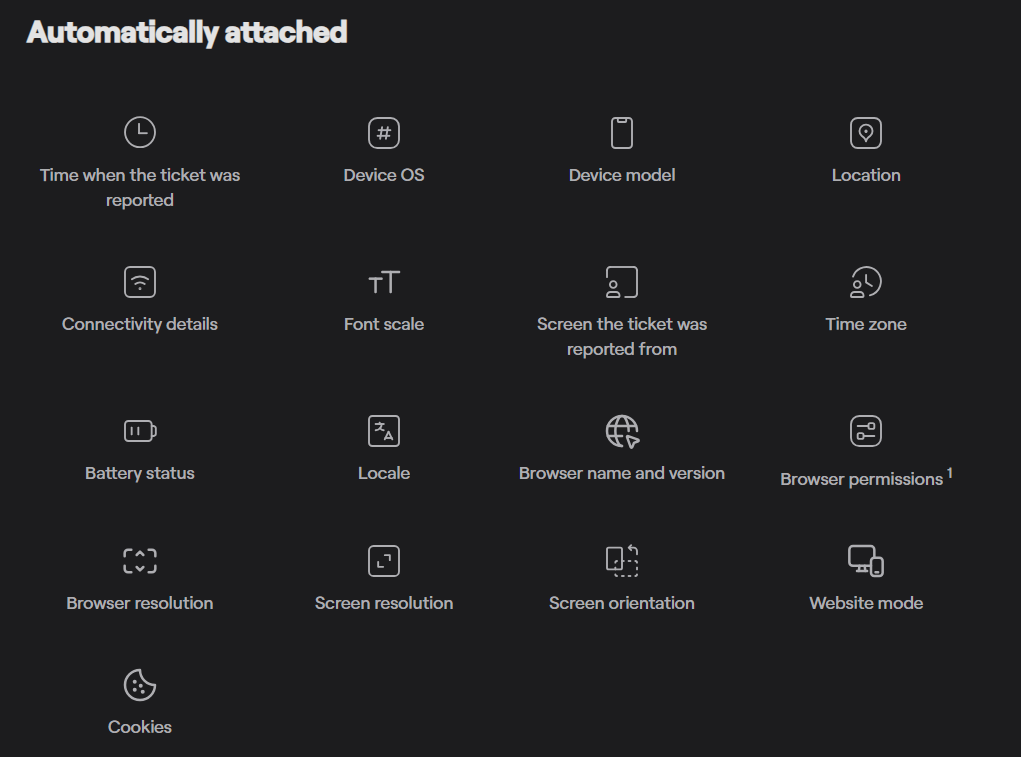
These data points, such as battery level, connectivity status, and memory usage, help developers understand the exact environment in which a crash or defect occurred.
This removes the guesswork and helps the team pinpoint the issue faster.
The hotfix that has been developed should never be immediately deployed to the live production environment.
Instead, after passing through development, the hotfix needs to be deployed in a controlled staging environment first.
It should only be pushed to production if it successfully passes testing in this safe zone.
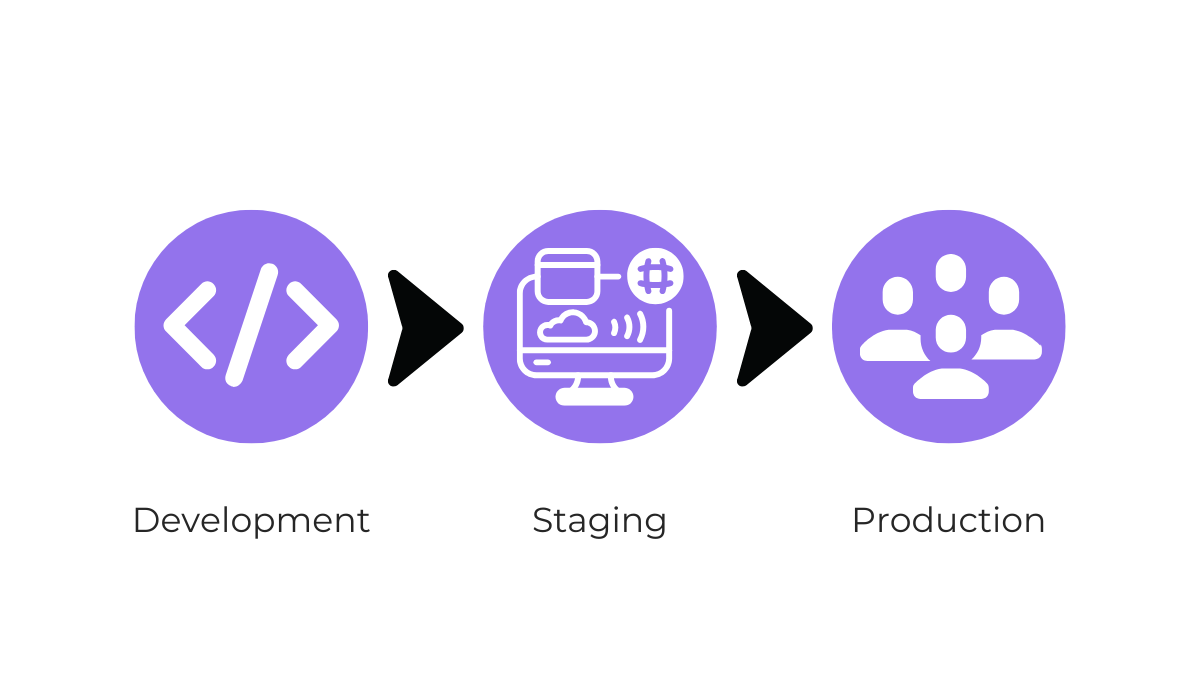
This interim step ensures that the hotfix itself does not cause more harm than good to the live app or directly affect your active users.
An important consideration for achieving accurate results is ensuring that the staging environment is very similar—or even exactly the same—as the production environment.
However, maintaining this standard is difficult.
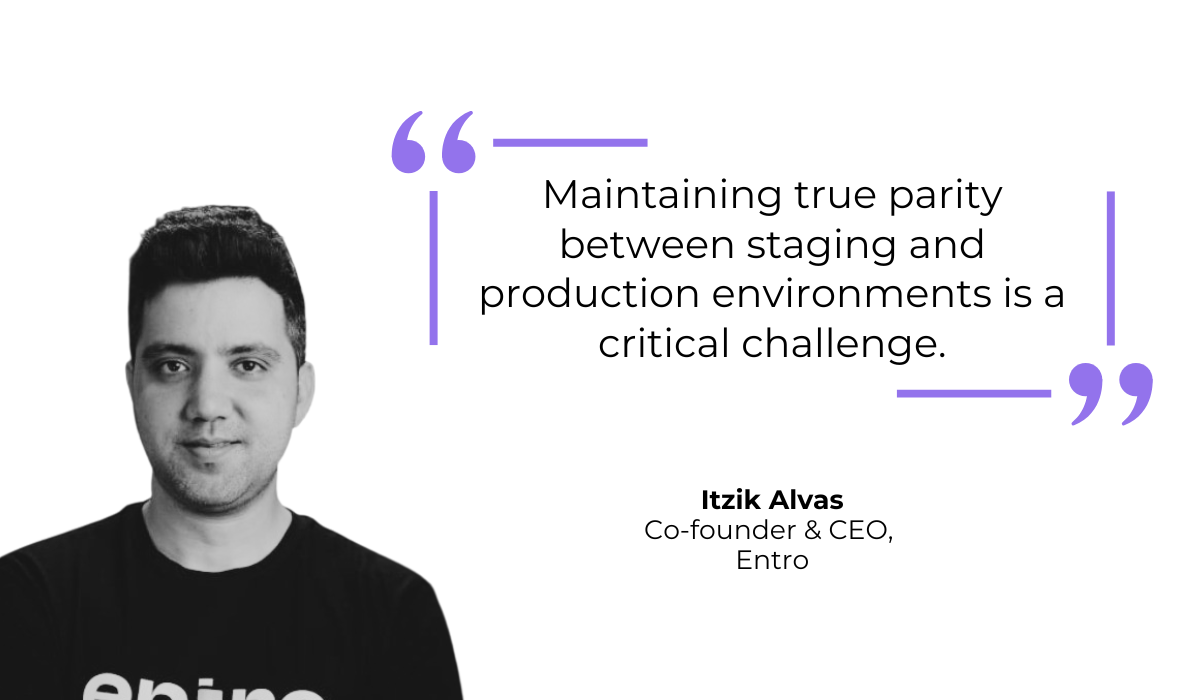
As Itzik Alvas, CEO of enterprise security firm Entro, explains, creating and maintaining true parity between these environments is tough.
Teams need to ensure that staging mirrors production regarding infrastructure configurations, data volume, and software versions.
After all, if the staging environment is too different, a test might pass there, but fail when it reaches the real users.
For example, if your production database is massive but your staging database is empty, performance issues will stay hidden.
Only by mirroring these conditions can we ensure an accurate representation of how the hotfix will interact with the live environment.
Then, once the environments are aligned, it’s time to begin specific tests to verify the fix.
Once a hotfix is deployed to staging, the priority is verifying that the fix actually resolves the original issue.
This is done through functional testing.
This test type evaluates whether the app meets its specific requirements after the hotfix, ensuring the particular features and the product as a whole do exactly what they are supposed to do.
The image below shows some of the specific focus points that teams should prioritize during this hotfix testing stage.
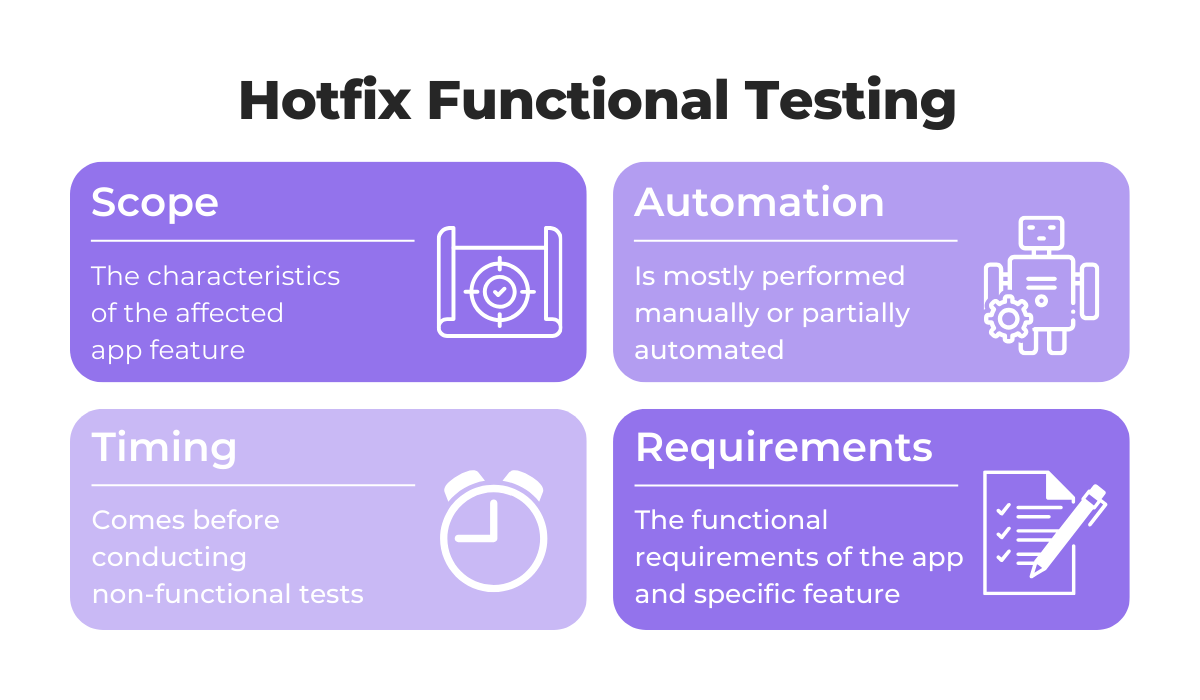
It’s important that all affected features are tested thoroughly.
For instance, say there was a bug in an e-commerce app flow where the “Complete Purchase” button stayed disabled after the user entered valid payment details.
As illustrated below, this can disrupt a key user flow and severely affect the core function of the app.
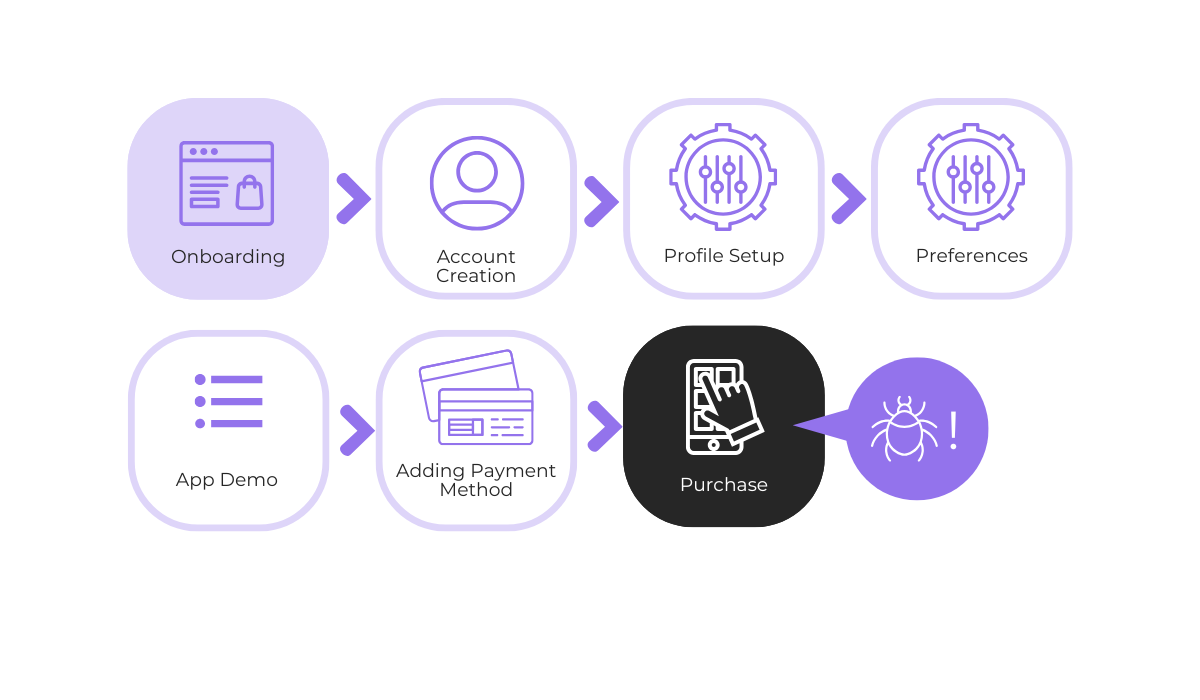
Of course, after an initial hotfix, functional testing should focus on whether this user flow can now be completed, meaning that a purchase can be made successfully.
However, it is equally important to check any related functionality that could have been indirectly impacted by the code changes.
In our hypothetical case, this means ensuring that the fix hasn’t disrupted downstream processes such as transaction processing, order confirmation, or purchase logging.
The result that we’re aiming at with this phase is a confirmation that the specific bug is gone and the immediate feature works as intended.
Once the core functionality has been verified, we can look at the broader application.
Even though hotfixes are usually small code changes, they have the potential to introduce new issues to an app.
This risk can actually be quite high with hotfixes, as they often bypass the normal, slower development cycle and instead aim to address urgent problems quickly.
Therefore, regression testing needs to be performed on adjacent features to ensure that the new code hasn’t broken existing, working parts of the software.
So, while functional testing checks if the new fix works, regression testing checks if the old features still work.
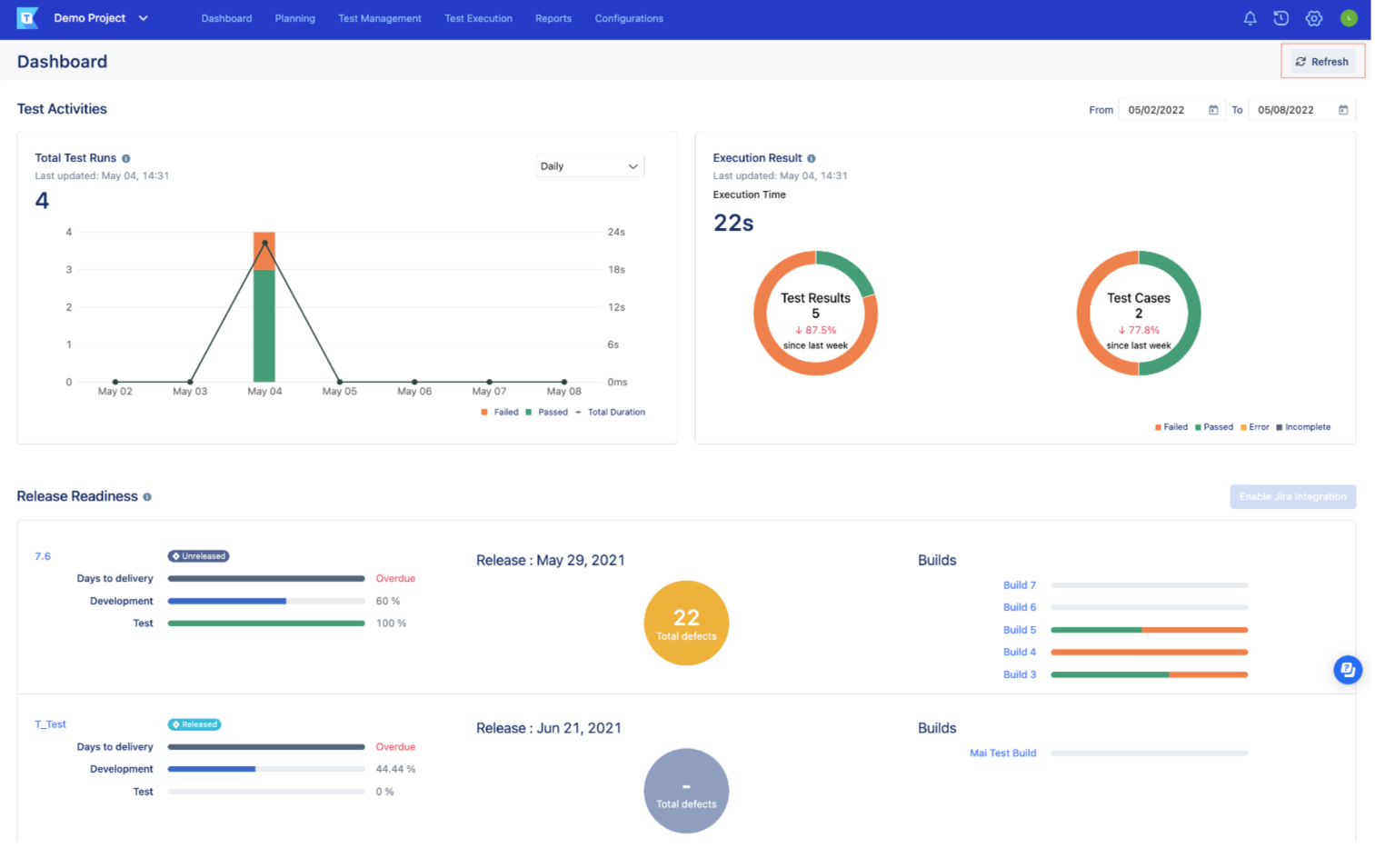
These tools support rapid, repetitive testing.
This is essential when time is limited, and a hotfix needs to be rushed to users.
Through automation, many adjacent features and user flows that relate to the bug can be vetted quickly to ensure no new bugs are introduced.
However, according to Jamie Burns, founder of the software engineering company Bungalow64, the testing scope should be limited strictly to the hotfix.
As he explains, developers can sometimes find other, unrelated issues while investigating a certain bug and might be tempted to start working on them immediately.
This is dangerous because fixing unrelated bugs introduces new variables and code changes that were not part of the original plan.
Even if that doesn’t happen, opening up the scope of the work broadens the testing requirements significantly.
This leads to delays in deploying the urgent hotfix and increases the chance of introducing errors into the production build.


Capture, Annotate & Share in Seconds with our Free Chrome Extension!
To stay safe, keep the hotfix focused solely on the critical issue at hand.
The next stage is to go into testing specific edge cases.
By this, we mean checking how the hotfix performs in uncommon scenarios or extreme conditions that might not occur during a standard “happy path” user flow.
Some aspects that need to be considered include the following:
Let’s take OS fragmentation as an example.
While Apple device operating systems are mostly uniform with high adoption rates for the latest versions, the Android OS market share paints a different picture.
Take a look at the image below to see the most commonly used Android OS versions as of February 2026.
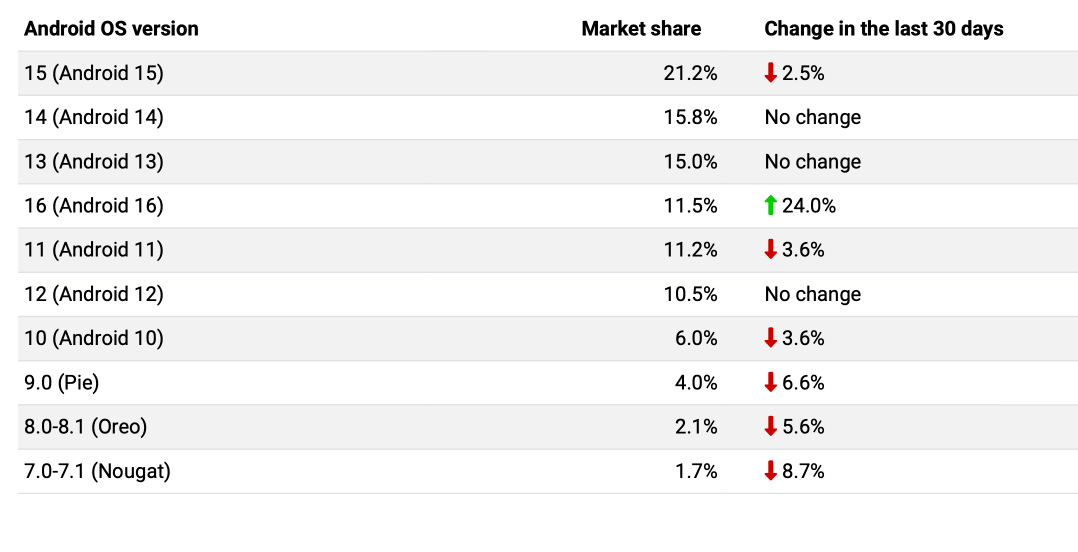
This fragmentation means that a hotfix might work perfectly on the newest Android version but could crash on an older one due to missing features or different code requirements.
So, if a large percentage of your users are Android users, a hotfix test should address these potential issues.
The same detailed approach applies to other types of edge cases.
For example, you should test your hotfix in different network strengths and settings, ensuring that a sudden switch from Wi-Fi to 4G, or a very slow connection, does not cause the app to freeze or duplicate a request.
By validating these edges, you ensure the fix is robust for everyone, not just users with the newest devices and perfect connections.
This step is relevant only if the bug that a hotfix is being prepared for involves databases, transactions, or sensitive user data.
In these cases, you need to confirm that any fixes do not lead to data corruption or loss.
This process should be done thoroughly, as issues with app databases can be disastrous and very difficult to reverse.
To illustrate our point, consider the incident at Resend in February 2024, involving a failed data migration process done on the production environment instead of staging by accident.
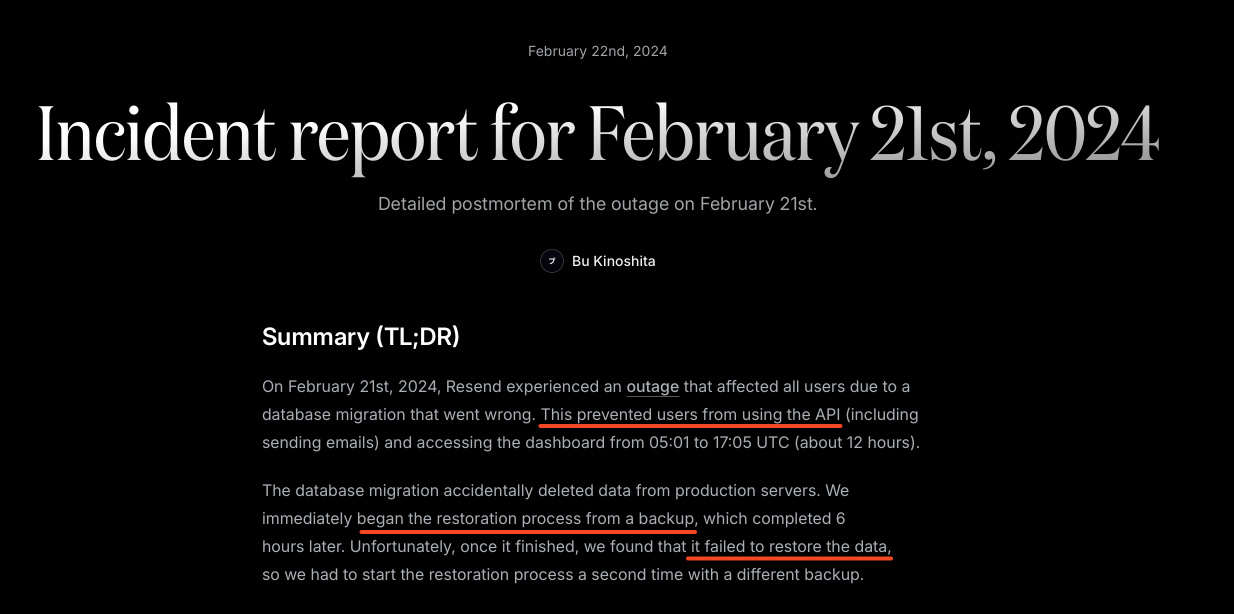
While the database issue did not last very long, it still prevented API usage and access to the app for 12 hours.
More critically, it caused minor irreversible data loss, even after backup restorations were attempted.
While this issue did not directly involve a failed hotfix, it is definitely relevant here, as data migrations or schema updates are typically done during hotfixes.
For instance, a hotfix might involve updating the database schema for transaction records to fix a payment processing bug.
If this is not tested properly, it could accidentally corrupt the values or wipe out payment histories for your users.
To avoid similar pitfalls during your hotfix testing, you should run through a specific checklist of data validation points, such as the ones below.
| Test Type | Purpose |
| Schema Validation | Ensures that data fits the new structure (e.g., new columns) without errors. |
| Rollback Testing | Verifies that the system can revert to the previous state safely if the deployment fails. |
| Null Value Verification | Confirms that mandatory fields are not accidentally wiped or set to null during the update. |
| Orphan Record Check | Ensures no data is left unlinked or inaccessible after relationships between tables are modified. |
Ultimately, teams can ensure data integrity by running a “dry run” of any data migration or updates on a copy of the production database in the staging environment.
Doing that can confirm all data remains safe and get ready for the real hotfix deployment.
Once all tests are complete, the hotfix is technically ready to be deployed.
However, before pushing the code, the team must document the hotfix and its testing process while the information is still fresh in everyone’s minds.
This documentation is vital for future audits and helps the team understand exactly what changed if similar issues arise later.
But, just as important is preparing the exact deployment instructions.
The documentation must include objectives, prerequisites, step-by-step procedures, and validation steps, along with clear rollback procedures.
Having a structured process is essential to avoid causing production issues when deploying the hotfix and introducing even more issues to your app.
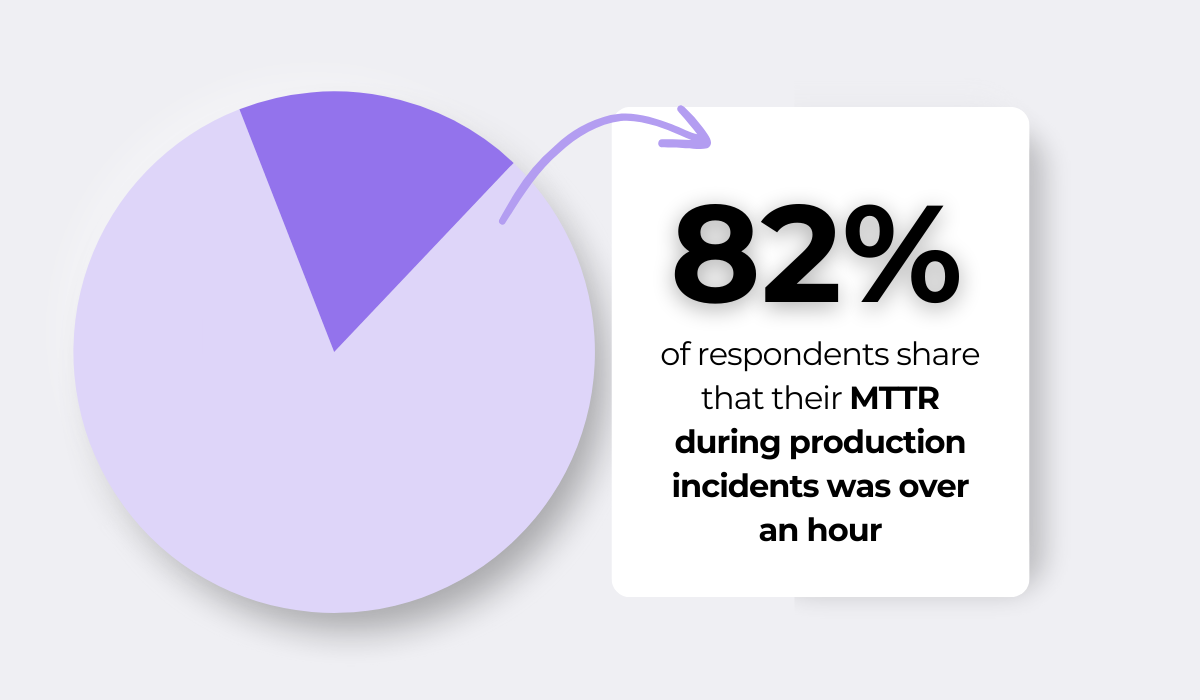
As data from Logz.io shows, the vast majority of developers shared that their mean time to recovery (MTTR) during incidents was over an hour.
This figure is up from 74% in 2023 and 64% in 2022 and suggests that resolving incidents is becoming more complex and time-consuming.
And with bugs that warrant a hotfix, you cannot afford a failed deployment that extends downtime even further.
Of course, you need to prepare for the worst scenario.
As a safety net, every hotfix deployment needs a corresponding rollback plan drafted and tested beforehand, in a staging environment.
This preparation often includes specific deployment strategies, like a canary deployment, as illustrated below.
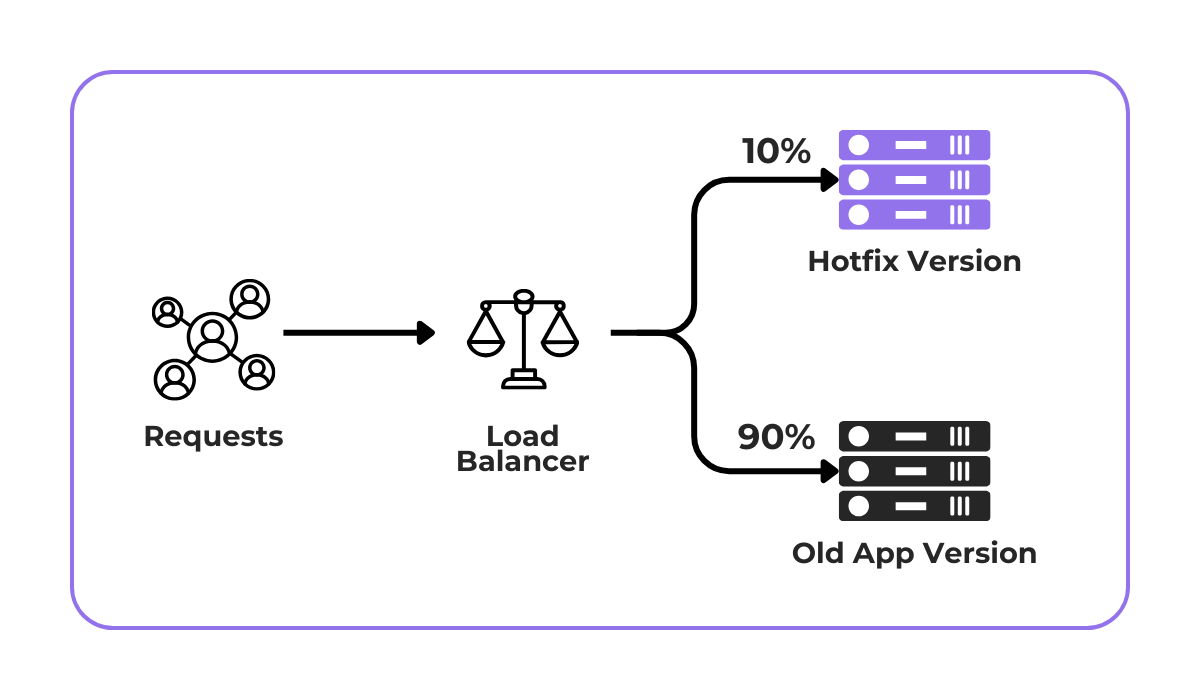
Simply put, during a canary deployment, just a part of the traffic is redirected to the hotfixed app version.
That way, if any issues in the live app occur due to the hotfix, the team can quickly revert those users to the stable version without affecting the entire user base.
Ultimately, by preparing these safeguards, you ensure the hotfix solves the problem without creating a new crisis.
We have reached the end of our guide on hotfix testing.
We talked about the importance of preparation, the specific tests your fix must pass, and how to plan for a safe deployment.
We hope you now feel more prepared to handle urgent bugs.
Apply this workflow next time your team faces an issue to ensure these quick fixes are just as high-quality as your regular releases.
From internal bug reporting to production and customer support, our all-in-one SDK gets you all the right clues to fix issues in your mobile app and website.
We love to think it makes CTOs life easier, QA tester’s reports better and dev’s coding faster. If you agree that user feedback is key – Shake is your door lock.
Read more about us here.

Add to app in minutes

Doesn’t affect app speed

GDPR & CCPA compliant

Unexpected things pop up
Just like bugs in your app or web 🐛 Fix them now with just one reporting tool.
