



Bug reporting takes time. Here’s how AI helps teams work more efficiently
If you’ve ever researched or stumbled upon a bug reporting tool called “Shake” and got confused by two very similar names, we’re here to clear things up.
Shakebugs and Shakebug may sound almost identical, but they are very different products built for different needs.
And the name overlap can cause some confusion for developers and teams trying to pick the right tool.
In this article, we’ll do a full side-by-side comparison, from the core purpose and features to pricing and security, so you can see exactly where the two tools differ.
Table of Contents
Before comparing features or pricing, the most important question is: what was each tool actually built to do?
Shakebugs (also known as Shake) is designed to support a richer debugging process, with powerful reporting features for mobile and web apps.
This tool combines bug and crash reporting, session replay, activity history, AI-powered debugging, and ticket management into a single platform.
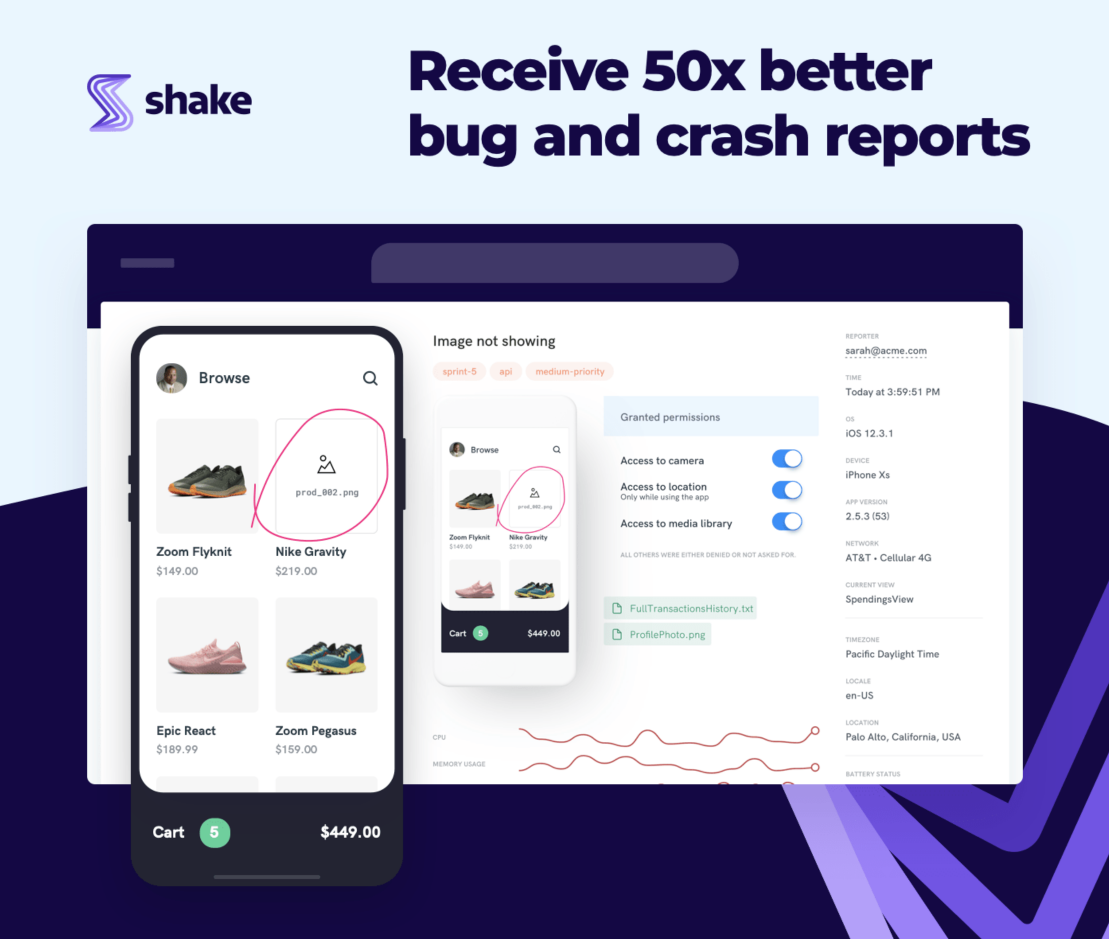
In other words, the scope is broad.
While at its core is a powerful reporting functionality, Shake aims to support bug triage, diagnosis, and ticket management to improve bug management.
Shakebug, on the other hand, is much more rudimentary and positions itself as a straightforward online bug reporting tool.


Get unreal data to fix real issues in your app & web.
Its core flow is: the user shakes their phone, a report is generated with device info and screenshots, and developers see it in a dashboard.
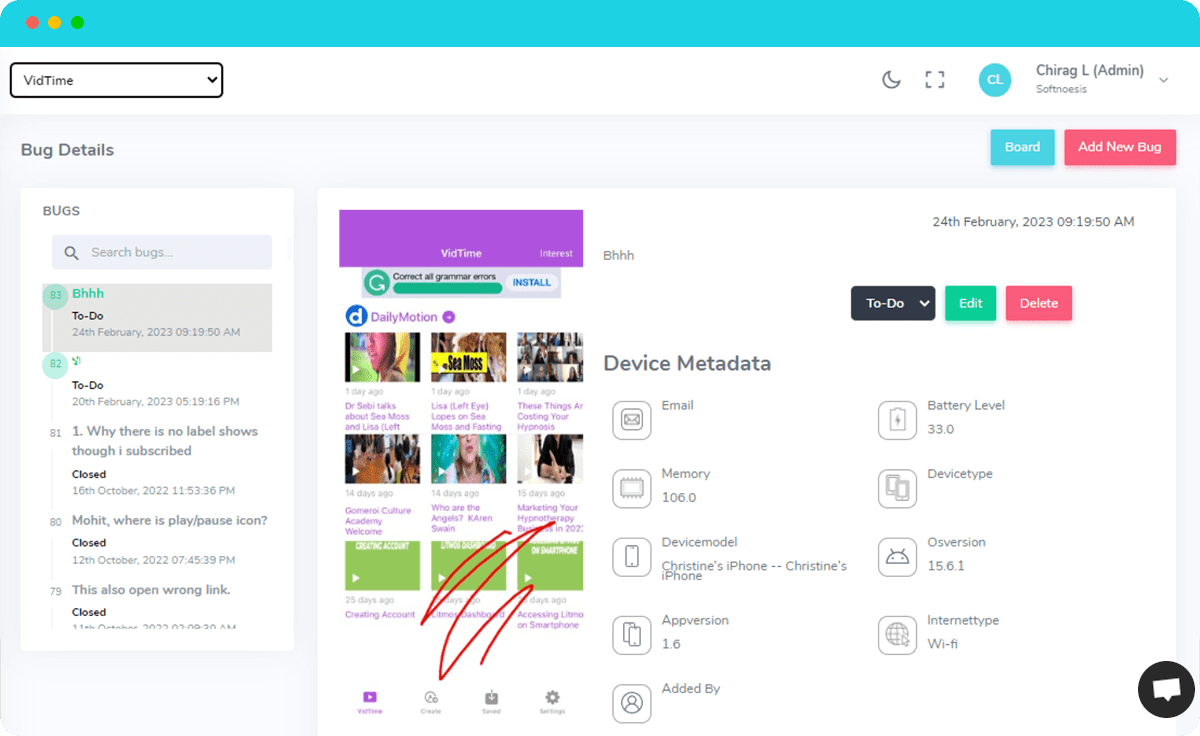
Shakebug has added features like user journey timelines and an AI bug reporting page over time, but the product doesn’t offer the same depth as Shake.
The Chrome Web Store is a useful comparison point that illustrates this difference.
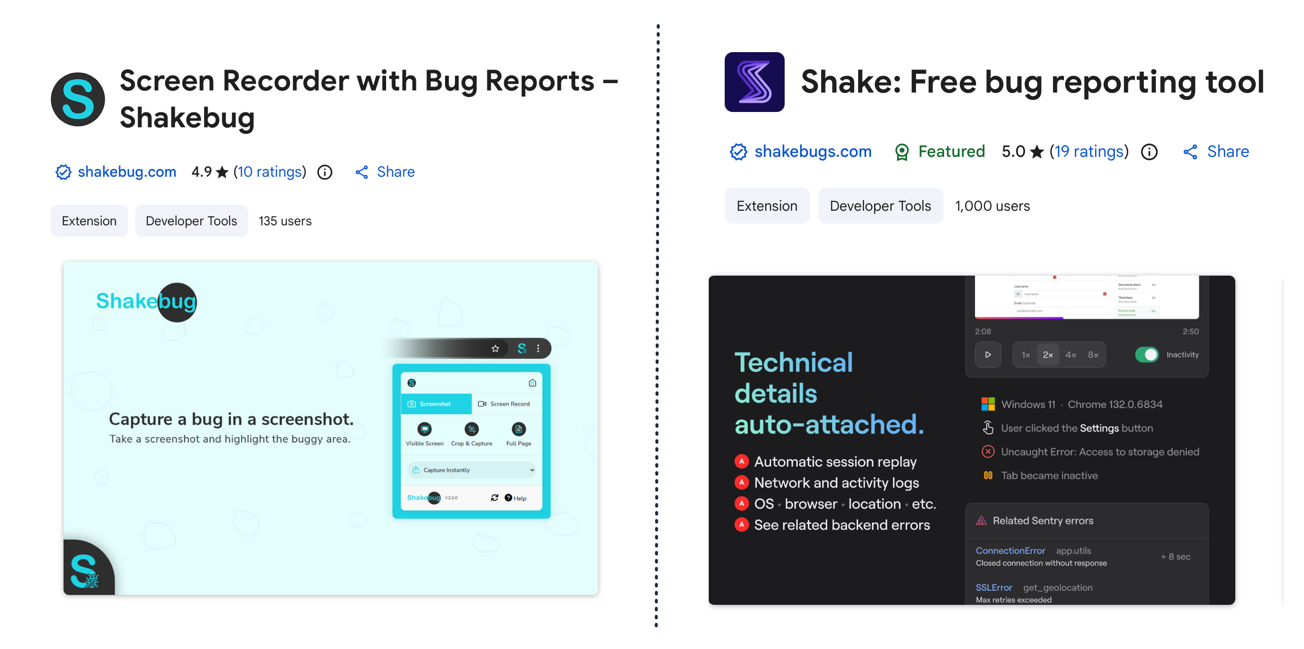
However, Shake is a featured Chrome extension with 1,000+ users, offering a full-blown bug reporting tool that automatically captures session replay, network logs, and backend errors.
Shakebug, on the other hand, is described as a screen recorder extension with simple bug reports, with far fewer users.
All in all, Shake is the more robust platform of the two.
Who a tool is built for says a lot about how it works and what problems it solves best.
Shake, for starters, explicitly states that its product is tailored for three different core user groups, outlined below.
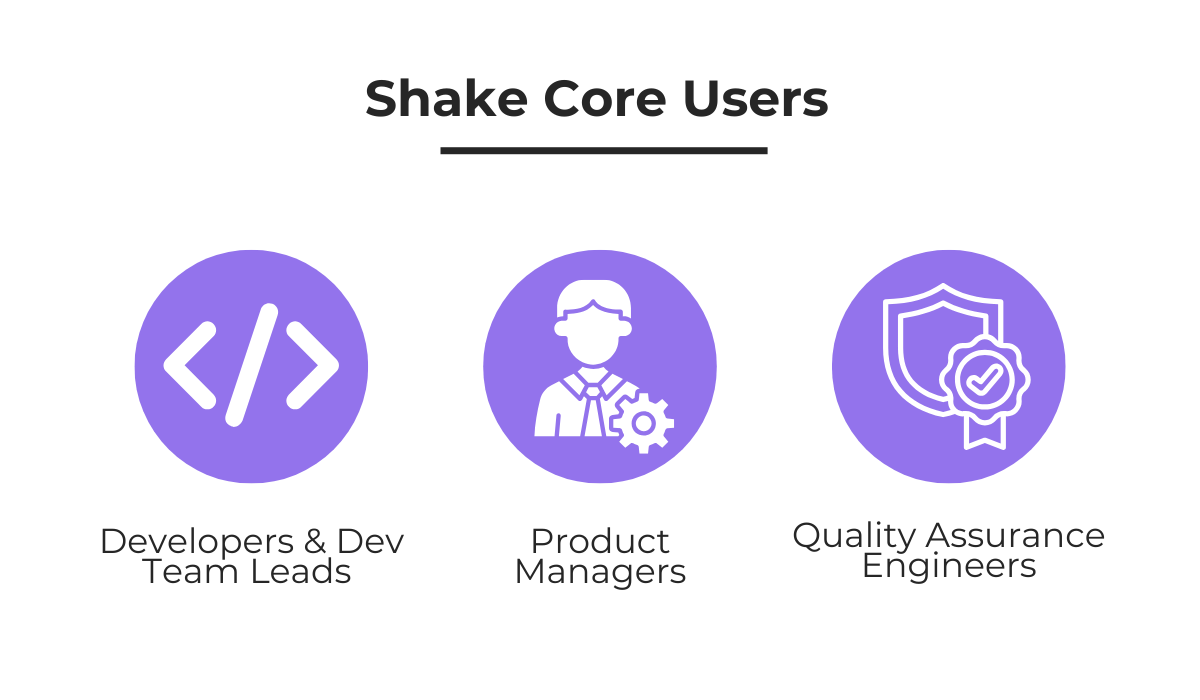
For QA engineers and dev teams, Shake provides features that connect the two sides of the debugging process.
Put simply, QA engineers get structured reporting workflows and tools that make testing and submitting issues faster and more consistent.
Developers, on the other hand, receive all the diagnostic data they need to start debugging immediately without back-and-forth.
All the while, product managers can track incoming tickets, set priorities, use ticket automation rules to route issues to the right people, keeping the team aligned without adding manual overhead.
Beyond these core users, Shake also serves different industries with dedicated pages for fintech, IoT, and agencies.
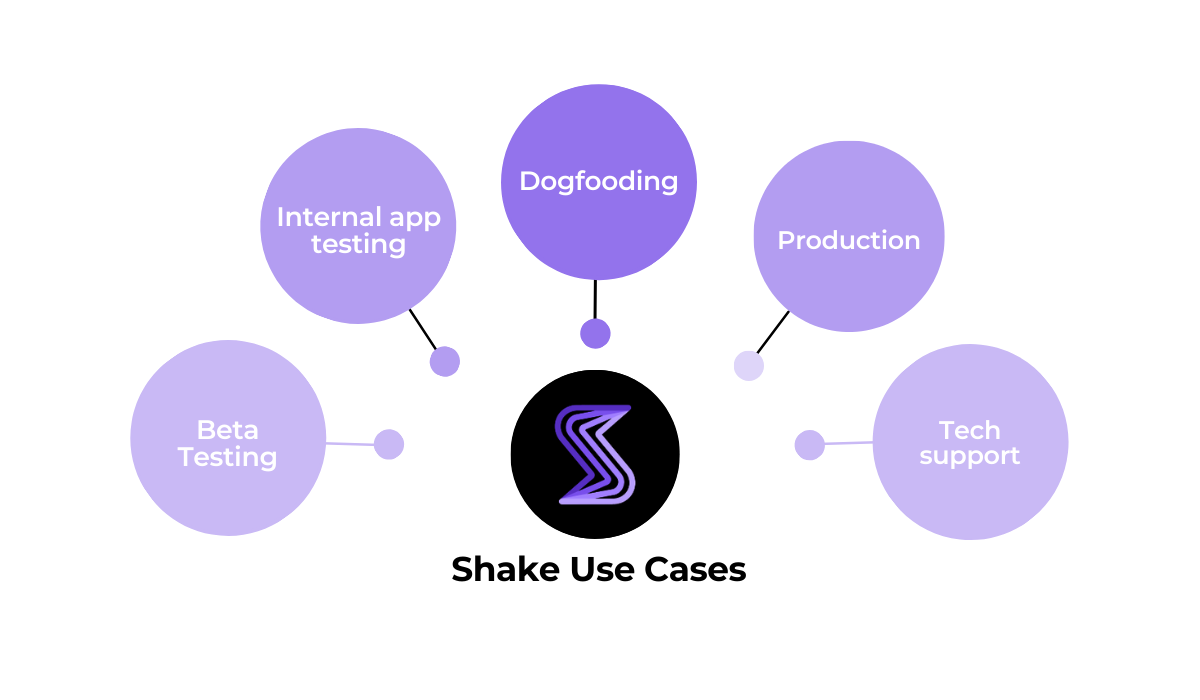
While it’s beyond the scope of this article to go into depth on each industry, you can explore the specific use cases on Shake’s website and even look at some case studies to learn more.
By contrast, Shakebug has a vaguer target audience, mainly serving developers, as they explain below.
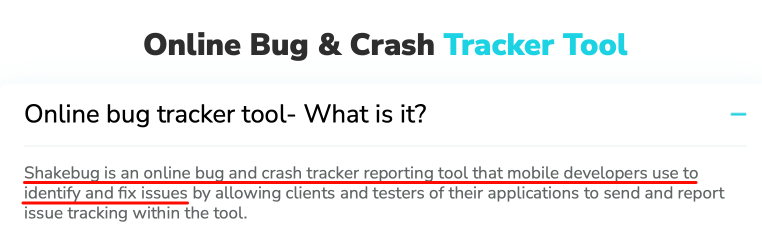
Shakebug doesn’t list any other specific personas, industries, or use cases on its website.
So, it’s clear that Shakebug casts a wide net that suggests the product is positioned as a general-purpose tool rather than one built for specific workflows or team structures.
Compared to this one-size-fits-all approach, Shake is built with specific roles and workflows in mind.
Bug reporting is the core function both tools share, so a feature-by-feature comparison matters most here.
Let’s start with an overview of Shake’s bug reporting capabilities, which include the following:
The essence of Shake’s approach is efficient in-app bug reporting with automatic data collection.
After a user or tester submits a bug report, 71 data points, some of which are listed below, get auto-attached to the report without anyone needing to do anything manually.
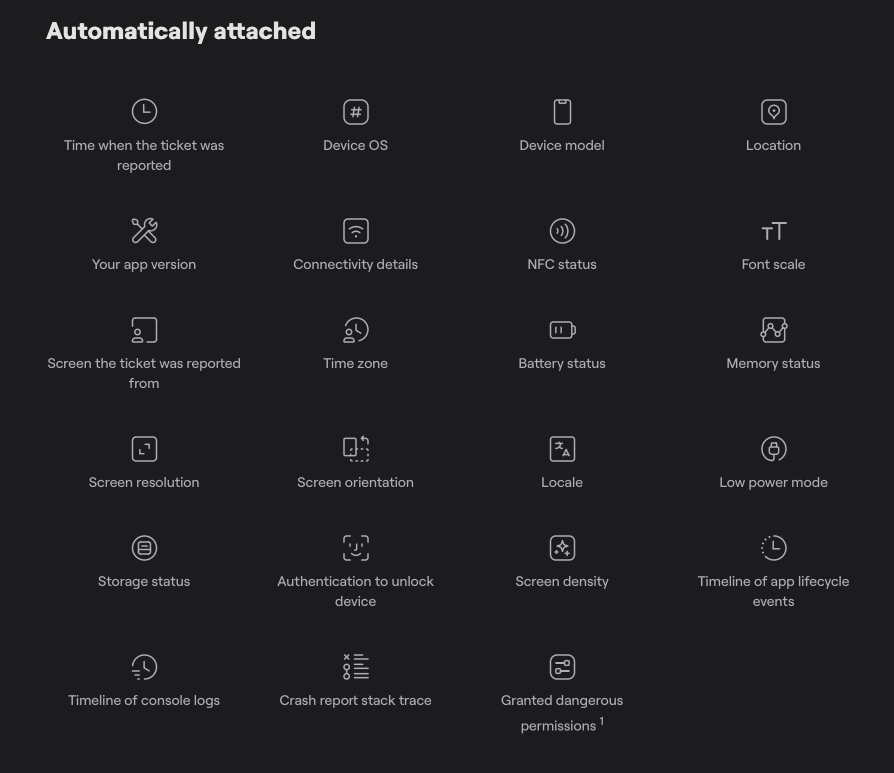
These submitted tickets also support automatic screenshots and screen recordings, with on-device data obfuscation for redacting sensitive fields before data ever leaves the device.
The issue ticket is then sent to a centralized dashboard where developers can view all the data and attachments, plus use Shake’s AI assistant to start debugging immediately.
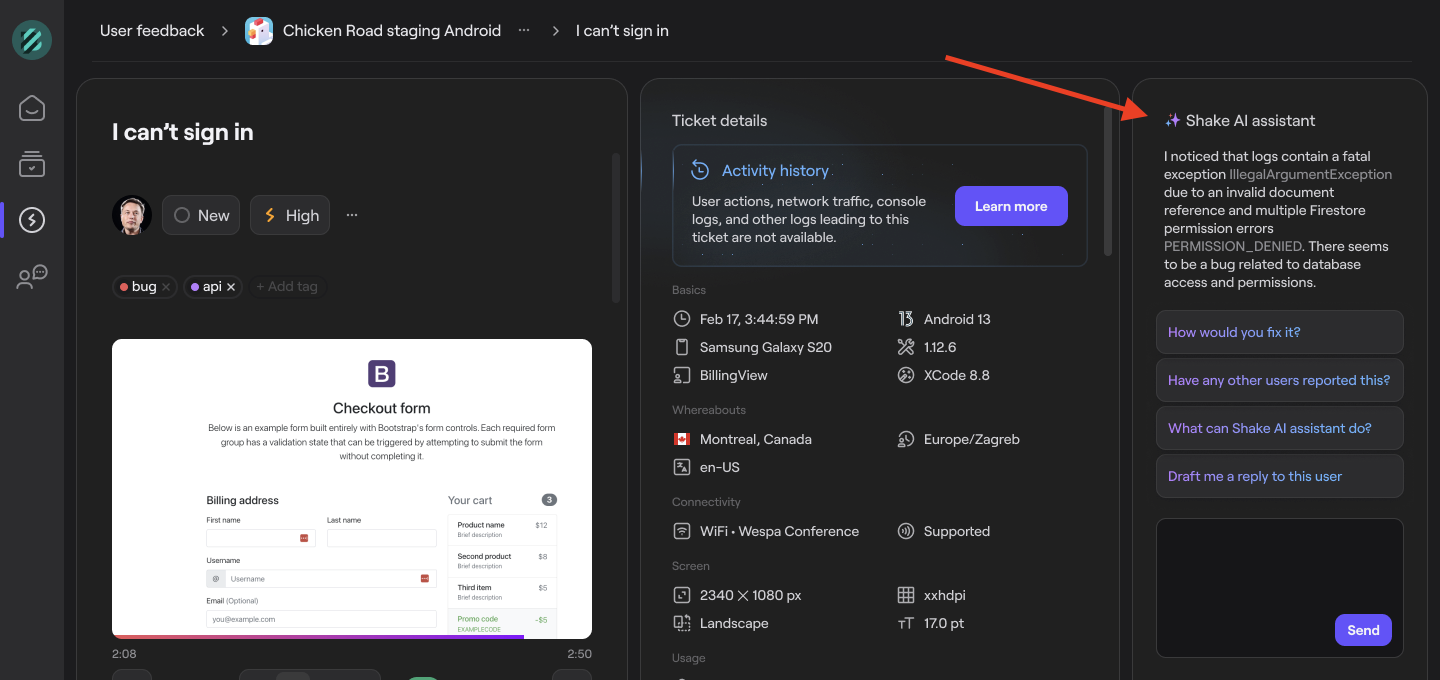
Beyond these core reporting capabilities, there is a whole set of features that extend the platform: ticket management with auto-assignment rules, live chat with app users, custom SDK UI theming, and much more.
Shakebug also has a core in-app bug reporting process.
After a user shakes their device, a screenshot appears that can be annotated and marked up, along with fields for adding a bug description.
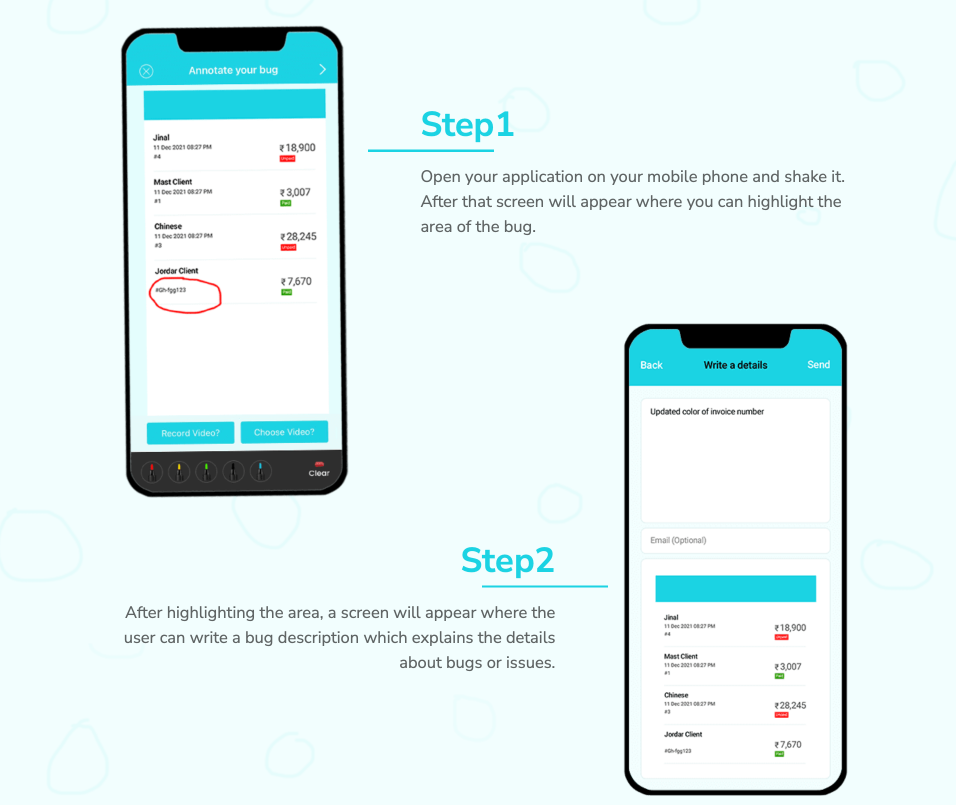
Shakebug also captures some environment data like device metadata, OS version, and logs.
It supports video recordings, too, but the recording duration and the number of videos are limited depending on the pricing tier.
The platform also promotes its real-time event tracking and analytics features, such as showing which countries, languages, and OS versions make up an app’s user base.
Shake also shares these features, but it has the advantage of integrating them into full debugging processes, where reporting feeds directly into diagnostics and team workflows.
While you get the same monitoring with Shake, you also get a platform that has more robust security and powerful integrations with your existing stack, which we’ll cover next.
All in all, Shakebug covers the fundamentals, but doesn’t go as deep into the data capture or workflow tooling that engineering teams typically need to debug efficiently.
Let’s now turn to how both of these systems fit into your existing workflows.
Take a look at Shake’s integrations, some of which are illustrated below.
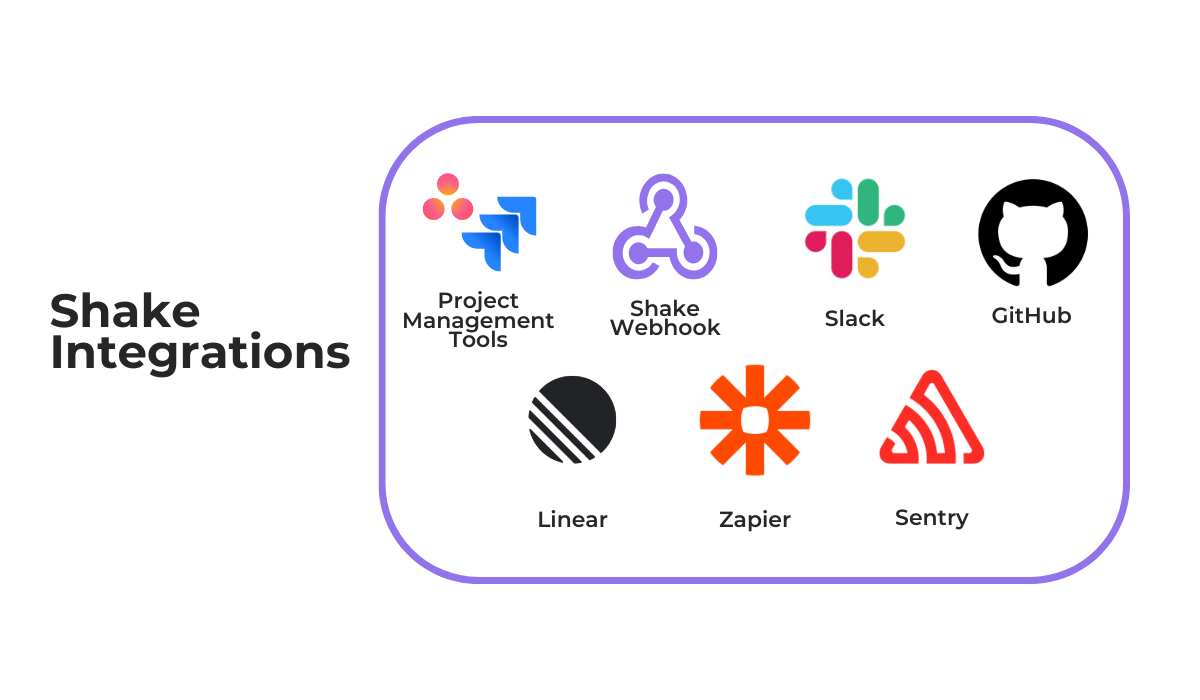
Shake integrates with popular project management tools like Jira, Asana, and ClickUp, automatically forwarding bug and crash reports as issues or tickets to the relevant project board.
What’s especially great is the Zapier integration, through which Shake connects to thousands of additional tools without any custom coding.
And in case an integration is not natively available, Shake also supports Webhooks for building custom integrations and a REST API for programmatic access.
To top it off, Shake’s MCP server allows you to connect it with AI tools like Claude and ChatGPT and directly use their capabilities during debugging.
When it comes to Shakebug, at first glance, the integrations list may look similar.

And that’s certainly true for a few integrations, like with some project management tools and issue trackers.
But consider Shakebug’s Webhooks support.
While Shake’s webhook delivers a full, richly detailed ticket payload, Shakebug’s webhook sends only a minimal notification with five fields, and currently has no retry logic for missed events.


Capture, Annotate & Share in Seconds with our Free Chrome Extension!
And while both tools support Linear, Shake offers two-way sync while Shakebug does not.
So, some of the integration depth is clearly different.
But there are also many integrations missing.
For instance, there’s no Zapier connection with Shakebug, no Sentry integration for error monitoring, no FullStory integration, no Notion support, or an MCP server.
Overall, while both tools cover the core integrations well, Shake extends further both in the number of available tools and the power of the integration itself.
For teams building apps that handle user data, the security posture of every tool in your stack matters.
Shake, for example, clearly treats this as a priority.
Some key security highlights include:
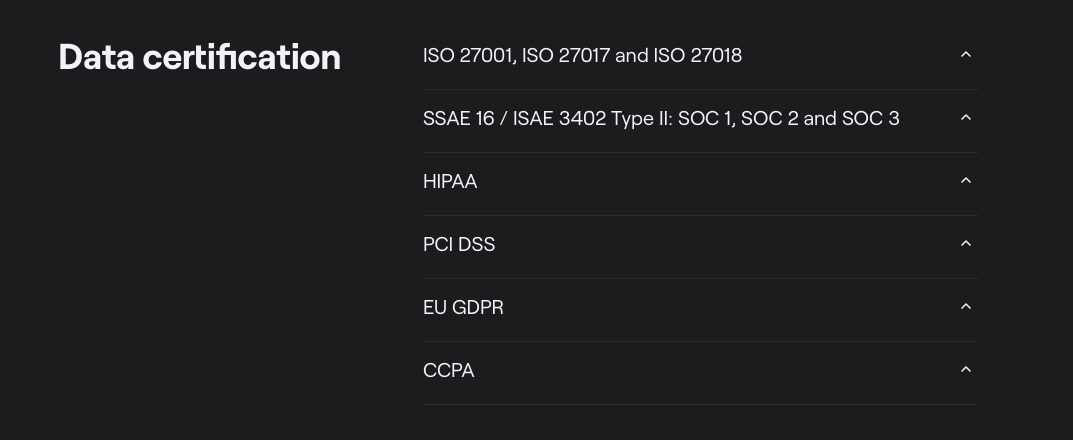
What this means in practice is that data is encrypted both in transit and at rest, and sensitive information can be stripped before it ever leaves the user’s device.
Plus, the platform meets the compliance standards that enterprise and regulated-industry customers require, with some of Shake’s data certifications shown below.
And this security extends further with physical server protections with 24-hour on-site security, smart card access, visitor logs, and disaster recovery with cross-account backups.
Shakebug’s security setup is different.
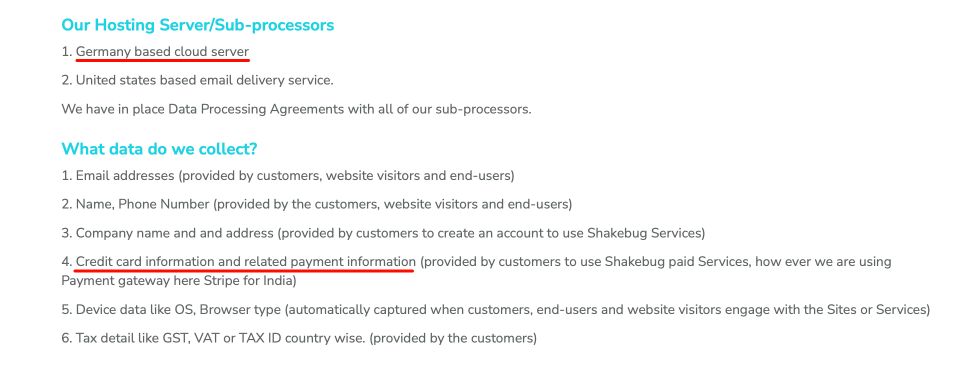
Its GDPR page states data is stored on Contabo, a budget German hosting provider without the enterprise certification profile of Amazon Web Services (AWS).
There is no mention of ISO certifications, SOC 2, HIPAA, or CCPA on Shakebug’s website.
What’s more, the platform explicitly states that it collects credit card information and related payment data, and only securely processes payments with Stripe in India—Shakebug’s country of origin.
These security differences extend to user privacy as well.
Shake provides built-in SDK tools like private info redaction and data obfuscation to prevent sensitive data from ever reaching its servers, while Shakebug offers no equivalent privacy controls.
So, for teams in regulated industries or those handling sensitive user data, Shake’s security infrastructure is significantly more developed.
Good documentation and support can make or break the experience with a developer tool.
And this is where Shake stands out once again.
Shake offers a multi-layered support system, starting with its documentation site that is filled with platform-specific guides, each with code examples, configuration options, and versioned release notes.

Beyond docs, Shake has a help center for common questions, and companies that need bespoke support can sign up for access to a direct Slack channel with the Shake team.
Even without that, Shake maintains a public Slack community where developers can ask questions, share feedback, and get quick responses from both the team and other users.
Finally, Shake’s feedback page has real users suggesting features, voting on priorities, and reporting issues directly.
Real conversations happen there, with user requests often being implemented in the platform.
Shakebug’s support is simpler.
It offers an API guide, a small FAQ page, and email support.
There is no dedicated help center, no public community, and the Shakebug public roadmap has no information on when it was last updated or whether it’s still maintained.
The documentation on their depth also differs, as you can see below.
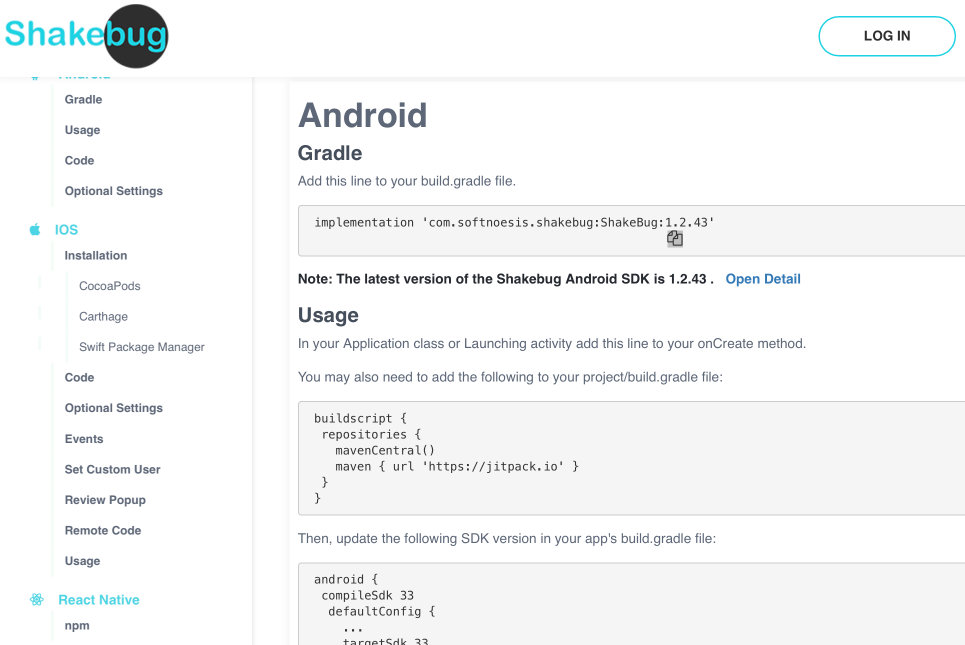
In fact, whereas Shake’s docs are a comprehensive developer reference, Shakebug’s API docs read more like a getting-started guide with initial installation guides for different platforms, and some basic configuration help.
For a team choosing between these systems, this difference in the breadth of support resources matters.
After all, a tool is only as useful as your ability to implement it, troubleshoot it, and get help when you need it.
Finally, let’s talk pricing.
Shake offers three plans: Free, Premium, and Organization, along with special startup pricing to support app companies as they grow.
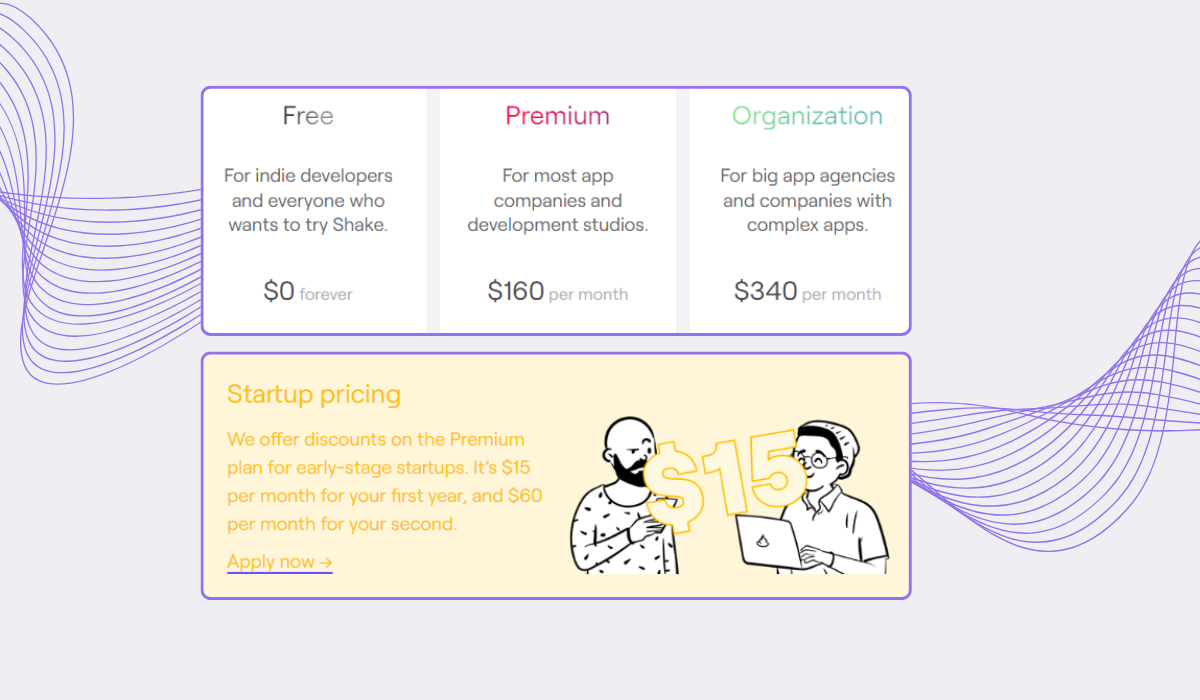
The Free plan is for developers just starting out, or anyone who wants to try Shake.
It includes 20 bug reports per month, 3 seats, and 1-month data retention, but app users and crash reports are unlimited.
Shakebug’s free plan is similar in concept, but caps you at 500 monthly active users (MAU) and just 10 days of data retention—pushing you toward paid plans that are still fairly limited.
With Shake’s paid tiers, the key is that both unlock all features, all integrations, and unlimited seats.
The Organization plan, built for enterprise companies with complex or multiple apps, adds custom data retention, REST API payload control, and a private Slack channel.
Let’s compare that to Shakebug’s three paid tiers.
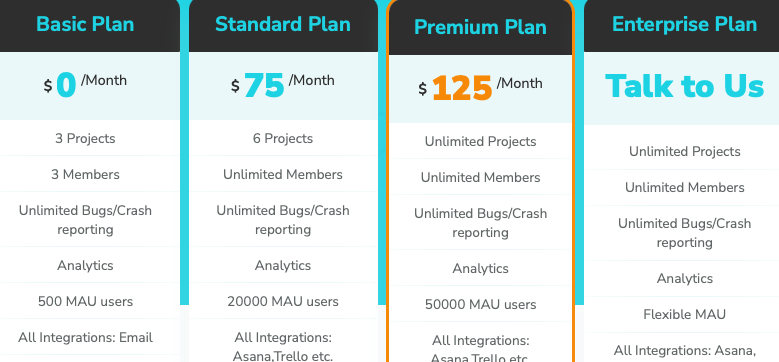
While cheaper on paper, the plans come with notable limitations.
Unlimited MAU are only mentioned in the Enterprise tier, meaning growing apps may hit ceilings quickly.
Data retention caps at 90 and 180 days on Standard and Premium, compared to Shake’s 1-year retention in the Premium tier.
So, with Shakebug, older tickets disappear quite quickly, which can be a problem for more thorough tracking and historical analysis.
Plus, certain Shakebug features are restricted by tier, with video recording capped at 20, 80, and 120 seconds in the Basic, Standard, and Premium plans, respectively.
It’s worth mentioning that both Chrome extensions are fully free for both tools.
That being said, let’s do a quick price comparison.
At $75 per month, Shakebug’s Standard looks cheaper than Shake’s $160 Premium, but it caps you at 6 projects, 90-day retention, 80-second videos, and 20K MAU.
So the plan penalizes you as your app grows, eventually pushing you toward Shakebug’s Premium or Enterprise tiers.
Add Shake’s broader feature set and unlimited access on every paid plan, and the price gap narrows quickly.
Overall, Shakebug may cost less upfront, but Shake gives you more room to grow without hitting walls, which, for most teams, is worth the investment.
While these two tools share a similar name, nearly everything else is different.
We hope this breakdown gives you a clear picture of what each tool actually offers, so you can make the right choice for your team.
If you’re still deciding, the next step is to try these tools out.
Shake’s free plan and Chrome extension are the best place to start and see the difference for yourself.
From internal bug reporting to production and customer support, our all-in-one SDK gets you all the right clues to fix issues in your mobile app and website.
We love to think it makes CTOs life easier, QA tester’s reports better and dev’s coding faster. If you agree that user feedback is key – Shake is your door lock.
Read more about us here.

Add to app in minutes

Doesn’t affect app speed

GDPR & CCPA compliant

Unexpected things pop up
Just like bugs in your app or web 🐛 Fix them now with just one reporting tool.
