





Bug reporting takes time. Here’s how AI helps teams work more efficiently

Key takeaways:
Automating bug triage with AI isn’t something you set up in an afternoon.
It takes some preparation, the right tools, and a process that holds up once it’s running.
This article walks through six steps to get there, starting from reviewing your existing workflow all the way to keeping the system accurate over time.
If you’re ready to move past manual triage, this article is where you should start.
Table of Contents
Before bringing AI into the picture, it helps to understand what your current bug triage workflow actually looks like.
The diagram below shows the typical triage stages, from the moment a new report comes in through to it entering the developer’s backlog.
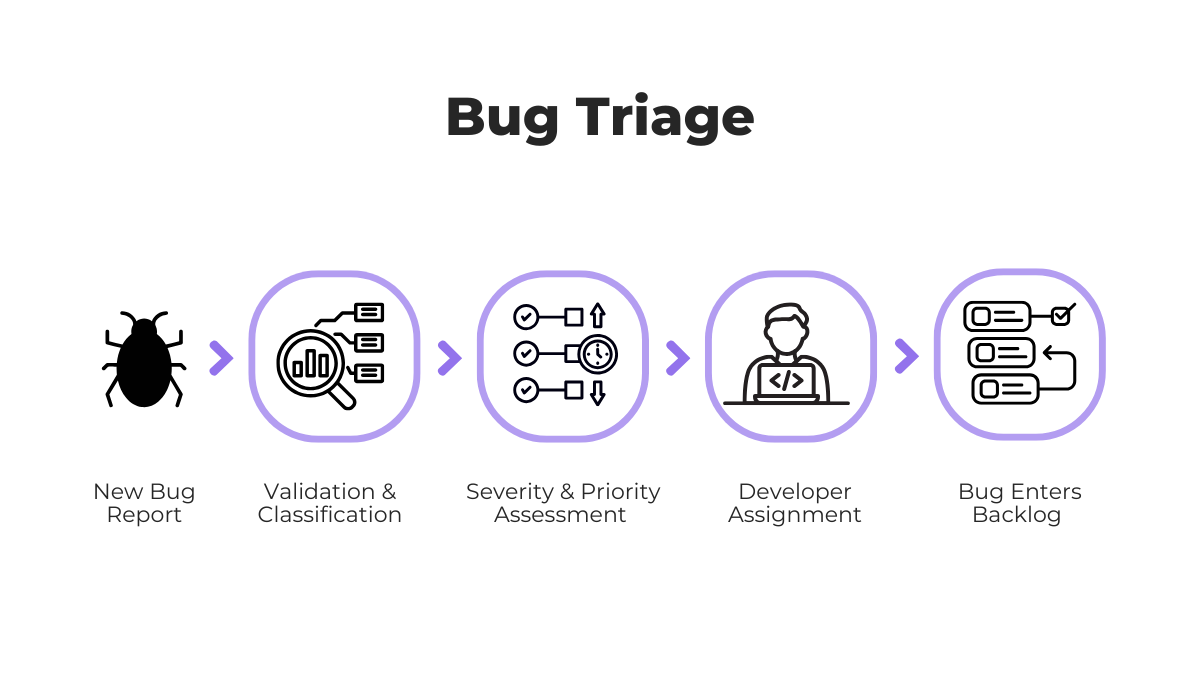
Once you have that mapped out, the goal is to identify where things slow down and where the most developer time is lost.
The reality is that for most teams, there’s a lot of room for improvement.
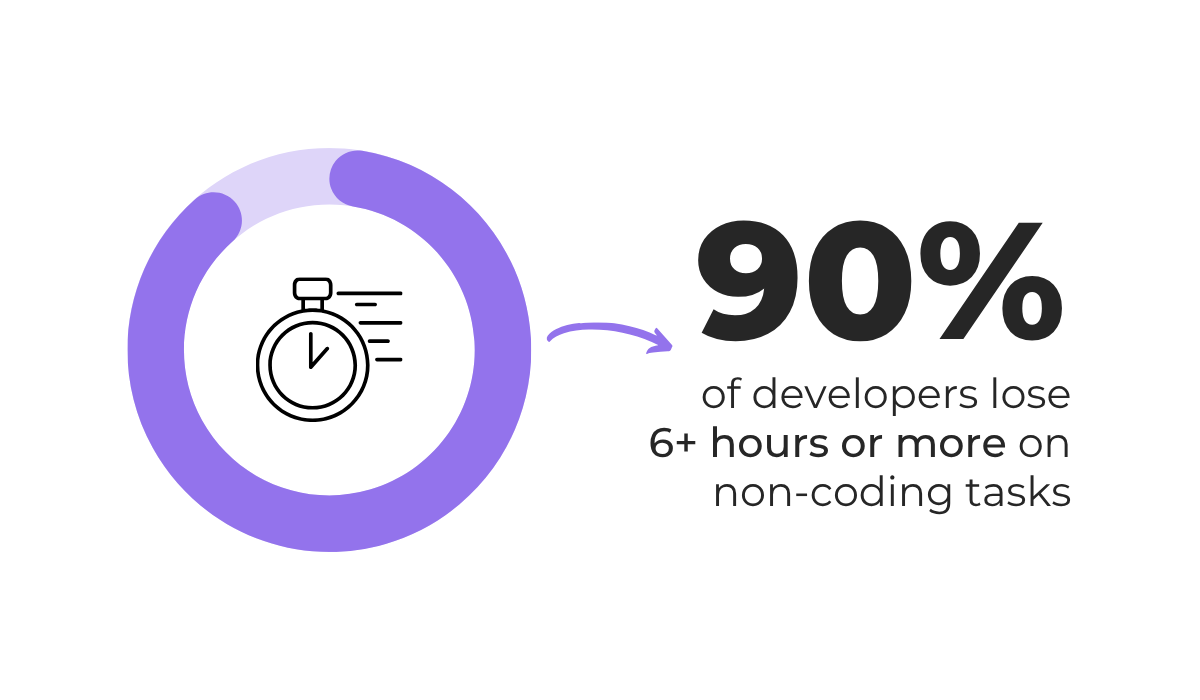
According to Atlassian’s 2025 State of Developer Experience report, which surveyed 3,500 developers across six countries, almost all of them lose six or more hours per week to non-coding tasks due to organizational inefficiencies.
These tasks include activities like reproducing bugs, attending triage meetings, and manually sorting through incoming reports to figure out what needs attention first.
Luckily, the same report found that 99% of developers now save time using AI tools, with 68% saving more than ten hours a week.


Get unreal data to fix real issues in your app & web.
To figure out where your quickest wins are, you need to measure your current process before making any changes.
The table below covers five KPIs worth tracking, along with what a problem in each one tends to indicate.
| KPI | What it may point to | Triage step affected |
| Mean time to triage | Reports arriving faster than the team can review them. | Classification |
| Reassignment rate | Routing logic is inconsistent or applied differently each time. | Assignment |
| Backlog growth rate | Incoming reports consistently outpace resolution. | Prioritization |
| Misclassification rate | Critical issues get deprioritized or routed to the wrong team. | Classification & prioritization |
| Duplicate percentage | The same bug is being investigated multiple times. | Verification |
Once you’ve identified the metrics that stand out, track them as a baseline.
That way, once the AI is running, you have something concrete to compare against, and you’ll know whether the changes you made actually moved things in the right direction.
Getting that initial direction right is what makes the rest of the process worth doing.
Once you have a clear picture of where your current process breaks down, you can start looking at tools that address those specific gaps.
Not every AI triage tool works the same way, and the type you choose will directly affect how much of the process you can automate and how well it scales as your team and product grow.
As the illustration below shows, the main tool categories cover different parts of the triage process, from smart assignment and routing to duplicate grouping, and more.
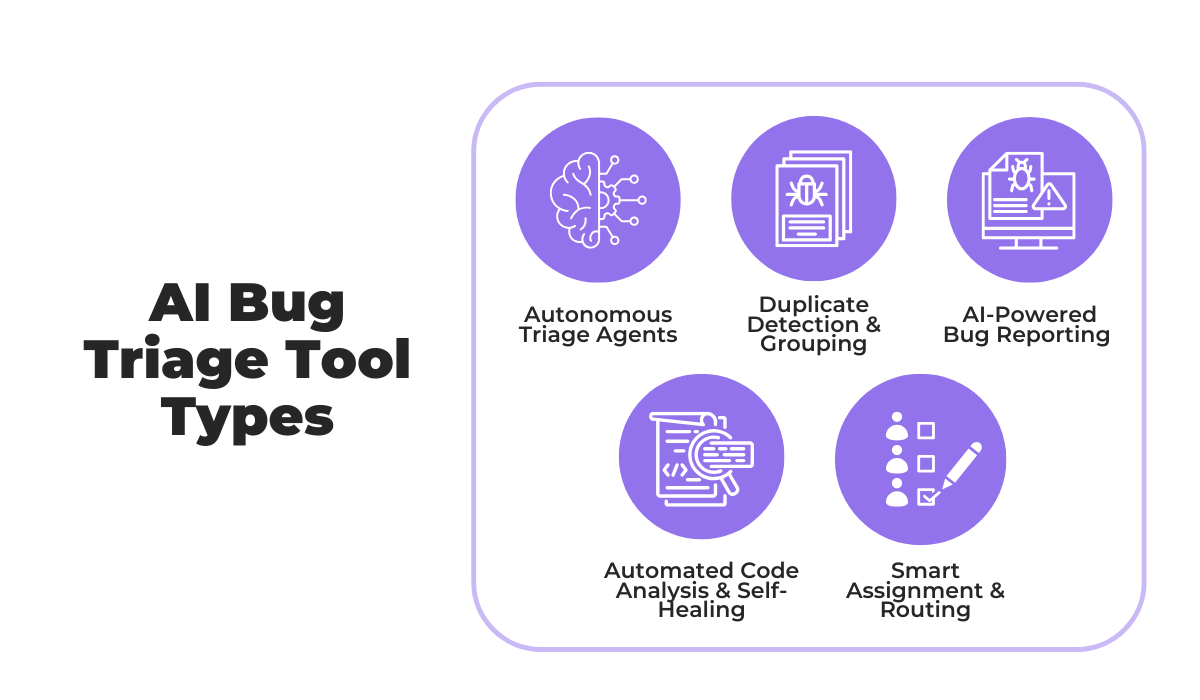
Depending on where your bottleneck is, you may only need one of these, or you may end up combining a few.
For instance, if you needed a classification and smart assignment system, you could explore Linear’s Triage Intelligence.
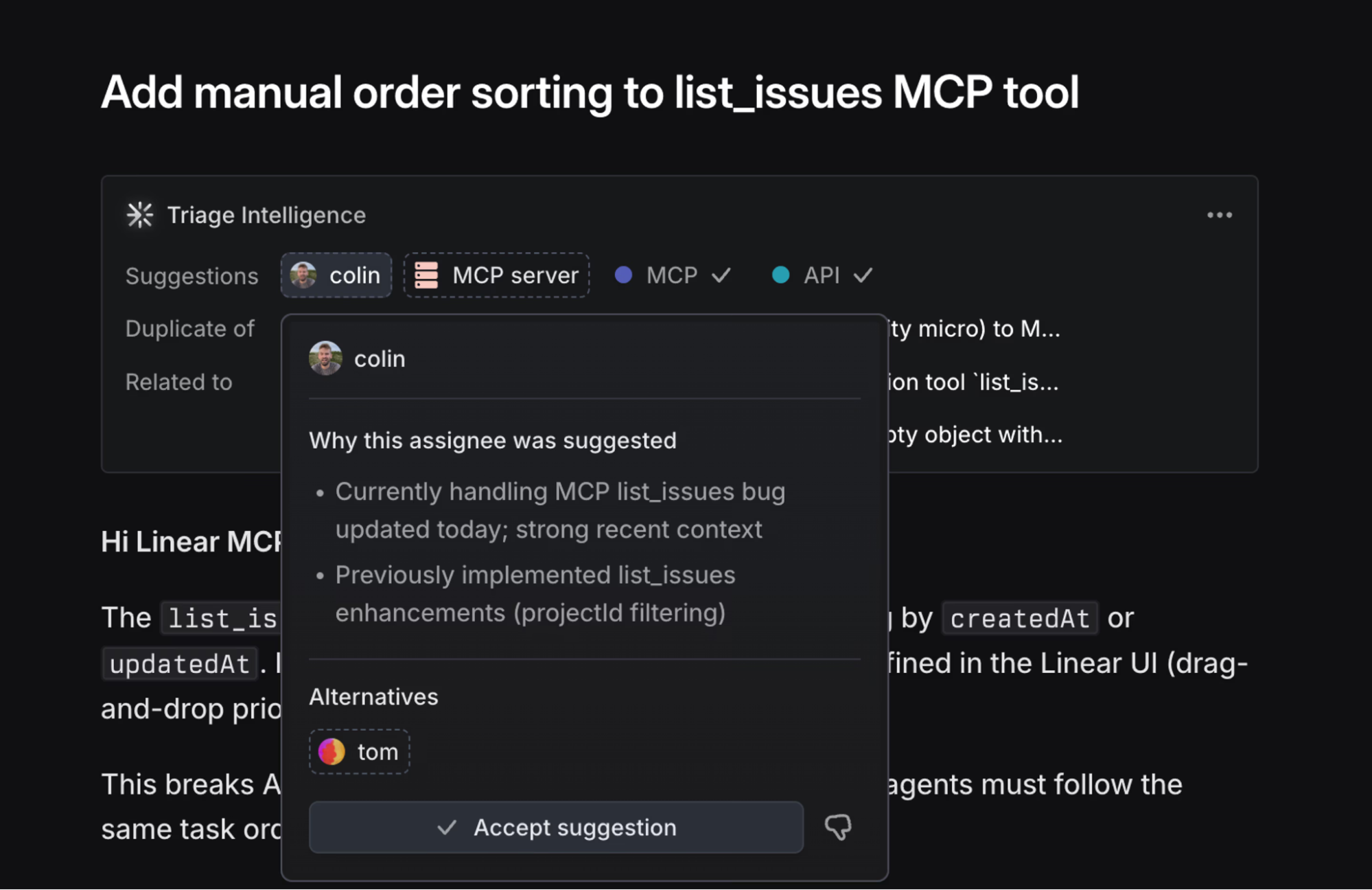
It analyzes every incoming issue against your existing backlog using a combination of search, ranking, and LLM-based reasoning, and can suggest bug priority and potential assignees along with a brief explanation of why the suggestions were made.
Teams that collect bug reports directly from users can also look at tools that handle both collection and initial triage in one place.
Shake is one great option here.
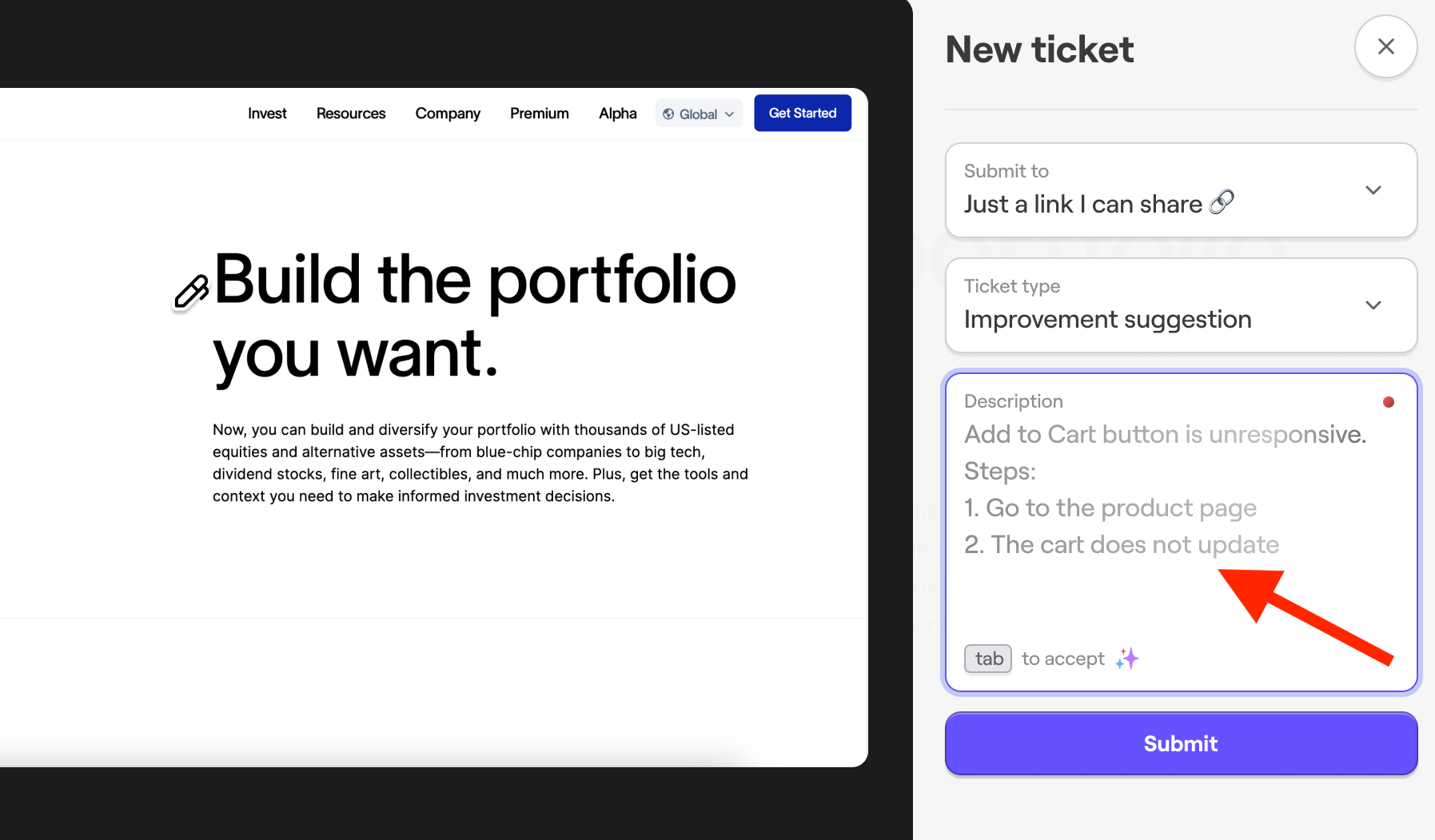
When a user or a tester initially reports a bug, an AI-enriched description is suggested to the user, which adds necessary depth and context for the rest of the AI triage process.
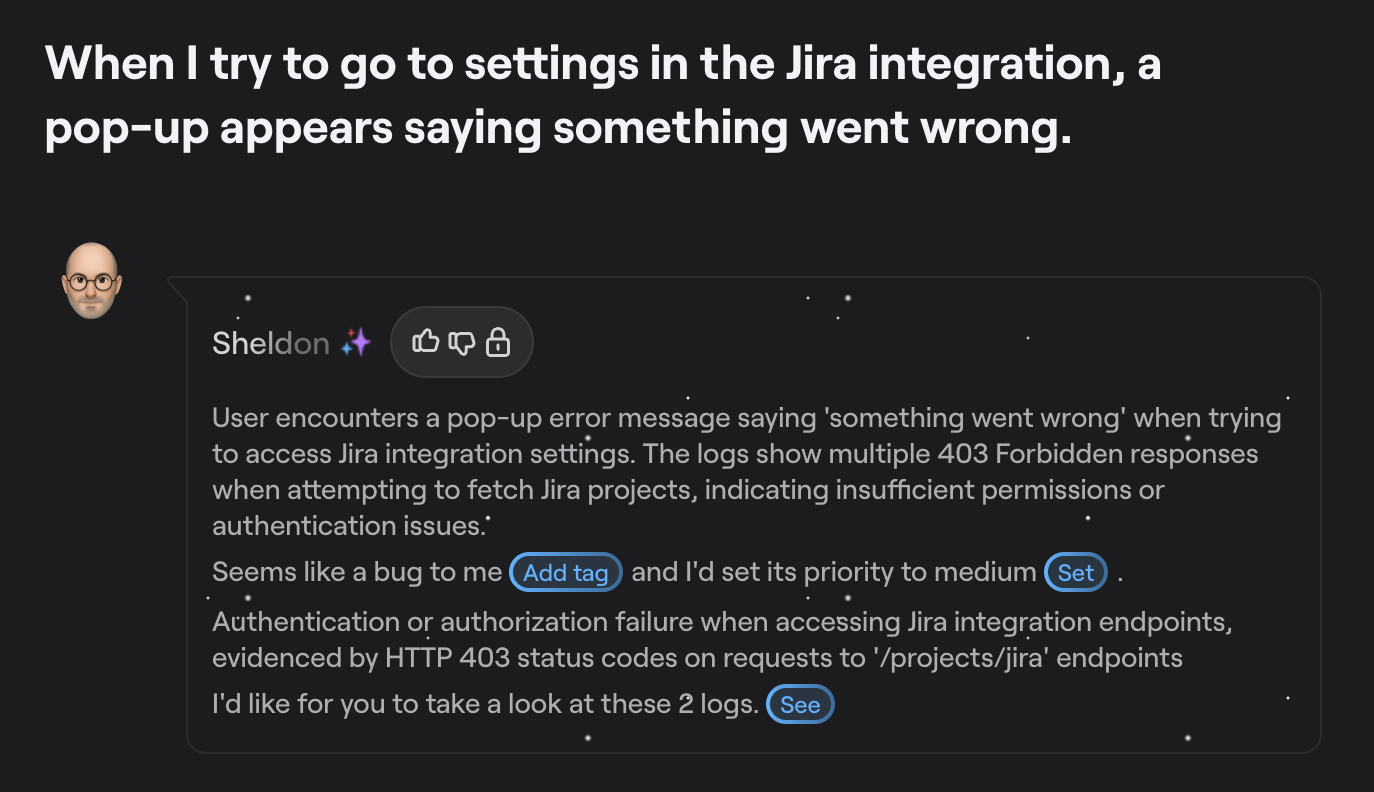
Then, Shake’s AI assistant Sheldon, automatically reads and summarizes each incoming report and suggests the category and priority labels, saving devs from manually reviewing the report.
On top of that, Shake’s AI shortcut buttons let you push any ticket to an external AI tool in one click with all the context already loaded, with the MCP server connecting the AI agents directly to your ticket data so they can act on it in real time.
Overall, the right AI tool setup for triage won’t look the same for every team.
You should pick the systems best suited to fill the gaps in your triage workflow and address any bottlenecks.
The quality of an AI triage model depends almost entirely on the historical bug data you feed it.
If that data is inconsistent, incomplete, or full of noise, the model will learn the wrong patterns and reproduce the same errors at scale.
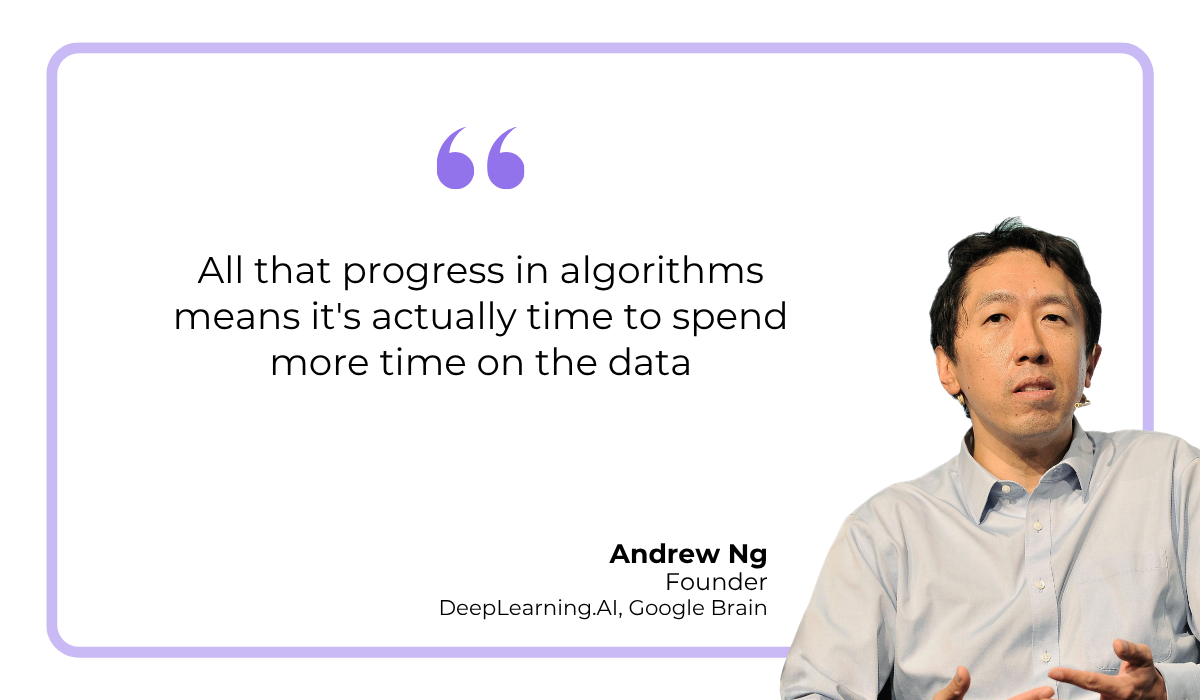
Andrew Ng, founder of DeepLearning.AI and Google Brain, made this point at MIT Technology Review’s EmTech Digital conference.
According to Picsellia, he argued for a focus on AI training data quality, rather than the AI models.
A better model built on messy data will still underperform a simpler model trained on clean, well-structured data.
For that reason, data preparation deserves at least as much attention as AI tool selection.
The preparation work typically involves several cleanup tasks before any historical data gets used for training.
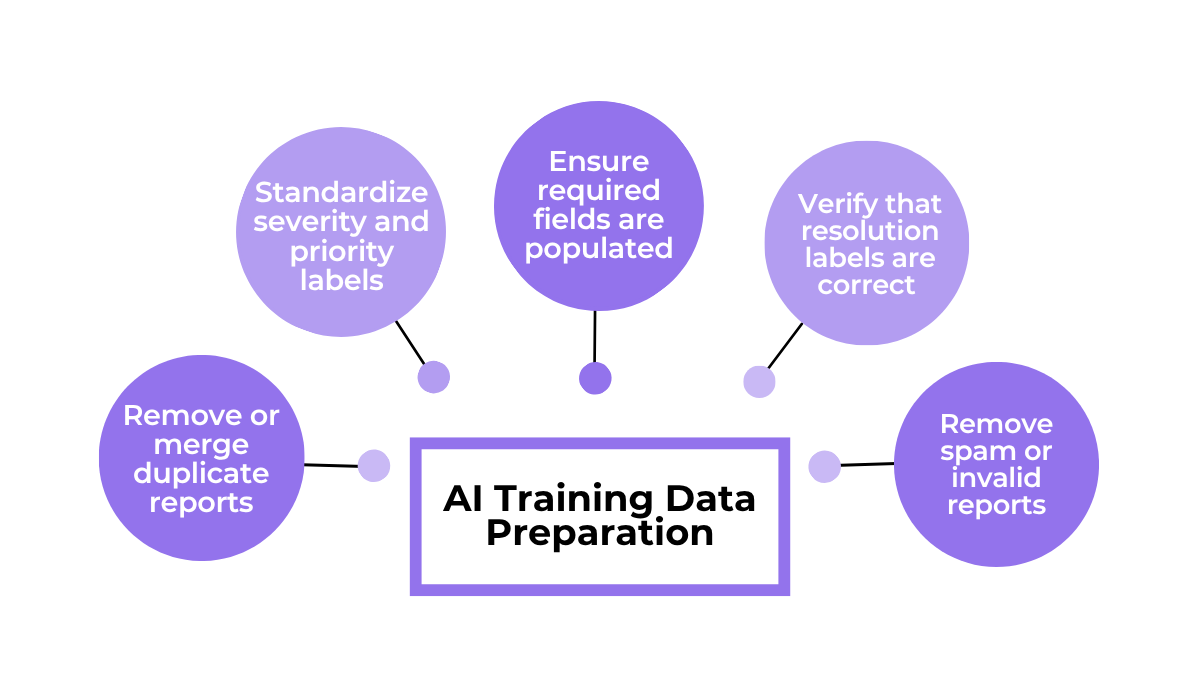
What all of these tasks have in common is that they move your historical data toward standardized, consistent inputs with enough context for the AI to learn from reliably.
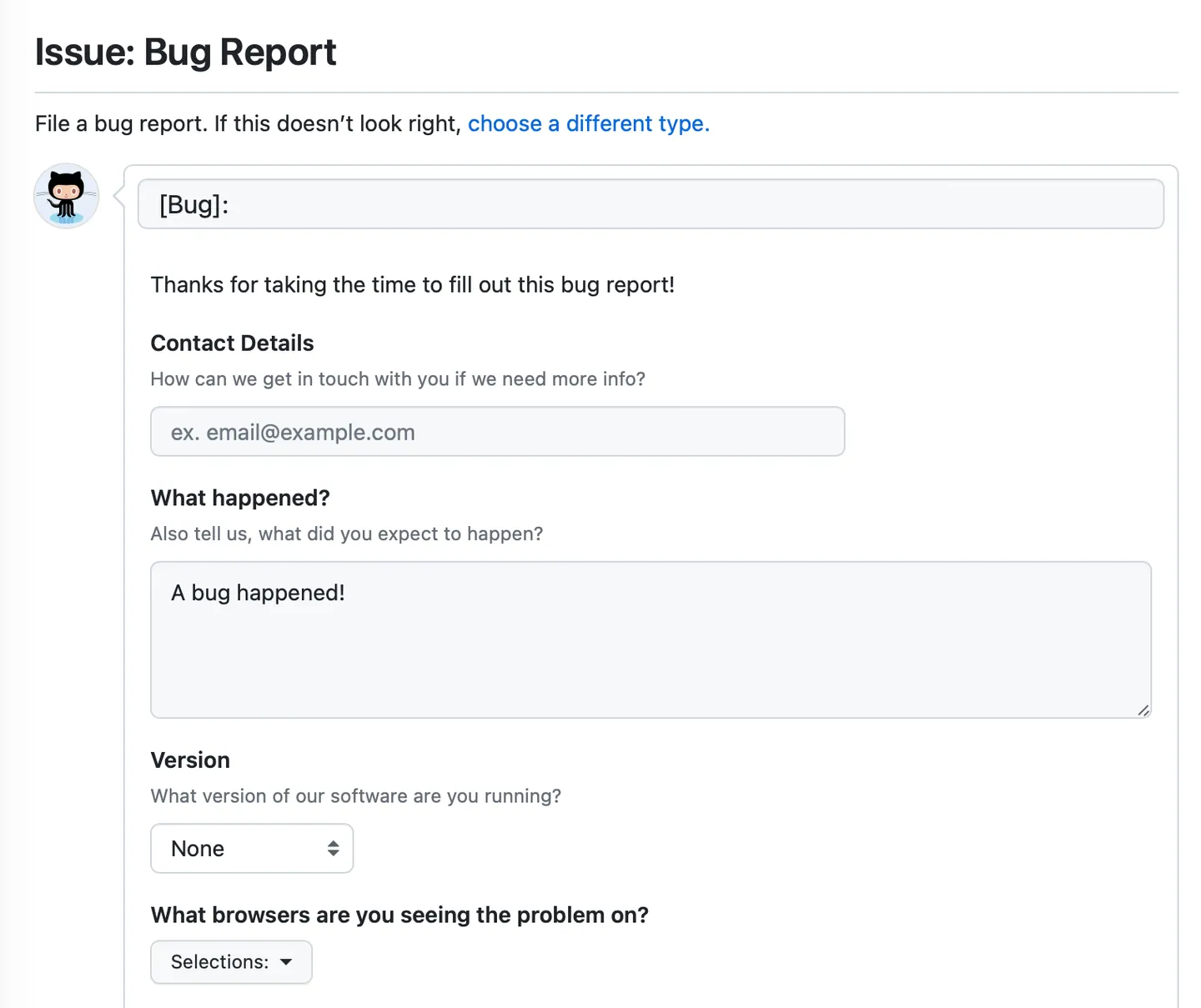
For new incoming bug reports, the best approach is to start structuring them and ensuring the required fields are filled in.
You can use platforms like GitHub to create standard bug report templates, or bug reporting tools like Shake to collect device data, logs, and session information automatically.
For historical reports, the process is more hands-on.
It means going back through older tickets, standardizing the fields that can be standardized, and removing or merging the ones that can’t be cleaned up.


Capture, Annotate & Share in Seconds with our Free Chrome Extension!
It’s tedious work, but it’s the foundation everything else builds on.
This is the stage where AI starts making actual triage decisions.
With your historical data prepared and your tooling in place, the model can begin analyzing incoming bug reports and producing structured outputs.
The inputs we need to give the AI tool go beyond just the text of a bug report.
Stack traces, error codes, affected device and OS, app version, user metadata, and historical patterns all feed into the model’s reasoning, which then produces the triage outputs shown below.
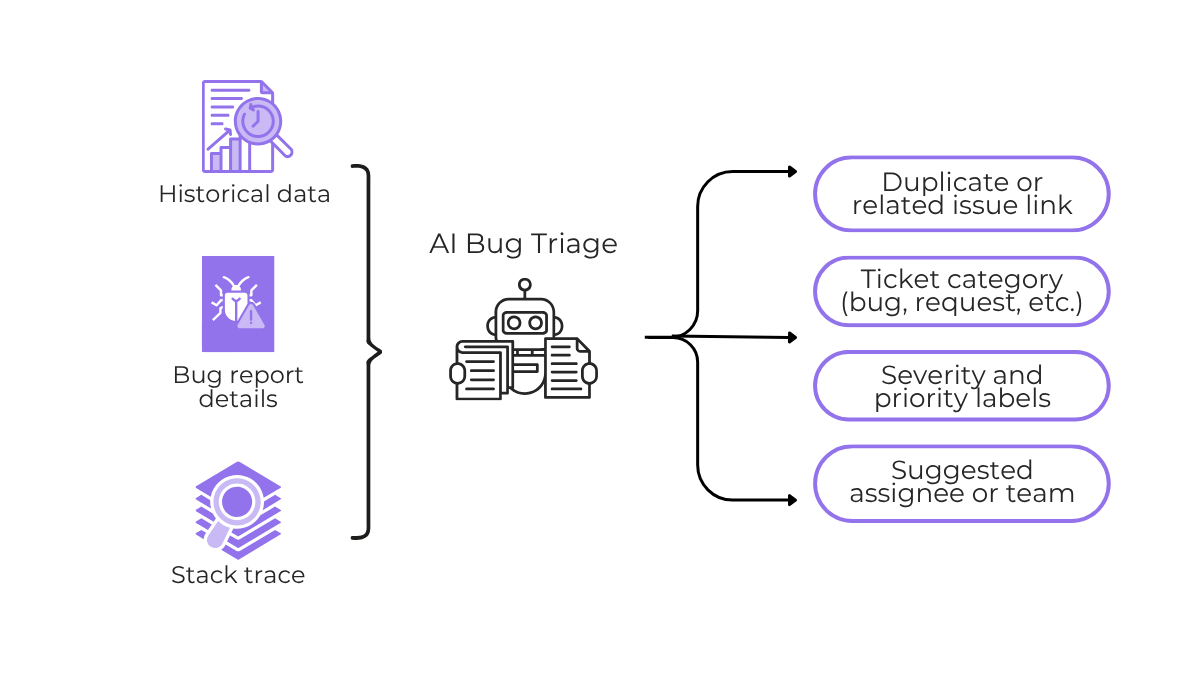
The richer the context on each ticket, the more confident and accurate the output tends to be.
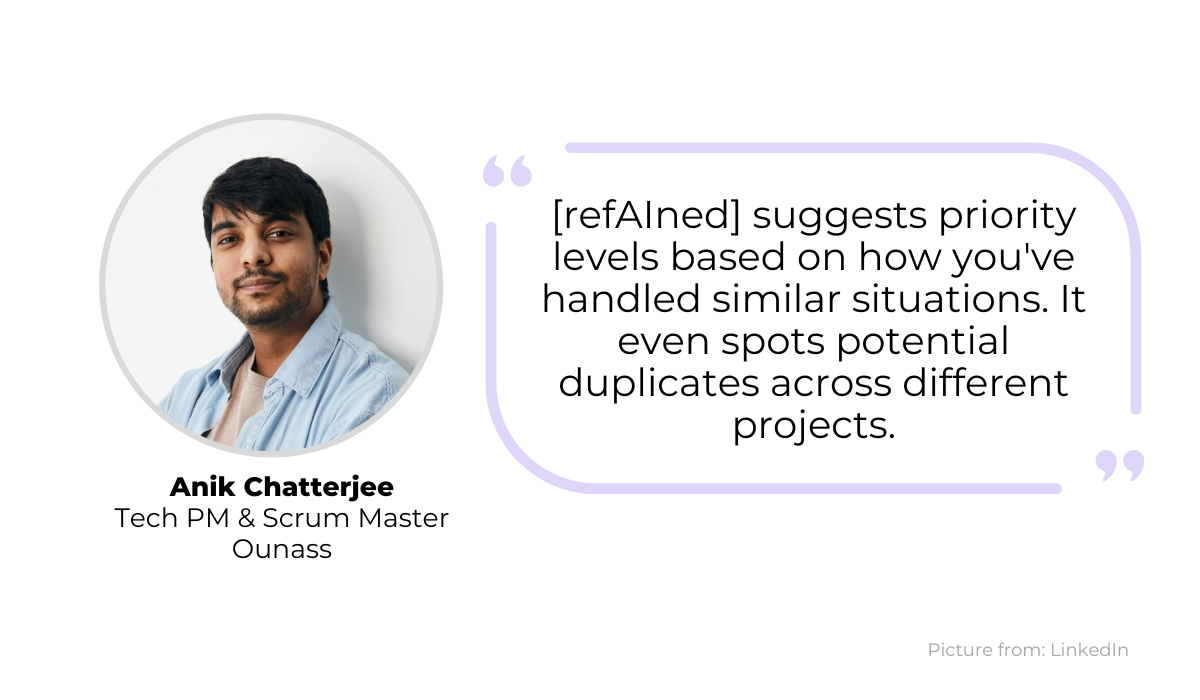
As an example, Anik Chatterjee, tech PM and scrum master, described building an internal AI triage tool called refAIned, which classifies issues based on concrete historical data.
Chatterjee points out that past bug data often gets forgotten when developers leave or move teams, saying:
“That person who remembers the edge case from six months ago might be in a different timezone.”
With an AI triage system, that context stays available and gets applied consistently to every new report.
For example, the AI triage system should read each incoming report, suggest the issue type and priority based on past patterns, and let a developer accept the suggestion with a single click, without digging through logs or trying to recall how a similar issue was handled before.
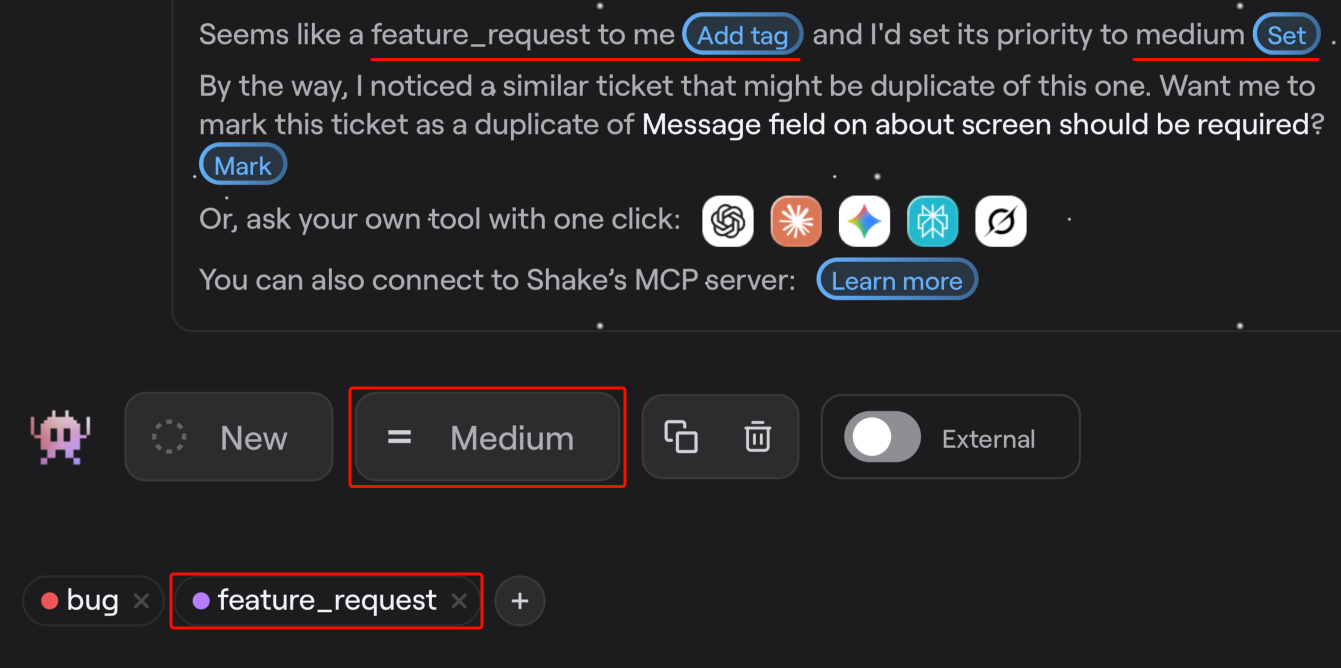
Each of these triage suggestions can replace a decision that previously required a developer or QA team member to review manually.
On top of that, AI classification also catches duplicates through contextual analysis rather than just keyword matching, which means reports that describe the same issue in different words still get linked correctly.
That alone can save a meaningful amount of time in teams that receive high volumes of similar reports.
For more complex or unusual issues, human judgment can still be part of the classification process, but the routine work gets handled automatically.
Setting up automated classification is one thing, but trusting it with live decisions is another.
In fact, the 2025 Stack Overflow Developer Survey found that more developers actively distrust the accuracy of AI tools than trust it, with only a small fraction reporting high trust in AI output.
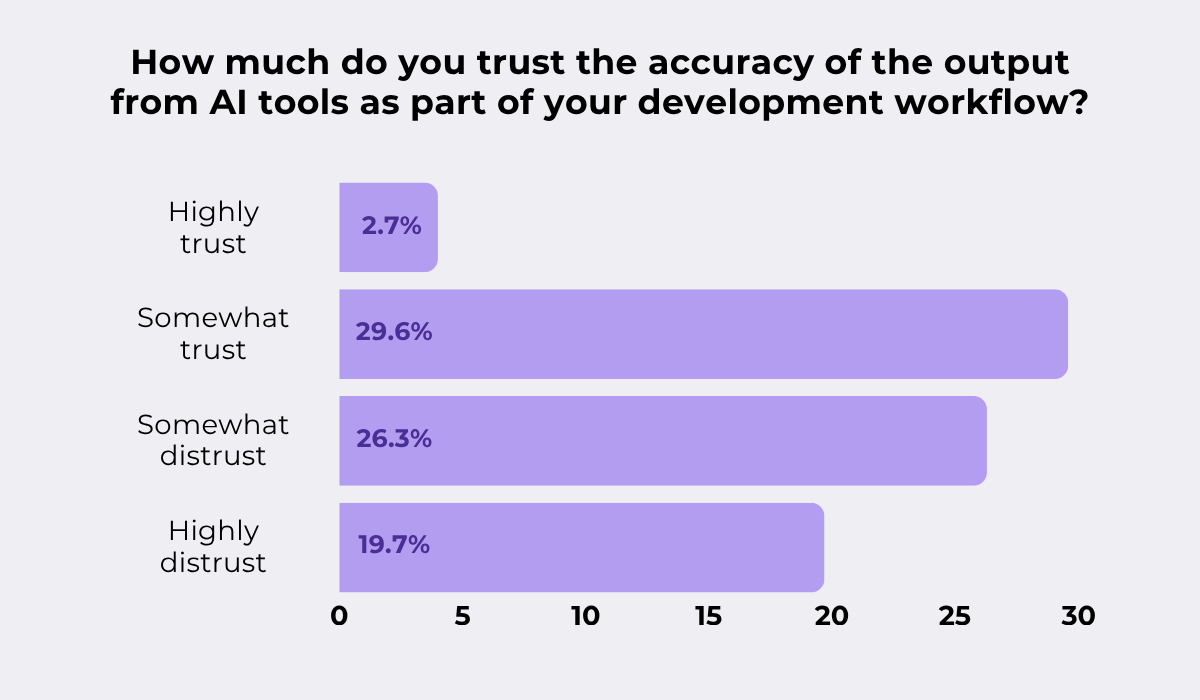
AI tools can certainly produce consistent, high-quality triage results, but that consistency has to be demonstrated before you rely on it.
The best approach is usually a staged rollout, which can involve three phases:
To add another layer of testing, you could try shadow deployment, illustrated below.
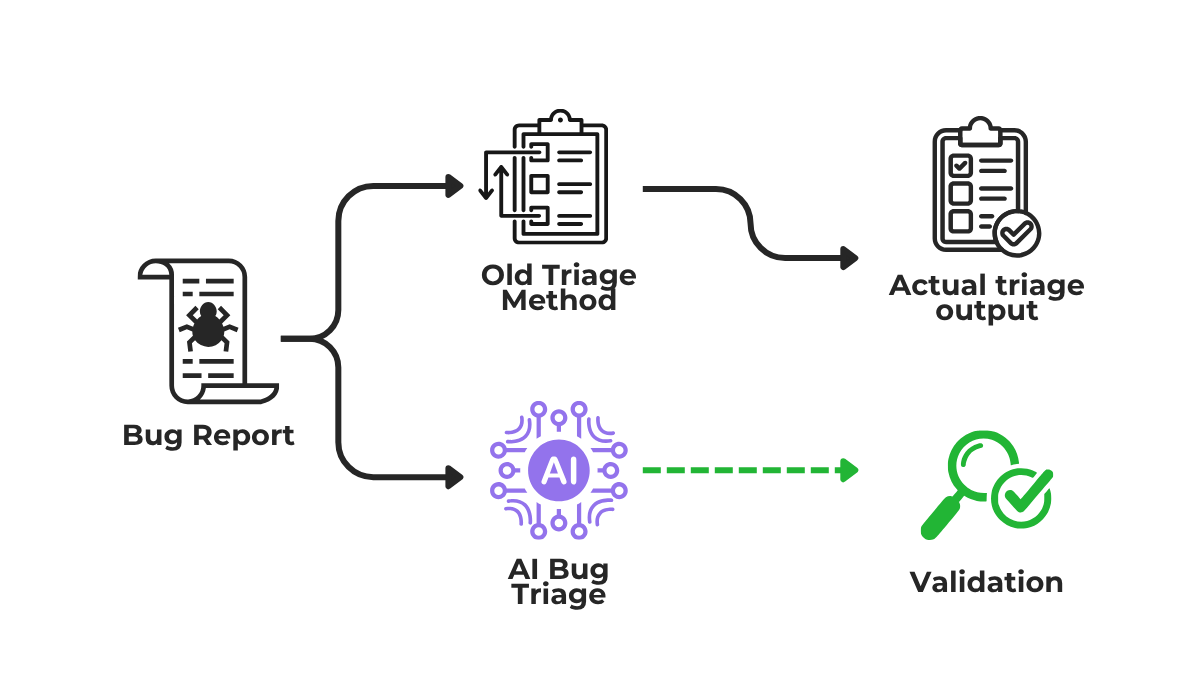
In a shadow setup, the AI runs alongside your existing manual triage process and produces its own outputs in parallel, but those outputs don’t affect anything yet.
Your team continues triaging as normal, while the AI’s decisions get logged and compared against yours.
This lets you measure classification accuracy and catch patterns in which the AI gets things wrong, all before it has any real impact on your workflow.
What you may find is that AI triage might not be suited for some types of issues at all.
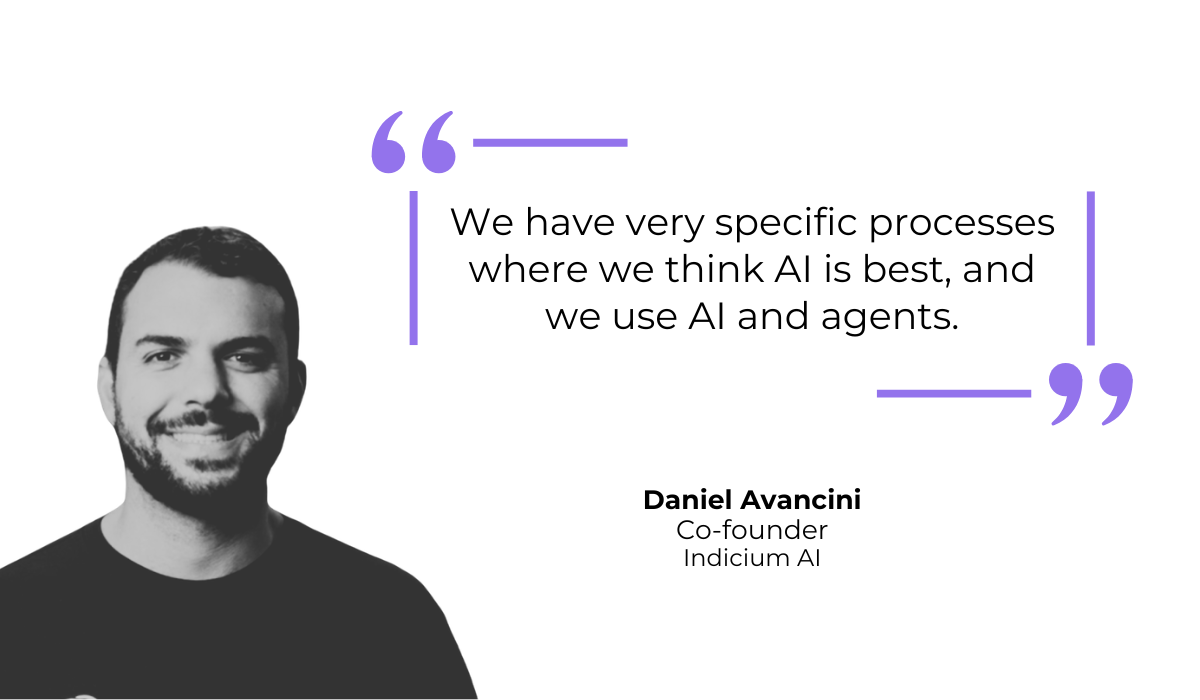
Daniel Avancini, co-founder of Indicium, a data engineering company, has spoken about how his team identifies specific processes where AI can be used, while building in human validation gates for everything else.
His point is that full automation is rarely the right first step, and for most teams it shouldn’t be the ultimate goal either.
The aim is a system where AI handles what it does well consistently, and humans stay involved where the stakes are higher, or the patterns are less predictable.
Getting an AI bug triage system running is just the starting point.
Any model or AI tool you deploy will be trained on a snapshot of your product, your team, and your bug history as they existed at setup.
All of those things change over time, and the model needs to keep up.
In an article on AI improvement strategies, Cem Dilmegani, principal analyst at AIMultiple, describes what happens to models that don’t get updated as real-world conditions evolve.
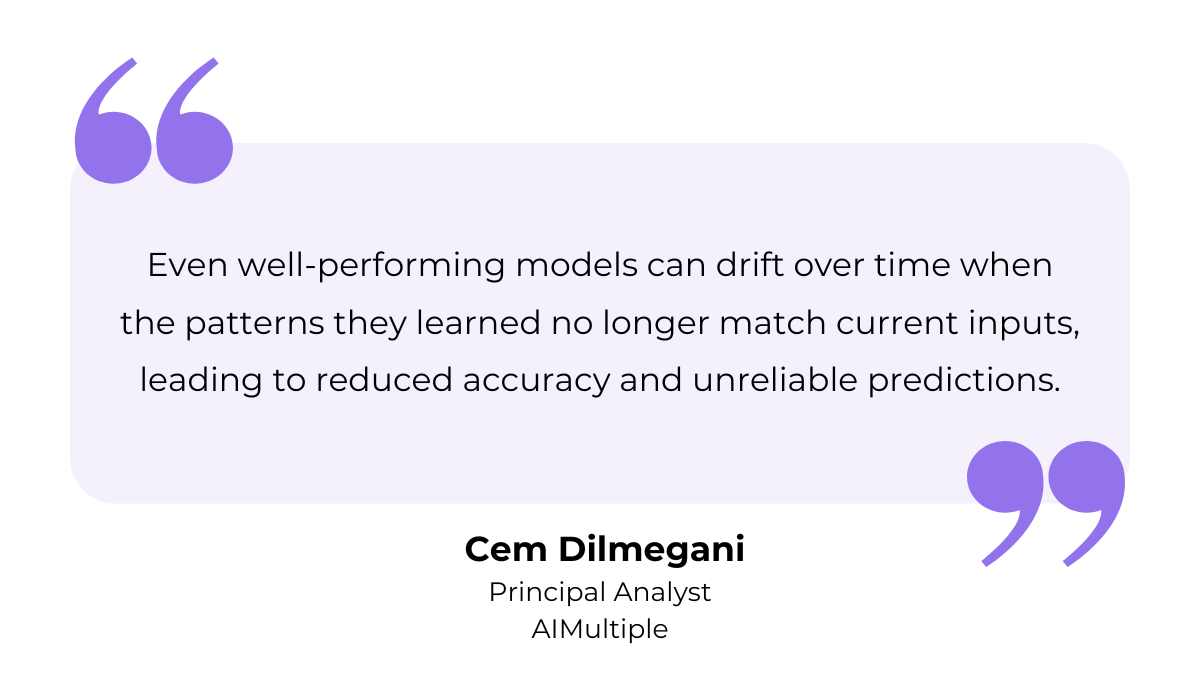
The “drift” he describes can happen gradually and without any obvious trigger.
It can simply be a new app feature that wasn’t in the training data, or a new developer who joins the team whose name the AI model has never seen as a ticket assignee.
None of these is catastrophic on its own, but over time, the model’s decisions can become less reliable.
To prevent that, a few maintenance practices make a real difference:
This kind of ongoing maintenance and quality checks can even build your team’s confidence in the system.
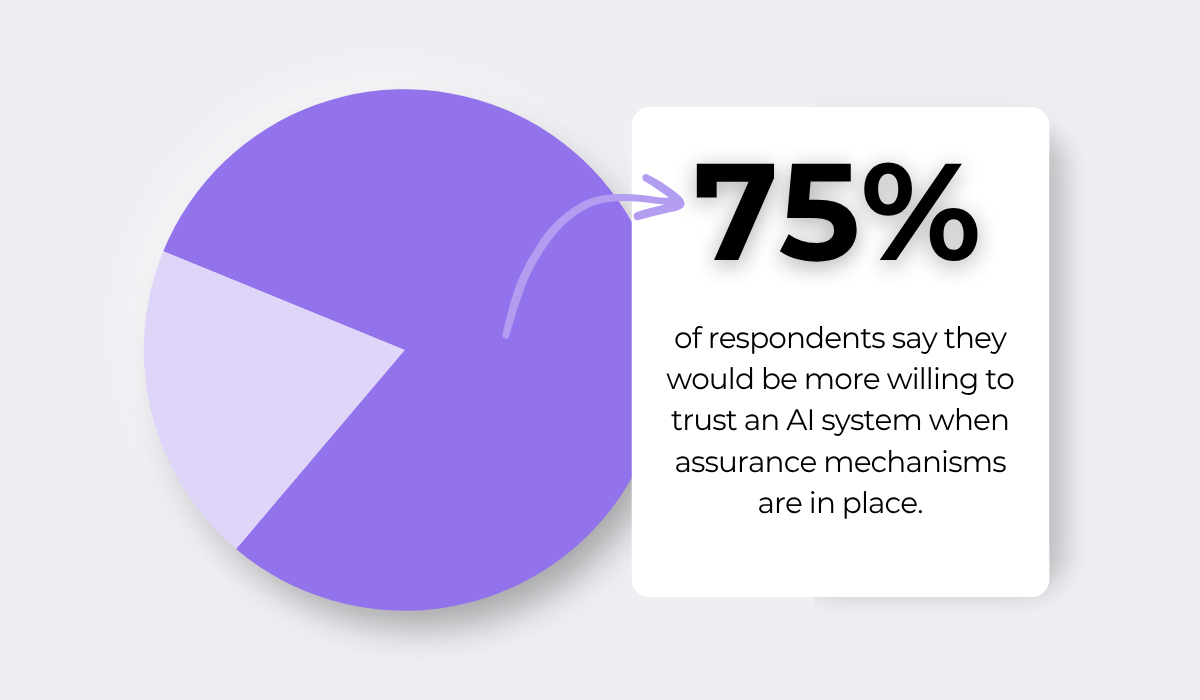
In fact, KPMG’s 2025 global trust in AI study found that most respondents would be more willing to trust an AI system when there are measures in place like monitoring reliability, human oversight, and accountability.
For an AI bug triage system specifically, that matters a lot.
When your team sees that the system is being monitored and that humans are still involved in key decisions, they’re far more willing to act on what the AI suggests.
Instead of second-guessing triage decisions, they can let the AI take on more of the workload over time, which is where the real efficiency gains come from.
That covers all six steps to get started with AI bug triage.
By now, you should have a good sense of what AI bug triage automation actually involves, from the groundwork it requires to what good long-term maintenance looks like.
The main thing to take away is that this isn’t a setup that’s done once; the process gets better the more you invest in it.
So start wherever your current workflow has the most friction, and work forward from there.
From internal bug reporting to production and customer support, our all-in-one SDK gets you all the right clues to fix issues in your mobile app and website.
We love to think it makes CTOs life easier, QA tester’s reports better and dev’s coding faster. If you agree that user feedback is key – Shake is your door lock.
Read more about us here.

Add to app in minutes

Doesn’t affect app speed

GDPR & CCPA compliant

Unexpected things pop up
Just like bugs in your app or web 🐛 Fix them now with just one reporting tool.
