

5 best practices for app rollbacks
Key Takeaways:
Imagine pushing a new app update only to realize it crashes instantly.
In these stressful moments, the ability to quickly revert to a previous version is essential for keeping your users happy.
If you are trying to understand why this process is often complex and risky, this guide is for you.
We will examine the specific challenges of implementing app rollbacks and how to navigate them.
Table of Contents
One of the hardest parts of executing a successful rollback is simply knowing why the deployment failed in the first place.
Before you can fix a problem, you have to understand what it is.
In fact, if you misread one of the signals that point to a potential issue that warrants a rollback, you risk performing unnecessary rollbacks or, worse, missing the real problems entirely.
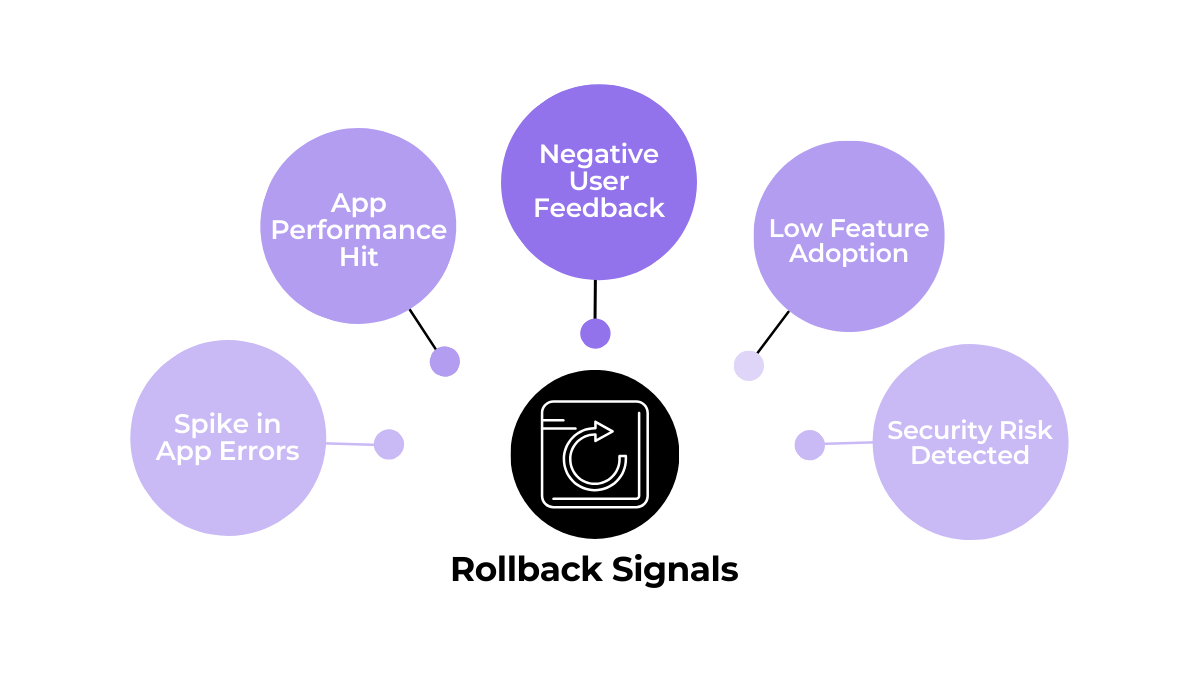
For example, a sudden rise in negative user feedback and supposed bugs being mentioned in reviews might point to a need for a quick rollback.
However, this could simply be a natural response to a major design change.
Without figuring out whether you have a genuine technical issue or just a few loud outliers, you risk making a poor decision.


Get unreal data to fix real issues in your app & web.
You might roll back a perfectly functional update just because a small group of users complained.
Plus, even if you detect real application errors or a drop in performance, knowing the root cause beforehand is vital.
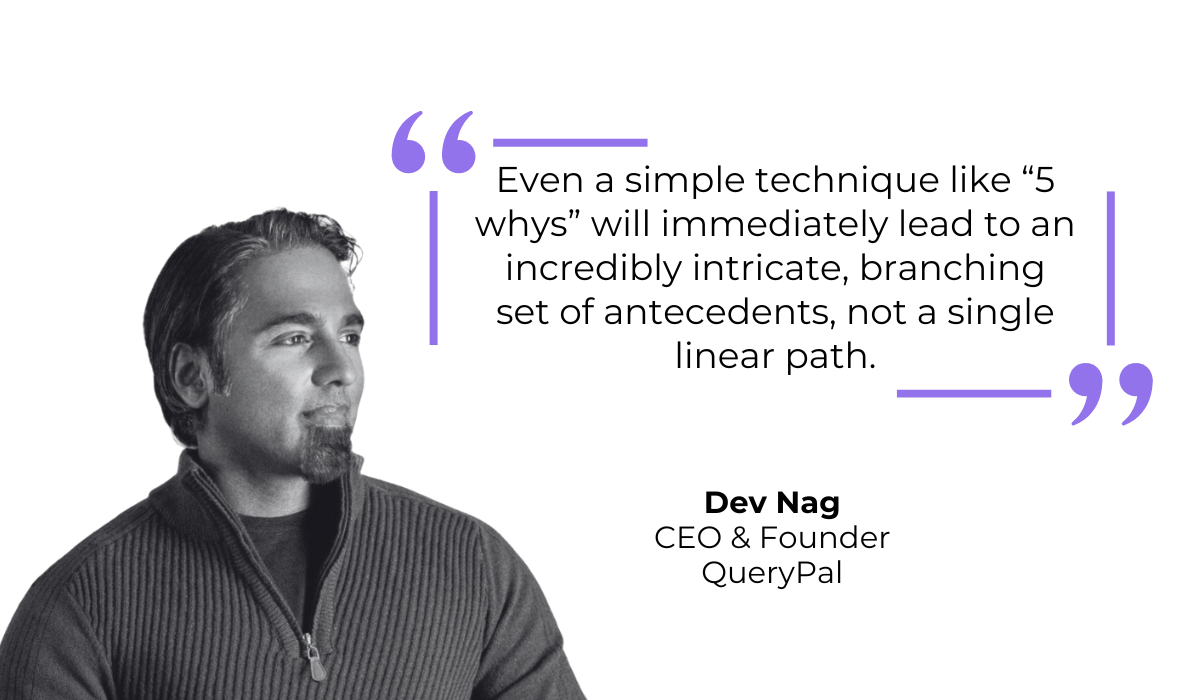
Root cause analysis techniques like the “5 Whys” method can certainly be helpful here.
But, as Dev Nag, founder of QueryPal, explains, you will soon realize that these methods often reveal the deep complexity of issues.
Figuring out the exact reason why a deployment failed is the ideal scenario, but the reality is that modern apps are complex.
To make a good decision, you need to have a lot of data and context surrounding the issues in your new release.
That is where a dedicated bug and crash reporting tool like Shake can be incredibly helpful.
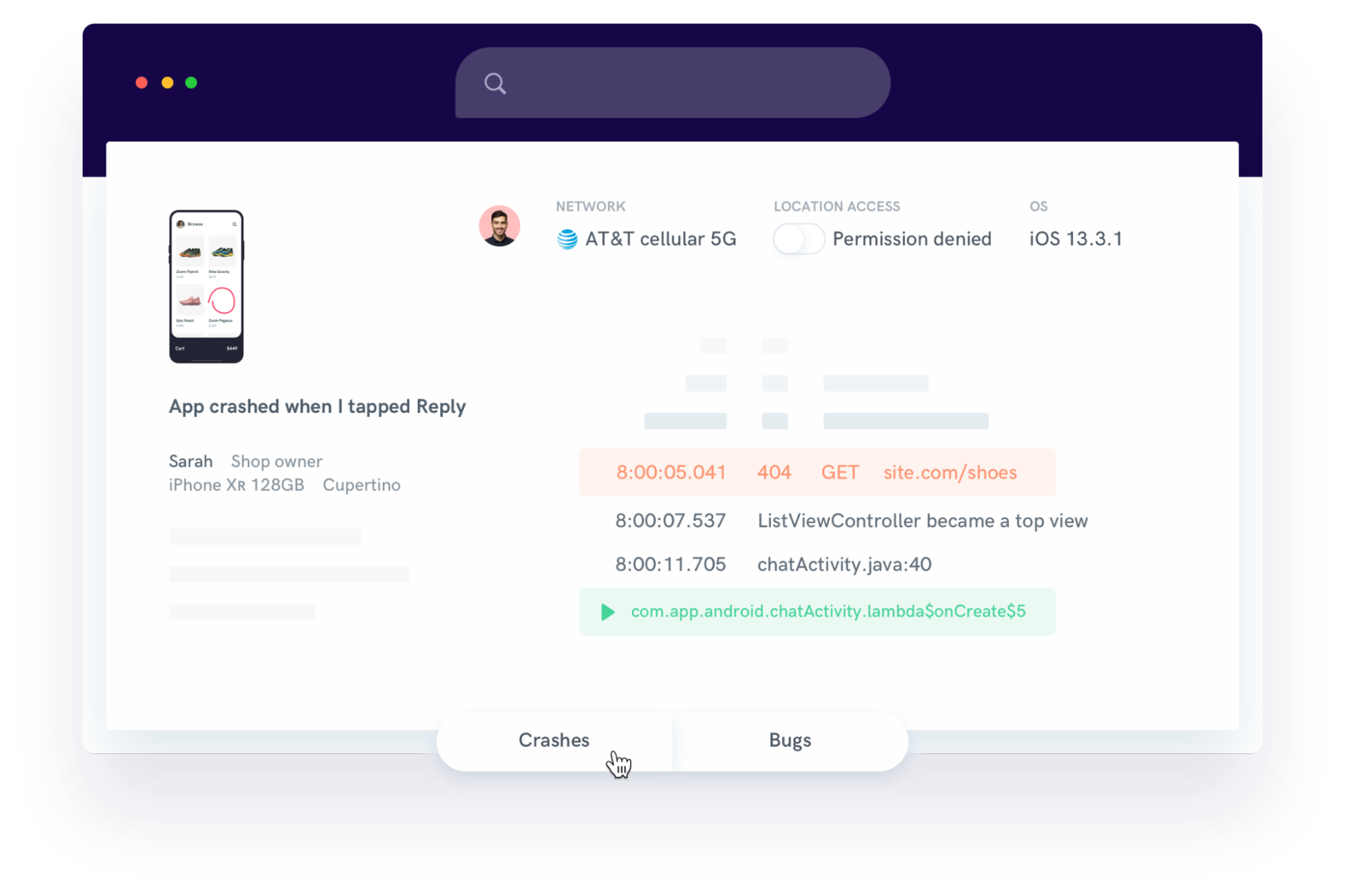
Shake provides in-app bug reporting capabilities that allow users and testers to immediately report on issues, without leaving your app.
More importantly, instead of root cause guessing based on vague user comments, with Shake, you get automatically attached data in each report.
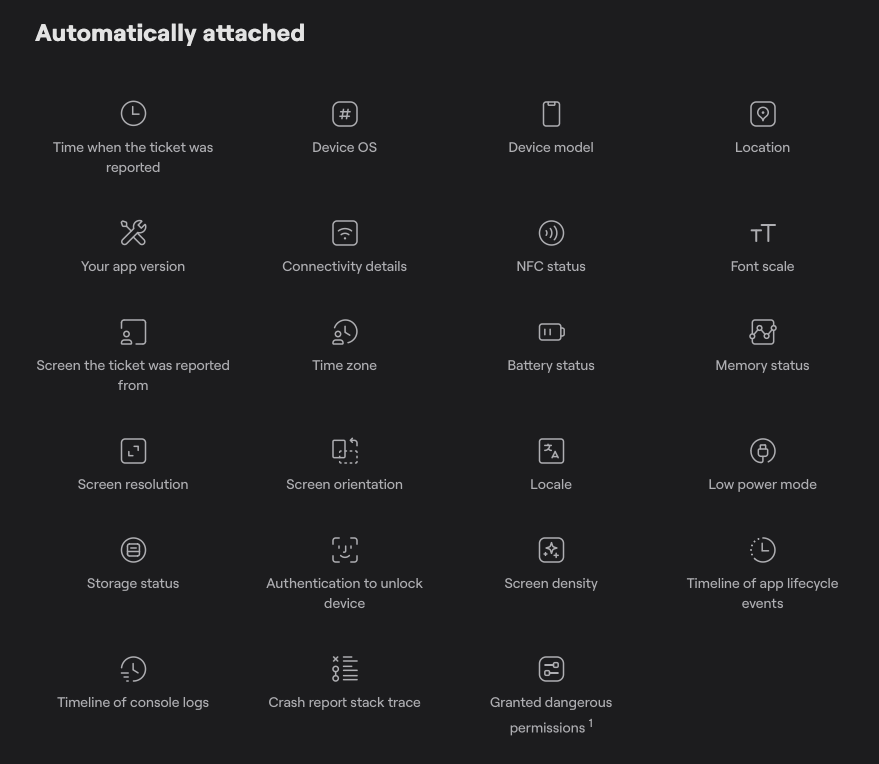
This includes data points such as the device type, OS version, logs leading up to the crash, and more.
The context this data provides is crucial because it separates actual bugs from user error or device-specific glitches.
With these detailed reports, you can confidently decide if a rollback is necessary or if a smaller and very specific hotfix is sufficient.
Simply put, data like this removes the guesswork from your rollback decision.
Even when you decide on a rollback, a major challenge comes directly from the app stores themselves.
You cannot simply press a button and instantly update the app on every user’s phone.
Platforms have strict approval processes that serve to protect users from malicious software and ensure quality standards, but these processes create bottlenecks during emergencies.
On Apple’s side, the review times have improved over the years.
You can generally expect about 90% of submissions to be reviewed in under 24 hours.
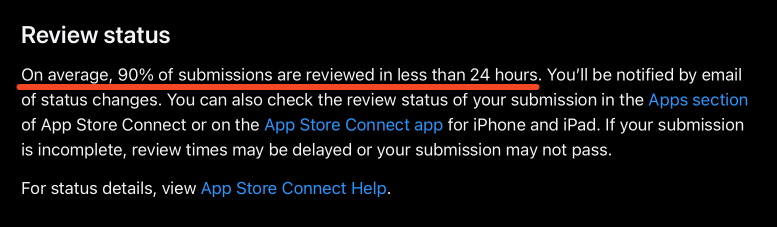
However, there is always a rare chance of longer delays depending on the volume of submissions they are handling.
On the other hand, the Android side can be a bit less predictable. While often fast, the automated and manual review combination can sometimes stall.
As one user elaborated on his experience in a Reddit thread, what was usually a fast approval process for his team gradually expanded to a full week of waiting without clear communication.
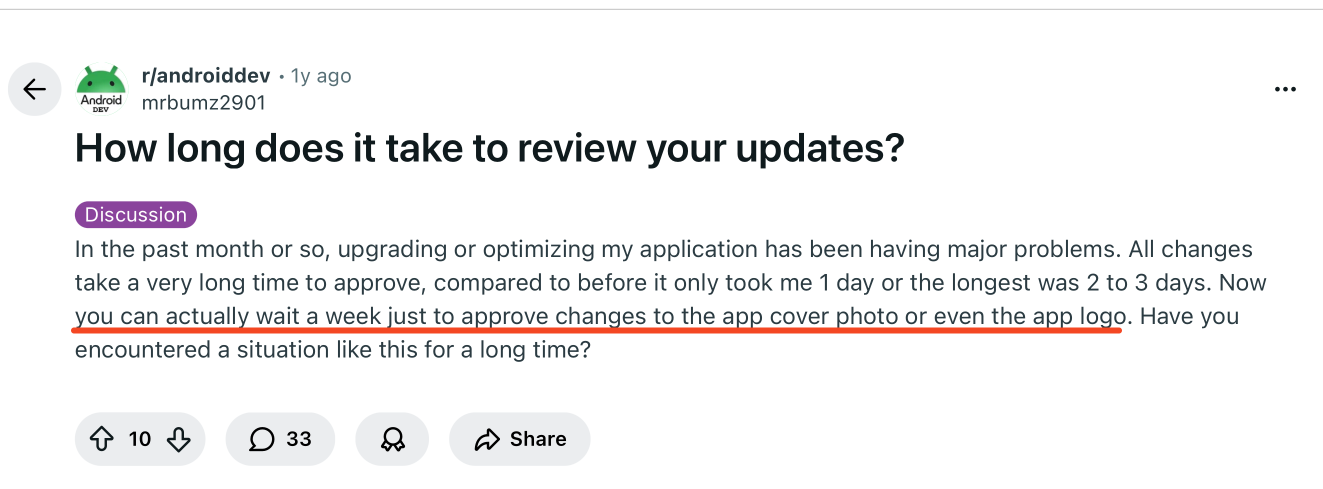
For an app with a critical failure, even a single day is too long to wait, not to mention a week.
Ideally, you want to avoid this situation altogether by using practices like implementing feature flags.
Simply put, feature flags allow you to toggle specific features on or off remotely without requiring a new app download.
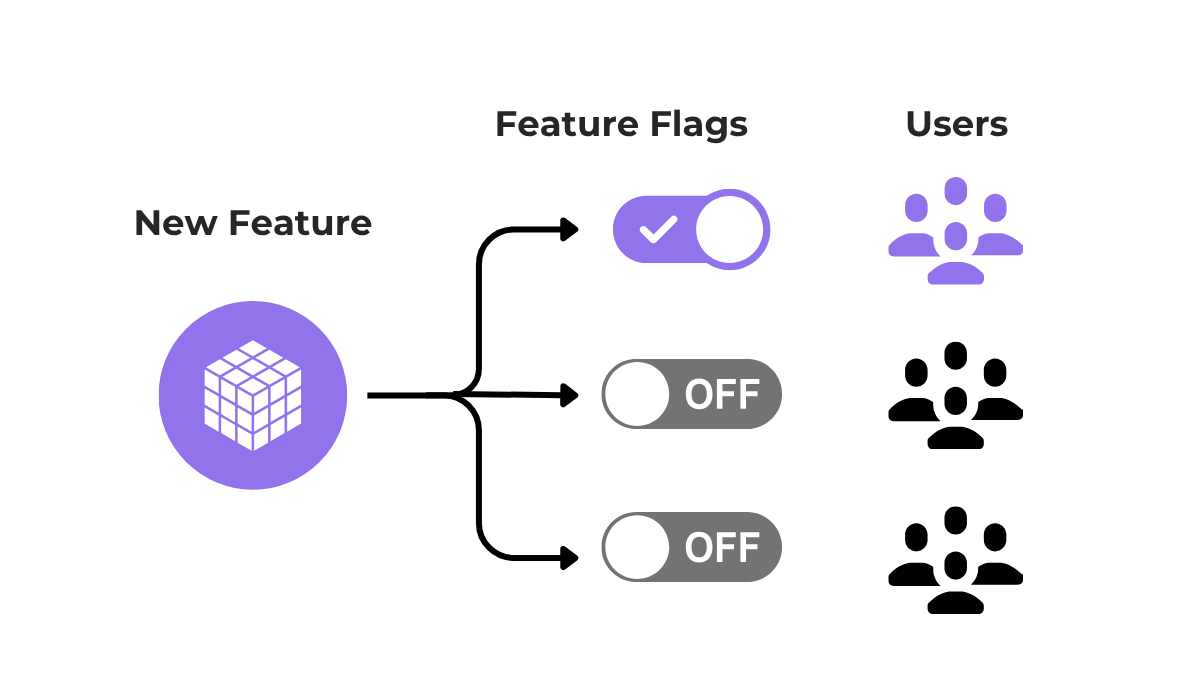
For example, if a new chat feature causes crashes, you can simply switch that feature off for all users immediately while leaving the rest of the app running.
This circumvents the entire app store approval process and essentially allows you to perform a rollback of certain functionalities immediately.
In case this is not an option, your last resort is to contact the approval teams directly and hope for a fast response.
In Apple’s case, they have a specific form for an expedited app review, which you can fill out to request a faster check.
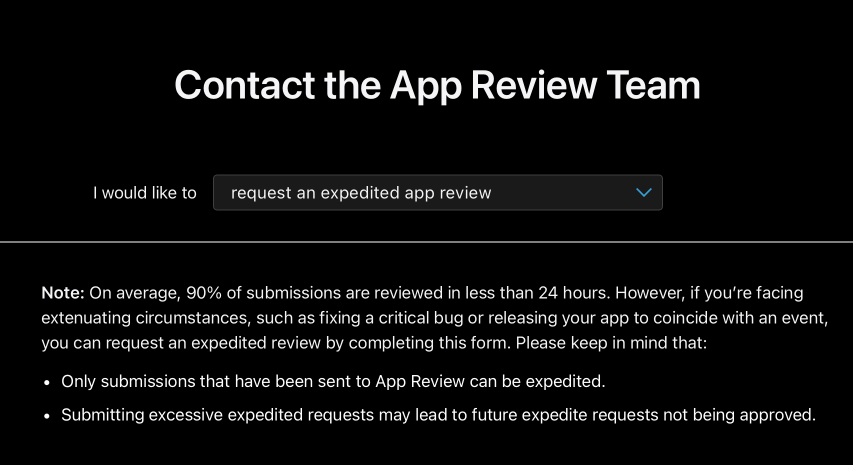
Google Play offers fewer direct avenues for this, though appeals can be made if an update is rejected.
Ultimately, relying on store reviews for emergency fixes is risky, so planning ahead is a safer bet.
You should treat rollbacks just like any other deployment.
This means they need to be tested, rehearsed, and automated wherever possible so that you are not scrambling when an emergency happens.
To achieve this, you want to think about potential rollbacks as a vital part of your entire deployment process, not just an afterthought.
For example, an article by Octopus Deploy, a popular deployment automation tool, explains that you should carefully consider the whole workflow.
You need to identify which specific steps run during a standard deployment, which steps run during a rollback, and which steps run in both cases.
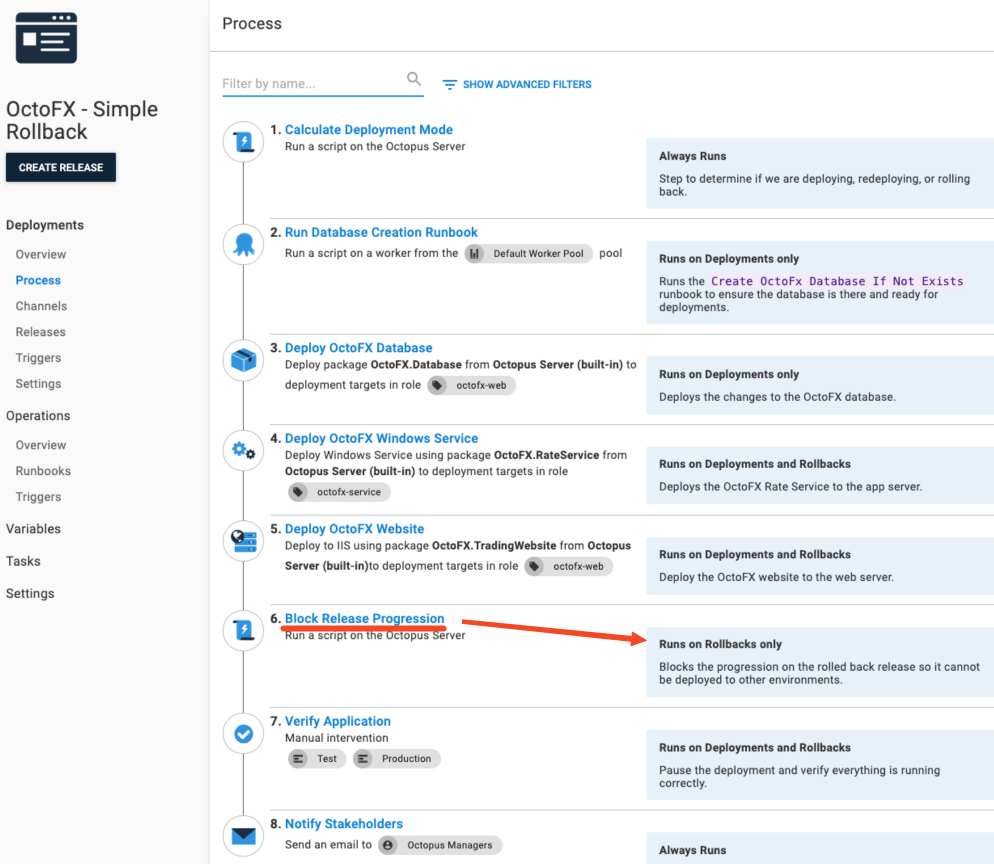
For instance, steps like blocking the release progression would be run during rollbacks to stop the problematic app version from being deployed.
Meanwhile, app verifications would run both during deployment and during rollbacks to verify that the app version has actually changed.
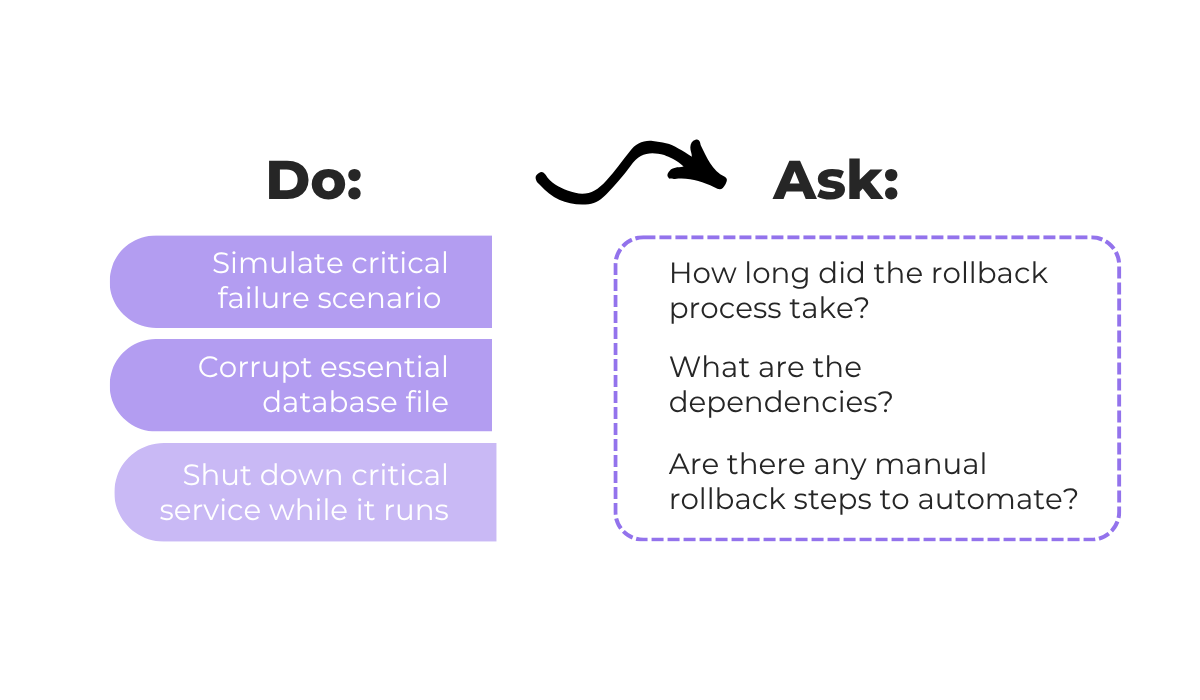
Of course, testing this entire deployment process along with the rollback steps is best done in a staging environment.
This environment is a replica of your production environment that allows you to experiment without affecting real users.
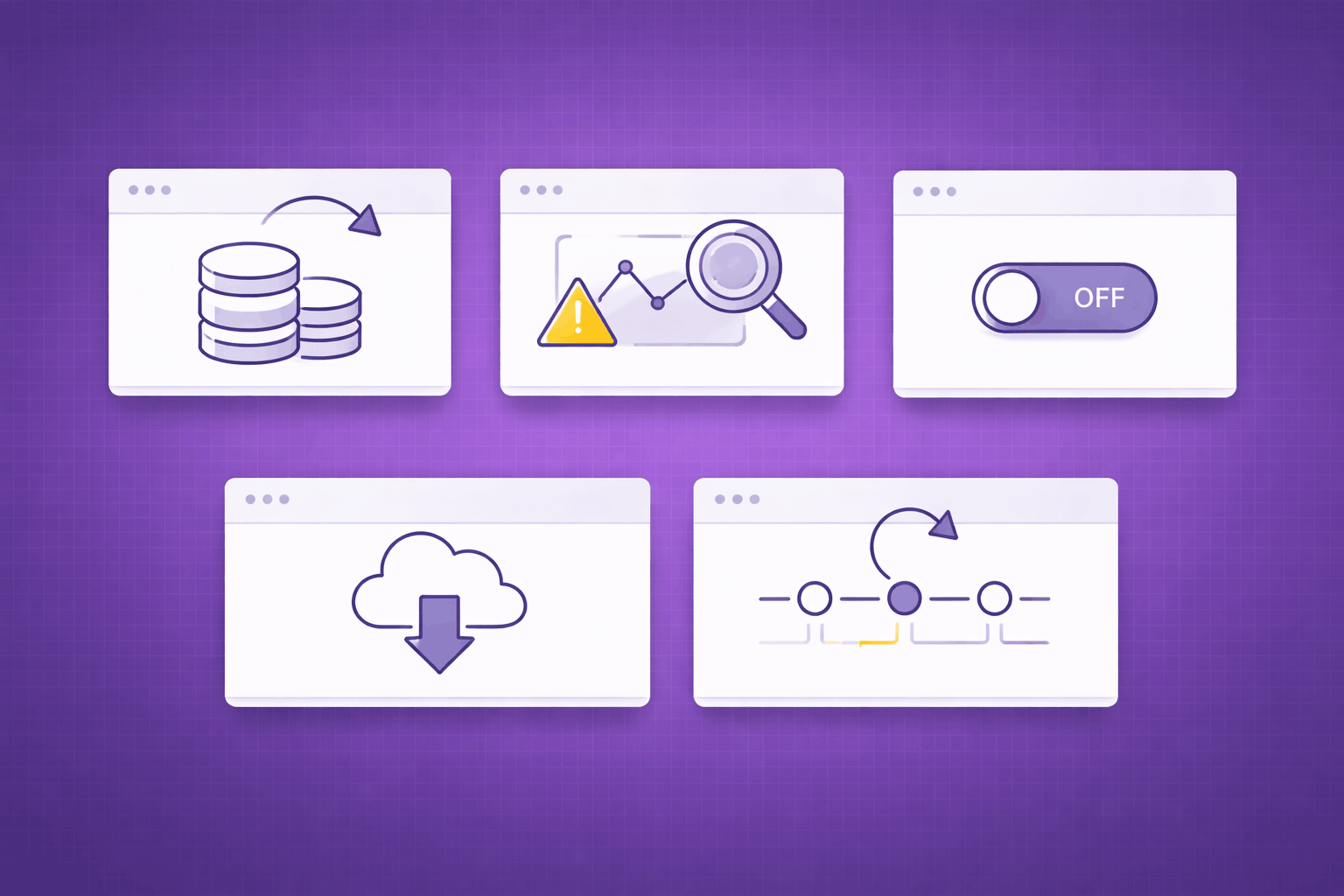
The image below shows some potential simulations you can perform in staging, along with the questions you should think about regarding the rollback process.
Plus, this staging environment is the best place to test specific rollback-friendly deployment practices, like canary deployment.
Canary deployment is a technique where you release the update to a small percentage of users first, rather than everyone at once.
You can see the visual representation of this below.
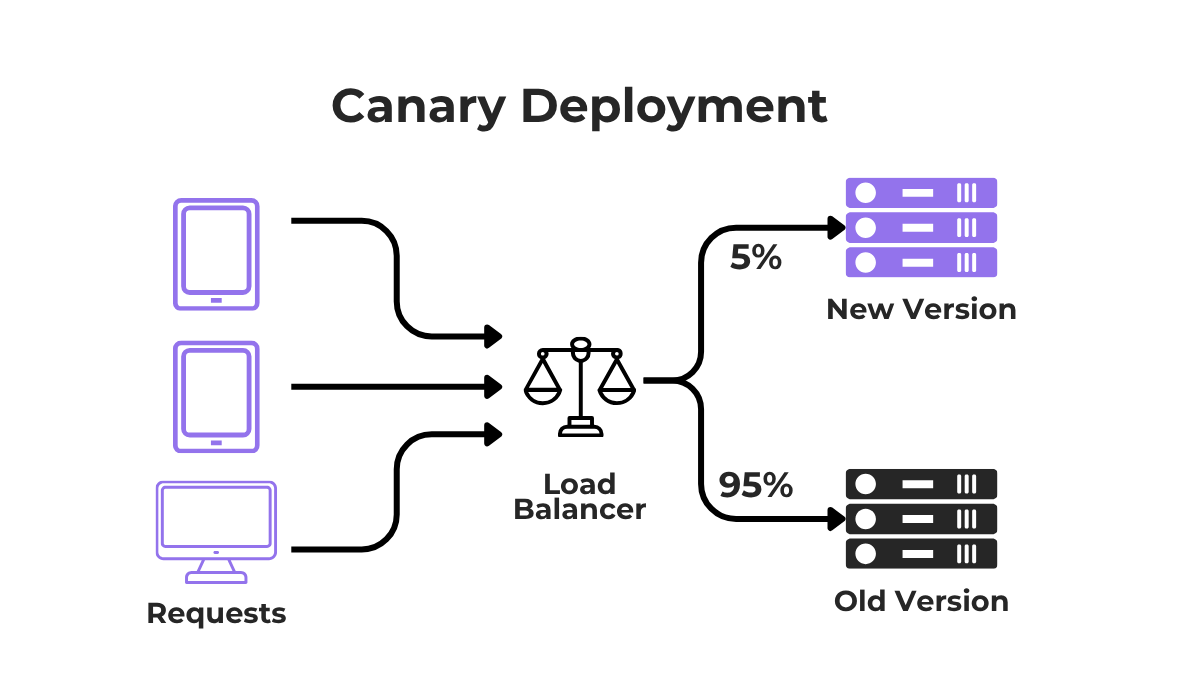
These canary deployments help with rollbacks because if a problem is found, you only have to roll back the update for a small group of people, rather than your entire user base.
However, even this safety measure needs to be tested to ensure the switch-back mechanism works smoothly.


Capture, Annotate & Share in Seconds with our Free Chrome Extension!
To summarize, by rehearsing both rollback scenarios and deployment techniques in a safe environment, you ensure that your team is ready for the real thing.
One of the most delicate things to worry about when implementing a rollback is how it will affect your user base.
In fact, poorly managed rollbacks can have very serious consequences for user trust and data integrity.
For instance, take a look at this forum post, where an app owner attempted a rollback on an app created on Bubble, a no-code app builder.
The result for his team and users was far from smooth.
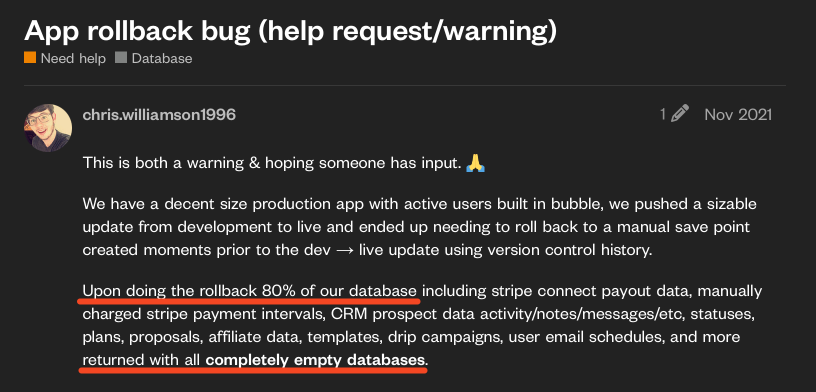
As you can see from their post, the app’s database was essentially ruined during the process.
Without a backup, this situation is very damaging, as you cannot recover the app state.
Even if this user’s team had a data backup, some critical payment data, new user accounts, and messages created between the update and the rollback could be forever lost.
This results in an enormous negative impact on users who lose their recent activity.
So, one aspect of minimizing user impact is ensuring you have solid rollback processes.
Great care needs to be taken to avoid uncontrolled scenarios, primarily through the thorough rollback testing we discussed in the previous section.
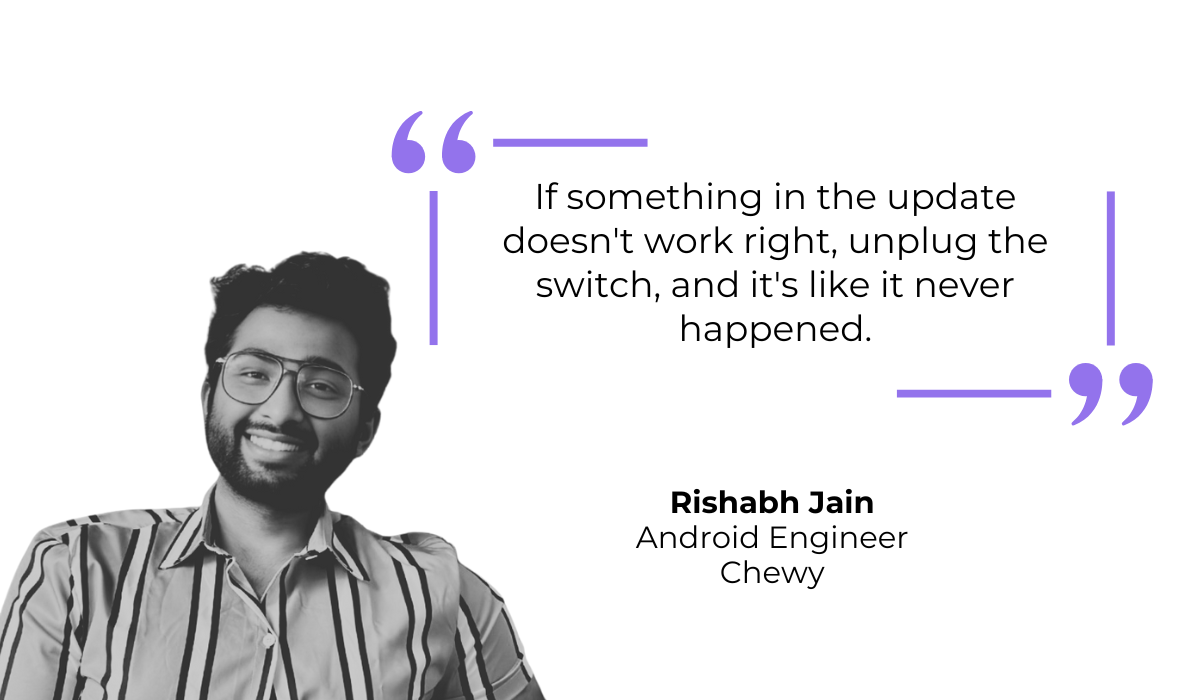
As Rishabh Jain, an Android engineer for Chewy, explains, the goal is just the opposite of the chaos the Bubble user experienced.
Instead of a rollback that causes visible errors and data loss, steps should be taken to make the reversion seem invisible to the user.
That can mean implementing one of the methods we went over, like canary deployment, to limit the blast radius of a bad update.
Or, it could mean using simple techniques like feature flags.
Of course, there are always situations where a bigger rollback is necessary, where users either will or have already been affected.
In these rare instances, transparency is key.
Take the example of the messaging app KakaoTalk, which performed a notable rollback of a feature back in September 2025.
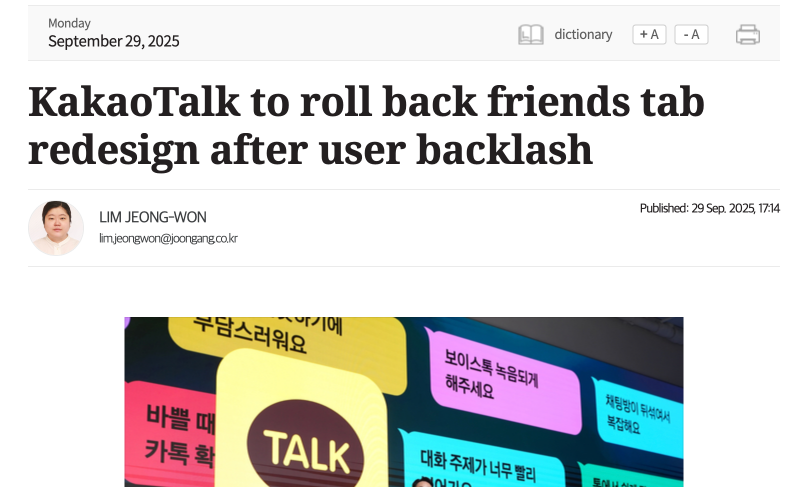
In fact, they released a public announcement to explain why they were rolling back the changes to their friends tab redesign, which was met with enormous user backlash when it was released.
This level of transparency is important because it reassures users that the company is aware of the issue and is taking steps to fix it.
After all, you want to avoid leaving users confused by a changing app interface and functionalities, without any context.
Overall, a solid rollback process and communicating clearly help maintain a positive user experience even when technical things go wrong.
Simply reverting your app to a previous state when something goes wrong does not automatically guarantee stability.
The failed version might have altered data or server configurations in a way that the old version cannot handle, leading to mismatched states.
Therefore, it is very important to validate the reverted version immediately and perform follow-up checks to ensure everything is truly running smoothly.
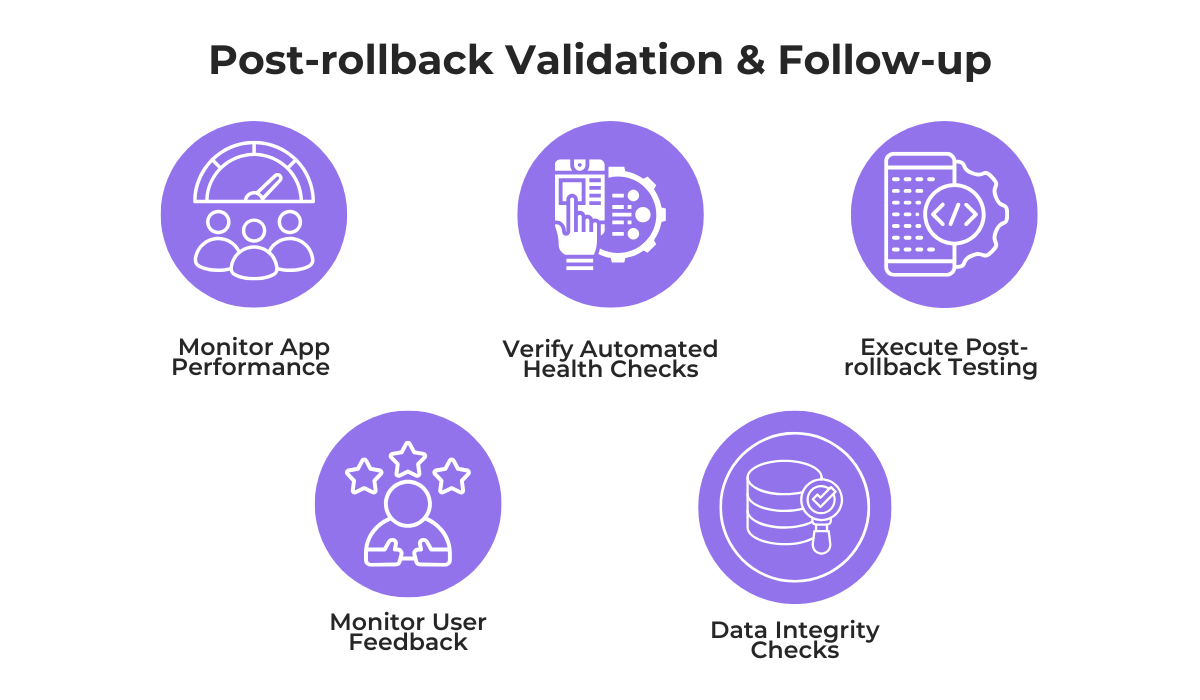
This validation process should include post-rollback testing.
You need to specifically test the app areas that were involved in the issue that warranted the rollback to confirm they are functioning properly again.
Next, monitoring app performance and verifying app health checks is essential.
This means closely watching your server metrics to ensure response times have returned to normal and confirming that error rates have dropped back to near zero.
This is a delicate issue because performance directly impacts your reputation.
According to Luciq research, even a tiny 0.15% difference in app crash rates can make an app go from a 4.5-star rating to a 3-star rating in app stores.
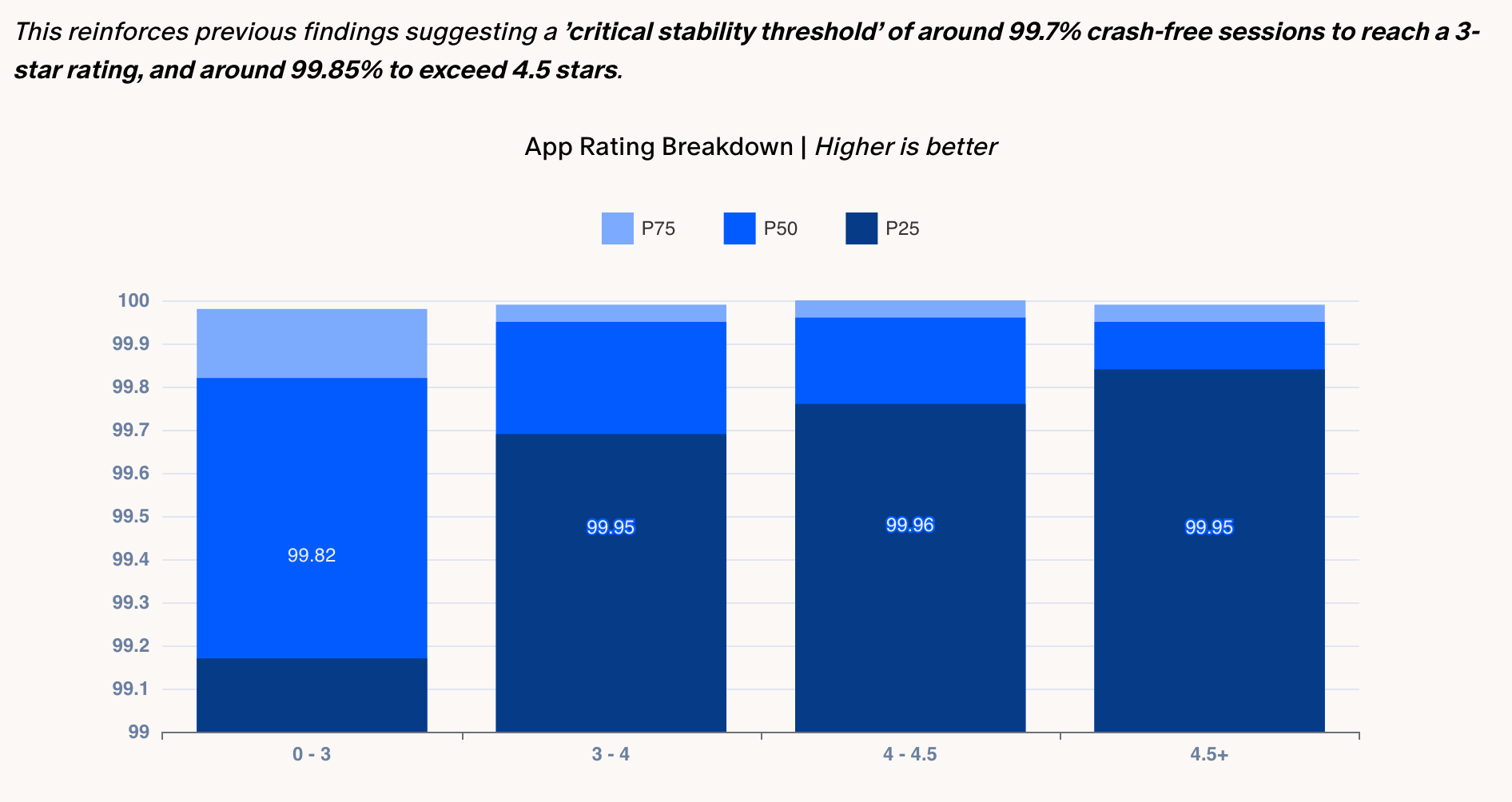
So, you definitely want to ensure critical stability thresholds, like Android Vitals, are met.
Beyond raw data, try to monitor user reviews and feedback after your rollback. If reviews or support tickets continue to report the same bug or complaints, you know the reversion was not successful.
As a final note, you should perform data integrity checks.
As explained in a blog article by Octopus Deploy, this may be the most important part of a successful rollback:
“Unless a catastrophic event happens, data loss is unacceptable. Data loss has real-world impacts.”
Data loss destroys user trust and can have serious financial or legal consequences.
Because of this risk, full database rollbacks are usually not recommended as they wipe out all user activity that happened during the bad release.
But even in the case of regular rollbacks, you still need to ensure database integrity is maintained by scanning and correcting any affected records.
After all, a rollback is only finished once you have verified that both the application and the user data are safe.
Now that we have finished exploring the complexities of app rollbacks, you should understand why simply hitting “undo” is rarely enough.
We discussed everything from app store delays, the importance of minimizing user impact, and even why a solid post-rollback process is essential.
We hope this insight helps you identify weak spots in your current release strategy.
Your next steps?
Use this information to design a more resilient rollback process that protects your application during critical failures.
From internal bug reporting to production and customer support, our all-in-one SDK gets you all the right clues to fix issues in your mobile app and website.
We love to think it makes CTOs life easier, QA tester’s reports better and dev’s coding faster. If you agree that user feedback is key – Shake is your door lock.
Read more about us here.

Add to app in minutes

Doesn’t affect app speed

GDPR & CCPA compliant

Unexpected things pop up
Just like bugs in your app or web 🐛 Fix them now with just one reporting tool.