






Bug reporting takes time. Here’s how AI helps teams work more efficiently

Key Takeaways:
Ever wonder why you have so much data but still can’t get a clear picture of how people use your app?
User data is everywhere, but it’s often incomplete, difficult to structure, or scattered across different tools.
If you’re struggling to connect the dots and understand user behavior on a deeper level, this guide is for you.
In the following sections, we will break down the five biggest challenges that get in the way.
Table of Contents
In recent years, a greater focus on data privacy has naturally led to stricter rules for collecting user data.
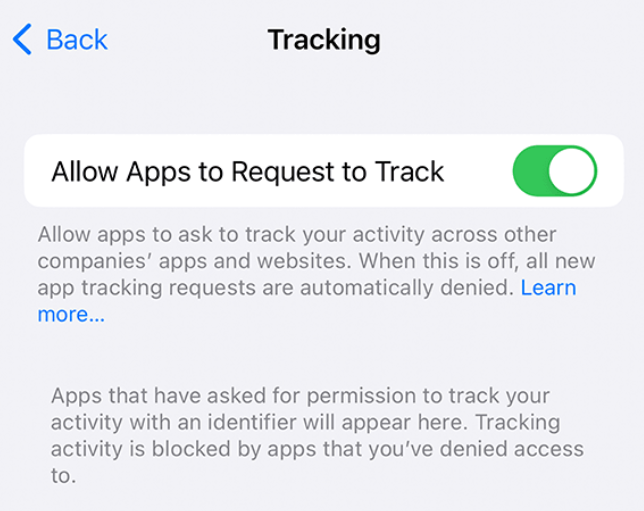
A key example of this is Apple’s App Tracking Transparency (ATT) framework, which requires apps to get a user’s permission before tracking their data across other companies’ apps or websites.
We also have the General Data Protection Regulation (GDPR), a European Union law that sets strict requirements for how personal data is collected, stored, and used.
Both GDPR and ATT give users more control over their personal information, making it essential for companies to ask for consent before collecting certain types of data.


Get unreal data to fix real issues in your app & web.
And, since these policies were introduced, they have been widely accepted by users.
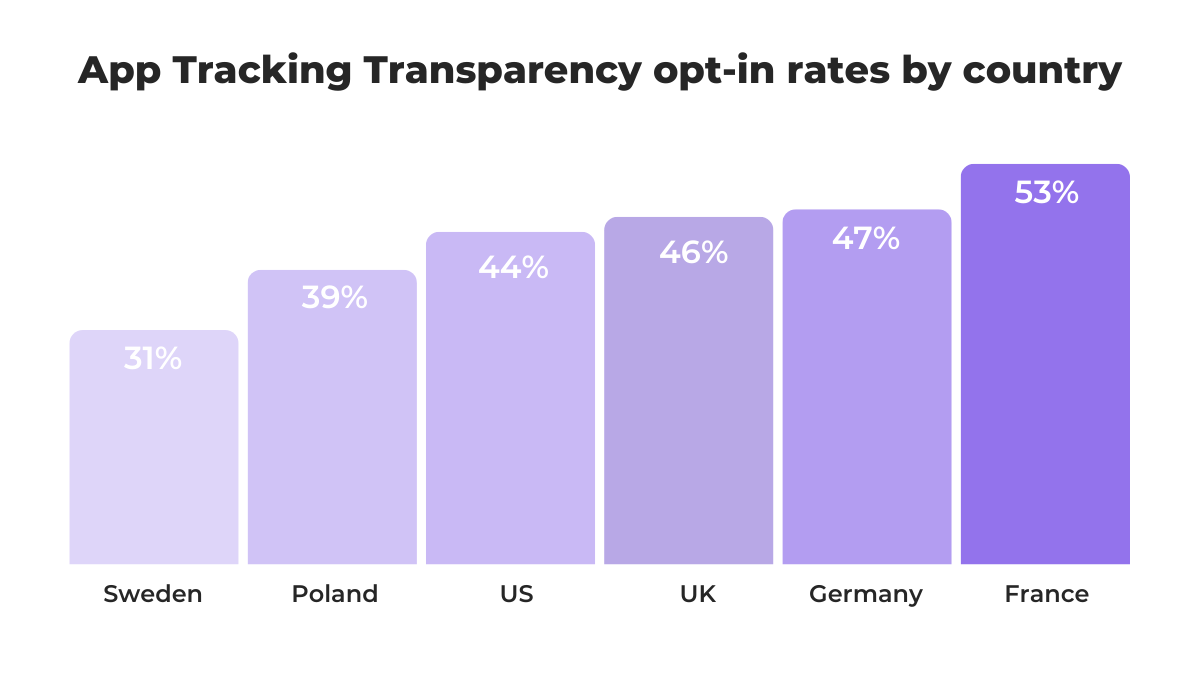
In fact, if we look at the opt-in rates for ATT, the global average was around 50% in 2024.
Below, you can see how this rate varies by country, with the lowest opt-in rates being in Sweden and Poland.
While a 50% opt-in rate might seem acceptable, it still means that half of all users are actively choosing not to be tracked.
This leads to significant data gaps.
Without this tracking, businesses lose information such as which ads a user interacted with, how they move between apps, and, in some cases, even the link between their activity on different devices.
This makes it harder to match sessions to a single person over time and limits the ability to build accurate user profiles.
As a result, teams have to look for alternative methods to understand their audience.
One of the most effective alternatives is to focus more on first-party data—the information you collect directly from your users within your own app, with their full knowledge and consent.
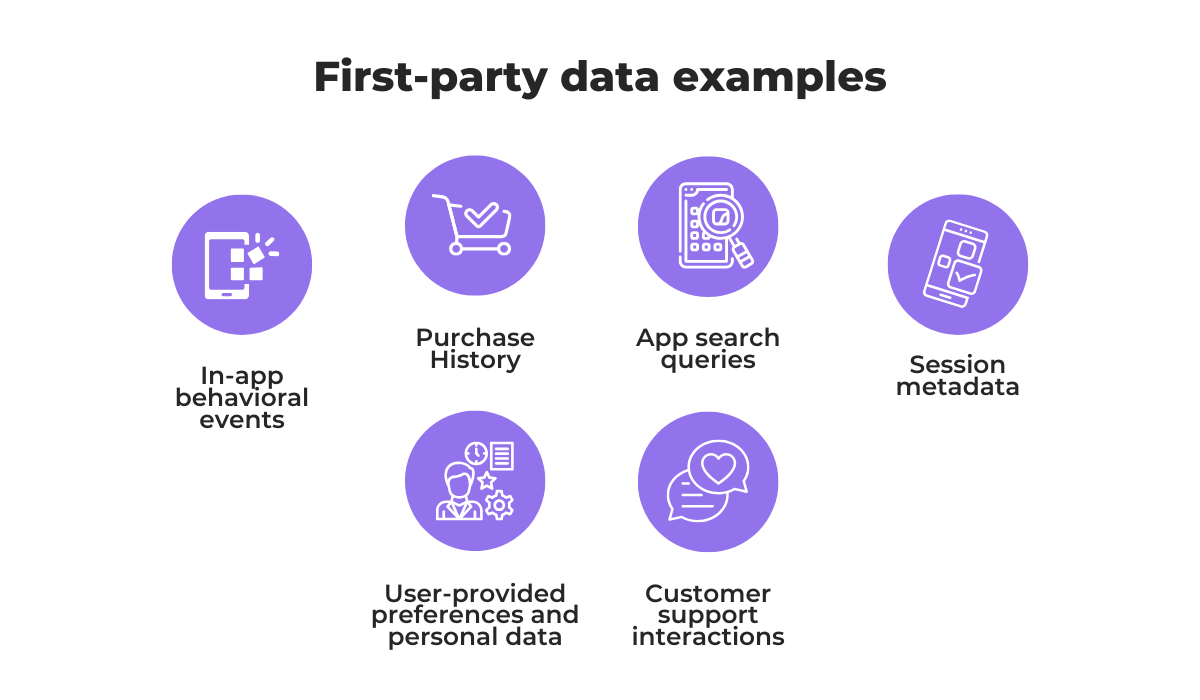
For instance, you can monitor in‑app actions like purchases, feature usage, and navigation paths to better understand user behavior.
You can combine that information with the preferences the user has willingly shared or any personal details they have provided.
A great way to encourage this is by using in-app surveys to ask for feedback directly.
Ultimately, if you are transparent and explain how collecting this data helps improve their experience, users are often more willing to provide relevant information because they feel respected and in control.
So, while privacy regulations present a challenge, they push teams toward building trust and relying on higher-quality, consensual data.
Even when users have opted in and willingly share their data, the tools you use to collect that information make a big difference.
Many app development teams inadvertently use analytics platforms that were originally built for websites.
While these tools certainly gather data, their focus is tailored toward the web experience, which is fundamentally different from how users interact with mobile apps.
To understand this better, let’s take a look at some of the key differences between web-centric analytics platforms and mobile-first solutions.
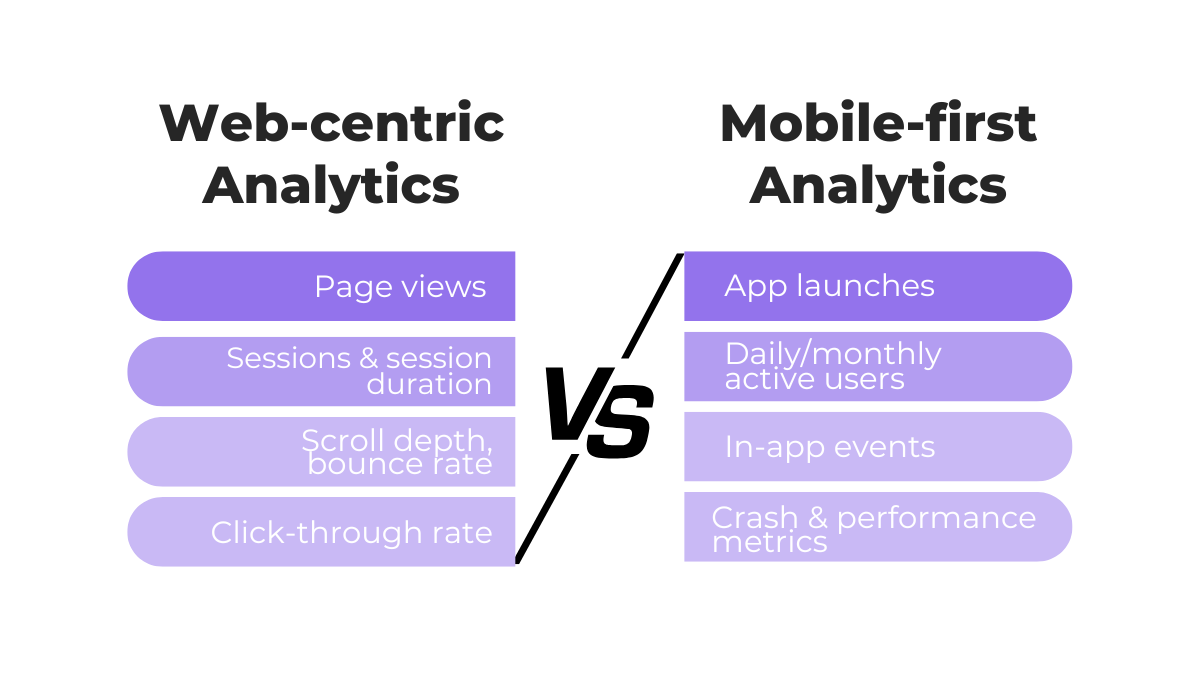
As you can see, web-first tools are very effective at tracking metrics related to pages and sessions, such as page views, bounce rates, and time spent on a page.
But with a mobile app, you have fewer opportunities to work with page-view-related data, as you can get much more valuable insight by tracking event-based data.
These events can include anything from tapping a button and swiping through a carousel to completing a tutorial or making an in-app purchase.
Compared to a typical webpage, mobile apps can support a much wider and more complex variety of behaviors on a single screen.
This means that if you are trying to measure complex, multi-touch app interactions with a user behavior tracking tool designed for simple page-to-page navigation, you are likely missing the most important parts of the user journey.
The solution, therefore, is to use tools that are specifically designed for the mobile environment.
For example, platforms like UXCam are built explicitly for tracking user in-app interactions for mobile apps.
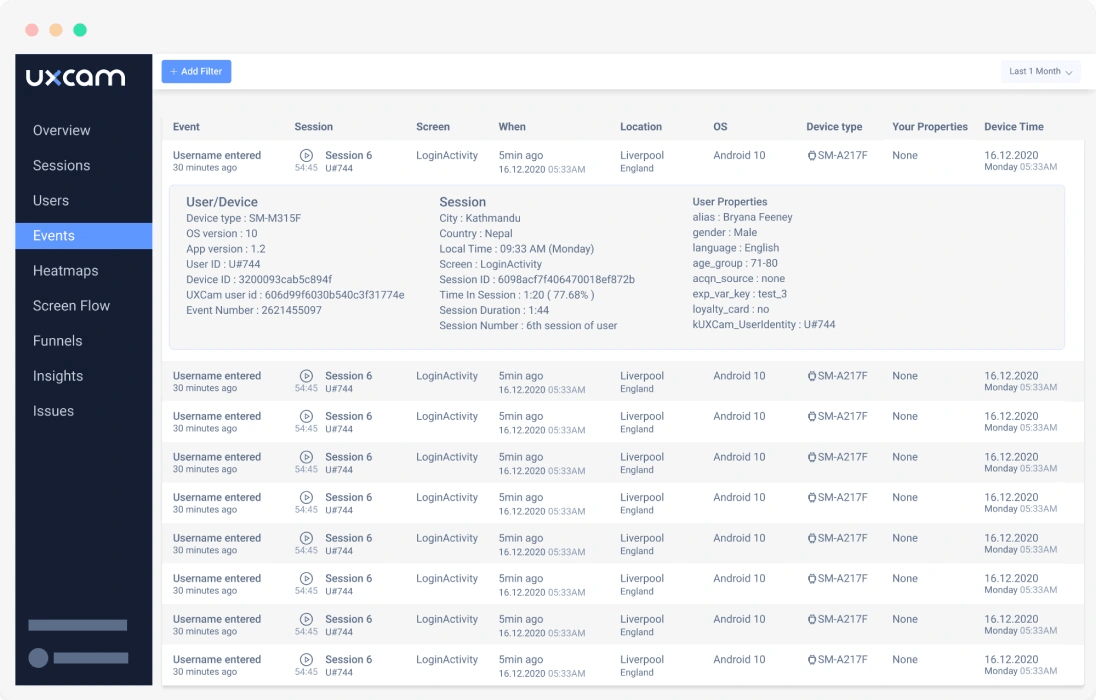
Mobile-centric analytics tools silently collect detailed behavioral data in the background, like screen recordings and interaction heatmaps, without disturbing the user’s front-end experience.
In fact, these platforms are built from the ground up to capture the event-based, interactive nature of app usage, giving you much deeper and more accurate insights.
Overall, using a tool that speaks the language of mobile apps is essential for gathering data that truly reflects how users behave.
One valuable source of insight into user behavior is the direct feedback and comments people leave about your app.
These can show what users enjoy most, what features they rely on, and the areas where they struggle.
Ideally, this feedback is detailed and specific enough to help teams make targeted improvements.
But this is not always the case.
More often than not, the feedback received is too vague to act on, and can look something like this review shown below.
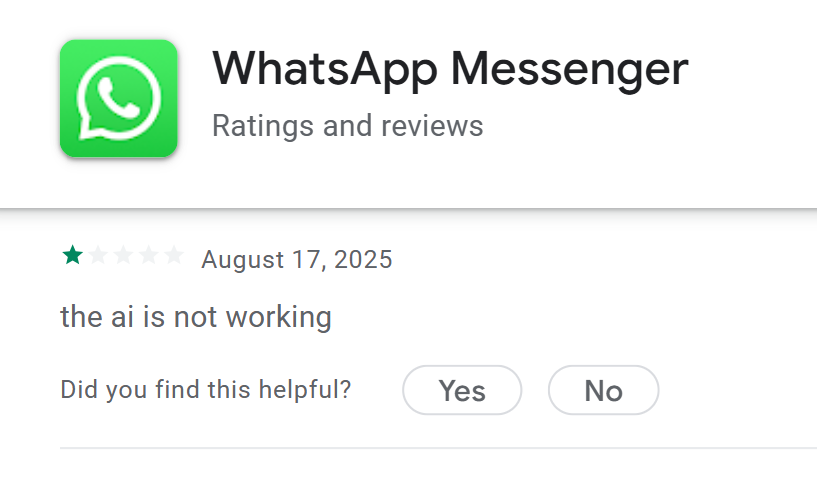
Here, it’s clear the user was frustrated with the app’s AI functionality.
However, they didn’t explain what exactly went wrong, when it happened, or how they were using the feature. Without this information, developers and product managers are left guessing.
Essentially, there is a difference between actionable and unactionable user feedback.
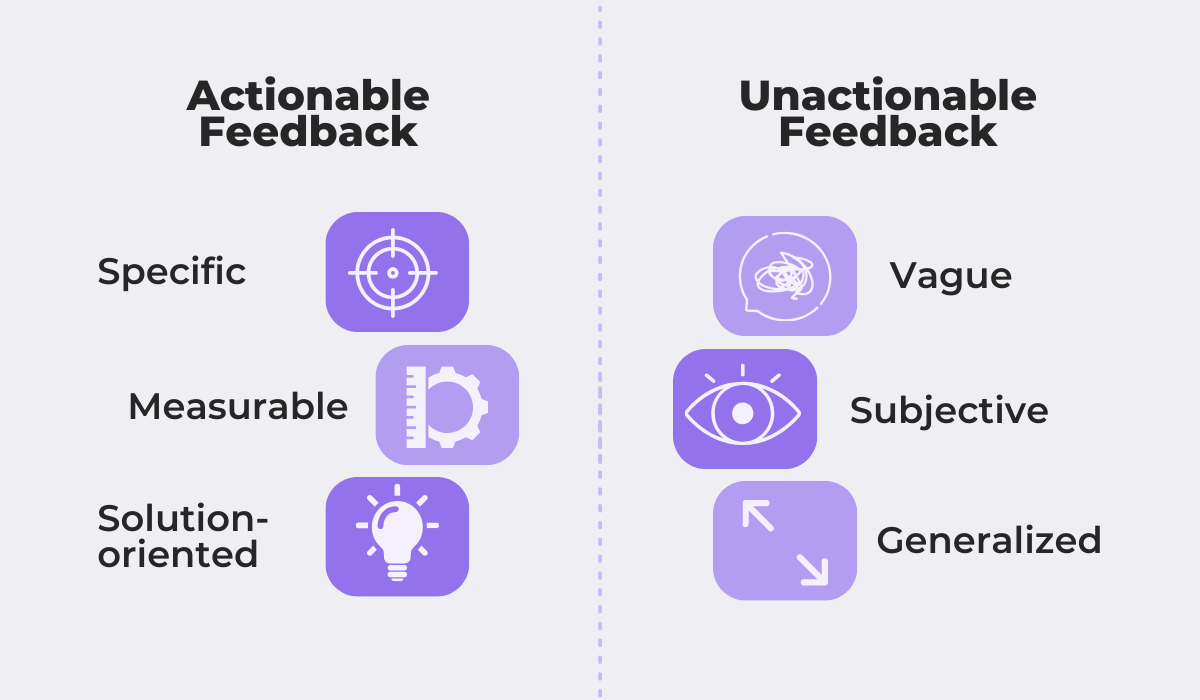
Actionable feedback is especially critical for understanding user behavior regarding bugs or defects, as without enough context, developers waste valuable time trying to reproduce the issue.
They may also misinterpret the situation if they don’t know the user’s exact actions or environment at the time the problem occurred.
One way to address this challenge is by using bug and crash reporting tools like Shake.
Shake allows users to trigger a feedback ticket screen simply by shaking their device or tapping a button inside the app.
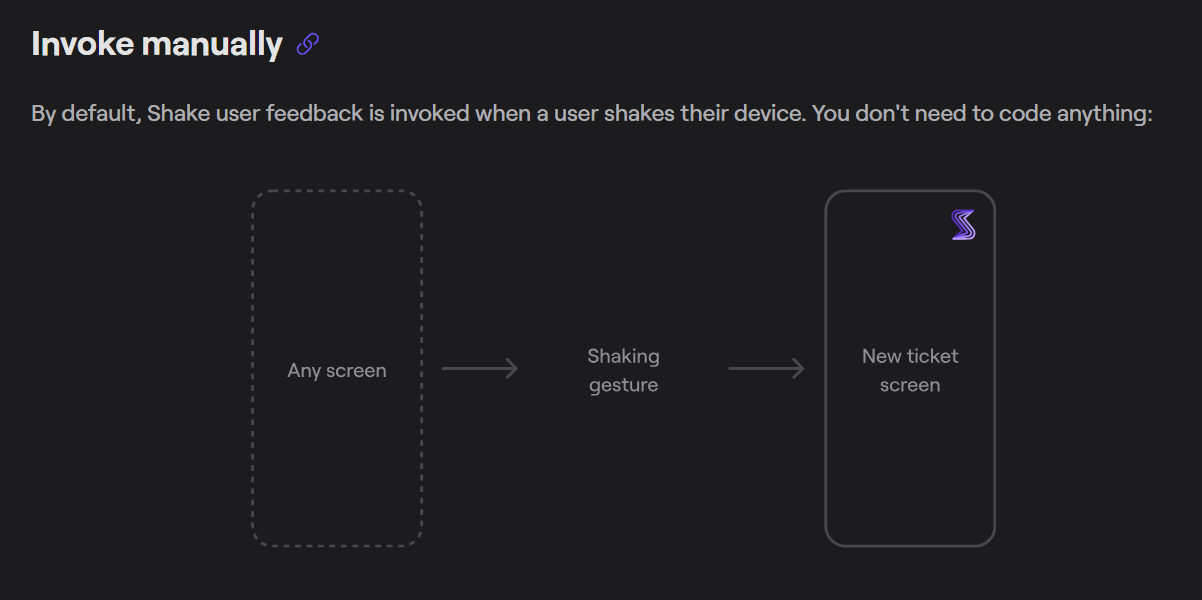
Because the trigger is so quick, the user can submit their comments while the problem is still fresh in their mind.
But Shake doesn’t stop at the user’s manual input.
Behind the scenes, it automatically collects 71 different data points related to the user’s session.
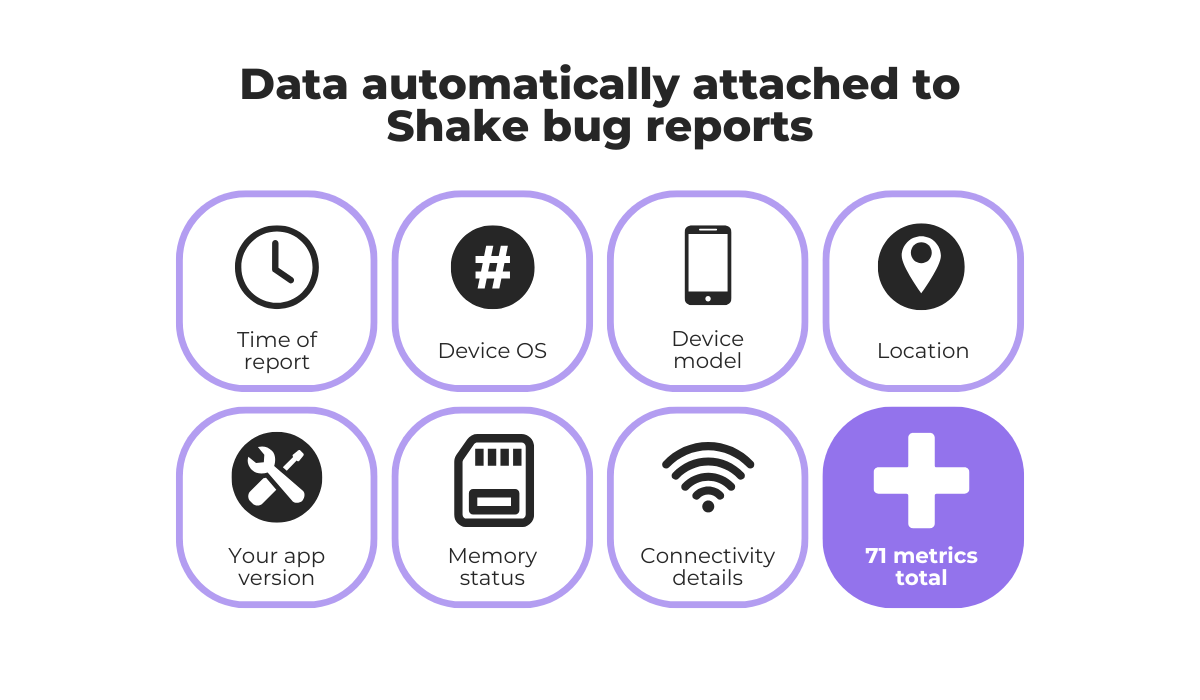
This background data is vital because it provides technical context that users might not know or think to include.
It reduces guesswork, speeds up the debugging process, and increases the likelihood of reproducing and fixing the problem.
With tools like Shake, you combine easy feedback collection with automated context capture, turning vague comments into clear, actionable insights.


Capture, Annotate & Share in Seconds with our Free Chrome Extension!
Even when your user metrics are properly collected and the feedback you receive is complete, a major issue can still come up when it’s time to access and analyze this data.
Very often, user behavior data sits in separate systems and is siloed within different teams, making it almost impossible to see the complete customer journey.
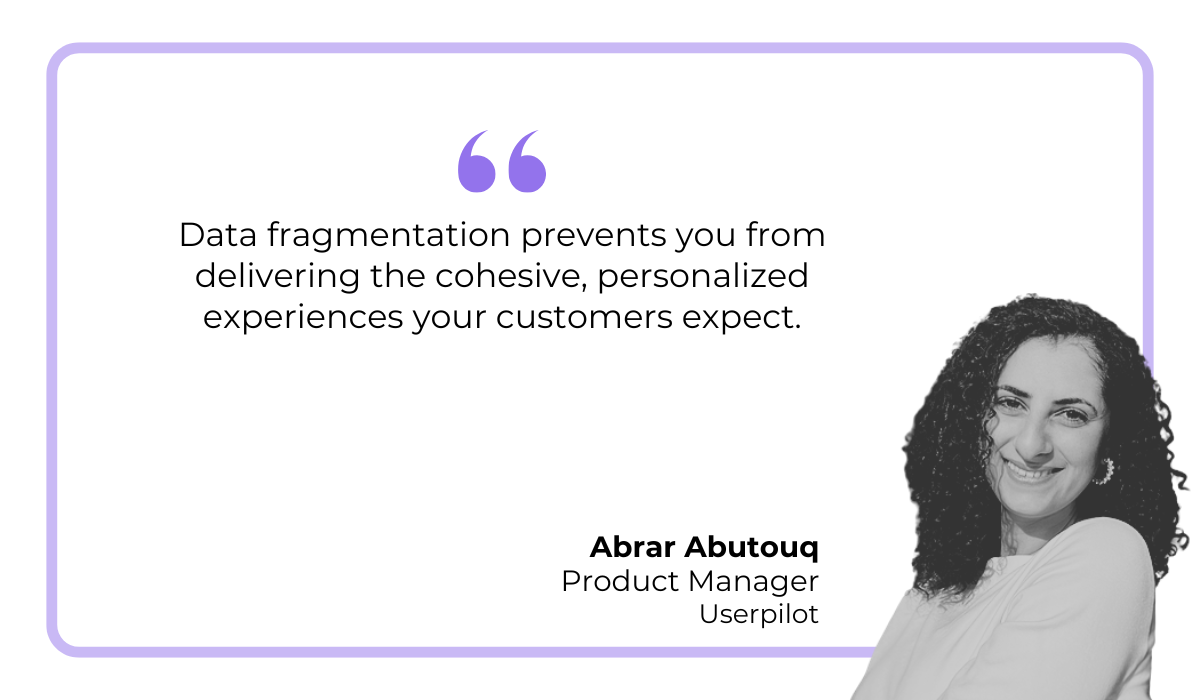
Abar Abutouq, a product manager at Userpilot, discusses this very problem in her article.
She explains that when critical data is fragmented, key business decisions that impact your end users’ experience are harder to make because no one has the full picture.
The core of the issue is that different teams use specialized tracking methods and systems for their work, which naturally splits the data between sales, customer support, and marketing departments.
However, each of these departments holds a unique and valuable piece of the overall user experience.
For example, the marketing team might know that a user signed up after seeing a specific ad, but they have no idea that the same user later contacted customer support because of a bug in the feature that was promoted in that same ad.
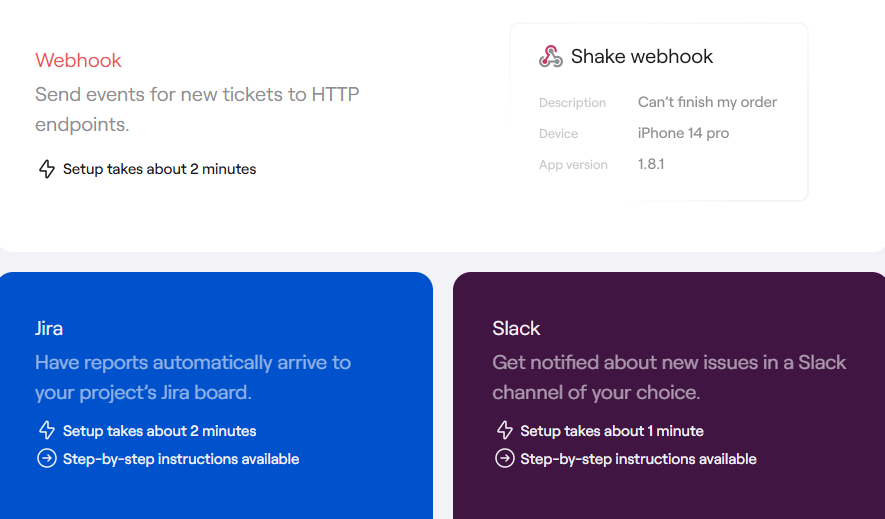
One solution is to ensure all tools that hold user data are connected using integrations, webhooks, and APIs.
These technologies allow different software platforms to communicate and share data automatically, breaking down the silos.
For instance, a tool like Shake has integrations and webhooks that can instantly send new bug reports directly into other platforms like Jira or Slack.
A broader solution is to consolidate all this information in a Customer Data Platform (CDP).
A CDP is a central system designed to combine data from many different sources, including your app, website, CRM, and support tools.
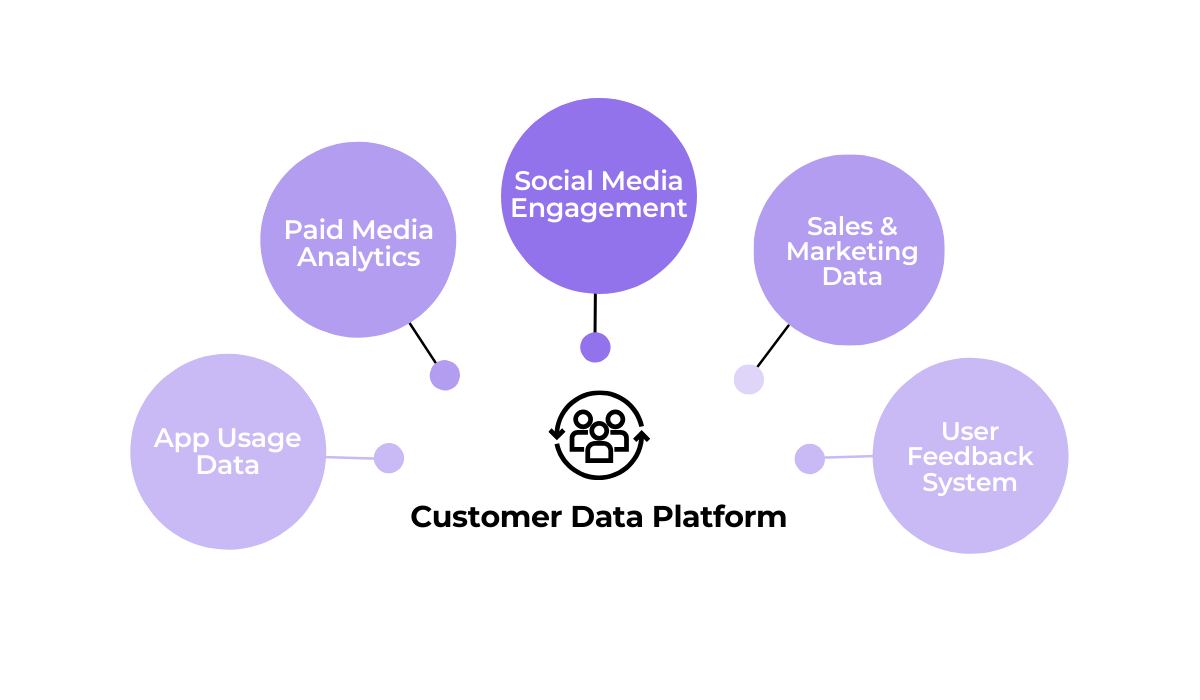
Once all the data is organized within a CDP, you can build a single, unified profile for every user.
Popular CDP platforms like Segment, Twilio, and Bloomreach allow you to analyze your users’ complete journey and use that insight for everything from personalized marketing to proactive customer support.
The takeaway here is that breaking down user data silos is just as important as collecting the data in the first place.
When it comes to understanding app user behavior, it’s important not to focus solely on internal factors and overlook external forces.
After all, user behavior is often shaped by external influences, whether it’s a fresh new competitor entering the scene, seasonal events, or even broader industry changes.
For a concrete example, consider when Uber saw a dramatic drop in usage and overall market share due to the #DeleteUber campaign back in 2017.
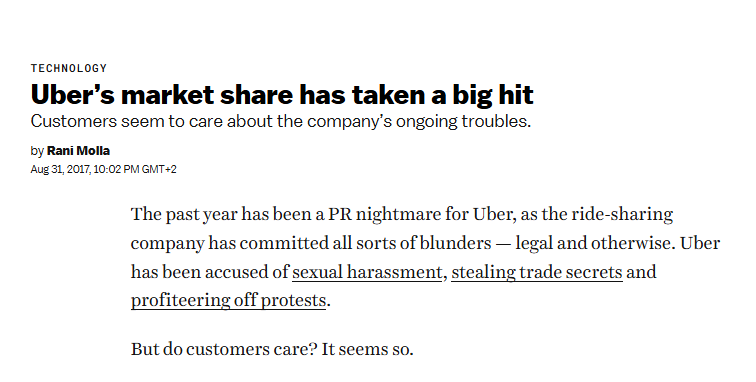
The campaign was a direct reaction to multiple alleged issues within the company, which led to significant user churn as people switched to competing ride-sharing services.
Without being aware of this viral social media trend and the news surrounding it, the team at Uber might have incorrectly assumed this drop in usage was due to a poor feature release and wasted time trying to fix a problem that didn’t exist.
A similar thing can happen when competitors make strong strategic moves.
For example, consider the bold feature release by Telegram that allowed users to easily move their chat histories from other popular apps like WhatsApp, Line, and KakaoTalk.
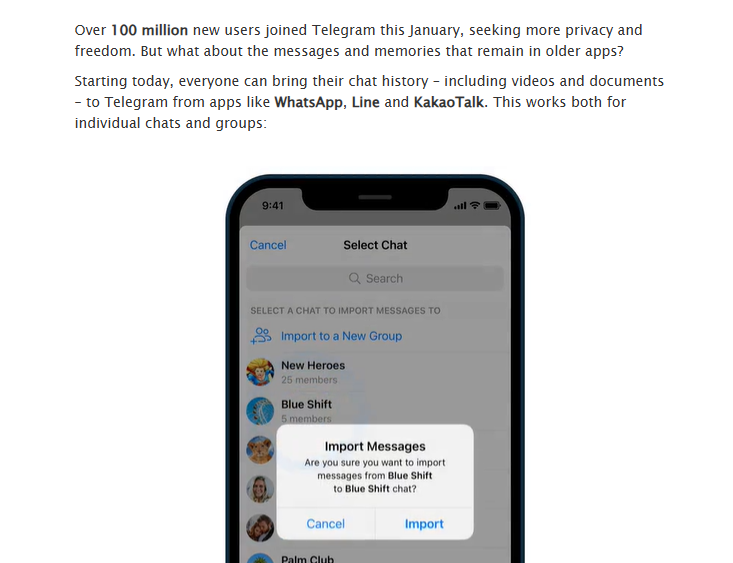
Combined with growing user privacy concerns about other chat apps, this new Telegram update caused competitors to see significant losses in their user base.
This directly benefited Telegram, which quickly hit the 500 million active user milestone.
This means that product teams need to proactively track this kind of news to inform their own strategies.
But this also goes for tracking broader trends like changes in the economic climate and overall market signals.
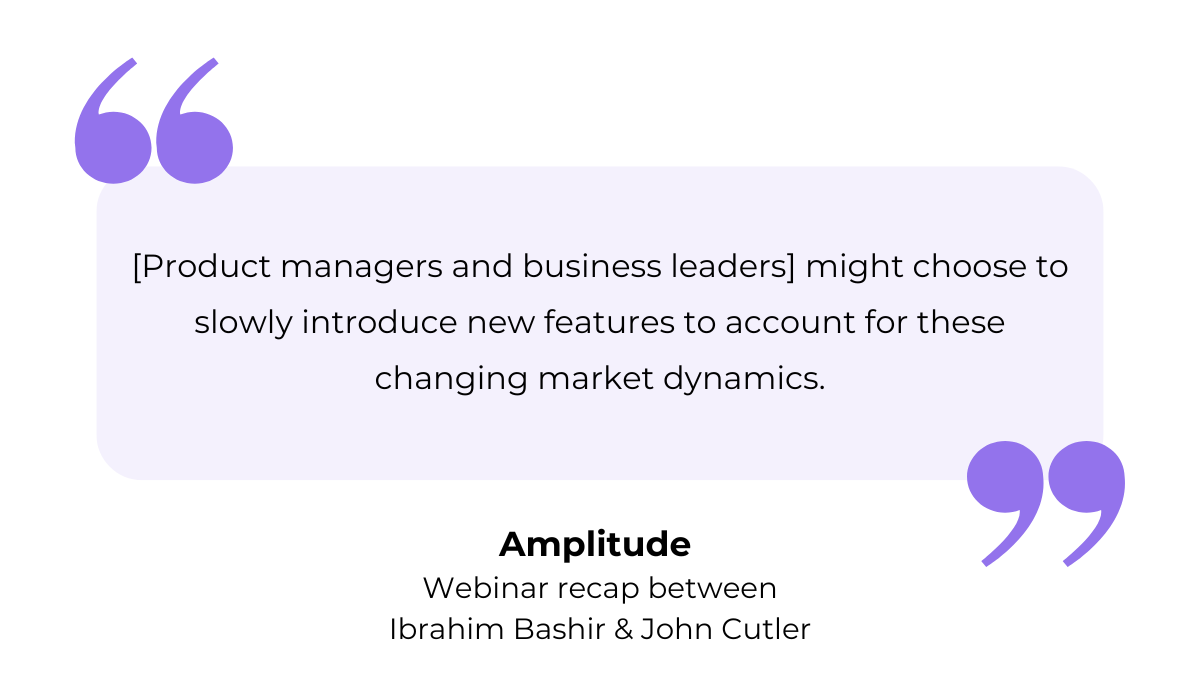
In a webinar, Amplitude’s VP of Product Management, Ibrahim Bashir, and Product Evangelist, John Cutler, discussed using various kinds of external and internal insights to drive product strategy.
They explain that in dynamic markets with many new players, teams need to combine a solid understanding of their product as it is today with forward-thinking plans based on market shifts.
For instance, if there’s a growing public demand for data privacy, as highlighted by our Telegram example, you might want to prioritize developing and promoting new privacy-enhancing features in your own app.
In summary, to get a truly holistic view of user behavior, you must look beyond your own data.
So, stay aware of external influences and try to build a more resilient product strategy that anticipates user needs instead of just reacting to them.
And that concludes our look at the five main challenges in understanding app user behavior.
We covered technical tracking limitations, the problem of using web-centric metrics, and how fragmented data can hide the full story.
Plus, we went over why external influences must be taken into consideration.
Hopefully, you now have a clearer perspective on these obstacles and can use this knowledge to build a more accurate and complete view of your users.
From internal bug reporting to production and customer support, our all-in-one SDK gets you all the right clues to fix issues in your mobile app and website.
We love to think it makes CTOs life easier, QA tester’s reports better and dev’s coding faster. If you agree that user feedback is key – Shake is your door lock.
Read more about us here.

Add to app in minutes

Doesn’t affect app speed

GDPR & CCPA compliant

Unexpected things pop up
Just like bugs in your app or web 🐛 Fix them now with just one reporting tool.
