






Bug reporting takes time. Here’s how AI helps teams work more efficiently
Key takeaways:
Bad reviews can quietly push potential users away before they even try an app.
And understanding what causes negative feedback in the first place is a big step toward fixing the problem.
If you’re trying to figure out what’s driving low ratings in your app, read on.
This article breaks down five of the most common causes and some things to consider to address them.
Table of Contents
Users open an app because they need to get something done.
Whether it’s sending a message, completing a purchase, or checking important information, they have a clear goal in mind.
And one of the most frustrating things that can happen in that moment is the app freezing.
Everything just stops responding, and the user is left staring at a screen that does nothing.
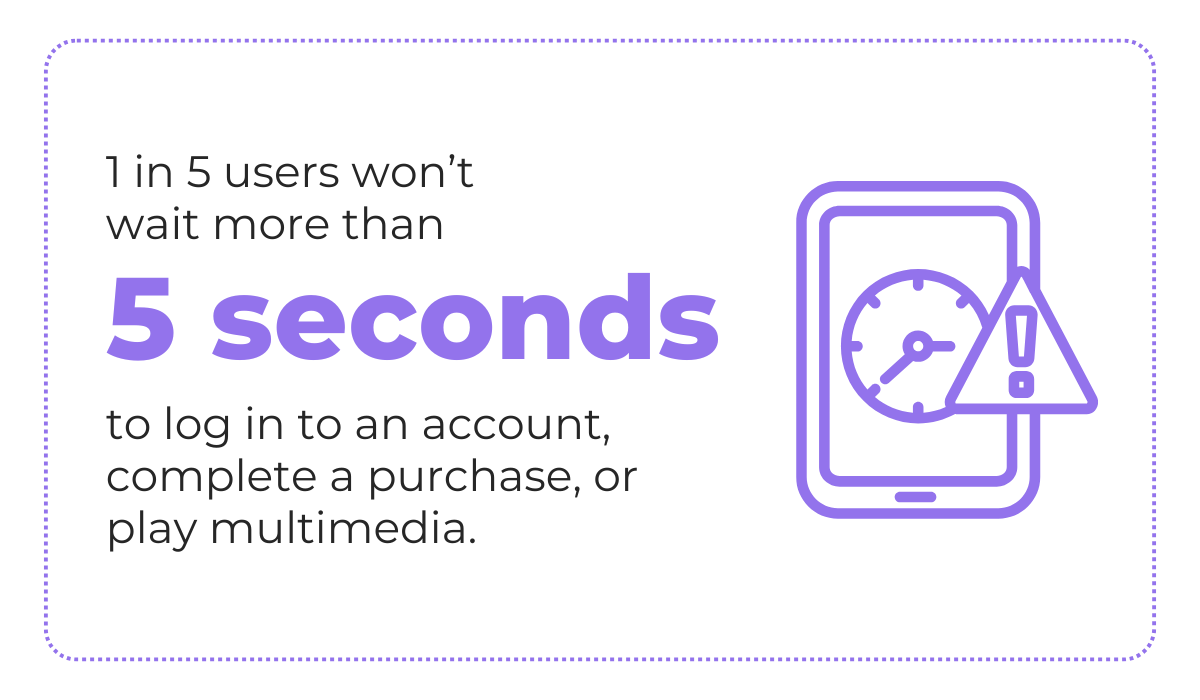
According to a report by Embrace, user tolerance for app performance is actually quite low, with 20% of users not wanting to wait more than 5 seconds to complete a key action in an app.
Now imagine a user trying to confirm a booking or save an important document, and the app just freezes.
If they lose progress on top of that, the experience goes from annoying to genuinely upsetting.
Leaving a bad review at that point feels almost automatic.
Interestingly enough, if the user sees an “App Not Responding” dialog like the one below, that’s actually a relatively good scenario.
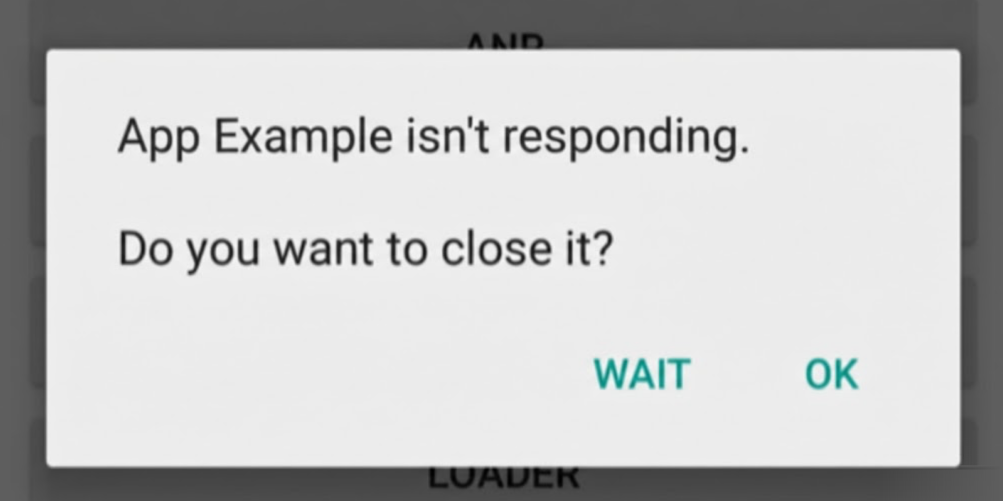
In that case, the user at least knows something went wrong and can choose to either wait or close the app.


Get unreal data to fix real issues in your app & web.
But unfortunately, what sometimes happens is the app just stops responding without giving any feedback at all.
These silent freezes—or app not responding (ANR) events—can actually be worse than app crashes from the user’s perspective, as shown in the comparison table below.
| Crash | ANR | |
| User experience | Instant failure | Frozen for 5+ seconds |
| User reaction | “Might be a single instance of a failure” | “App is slow or broken” |
| Recovery | Auto-restart | Manual force quit, might lose progress |
| User tolerance | Some | Almost none |
| Detection | Obvious | Subtle |
App freezes can result in very poor reviews, like the one below, where the user is clearly confused and frustrated, with no idea what went wrong.
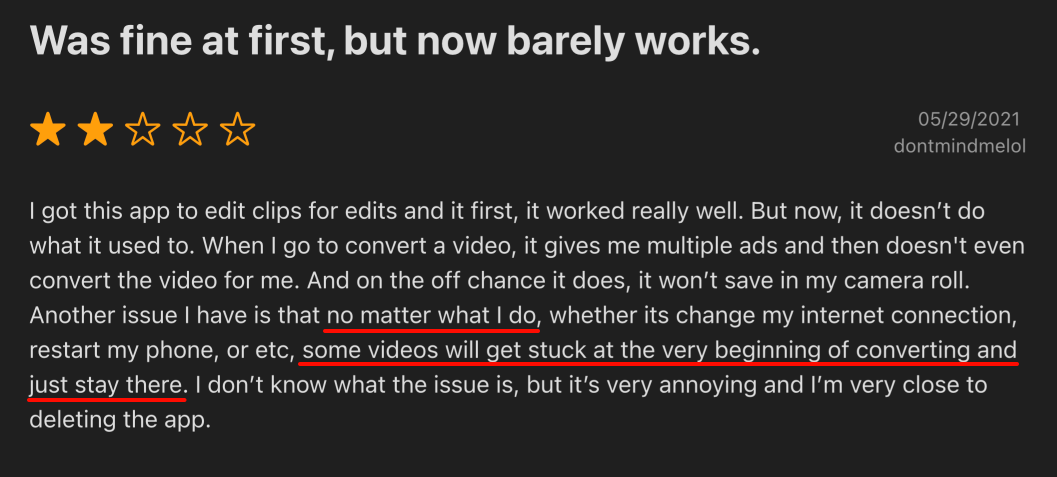
Overall, these negative effects on your app reviews are why tracking your ANR rates matters so much.
In fact, it’s so important that Google’s Play Store actually penalizes Android apps that have a user-perceived ANR rate above 0.47%, reducing their visibility and ranking.
In short, app freezes are one of the fastest ways to collect bad reviews. Keeping your ANR rate low is directly tied to how users perceive and rate your app.
Among some of the reasons for ANRs are app bugs—another major driver of poor app reviews on their own.
The most obvious problem is when a bug appears in a critical feature.
Think about the core functionalities of your app, i.e., the things users downloaded it for in the first place.
Whether that’s making payments, streaming content, or syncing data, bugs in these areas should simply not be acceptable.
Even popular, well-known apps are not exempt from poor user feedback in these cases.
Consider the Reddit thread shown below, where users complain about the HBO Max app due to persistent issues with the login flow.
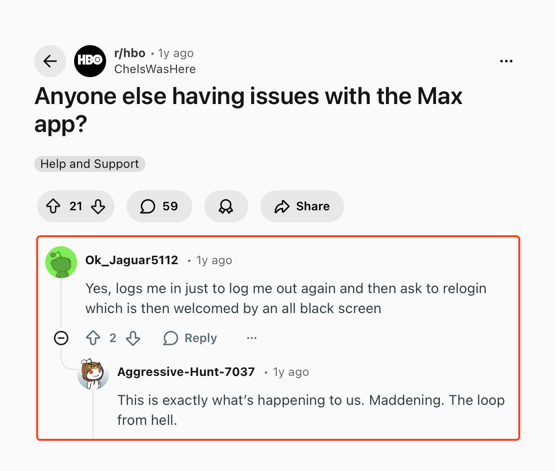
If users can’t even get past the login screen, it doesn’t matter how good the rest of the app is.
That first impression is already ruined, and the reviews will reflect it.
But it’s not just major bugs that cause problems.
Even small issues can lead to bad reviews, especially when they affect highly visible parts of the app’s UI or commonly used functionalities.
A broken animation, a button that doesn’t respond on the first tap, or a screen that doesn’t load properly can all chip away at user trust over time.
The good news is that, according to the 2025 Luciq report, a portion of users are actually willing to give apps that have issues another chance, as long as the developers are actively working on improving them.
With over a third of users willing to remain loyal despite bugs or crashes, having a way to quickly detect and resolve issues becomes essential.
This is where bug and crash reporting tools like Shake can help.
With Shake, users or internal testers can quickly report bugs without ever leaving the app.
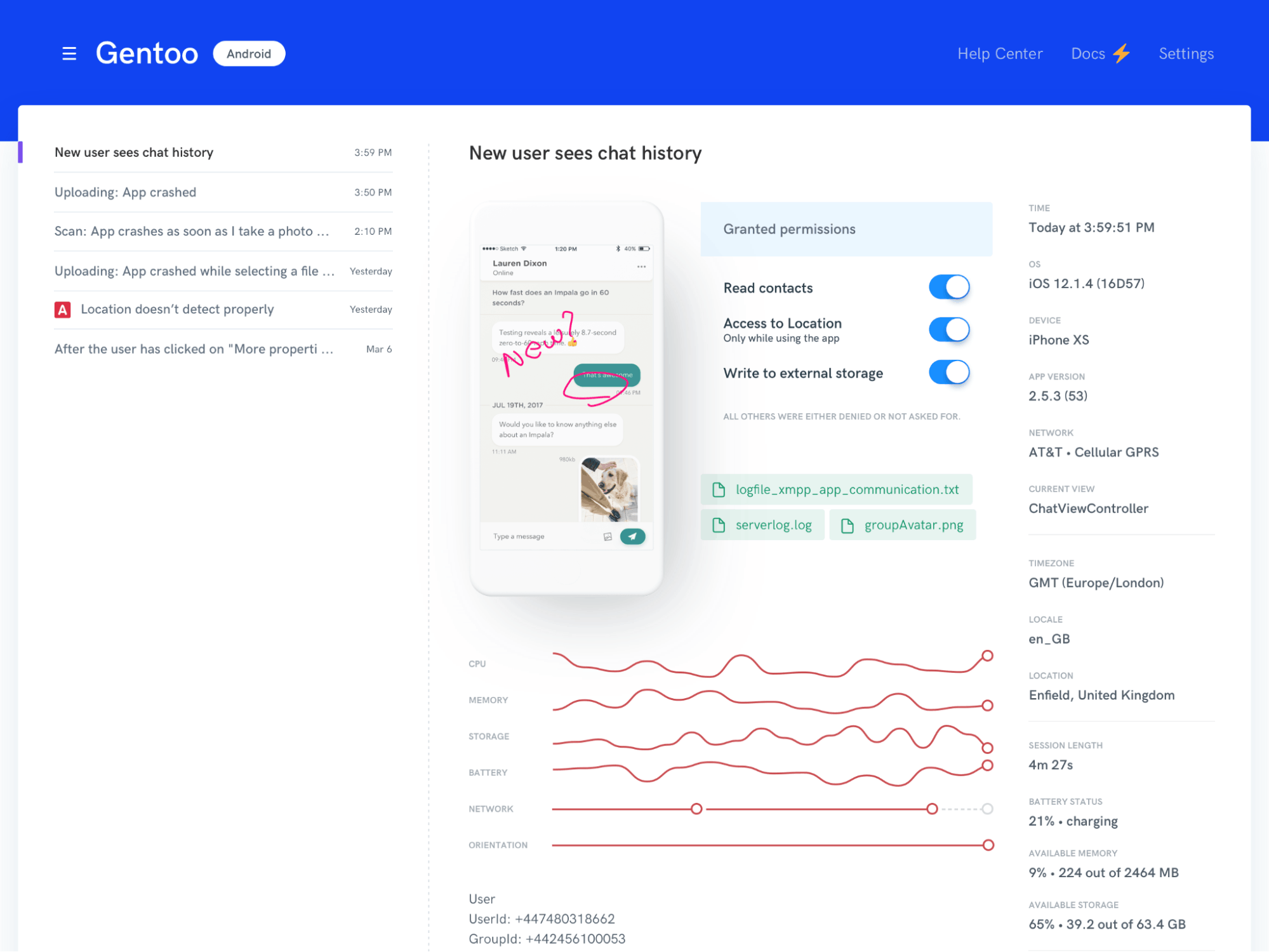
What makes this especially useful is that Shake automatically attaches 71 data metrics to each report.
So, even if a user leaves a vague description like “it’s not working,” your team still gets detailed technical context to work with.
This includes a detailed activity history and logs tied to each report, which helps you trace exactly what the user was doing before the issue occurred.
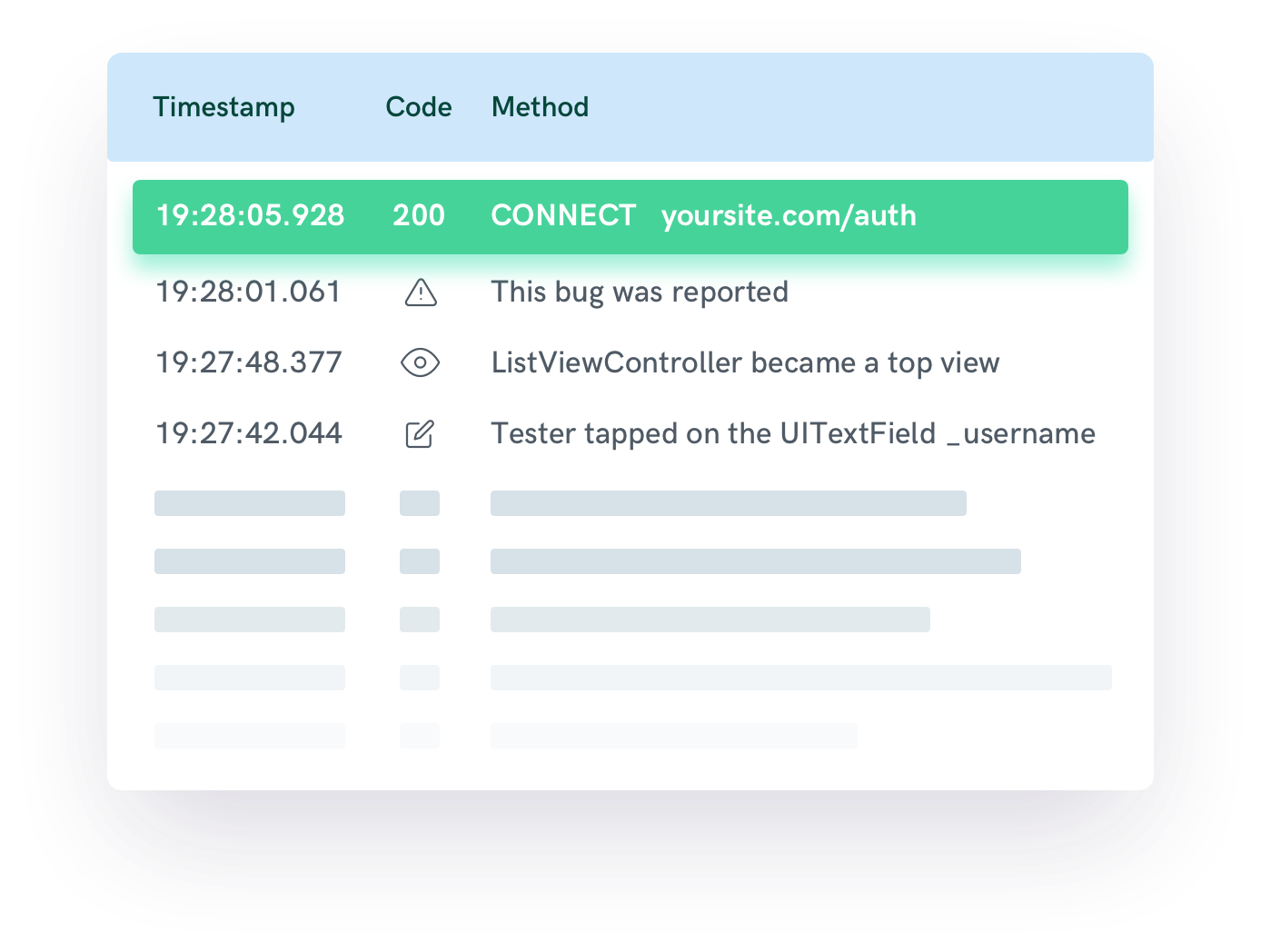
That way, your team spends less time guessing and more time actually fixing the problem, which means faster resolutions and fewer frustrated users leaving bad reviews.
After all, while bugs may be unavoidable at times, how quickly you catch and fix them can make all the difference in how users rate your app.
Let’s move on to an app’s user interface, which is another very common cause of user dissatisfaction and poor reviews.
Consider the following GPS app. It’s an extreme example, but it illustrates the point clearly.
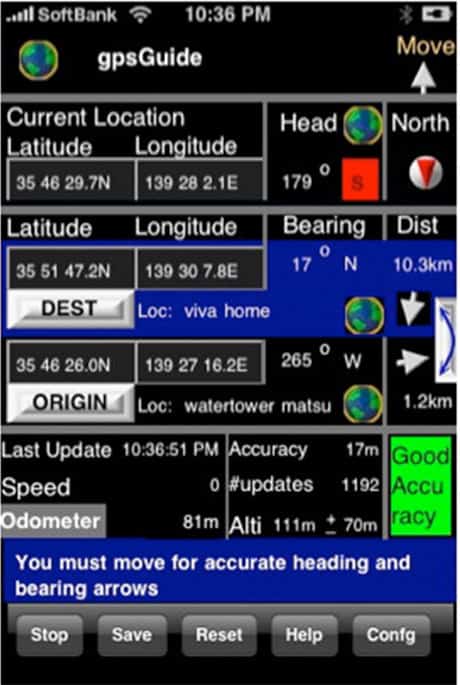
Apps with interfaces like these make even the simplest tasks feel unnecessarily difficult.
And users shouldn’t have to figure out how to use your app. It should feel intuitive from the first interaction.
Among the chief considerations when it comes to UI-related issues are:


Capture, Annotate & Share in Seconds with our Free Chrome Extension!
Even with a perfectly functional app behind the scenes, these kinds of UI issues can make the experience feel broken.
And when users feel like an app is hard to use, they don’t blame themselves. They leave a bad review.
Of course, this becomes even more concerning when you consider that data gathered from over 1,000 users shows that 69% of them would stop using an app entirely if it’s difficult to use.
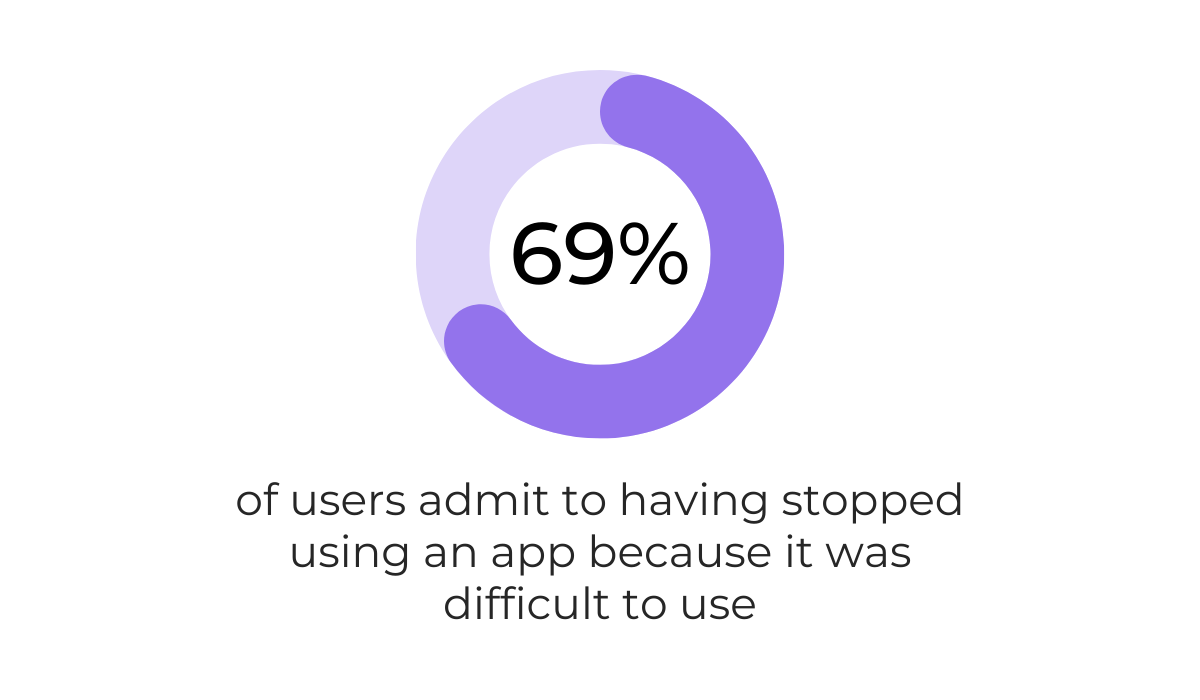
That’s a significant majority of your user base that won’t even stick around long enough to discover the value your app provides.
With so many app options on the market, it’s easier for users to give up on one with usability issues, and many of them will leave a negative review on the way out.
Consider the following situation with Snapchat.
Back in 2018, the company made a massive overhaul to the app and its UI, and the response from users was overwhelmingly negative.
So negative, in fact, that users created a petition on Change.org to revert the changes.
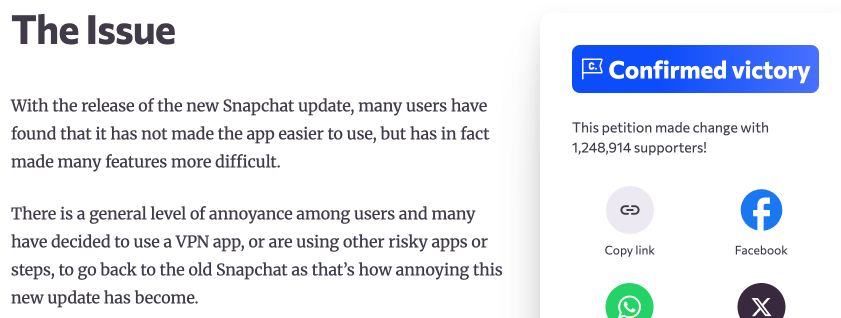
The petition amassed over 1.2 million signatures, making it a great example of how strongly users react to UI decisions they disagree with.
So, whether it’s a poorly designed interface from the start or a dramatic redesign that misses the mark, the user interface plays a huge role in how people experience and ultimately review your app.
Keeping your UI clean, intuitive, and consistent is one of the most effective ways to avoid negative feedback.
Many apps rely on in-app advertising for monetization, and this is especially common with apps that are offered for free.
However, overdoing things in this area is a surefire way to drive users away from your app and straight to the review section.
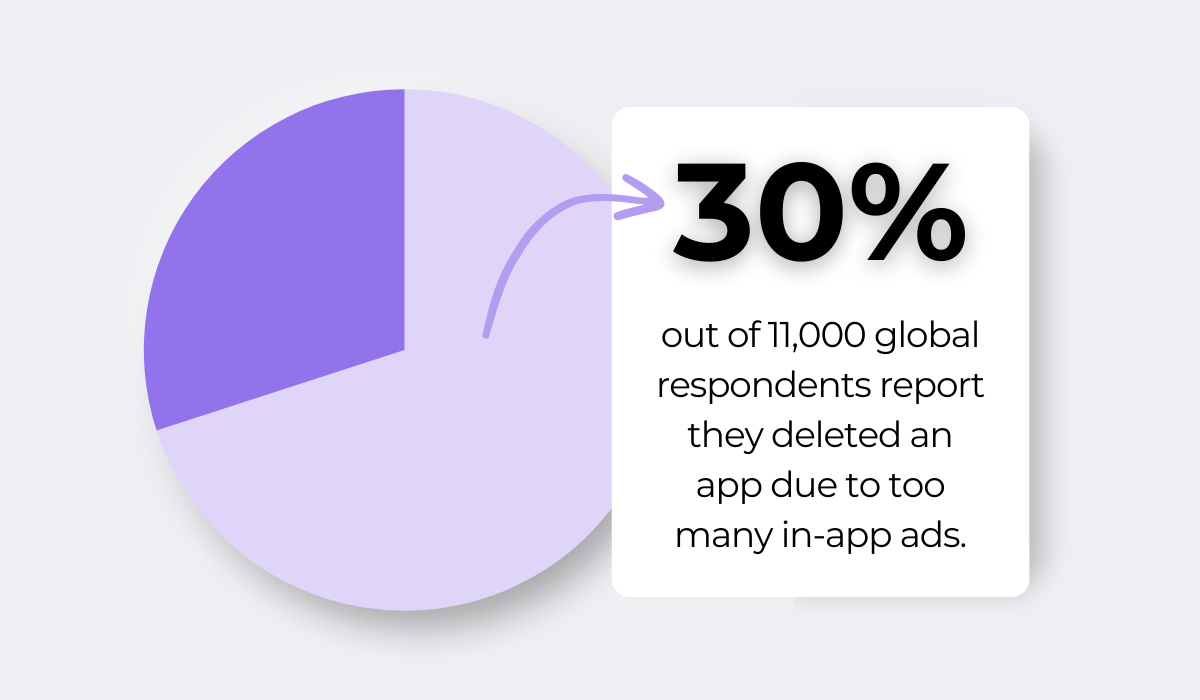
Research from Airship shows that almost a third of users have deleted an app because of too many in-app ads.
One reason this happens is that excessive ads break the flow of the user experience.
After all, when someone is constantly interrupted while trying to use an app, it stops feeling like a useful tool and starts feeling like an ad platform.
But even worse is when ads are directly tied to your app’s core functionalities.
This is common in scenarios where users need to watch an ad to unlock a feature, earn a reward, or continue using the app.
For example, look at these two review snippets for a mobile game app, where the app heavily pushes users to watch ads in order to receive in-game benefits.
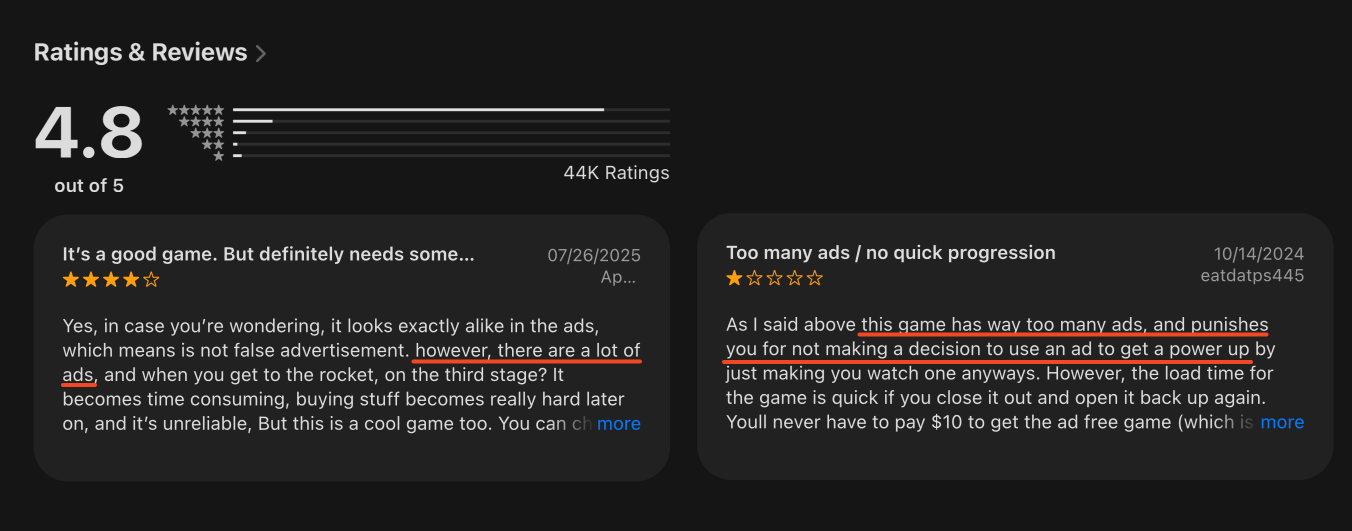
In this case, even though the app has an overall positive star rating, it’s worth noting that even the positive review shown above mentions the excessive ads.
That tells you something about how strongly users feel about this, even when they otherwise enjoy the app.
And sometimes it’s not only about the volume of ads. Certain poor ad practices can be just as annoying, if not even more so.
Let’s take a look at an example highlighted in a Smashing Magazine article.
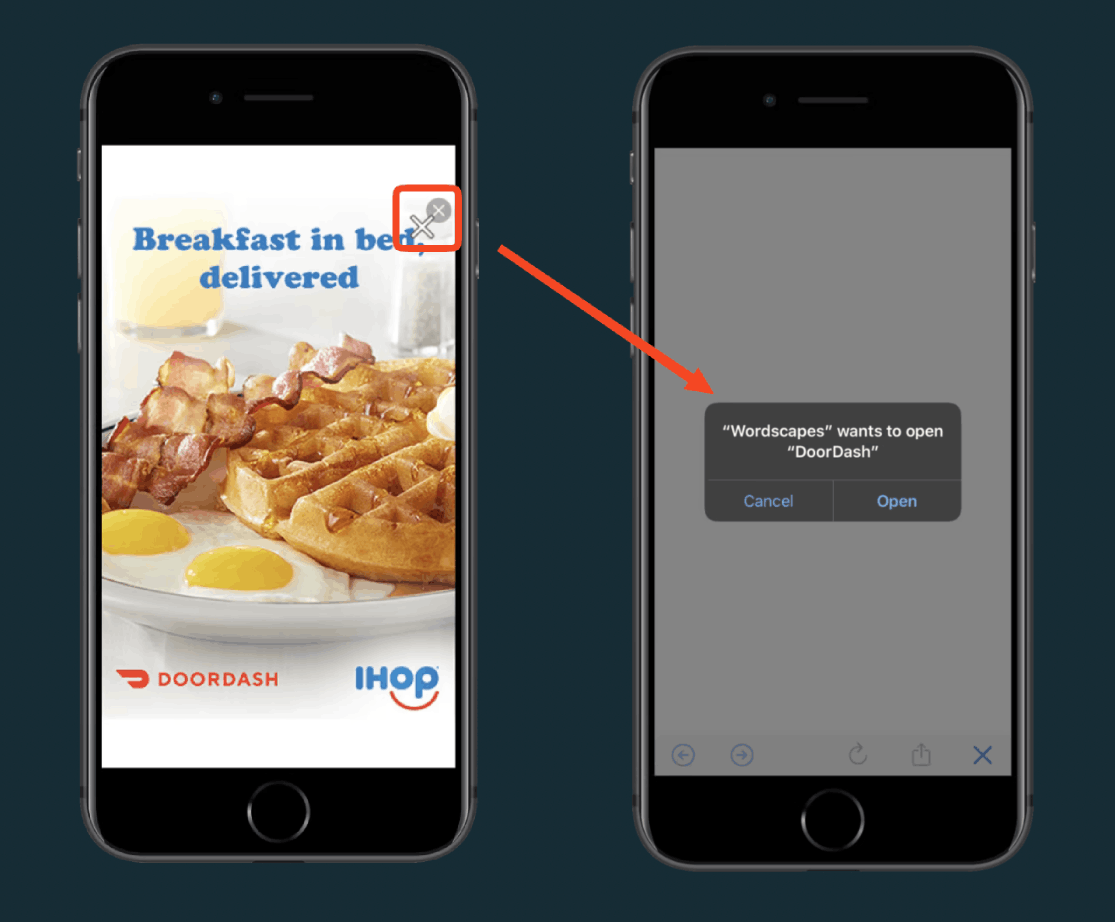
The author describes a full-screen advertisement that features intentionally deceptive “X” buttons designed to trick the user into thinking that’s how they close the ad.
Instead, tapping the fake close button takes the user to the App Store to download the advertised app, instantly damaging the user’s trust.
That is a negative review waiting to happen.
In short, the way you implement ads matters a great deal.
Too many ads, poorly timed ads, or deceptive ad practices can all quickly lead to negative reviews and lost users.
Finding the right balance between monetization and user experience is key to keeping your ratings healthy.
Finally, it’s worth considering the quality of your customer support, as it plays a bigger role in app reviews than many developers realize.
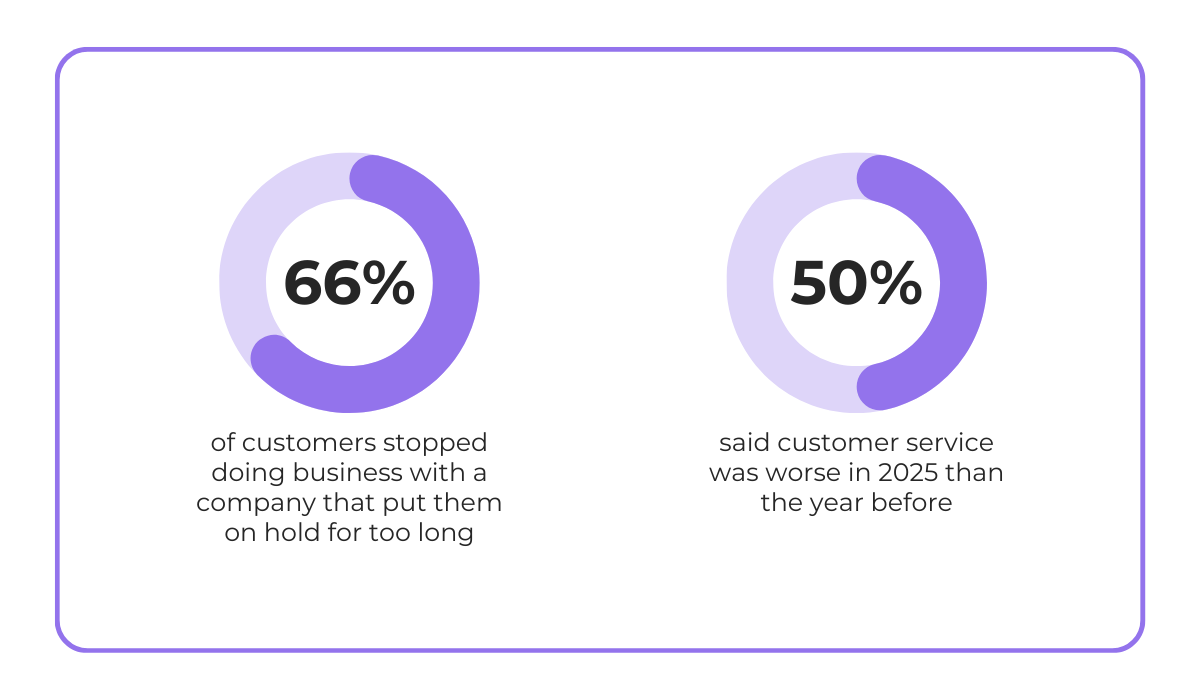
If we look at the following data by Hyken, you can see that roughly two-thirds of customers will stop doing business with a company if they’re put on hold for too long.
On top of that, 50% of respondents agreed that overall customer service satisfaction has been on the decline.
Plus, it’s not far-fetched to say that customer support can actually be one of the biggest reasons for bad app reviews and ratings.
Even a fully functional app with poor customer support can frustrate users who have a problem they need help resolving.
But it’s even worse when an app has a clear issue and the support behind it is lacking as well.
An example of that is the Trustpilot review below.
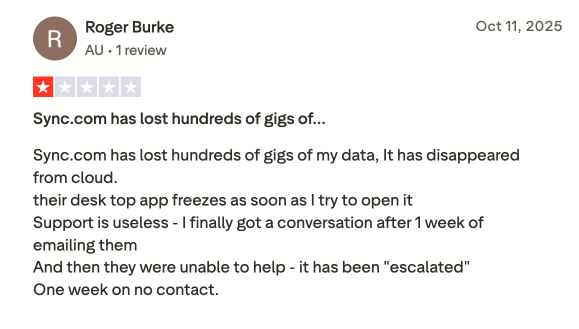
As you can see, the reviewer’s cloud data issue and app freezes were only made worse by unresponsive customer support that left the user waiting for a resolution.
Situations like this one can push users to leave negative reviews across multiple platforms, amplifying the damage well beyond a single rating.
That’s why it’s best to handle customer support requests efficiently, ideally through in-app feedback solutions like chatbots, feedback buttons, or live chat.
And while it’s always best to resolve these support scenarios away from public channels, sometimes reviews end up acting as customer support tickets when things aren’t handled efficiently.
In those cases, responding quickly matters a lot.
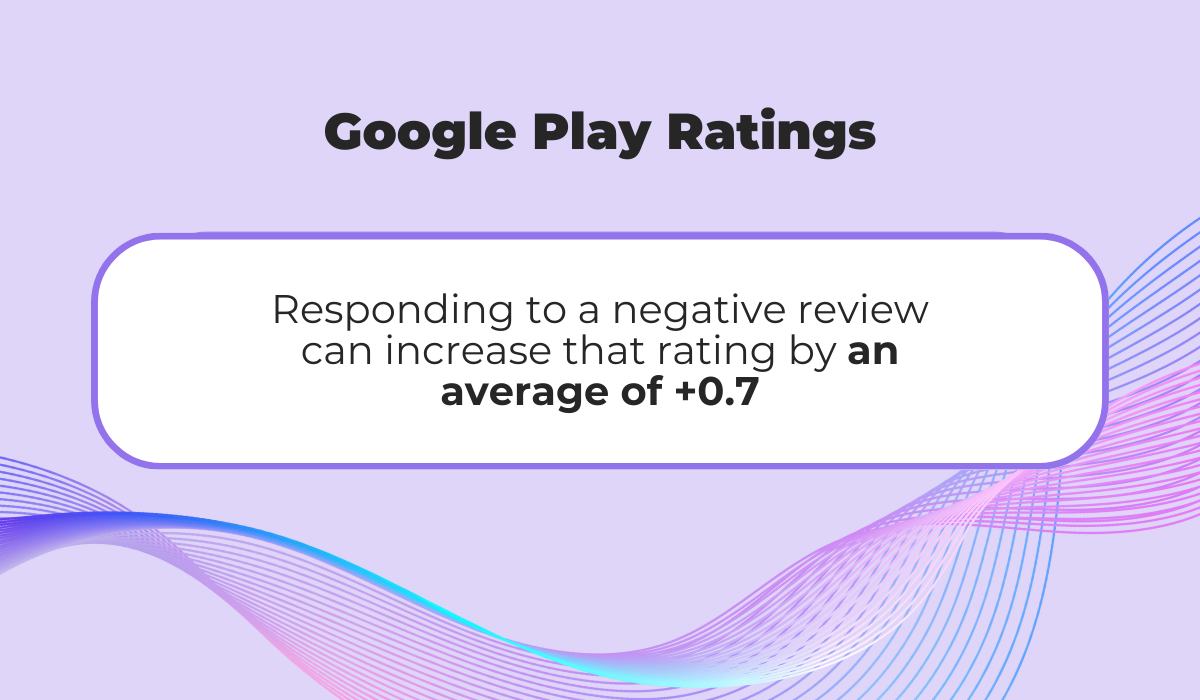
According to Google Play best practices, timely responses to reviews are important and can actually increase your app’s rating by up to +0.7 stars.
Ultimately, strong customer support isn’t optional.
It directly affects how users rate your app, and investing in it can go a long way toward preventing negative reviews.
And with that, we’ve covered the five most common reasons users leave bad app reviews, from technical problems and confusing design to aggressive ads and poor support experiences.
Hopefully, this gives you a clearer picture of what frustrates users the most.
Use these insights to look at your own app with fresh eyes, prioritize what to fix first, and start turning those ratings around.
From internal bug reporting to production and customer support, our all-in-one SDK gets you all the right clues to fix issues in your mobile app and website.
We love to think it makes CTOs life easier, QA tester’s reports better and dev’s coding faster. If you agree that user feedback is key – Shake is your door lock.
Read more about us here.

Add to app in minutes

Doesn’t affect app speed

GDPR & CCPA compliant

Unexpected things pop up
Just like bugs in your app or web 🐛 Fix them now with just one reporting tool.
